Maximize Team Growth: Integrating AI Into Human Workflows

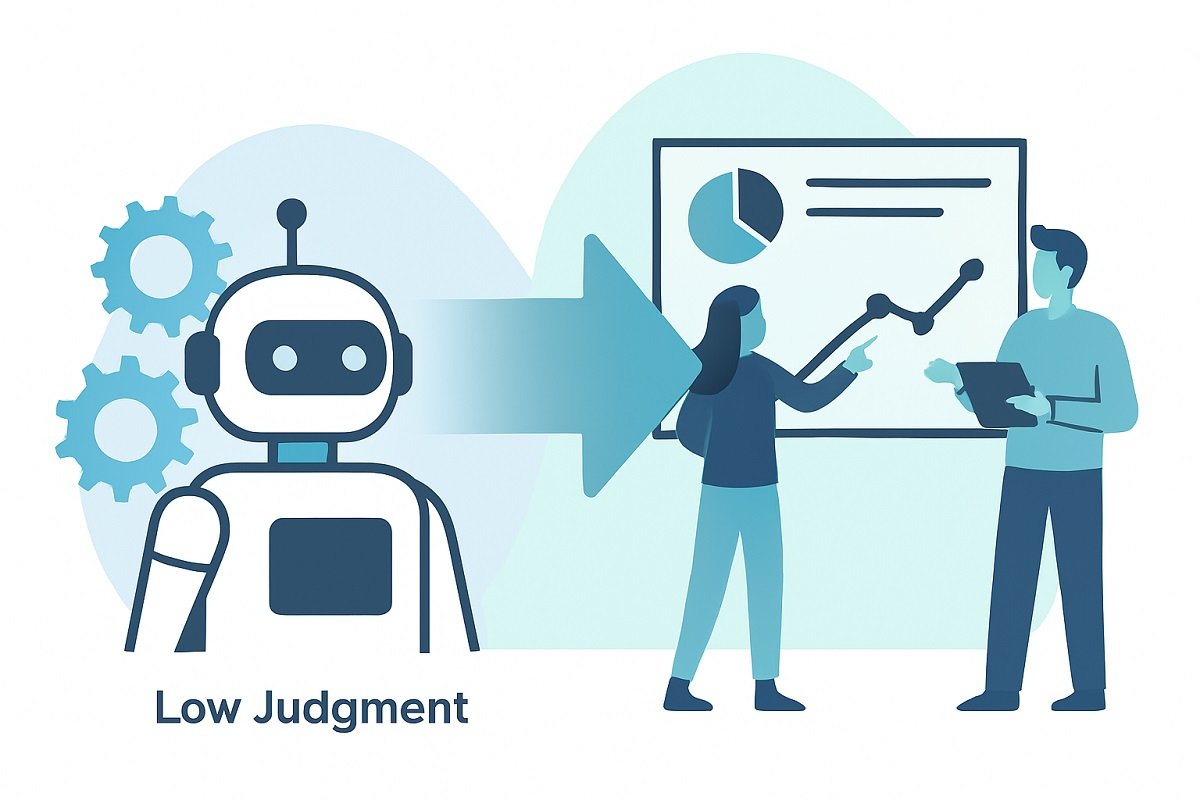
Integrating AI into human workflows is no longer optional — it’s the key to amplifying your team’s productivity. Artificial intelligence doesn’t replace your staff; it enhances their efficiency, reduces errors, and helps your business scale without burnout.
Most businesses fail because they either:
- Automate too aggressively and lose human oversight
- Or use AI casually without embedding it into structured processes
This guide shows you how to integrate AI into human workflows in a way that improves performance without sacrificing control, security, or accountability.
However, before implementing AI, it’s important to understand how work flows across your organization. Starting with well-defined AI workflow templates can help teams standardize processes, identify automation opportunities, and establish clear human approval checkpoints before deploying AI at scale.
Table of Contents
What Is Human–AI Workflow Integration?
Human–AI workflow integration means designing processes where:
- AI handles repetitive, data-heavy, or predictive tasks
- Humans handle judgment, creativity, ethics, and final decisions
- Both operate inside a structured system
Instead of replacing people, AI becomes a workflow assistant embedded into daily operations.
Why Businesses Struggle With AI Integration
Most teams:
- Add AI tools randomly
- Skip workflow redesign
- Fail to define accountability
- Ignore data governance
AI only works well when it’s mapped into a structured workflow, not used as a floating tool.
The Human–AI Workflow Model
Here’s a simplified framework you can use:
| Stage | AI Role | Human Role | Risk Level |
| Data Collection | Automate gathering & processing | Define data rules | Low |
| Analysis | Pattern detection, forecasting | Validate insights | Medium |
| Decision Support | Generate recommendations | Final decision | High |
| Execution | Automate repetitive tasks | Monitor & intervene | Medium |
| Optimization | Continuous learning | Adjust strategy | Medium |
This structure ensures:
- AI increases speed
- Humans retain authority
- Risk remains controlled
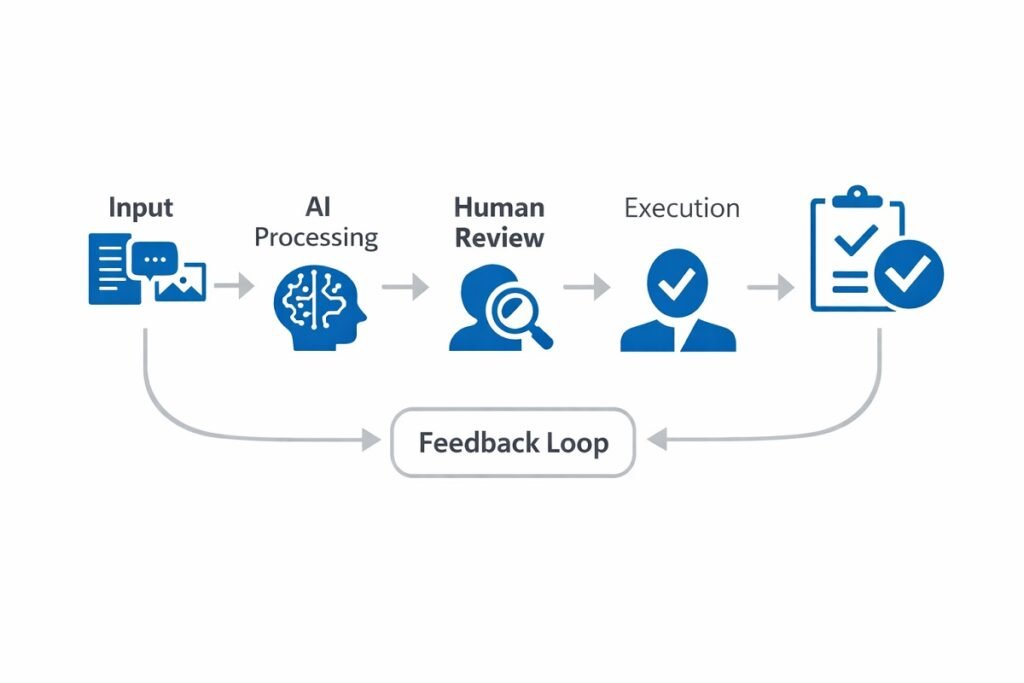
The diagram below illustrates how AI and human decision-making work together throughout a structured workflow. For additional examples across different industries and business processes, explore our collection of AI workflow diagrams and automation processes.
            Business Process Starts
                     │
                     ▼
          Identify the Type of Task
                     │
    ┌────────────────┴────────────────┐
    │                                 │
    ▼                                 ▼
Repetitive / Data-Based Strategic / High Risk
│ │
▼ ▼
AI Processes Human Reviews
│ │
└──────────────┬──────────────────┘
▼
Human Approval Check
│
Approved? (Yes / No)
│ │
Yes No
│ │
▼ ▼
Execute Workflow Revise / Retry
│
▼
Monitor Results & Improve
AI-Only vs Human-Only vs Hybrid Workflow Systems
| Feature | AI-Only | Human-Only | Human + AI (Hybrid) |
| Speed | Very High | Low | High |
| Accuracy | Data-driven | Judgment-driven | Optimized |
| Risk | High if unchecked | Low | Controlled |
| Scalability | High | Low | High |
| Compliance | Risky | Safe | Structured |
Step-by-Step: How to Integrate AI Into Human Workflows
Let’s break this into actionable steps.
Step 1: Audit Your Current Workflow
Before adding AI, ask:
- Where are delays happening?
- What tasks are repetitive?
- Where are human errors common?
- What decisions require judgment?
AI should support bottlenecks, not replace strategic roles.
Step 2: Categorize Tasks by Automation Potential
Use this matrix:
| Task Type | Automate Fully | AI + Human | Human Only |
| Data entry | ✅ | ||
| Report generation | ✅ | ||
| Customer segmentation | ✅ | ||
| Content drafting | ✅ | ||
| Strategic planning | ✅ | ||
| Legal approval | ✅ |
This prevents over-automation.

Real-World Example: Marketing Team Workflow
Before AI:
- Collect campaign data
- Analyze manually
- Build reports
- Draft strategy
After AI integration:
- AI collects and structures campaign data
- AI identifies trends and anomalies
- AI drafts performance report
- Human reviews and adjusts strategy
Result:
- Faster reporting
- Fewer calculation errors
- More time for strategic thinking
For example, businesses managing large volumes of digital or physical resources can benefit from structured systems like asset management workflow software, which combines automation with human oversight.
The biggest improvements usually don’t come from adding more AI—they come from clearly defining where human review should happen. For example, an AI system can automatically categorize assets, generate maintenance reminders, or prepare inventory reports, at the same time, a team member verifies exceptions, approves high-impact changes, and makes final operational decisions.
This hybrid approach helps organizations reduce repetitive work without sacrificing accuracy, accountability, or compliance. As teams gain confidence in the process, they can gradually automate additional low-risk tasks while keeping strategic decisions under human control.
AI Integration Maturity Levels
Understanding where you are helps you grow strategically.
| Level | Description | Risk | Scalability |
| Level 1: Tool Usage | AI used occasionally | Low | Low |
| Level 2: Assisted Workflow | AI embedded in tasks | Medium | Medium |
| Level 3: Structured Integration | AI mapped to processes | Controlled | High |
| Level 4: AI-Augmented System | AI + human oversight loops | Managed | Very High |
Most businesses sit at Level 1 or 2.
Competitive companies move toward Level 3.
Governance: The Critical Missing Layer
Integrating AI into workflows without governance creates:
- Data privacy risks
- Decision bias
- Compliance violations
- Loss of accountability
You must define:
- Who approves AI-generated outputs?
- What data can AI access?
- What decisions require human override?
- How often performance is reviewed?
AI without oversight is automation. AI with oversight is strategy.
In practice, governance works best when every AI-assisted workflow includes clearly defined approval checkpoints. Low-risk tasks such as data organization, report generation, or meeting summaries can often be completed with minimal review, and customer communications, financial decisions, legal documents, and strategic recommendations should always require human approval before execution.
Establishing these checkpoints creates a transparent decision-making process, reduces the risk of errors, and ensures that AI supports business objectives without replacing accountability. As workflows mature, organizations should regularly review AI performance, refine approval rules, and update governance policies to keep pace with changing business needs and regulatory requirements.
The diagram below illustrates a general AI governance approval process, showing how human review and continuous monitoring help maintain accuracy, accountability, and compliance throughout the workflow.
AI Generates Output
│
▼
Quality Review
│
▼
Human Approval
│
┌────┴────┐
│ │
Approved Needs Changes
│ │
▼ ▼
Deploy Revise Prompt
│ │
└────┬────┘
▼
Performance Monitoring
│
▼
Continuous Improvement
Human Skills That Become More Valuable in AI-Driven Workflows
As AI becomes embedded in business processes, the value of human work shifts significantly. Instead of focusing on repetitive execution, employees move toward higher-level responsibilities that AI cannot reliably perform.
In AI-integrated workflows, the most valuable human skills include:
- Critical thinking: Humans validate AI-generated insights, question assumptions, and identify flawed logic or misleading outputs. AI can process data, but it cannot fully understand context or nuance.
- Ethical evaluation: AI systems can introduce bias or unintended consequences. Human oversight ensures decisions align with ethical standards, legal requirements, and business values.
- Exception handling: AI performs best in predictable environments. When edge cases or unexpected scenarios arise, humans step in to interpret, adjust, and resolve issues.
- Creative problem solving: While AI can generate ideas, humans refine them into original strategies, campaigns, and solutions that require innovation and real-world context.
- Cross-functional coordination: AI operates within defined systems, but humans connect workflows across teams, align goals, and ensure smooth collaboration between departments.
This shift represents a fundamental change in how work is structured:
- From execution → to decision-making
- From manual effort → to strategic oversight
- From task completion → to system optimization
Organizations that understand this shift gain a competitive advantage by designing roles around human judgment and AI efficiency, rather than trying to replace one with the other.
The goal is not fewer humans — it’s higher-value humans working alongside AI systems.
Common Mistakes Teams Make When Using AI in Workflows
Even with a well-designed system, execution mistakes can reduce the effectiveness of AI in daily operations. These are the most common behavioral pitfalls teams encounter.
- Treating AI as a Shortcut Instead of a System: Teams often use AI for quick wins (like generating content or reports) without integrating it into repeatable workflows. This leads to inconsistency and limited long-term impact.
- Inconsistent Usage Across Teams: When different team members use AI in different ways, output quality becomes unpredictable. Standardizing how AI is used is essential for reliable results.
- Poor Prompting and Input Quality: AI outputs are only as good as the inputs. Vague instructions or incomplete data lead to weak or misleading results.
- Skipping the Review Step Under Time Pressure: As teams become more comfortable with AI, they may skip validation steps to save time—introducing avoidable errors into workflows.
- Overloading AI With Tasks It’s Not Designed For: Not all tasks benefit from AI. Forcing AI into complex or highly contextual decisions can reduce efficiency instead of improving it.
- Lack of Feedback Loops: Teams often fail to refine prompts or workflows based on past results. Without iteration, AI performance stagnates.
- Underestimating Change Resistance: Employees may resist AI adoption if they feel uncertain or threatened. Without proper onboarding, even the best systems fail in practice.
Key Insight: Most AI failures don’t come from bad technology—they come from inconsistent usage, poor inputs, and lack of operational discipline.
KPI Framework for Measuring Success
To evaluate integration effectiveness, track:
| Metric | Before AI | After AI | Improvement Target |
| Task Completion Time | 4 hours | 1.5 hours | -50% |
| Error Rate | 8% | 2% | -60% |
| Decision Cycle Time | 3 days | 1 day | -40% |
| Employee Productivity | Baseline | +25% | +20% |
Security Considerations in Human–AI Workflows
You should always consider:
- Data encryption
- Access control
- Role-based permissions
- Audit logs
- AI output validation
Sensitive industries like healthcare, finance, and legal sectors require stricter review processes. For example, industries like legal services require stricter validation workflows and compliance controls—see how this is implemented in our guide to AI workflow tools for law firms.
The Future of AI-Integrated Workflows
The next evolution is:
- AI agents coordinating between departments
- Automated feedback loops
- Real-time decision assistance
- Context-aware AI systems
But the human layer will always remain critical. Organizations that design workflows intentionally will outperform those that just “use AI tools.”
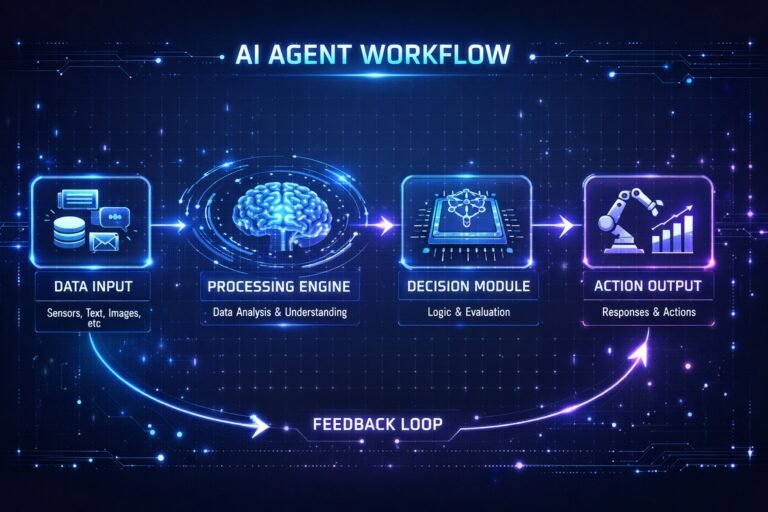
As organizations move toward automation at scale, understanding how autonomous systems operate becomes critical—explore this detailed guide on AI agent workflow systems to see how multi-step automation is evolving.
Choosing the Right AI Workflow Tools for Structured Integration
Integrating AI into human workflows is not just about strategy — it depends heavily on selecting the right tools.
Not all AI workflow platforms support:
- Role-based approvals
- Governance controls
- Audit logs
- Multi-step human validation
- Enterprise-grade security
When selecting AI tools, it’s also important to evaluate model capabilities—this comparison of ChatGPT vs Claude breaks down which AI performs better for complex business workflows and decision support. If you’re evaluating platforms, compare features such as automation depth, scalability, integration support, and compliance readiness.
The most effective AI workflows rely on connected tools rather than a single platform. For example, an organization might use an AI model to generate content or analyze data, an automation platform to move information between applications, a CRM to manage customer records, and collaboration tools to notify team members when human approval is required.
Defining a clear role for each tool creates a more reliable workflow, simplifies maintenance, and makes it easier to scale automation as business needs evolve.
👉 See our in-depth guide to AI workflow automation tools for businesses
Final Thoughts
Integrating AI into human workflows isn’t about speed alone.
It’s about designing smarter systems where humans and machines complement each other.
Start small.
Map your process.
Add AI where it reduces friction.
Keep humans where judgment matters.
Organizations that achieve the best results rarely automate everything at once. Instead, they begin with one or two repeatable workflows, measure the impact on efficiency and accuracy, and refine the process before expanding AI across other departments. This gradual approach reduces implementation risks, improves employee adoption, and creates a scalable foundation for long-term automation success.
That’s how you scale responsibly.
Free Checklist: Human–AI Workflow Integration Framework
If you’re implementing AI in your organization, use this 7-point checklist:
- Identify repetitive processes
- Categorize tasks by risk level
- Define human approval checkpoints
- Set access control rules
- Implement performance KPIs
- Monitor AI output accuracy
- Review compliance regularly
You can turn this into:
- A downloadable PDF
- A Notion template
- A workflow mapping template
👉 Download the Human–AI Workflow Integration Checklist
Just send us your email address here: ai@workflowaisuite.com
Frequently Asked Questions (FAQ)
What does integrating AI into human workflows mean?
Integrating AI into human workflows means embedding artificial intelligence into structured business processes where AI handles repetitive, analytical, or predictive tasks while humans maintain oversight, judgment, and final decision-making authority. The goal is to improve efficiency without removing human accountability.
How can businesses safely integrate AI into existing workflows?
Businesses can safely integrate AI by first auditing their workflows, identifying low-risk automation opportunities, defining human approval checkpoints, and implementing governance controls such as access permissions and audit logs. AI should support decision-making, not replace critical human judgment.
What tasks should not be fully automated with AI?
Tasks that involve legal approval, ethical decision-making, high-risk financial decisions, strategic planning, and sensitive customer interactions should not be fully automated. These areas require human oversight to reduce compliance risks and bias.
What are the benefits of combining AI and human workflows?
The main benefits include faster task completion, reduced errors, improved data analysis, better scalability, and increased employee productivity. When structured properly, AI allows teams to focus on higher-value strategic work instead of repetitive manual tasks.
What industries benefit most from AI workflow integration?
Industries such as marketing, finance, healthcare, legal services, customer support, and operations management benefit significantly from AI workflow integration. Any industry that processes large volumes of data or repetitive tasks can gain efficiency improvements.
How do you measure the success of AI integration in workflows?
Success can be measured using key performance indicators such as reduced task completion time, lower error rates, improved decision cycle speed, increased productivity, and measurable cost savings. Tracking these metrics before and after AI implementation provides clear ROI insights.
What are the risks of integrating AI into workflows?
Risks include data privacy concerns, algorithmic bias, over-automation, lack of accountability, and compliance violations. These risks can be minimized by implementing governance policies, maintaining human review checkpoints, and regularly auditing AI performance.
Is AI workflow integration suitable for small businesses?
Yes. Small businesses can start with limited automation such as report generation, email drafting, customer segmentation, or data organization. Starting small reduces risk while allowing teams to experience productivity improvements quickly.
Research & Industry Trends Referenced
- Enterprise AI governance frameworks
- Workflow automation scalability studies
- AI-human collaboration models
- Business process optimization standards
Ready to Build a Smarter AI Workflow System?
If you’re serious about structured AI integration, your next step is choosing tools that support human oversight, automation depth, and scalability.
Explore our complete breakdown of AI workflow automation tools designed for modern businesses.
👉 Read the full AI Workflow Automation Tools Guide


2 Comments