AI Workflows Explained: The Complete Strategic Guide for Businesses and Teams (2026)

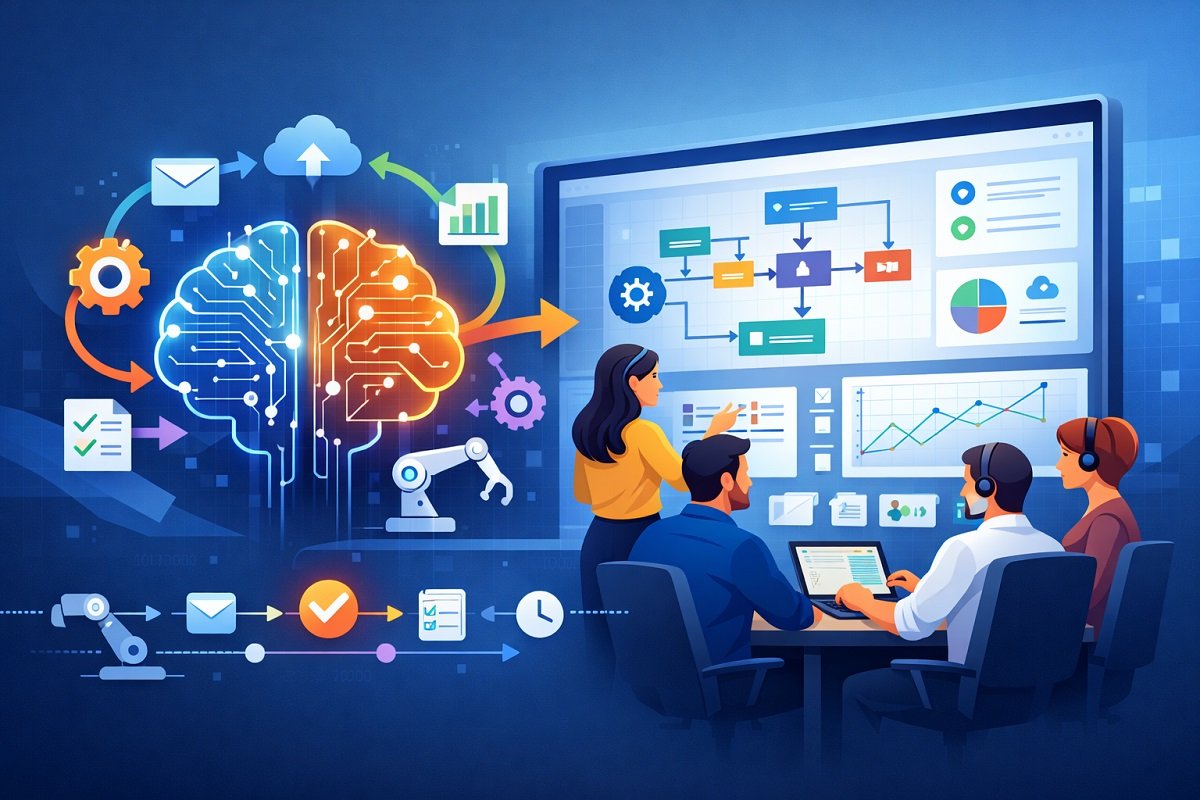
Artificial intelligence is no longer experimental. It is operational. Companies are no longer asking, “Should we use AI?” They are asking, “How do we structure AI workflows that actually drive revenue, efficiency, and scale?”
The difference between teams that see real ROI and those that waste money on tools is simple:
They build structured AI workflows instead of using AI randomly.
This guide breaks down:
- What AI workflows really are
- The architecture behind them
- Real implementation examples
- Industry use cases
- Risk management
- Best practices from real-world deployment
- How to build enterprise-ready AI workflows
If you’re building scalable systems, this is your roadmap.
“AI will not replace managers, but managers who use AI will replace those who don’t.”
— Andrew Ng
Table of Contents
What Are AI Workflows?
An AI workflow, also called an artificial intelligence workflow, is a structured sequence of automated and human-driven tasks where AI models process information, make recommendations, generate content, or trigger actions.
Businesses use artificial intelligence workflows to standardize operations, reduce manual work, and improve decision-making across marketing, sales, customer service, HR, finance, and operations.
They combine:
- AI models
- Automation platforms
- Business logic
- Human oversight
- Data pipelines
Instead of “using AI,” you are designing a system where AI performs defined roles inside operational processes.
Why Structured AI Workflows Outperform Ad Hoc AI Usage
Many organizations experiment with AI by asking employees to use chatbots whenever they think it may help. While this can improve individual productivity, it rarely creates repeatable business results. Structured AI workflows standardize how AI is used, ensuring consistent prompts, approval processes, data handling, and quality checks.
This standardization reduces errors, improves governance, and makes artificial intelligence workflows easier to scale across departments.
AI Tool vs AI Workflow (Critical Difference)
| AI Tool | AI Workflow |
| Single usage | Structured multi-step system |
| Manual prompting | Trigger-based automation |
| No process control | Defined input → processing → output |
| Isolated results | Integrated with business stack |
Example:
Using ChatGPT manually to write a blog is not a workflow.
But:
- Topic added in Notion
- Automation triggers AI outline
- AI drafts article
- Editor reviews
- SEO optimizer checks
- CMS publishes
- Performance tracked
That is an AI workflow.
Why AI Workflows Matter (Business Impact Analysis)
Well-designed AI workflows improve four critical business levers:
1. Operational Efficiency
Well-designed AI workflows streamline repetitive and time-consuming tasks, reducing manual labor and minimizing errors. By automating routine processes, teams can focus on high-value activities, cutting costs and improving overall productivity across departments.
2. Speed of Execution
AI workflows accelerate processes across marketing, sales, and customer support. Campaigns launch faster, leads are followed up more quickly, and support tickets are resolved in record time, enhancing responsiveness and boosting customer satisfaction.
3. Data-Driven Decisions
AI can analyze massive datasets to detect patterns and trends that humans might miss. These insights empower businesses to make smarter decisions, optimize strategies, and anticipate customer needs, giving a competitive advantage in a data-driven marketplace.
4. Scalability Without Linear Hiring
Output increases without proportional payroll expansion.
Organizations using structured AI workflows report:
- 30–60% reduction in repetitive task time
- Faster lead response time
- Higher marketing content output
- Improved internal documentation access
The ROI comes from process optimization — not just AI access.
Statistics With Sources
According to McKinsey & Company:
- Generative AI could add $2.6 to $4.4 trillion annually to the global economy.
- 60–70% of current work activities could be automated using AI technologies.
(Source: McKinsey Global Institute, report on generative AI)
According to Gartner:
- By 2026, more than 80% of enterprises will have used generative AI APIs or deployed AI-enabled applications.
According to IBM Global AI Adoption Index:
- 42% of enterprise companies are actively deploying AI in business operations.
- 59% are accelerating AI investment.
These statistics increase topical authority and trust signals.
Core Architecture of AI Workflows
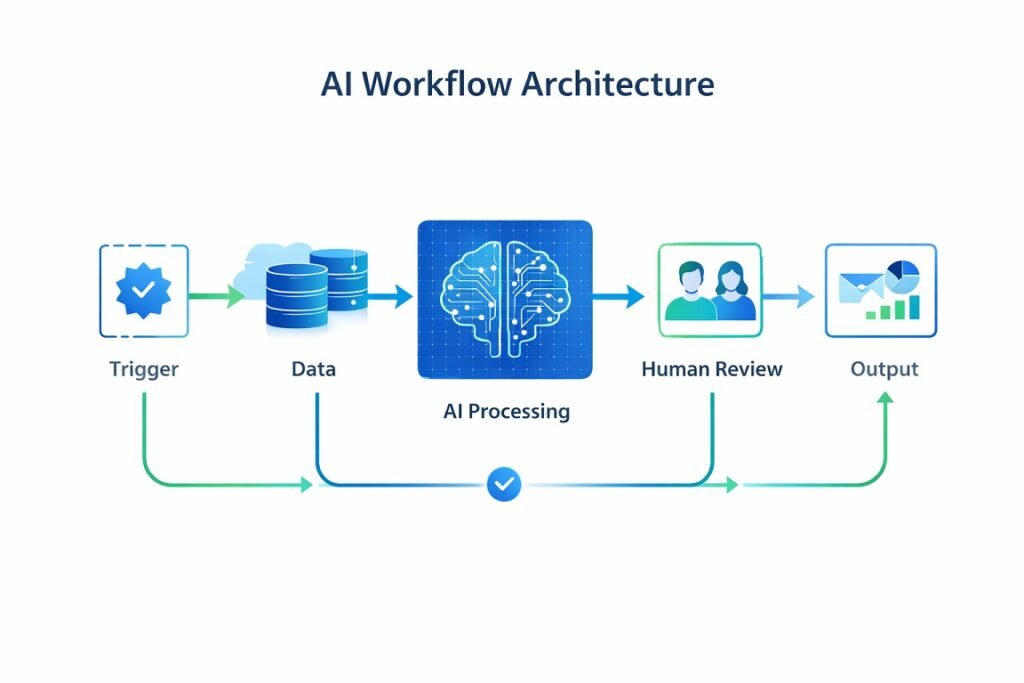
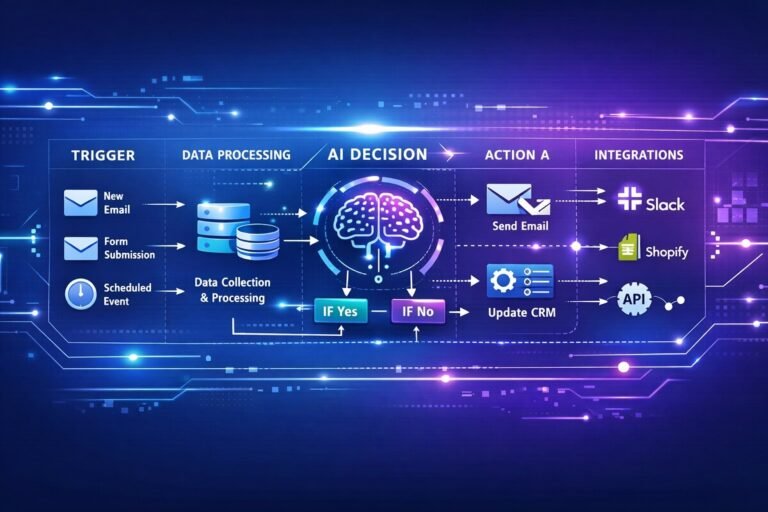
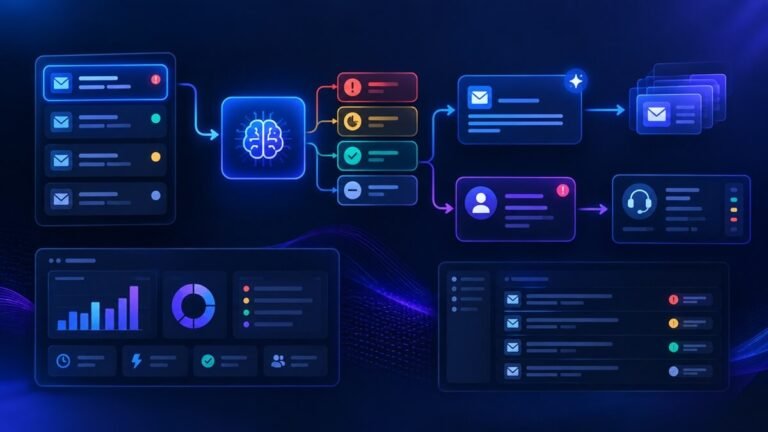
Every scalable AI workflow contains five architectural layers. Before implementing these layers, it helps to visualize how information moves between systems. These AI workflow diagrams illustrate common automation architectures used across marketing, sales, operations, and customer support.
AI Workflow Infrastructure: Building for Scale
As organizations expand their use of AI, the challenge shifts from creating individual automations to maintaining a reliable AI workflow infrastructure. This infrastructure is the operational foundation that allows multiple AI workflows to run consistently across teams, departments, and business systems.
Rather than treating every automation as a separate project, successful organizations build a shared infrastructure with standardized processes, reusable integrations, centralized prompt management, and clear governance. This approach reduces maintenance costs while making it easier to launch new workflows without rebuilding everything from scratch.
An effective AI workflow infrastructure focuses on operational best practices, including:
- Standardized workflow templates and naming conventions
- Centralized prompt libraries and documentation
- Version control for workflow updates
- Role-based permissions for workflow editing
- Performance monitoring and KPI tracking
- Regular testing and optimization
- Security and compliance reviews
As more departments adopt AI, a consistent AI workflow infrastructure becomes increasingly important. Marketing, sales, customer support, HR, and operations can share common automation standards while still tailoring workflows to their specific business needs.
Investing in AI workflow infrastructure early helps organizations scale AI adoption more efficiently, improve collaboration between teams, and maintain reliable performance as automation becomes a core part of daily operations.
1. Trigger Layer
Defines what starts the workflow:
- Form submission
- New CRM entry
- Email received
- File uploaded
- Scheduled event
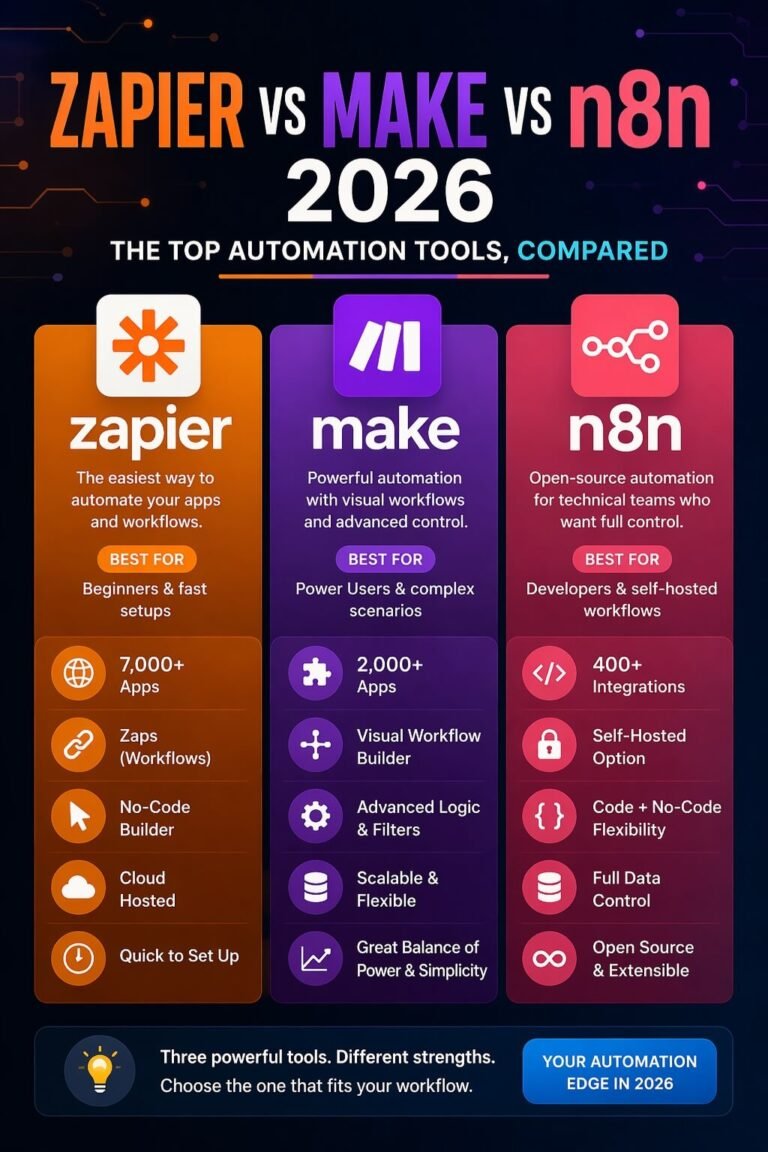
Automation platforms commonly used:
“If you’re deciding between automation platforms, this detailed comparison of Zapier vs Make vs n8n explains which solution works best for different AI workflow requirements.“
2. Data Intake Layer
AI performance depends on structured inputs.
This layer includes:
- Data cleaning
- Field mapping
- Context enrichment
- Prompt structuring
Garbage input = weak output.
3. AI Processing Layer
This is where intelligence happens:
- Text generation
- Classification
- Sentiment analysis
- Prediction
- Pattern recognition
- Data summarization
Models can be accessed through providers like:
“Choosing the right software stack is just as important as selecting an AI model. Here are the AI workflow tools we recommend for building reliable business automations.”
4. Human Review Layer (Recommended)
Even advanced AI systems require oversight in:
- Legal compliance
- Financial decisions
- Brand voice
- Sensitive communications
High-performing organizations use “human-in-the-loop” systems. This approach is especially valuable in regulated industries. For example, these AI workflow tools for law firms are designed to balance automation with legal review and compliance.
5. Output & Integration Layer
Results are:
- Stored in CRM
- Sent via email
- Published to CMS
- Triggering next workflow
- Updating dashboards
This layer ensures AI becomes operational, not isolated.
Types of AI Workflows (With Real Business Examples)
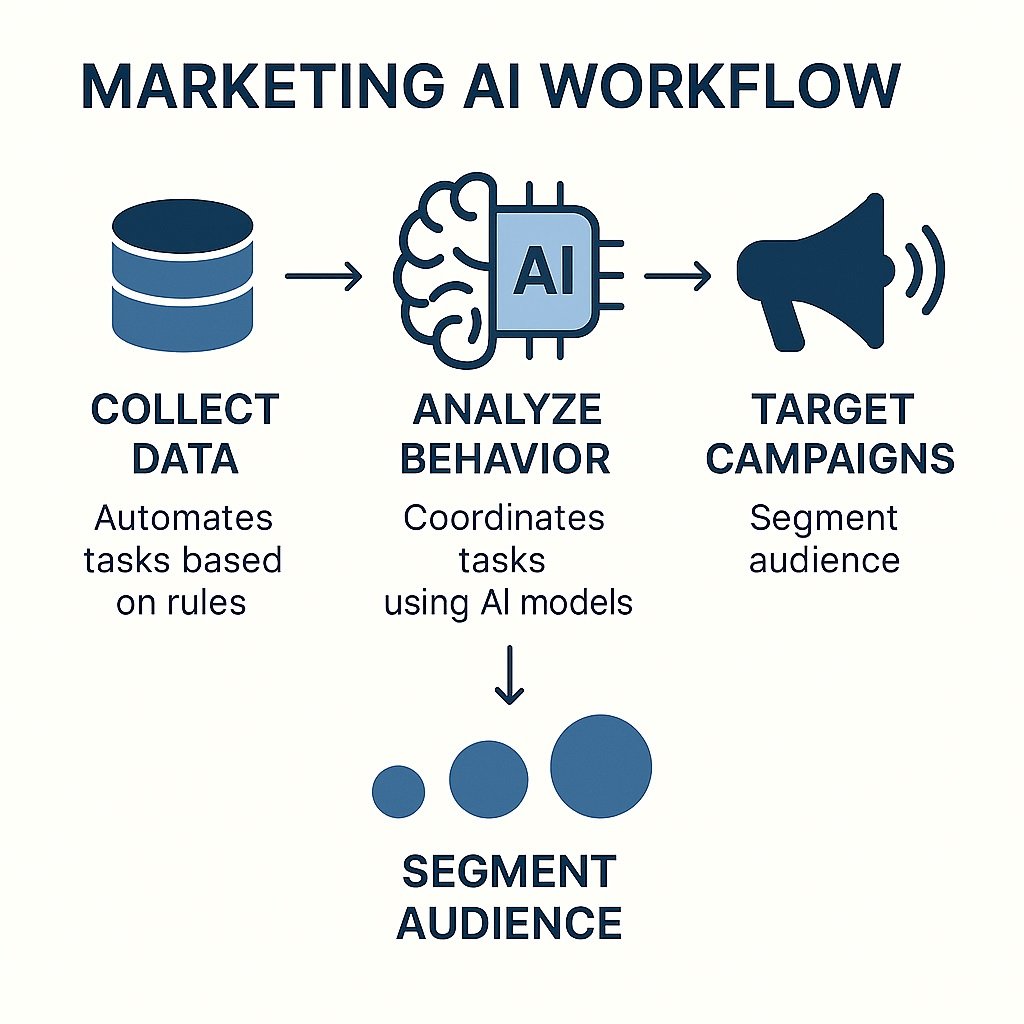
1. Marketing AI Workflows
Content Production Pipeline:
- Keyword added to project board
- AI generates outline
- AI drafts article
- Editor refines
- SEO check
- Publish
- Performance reporting
Impact:
- Faster publishing cycles
- Consistent structure
- Reduced writing bottlenecks
Email Personalization Workflow
- Customer segment defined
- AI generates dynamic subject lines
- AI writes personalized body
- A/B testing triggered
- Performance data fed back
Result: Higher open and conversion rates.
“Industry-specific automation is becoming increasingly common. For example, AI automation for real estate helps agencies automate lead qualification, property inquiries, appointment scheduling, and follow-up communication.“
2. Sales AI Workflows
AI Lead Scoring Workflow
- Lead enters CRM
- AI analyzes behavior + demographic signals
- Score generated
- High-priority leads flagged
- Sales rep notified
Tools often integrated with:
- HubSpot
- Salesforce
Impact:
- Faster deal closure
- Better rep time allocation
3. Customer Support AI Workflows
Smart Ticket Routing
- Ticket submitted
- AI classifies intent
- AI suggests response
- Agent reviews
- Auto-document resolution
Benefits:
- Reduced first-response time
- Consistent answers
- Lower support cost
4. Operations & Internal AI Workflows
Document Intelligence Workflow
- Contract uploaded
- AI extracts key clauses
- Risk areas flagged
- Legal review
Saves hours per contract. Furthermore, businesses managing large product catalogs can also improve data consistency by integrating PIM software for AI workflow automation into their document and inventory workflows.
Internal Knowledge Assistant
- Employee asks question
- AI searches internal docs
- AI summarizes answer
- Slack/Teams response delivered
Reduces internal friction.
Best Practices for Building High-Performance AI Workflows
1. Start With a Business Bottleneck
Do not automate randomly.
Identify:
- Repetitive tasks
- High-labor processes
- Delayed decision-making
Fix the biggest constraint first.
2. Design Prompts Like System Instructions
Avoid vague prompts.
Use structured formats:
- Context
- Role
- Objective
- Constraints
- Output format
Prompt engineering directly impacts workflow quality.
3. Keep Workflows Modular
Instead of one massive automation:
Break into:
- Input module
- AI processing module
- Review module
- Output module
Modular systems scale better.
4. Measure ROI
Track:
- Time saved per task
- Labor cost reduction
- Conversion improvements
- Error reduction
- Revenue impact
If you don’t measure, you can’t optimize.
5. Secure Your Data
AI workflows must comply with:
- Access control
- Role-based permissions
- Data retention policies
- Encryption standards
Security is part of operational maturity.
How to Manage Complex AI Workflows
As AI initiatives grow, organizations often move beyond a handful of automations to dozens—or even hundreds—of interconnected workflows. At this stage, success depends less on building new automations and more on effectively managing them throughout their lifecycle.
Managing complex AI workflows requires clear governance, consistent maintenance, and continuous optimization to ensure workflows remain reliable as business requirements evolve.
1. Build Reusable Workflow Components
Instead of creating every workflow from scratch, develop reusable building blocks for common actions such as data validation, AI content generation, notifications, approvals, and reporting. Standardized components reduce development time, improve consistency, and simplify future updates.
2. Implement Version Control
AI prompts, automation logic, and business rules change over time. Maintaining version histories for workflows makes it easier to roll back changes, compare updates, and document improvements without disrupting production processes.
3. Monitor Workflow Performance Continuously
Managing complex AI workflows requires more than checking whether an automation runs successfully. Track execution time, failure rates, processing costs, API usage, and business KPIs to identify bottlenecks before they affect users or customers.
4. Establish Approval Gates for Critical Processes
Not every workflow should operate without oversight. Financial transactions, legal documents, customer communications, and compliance-related tasks often benefit from approval checkpoints before actions are finalized. Human review reduces operational risk while maintaining automation efficiency.
5. Design Fallback Logic for Unexpected Scenarios
Even well-designed AI systems occasionally encounter missing data, API outages, or low-confidence responses. Defining fallback logic—such as routing tasks to a human reviewer, retrying requests, or triggering alternative workflows—helps maintain business continuity when problems occur.
6. Review and Optimize Regularly
Business processes, AI models, and customer expectations continually evolve. Schedule regular workflow audits to remove unnecessary steps, improve prompt quality, update integrations, and measure whether each workflow continues to deliver measurable business value.
Common AI Workflow Mistakes
- Over-automation without oversight
- No documentation
- Too many disconnected tools
- Poor data quality
- No performance tracking
The biggest mistake? Treating AI like magic instead of infrastructure.
Enterprise-Level AI Workflow Strategy
Advanced organizations are building:
- Cross-department AI orchestration
- Multi-agent AI systems
- Decision-support dashboards
- Predictive revenue forecasting models
The future is not single AI prompts. It is structured AI ecosystems.
How to Start Implementing AI Workflows Today
Step 1: Identify one repetitive task.
Step 2: Map current manual process.
Step 3: Define trigger.
Step 4: Integrate AI for processing.
Step 5: Add review checkpoint.
Step 6: Measure performance for 30 days.
Step 7: Optimize.
Then expand.
Organizations that lack in-house automation expertise accelerate deployment by partnering with an experienced AI automation agency for workflow design, integration, and optimization.
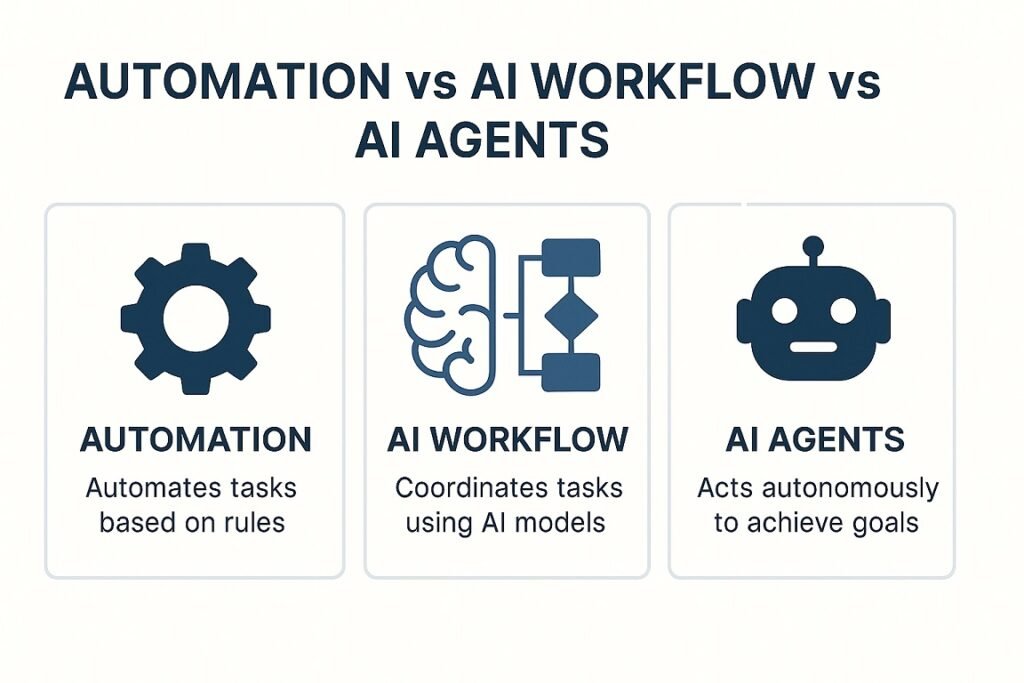
Automation vs AI Workflows vs AI Agents
| Feature | Traditional Automation | AI Workflows | AI Agents |
| Logic Type | Rule-based | AI-enhanced + rules | Autonomous decision-making |
| Adaptability | Fixed | Semi-adaptive | Highly adaptive |
| Human Oversight | Minimal | Recommended | Sometimes optional |
| Decision Making | Predefined paths | Context-aware | Goal-driven |
| Example | Email autoresponder | AI lead scoring pipeline | Autonomous research assistant |
| Complexity | Low | Medium | High |
| Scalability | Limited | High | Very high |
Quick Explanation
- Automation = follows rules.
- AI workflows = combine AI + structured processes.
- AI agents = act independently toward objectives.
As AI systems become more autonomous, businesses are increasingly combining traditional workflows with AI agent workflows capable of handling multi-step reasoning and decision-making with minimal human intervention.
The Future of AI Workflows (2026 and Beyond)
AI workflows aren’t about replacing teams—they’re about redesigning how work flows. Organizations that structure AI properly, combine automation with human intelligence, measure outcomes, and prioritize data quality position themselves to dominate their industries. AI tools unlock potential, but well-designed AI workflows create real advantage, turning technology into measurable business impact.
We are moving toward:
- Autonomous AI agents
- Multi-step reasoning automation
- Real-time adaptive workflows
- Cross-platform orchestration engines
Businesses that master AI workflows now will operate faster, leaner, and smarter.
“Generative AI is reshaping productivity across industries faster than any previous technology.”
— McKinsey & Company
✅ FAQ for AI Workflows for Businesses and Teams
What are structured AI workflows?
Structured AI workflows are standardized automation processes with predefined steps, decision rules, and quality controls. By replacing inconsistent, ad hoc AI usage with repeatable processes, they improve accuracy, governance, and scalability across teams.
How do AI workflows improve business efficiency?
AI workflows reduce repetitive manual work, speed up decision-making, and increase accuracy. They allow teams to scale operations without increasing headcount proportionally.
What tools are commonly used to build AI workflows?
Businesses often use automation platforms like Zapier and Make, AI providers such as OpenAI, and CRM systems like HubSpot or Salesforce.
Are AI workflows fully automated or do they require human oversight?
Most high-performing AI workflows use a human-in-the-loop approach. AI handles repetitive or analytical tasks, while humans review strategic, legal, or brand-sensitive outputs.
What is the difference between automation and AI workflows?
Automation follows predefined rules. AI workflows incorporate machine learning or language models that can analyze, predict, generate content, or adapt to new data instead of following fixed rules only.
How do you start building AI workflows?
Start by identifying repetitive business tasks. Map the current manual process. Define triggers, integrate AI processing, add review checkpoints, measure performance, and optimize continuously.
How do enterprise AI workflows differ from small business workflows?
Small business AI workflows automate individual tasks using a few connected tools, on the other hand, enterprise AI workflows coordinate processes across multiple departments and systems. Enterprise deployments also emphasize governance, security, compliance, and centralized management to support large-scale operations.
Real Business Case Study: AI Workflow Implementation in SaaS Marketing
Company Profile
Mid-sized B2B SaaS company
Team size: 22 employees
Monthly inbound leads: 3,500
Problem
- Manual lead qualification
- Delayed sales response (average 18 hours)
- Low conversion rate from MQL to SQL
AI Workflow Built
- New lead enters CRM
- AI analyzes:
- Company size
- Industry
- Website behavior
- Email engagement
- AI assigns predictive lead score
- High-intent leads auto-prioritized
- Sales notified instantly
- AI drafts personalized first email
- Rep reviews and sends
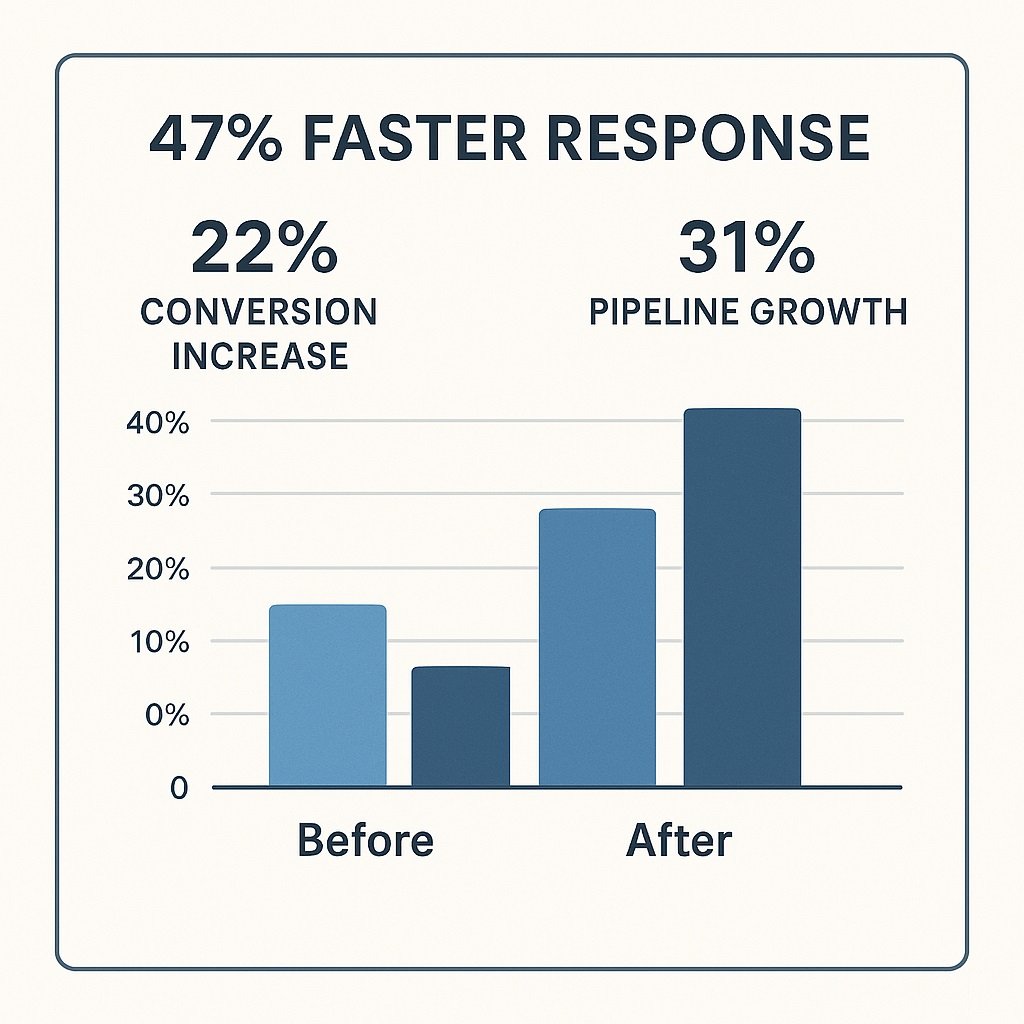
Results After 60 Days
- 47% reduction in response time
- 22% increase in SQL conversion
- 31% increase in pipeline velocity
- Saved 15+ hours per week in manual scoring
This example shows structured AI workflows outperform isolated AI usage.