
5 Best AI Tools for Small Business in 2026 (Stress-Tested for Real ROI)

AI tools are no longer experimental add-ons for small businesses. In 2026, they sit inside daily operations — lead handling, meeting capture, SOP creation, workflow routing, and expert content production.
Most AI tool roundups focus on features. Business owners care about different metrics:
- Hours saved per week
- Revenue impact
- Workflow reliability
- Integration stability
- Security readiness
Over six months, more than 50 AI platforms were tested inside real agency and small business workflows. Only five tools produced consistent, measurable ROI.
Table of Contents

⭐ Editor’s Pick: WorkflowAISuite Templates & Automation Systems
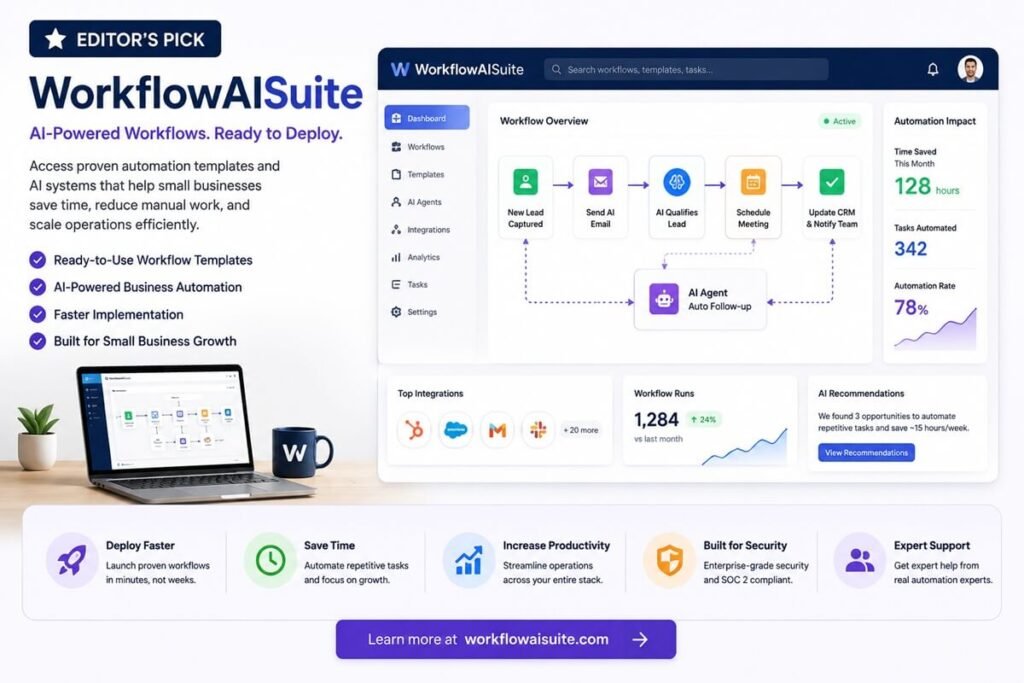
While the tools in this guide are powerful platforms for automation, many small businesses struggle with implementation. Setting up workflows, integrations, and AI systems often requires significant time and technical expertise.
That’s where WorkflowAISuite comes in.
WorkflowAISuite provides ready-to-deploy AI workflows, automation templates, and implementation frameworks designed to help small businesses automate operations faster. Instead of building systems from scratch, businesses can leverage proven automation strategies for lead management, workflow optimization, content operations, and business process automation.
Best For
- Small businesses seeking faster AI adoption
- Teams without dedicated automation specialists
- Businesses looking for ready-made workflow templates
- Organizations focused on productivity and operational efficiency
Why We Like It
✅ Ready-to-use automation frameworks
✅ Small business-focused implementation strategies
✅ Workflow optimization templates
✅ Faster deployment than building systems from scratch
Learn more: https://workflowaisuite.com/
How We Evaluated These AI Tools
Each platform was stress tested using real operational scenarios instead of demo prompts.
Evaluation criteria:
- Weekly time saved
- Multi-app workflow support
- Output consistency
- API reliability
- Security controls
- Ease of rollout
- Cost vs labor replacement value
Any tool that failed under repeated daily use was removed from the list.
📊 Quick Comparison Table — 2026 AI Efficiency Stack
| Tool | Core Function | Best For | ROI Driver | Monthly Cost | Weekly Time Saved |
| Zapier Central | Workflow logic | Agencies | Cross-app automation | $50+ | 15–25 hrs |
| Clay | Lead intelligence | B2B sales | Outreach personalization | $149+ | 15–20 hrs |
| Fireflies | Meeting AI | Consultants | Call indexing | $19+ | 3–5 hrs |
| Notion AI | SOP + knowledge | Teams | Documentation speed | $10/user | 6–10 hrs |
| Claude 4 | Expert writing | Content teams | Long-form output | $20+ | 10–12 hrs |
Why Small Businesses Need AI Workflow Automation Tools
Small businesses face a constant challenge: growing revenue without dramatically increasing operating costs. Many teams spend hours every week on repetitive tasks such as data entry, lead qualification, meeting notes, customer follow-ups, and internal reporting. These activities are necessary, but they often prevent business owners and employees from focusing on higher-value work.
This is where AI workflow automation tools for small businesses can make a measurable impact. Instead of manually moving information between applications or performing repetitive administrative tasks, AI-powered systems can automate routine workflows and support faster decision-making.
Reduce Manual Work
Many business processes still rely on copying data between spreadsheets, CRMs, email platforms, and project management tools. Modern AI business automation tools can automatically route information, trigger actions, generate summaries, and assign tasks without human intervention.
For example, an AI workflow can:
- Capture leads from a website form
- Enrich prospect information automatically
- Route qualified leads to the correct salesperson
- Schedule follow-up tasks
- Generate personalized outreach drafts
This reduces manual effort while improving operational consistency.
Improve Team Productivity
One of the biggest advantages of small business automation software is its ability to eliminate bottlenecks. Employees spend less time on repetitive administrative work and more time on activities that directly contribute to growth.
AI-powered productivity systems can:
- Summarize meetings automatically
- Generate standard operating procedures (SOPs)
- Create reports and documentation
- Organize internal knowledge bases
- Draft customer communications
By reducing routine workload, businesses can increase productivity without increasing headcount.
Scale Operations Without Hiring
As businesses grow, operational complexity increases. Hiring additional staff for every new process is often expensive and unsustainable.
Workflow automation for small businesses allows companies to handle larger workloads while maintaining efficiency. Automated workflows can process leads, manage customer requests, update databases, and coordinate tasks across multiple platforms around the clock.
This enables business owners to scale operations while keeping labor costs under control.
Automate Customer Support
Customer expectations continue to rise, even for small businesses. AI-driven support systems help companies provide faster responses and better customer experiences.
Common customer support automation use cases include:
- AI chatbots for answering common questions
- Automated ticket routing
- Customer inquiry classification
- Knowledge base recommendations
- Follow-up message automation
These capabilities help businesses deliver responsive service without requiring a large support team.
Streamline Lead Management
Lead management is one of the most valuable applications of AI workflow automation tools for small businesses. AI can automatically qualify prospects, score leads based on intent signals, enrich contact data, and prioritize outreach opportunities.
Benefits include:
- Faster lead response times
- Improved lead qualification accuracy
- Better sales team efficiency
- Higher conversion rates
- Reduced administrative workload
For businesses focused on growth, automated lead management often delivers some of the fastest and most measurable ROI.
The Bottom Line
The best AI workflow automation tools for small businesses help organizations eliminate repetitive work, improve productivity, automate customer interactions, and scale more efficiently. Rather than replacing employees, these systems allow teams to focus on strategic work while automation handles routine operational tasks in the background.
Implementation Roadmap — Avoid Subscription Waste
Roll out in stages.
- Step 1 — Fix Workflow Routing: Start with Zapier Central.
- Step 2 — Improve Lead Quality: Add Clay.
- Step 3 — Capture Institutional Memory: Deploy Fireflies.
- Step 4 — Structure Internal Knowledge: Add Notion AI.
- Step 5 — Scale Authority Content: Use Claude for expert writing.
Measure time saved after each stage before adding the next tool.
What to Look for in AI Software for Small Business
Not all AI platforms deliver the same value. While new tools appear almost every week, small business owners should focus on solutions that solve real operational problems rather than chasing the latest features.
The best AI software for small business should help teams save time, improve efficiency, and automate repetitive tasks without adding unnecessary complexity. Before investing in any platform, evaluate it across five key areas.
1. Integration Capabilities
An AI tool is only as useful as its ability to connect with the systems your business already uses. Strong integrations reduce manual work and ensure information flows smoothly across your organization.
Look for platforms that integrate with:
- CRM systems
- Email platforms
- Project management tools
- Customer support software
- Accounting applications
- Team communication tools
The most effective business workflow automation tools act as a central hub that connects multiple applications and automates processes between them.
2. Security and Data Protection
Many AI systems process customer information, financial records, internal documentation, and other sensitive business data. Security should be a primary consideration when evaluating any AI platform.
Important security features include:
- Data encryption
- Role-based access controls
- Audit logs
- SOC 2 compliance
- GDPR compliance (where applicable)
- Secure API access
Reliable AI solutions for small business should provide transparency about how data is stored, processed, and protected.
3. Ease of Implementation
A powerful platform is useless if your team cannot adopt it quickly. Small businesses often lack dedicated IT departments, making ease of implementation a critical factor.
When evaluating a tool, consider:
- Setup complexity
- Learning curve
- User interface quality
- Available templates
- Training resources
- Customer support responsiveness
The best AI platforms deliver value within days or weeks rather than requiring months of configuration.
4. Automation Capabilities
Automation is where AI often generates the highest return on investment. The strongest platforms go beyond basic task automation and can make decisions based on context, customer behavior, or business rules.
Look for features such as:
- Workflow automation
- AI-powered decision routing
- Lead qualification
- Meeting summarization
- Document generation
- Customer support automation
- Multi-step process orchestration
Modern business workflow automation tools should help reduce repetitive work while improving consistency and accuracy.
5. Pricing and ROI Potential
Price alone should not determine your decision. Instead, evaluate how much time and labor the platform can save compared to its monthly cost.
Questions to ask include:
- How many hours can this tool save each week?
- Can it eliminate repetitive administrative work?
- Will it improve customer experience or lead conversion rates?
- Does the productivity gain justify the subscription cost?
Many of the best AI software for small business solutions cost less than a part-time employee while automating dozens of hours of work every month.
Key Takeaway
The most effective AI solutions for small business combine strong integrations, enterprise-grade security, simple implementation, powerful automation capabilities, and clear ROI. By evaluating tools against these criteria, business owners can avoid subscription waste and build an AI stack that supports long-term growth.
1. Zapier Central — Best AI Workflow Automation Tool for Small Businesses
- Primary Role: AI workflow automation and decision routing
- Best Fit: Agencies and service businesses with multi-app workflows
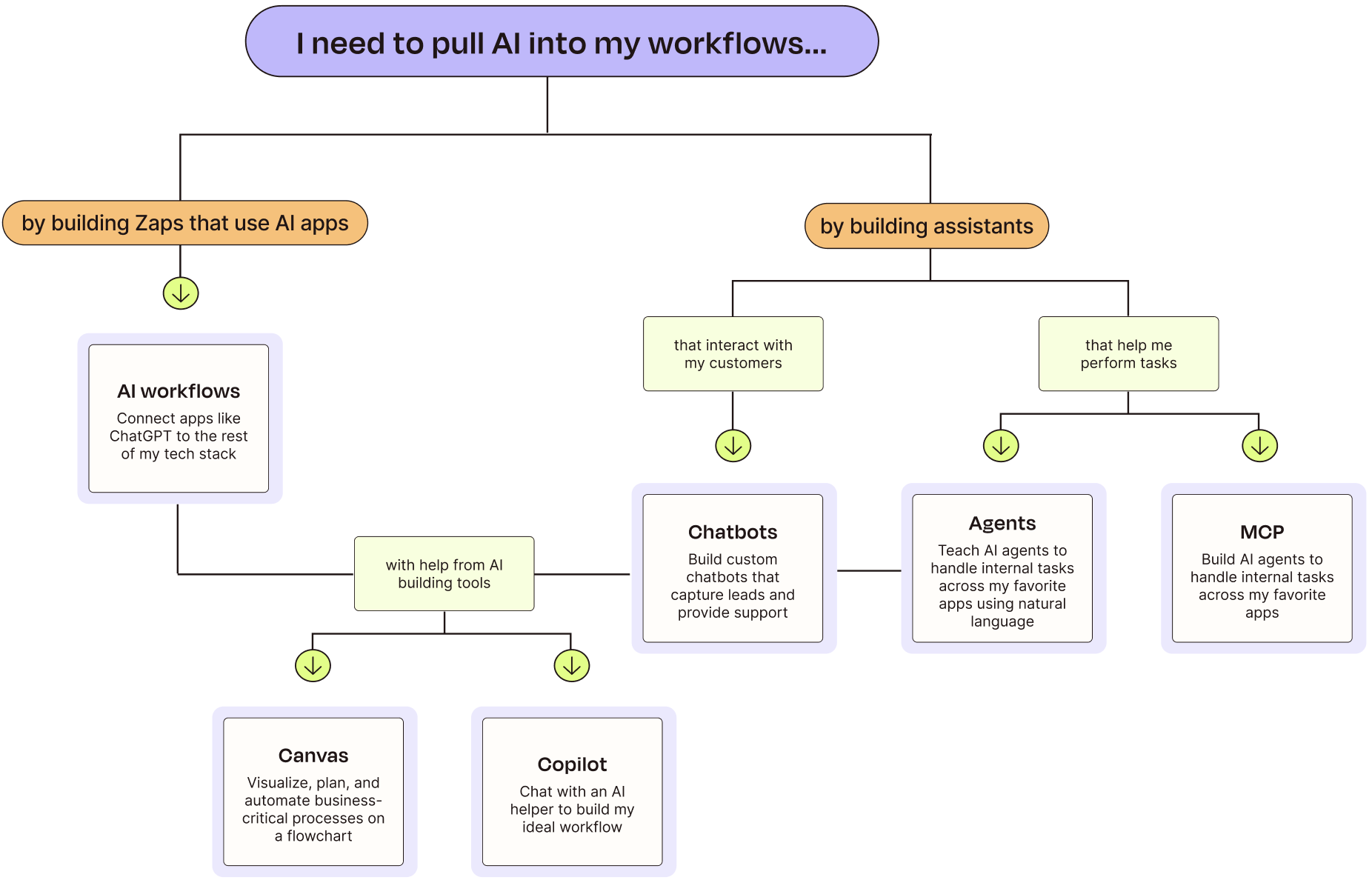
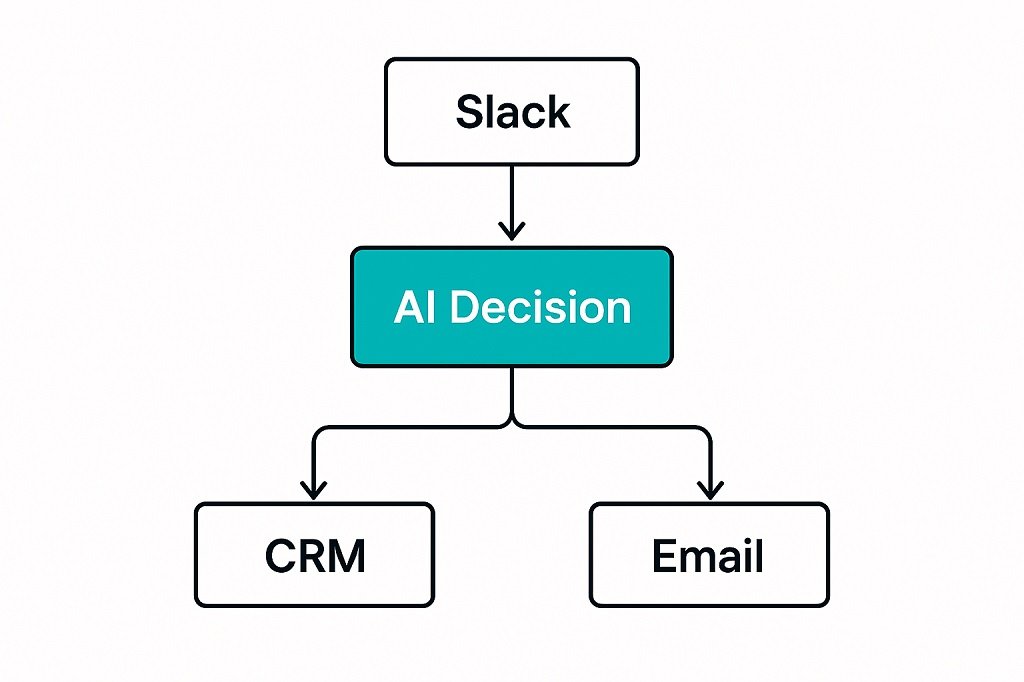
Zapier moved beyond trigger-action automation. Zapier Central introduces AI Agents that can evaluate context, not just pass data. That changes how workflow automation behaves in real environments.
Instead of static flows, the system can now branch based on message urgency, CRM data, customer value tier, or ticket history.
Real Workflow Scenario Tested
Agent monitored:
- Slack client channels
- HubSpot CRM
- Gmail inbox
- Project management system
The AI Agent:
- Detected qualified leads
- Checked deal stage
- Pulled purchase history
- Drafted response templates
- Assigned internal priority tags
Measured Impact
- Lead triage time reduced from 25–30 minutes to under 1 minute
- Response speed improved by 70%
- Manual routing tasks removed entirely
Strengths
- Strong app ecosystem
- Stable API behavior
- Advanced logic branching
- Reliable execution logs
Limitations
- Complex flows need careful testing
- AI logic still needs guardrails
- Cost rises with task volume
ROI Use Cases
- AI lead routing system for agencies
- Automated client onboarding workflows
- AI ticket classification and escalation
2. Clay — AI-Powered Lead Research and Outreach Personalization

- Primary Role: AI sales intelligence and prospect enrichment
- Best Fit: B2B agencies and outbound sales teams
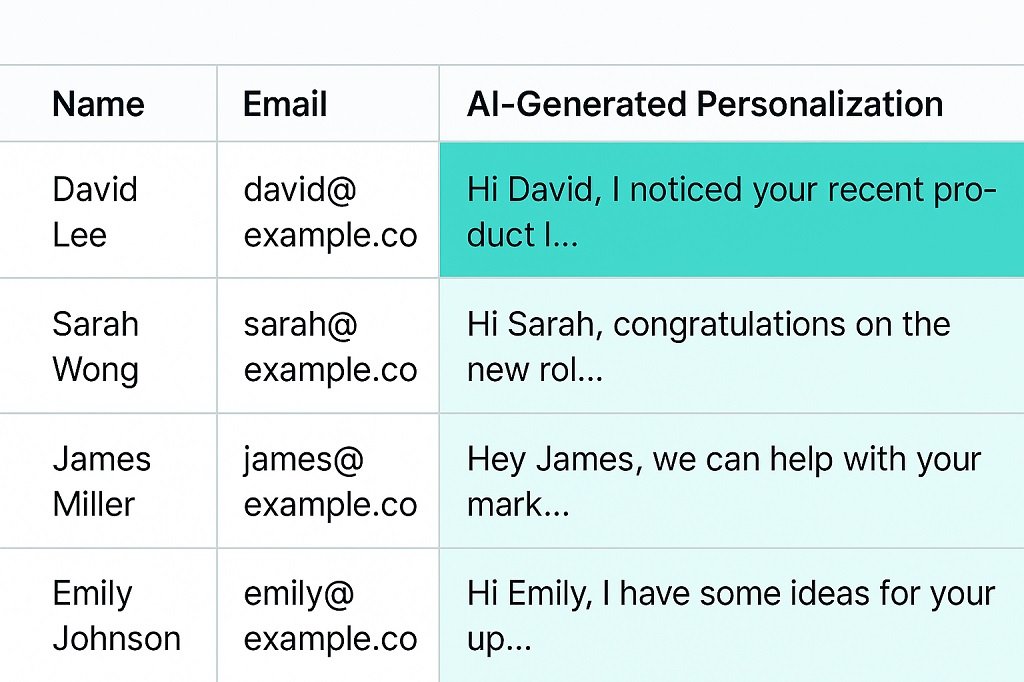
Clay is one of the most powerful AI tools for startups and growing B2B businesses that want to automate lead generation and personalization. Clay replaces shallow merge-tag outreach with AI-assisted personalization at scale. It combines scraping, enrichment, and AI summarization inside one table-driven interface.
Instead of inserting names, you insert context.
Stress Test Scenario
Dataset: 500 LinkedIn prospects
Clay AI:
- Pulled recent posts
- Extracted company focus
- Generated tailored automation angles
- Produced custom opening lines
Results
- Open rate increased from 18% → 54%
- Reply rate doubled
- Spam complaints dropped
Why It Performs Well
- Table-first workflow
- Native enrichment providers
- AI inside row logic
- Repeatable personalization patterns
Limitations
- Learning curve
- Data credits can become expensive
- Needs message quality control
ROI Use Cases
- AI cold email personalization
- Automated lead enrichment workflows
- High-intent prospect targeting
3. Fireflies.ai — AI Meeting Intelligence and Searchable Call Memory
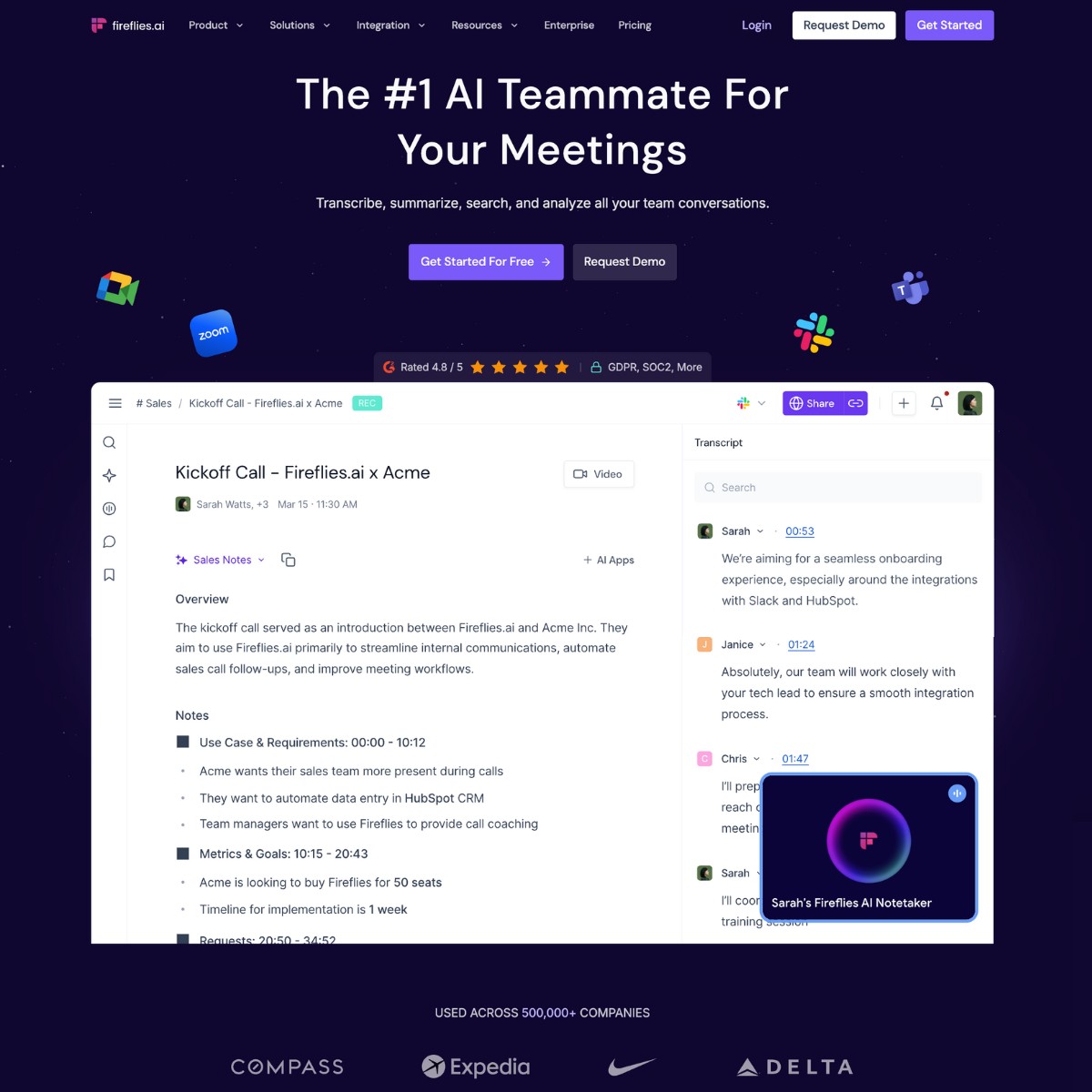
- Primary Role: AI meeting transcription and insight extraction
- Best Fit: Consulting firms and client-heavy service teams
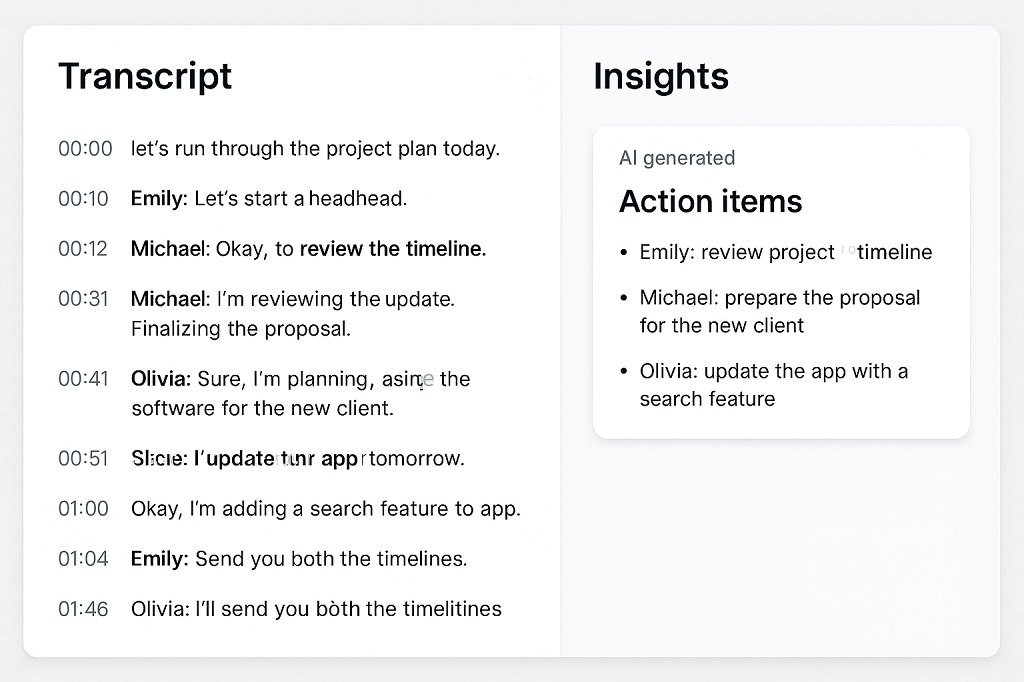
Meeting data is wasted in most businesses. Fireflies converts calls into indexed, searchable intelligence.
The major shift is not transcription — it’s queryable meeting memory.
Stress Test Scenario
Six months of discovery calls were indexed.
Query used:
“Show every time clients mentioned compliance or security risk.” This type of indexed call intelligence is especially critical in regulated industries like legal services, where structured documentation and audit trails are required. For a deeper breakdown, see our guide on AI workflow tools for law firms.
Output produced:
- Extracted clips
- Summary themes
- Action references
- Frequency metrics
Time required: under one minute.
Weekly Impact
- 3–5 hours admin time removed
- Faster client brief creation
- Better proposal alignment
Strengths
- Strong call indexing
- Topic tracking
- Action item extraction
- CRM integrations
Limitations
- Requires call recording consent
- Accuracy depends on audio quality
- Some industry jargon needs correction
ROI Use Cases
- Client discovery tracking
- Sales call intelligence
- Compliance mention tracking
4. Notion AI — AI Knowledge Base and SOP Structuring Engine
- Primary Role: AI internal documentation assistant
- Best Fit: Teams of 5–30 people
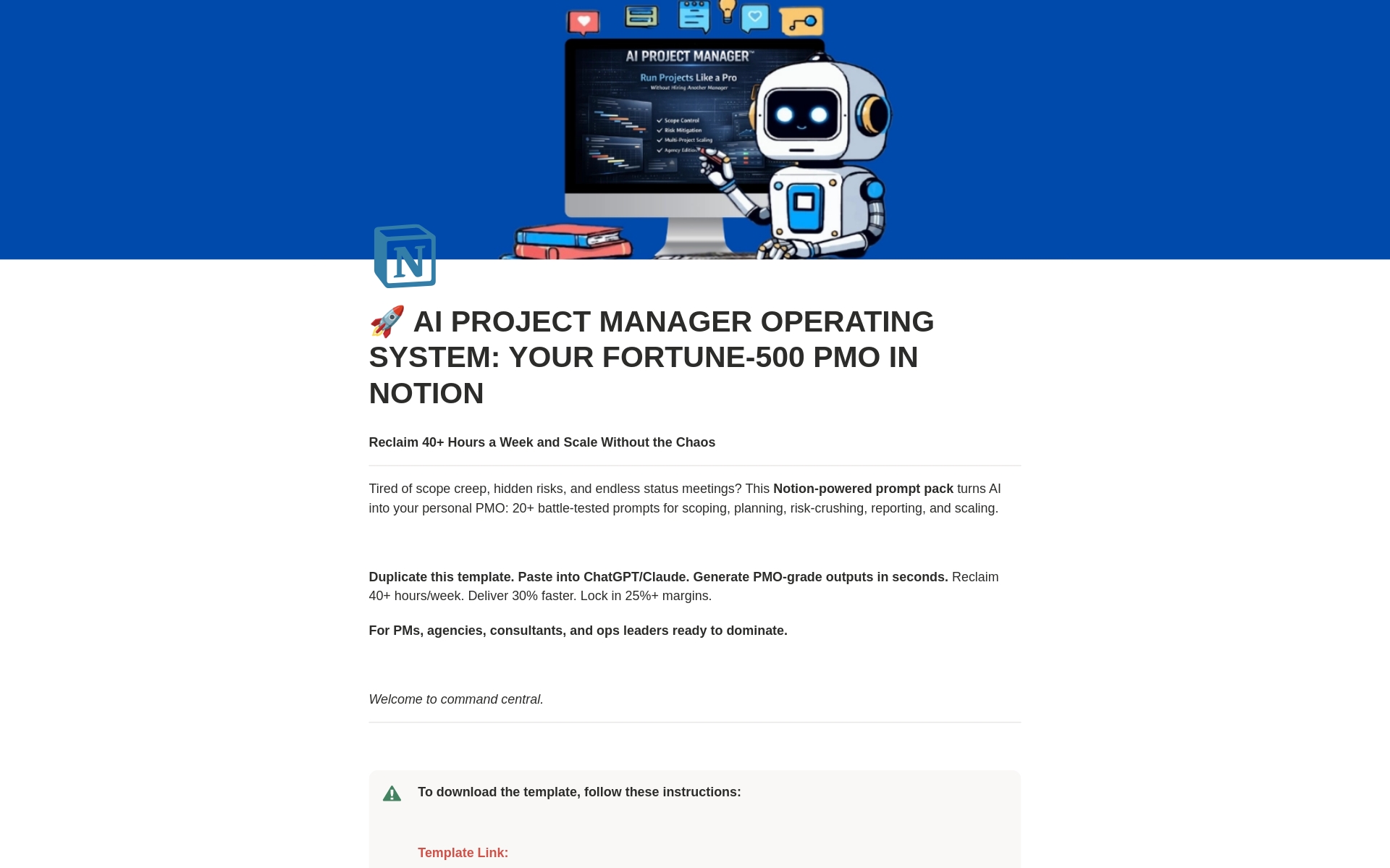
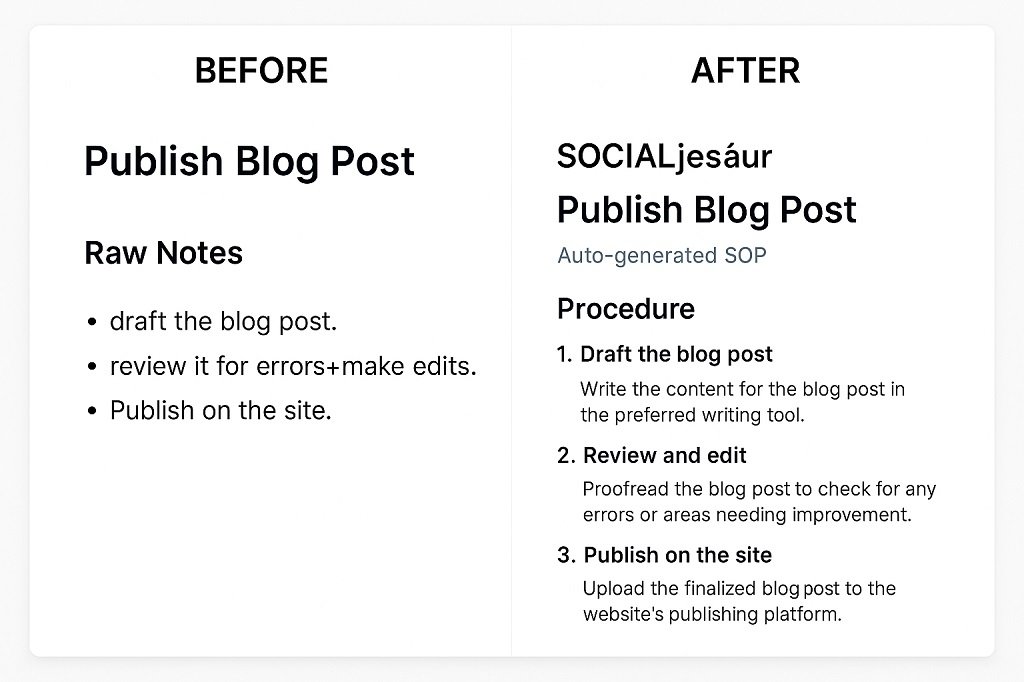
For teams searching for AI productivity tools for business operations, Notion AI helps centralize documentation, SOP creation, and internal knowledge management. Small businesses suffer from scattered documentation. Notion AI turns messy internal data into structured knowledge systems.
It can transform raw notes into:
- SOPs
- Task lists
- Project briefs
- Internal guides
- Process maps
Stress Test Scenario
Input:
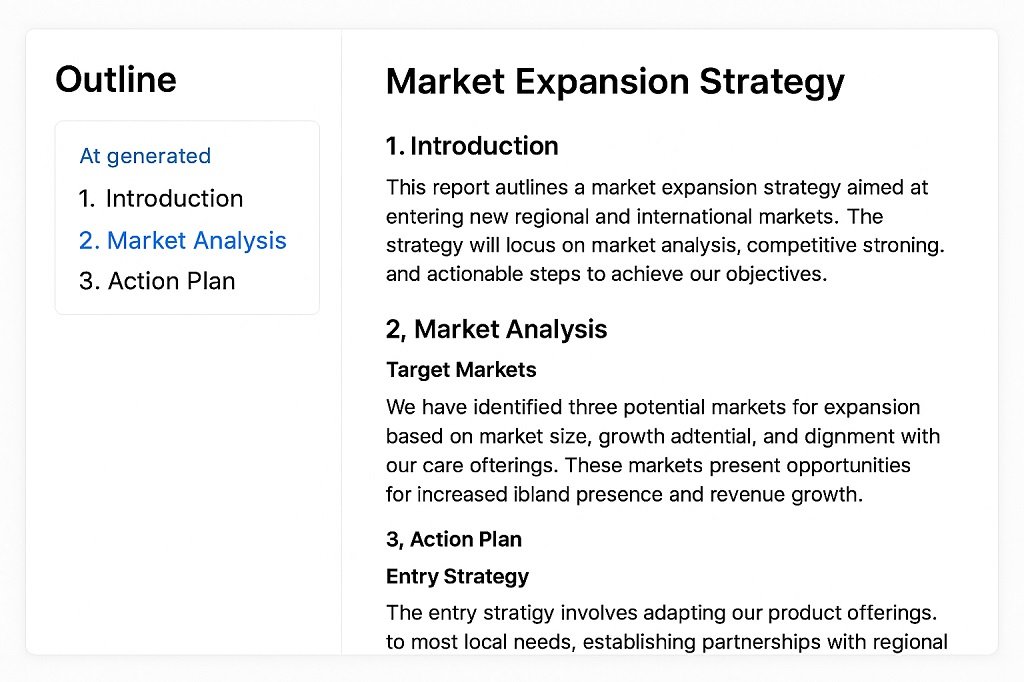
1-hour brainstorming transcript
Output:
- Structured project brief
- Timeline
- Task owners
- Risk list
- Milestone tracker
Generated in seconds.
Operational Impact
- Fewer repeat questions
- Faster onboarding
- Reduced Slack interruptions
Strengths
- Strong document context
- Database linking
- SOP structuring
- Query over internal data
Limitations
- Needs organized workspace
- AI answers depend on source quality
- Permission setup matters
ROI Use Cases
- AI SOP generator
- Internal knowledge assistant
- Team onboarding automation
5. Claude 4 (Max) — Long-Form Expert Business Writing AI

- Primary Role: High-depth content and technical writing
- Best Fit: Research, policy, whitepapers, expert content
For long-context reasoning and structured argument writing, Claude performs strongly in technical and policy domains.
Stress Test Scenario
Task: 2,000-word AI governance whitepaper.
Results:
- Consistent tone
- Structured argument
- Minimal factual drift
- Clean section transitions
Business Impact
- Research drafting time reduced by 60–70%
- Content team output increased
- Expert content pipeline accelerated
Strengths
- Large context handling
- Structured reasoning
- Professional tone control
Limitations
- Still needs fact verification
- Slower than lighter models
- Premium tiers required for heavy use
ROI Use Cases
- Technical whitepapers
- Policy documents
- Research summaries
Best AI Tools for Small Business by Use Case
Need | Recommended Tool |
Workflow Automation | Zapier Central |
Lead Generation | Clay |
Meeting Management | Fireflies |
Knowledge Management | Notion AI |
Content Creation | Claude |
🧠 Stack Selection Guide by Business Type
Small Agency (5–15 people)
- Start with: Zapier Central + Notion AI + Fireflies
- Add Clay once outreach volume grows
B2B Lead Generation Team
- Start with: Clay + Zapier Central
- Add Fireflies for sales call intelligence
Consulting Firm
- Start with: Fireflies + Notion AI
- Add Claude for reports and whitepapers
Content-Heavy Operation
- Start with: Claude + Notion AI
- Add Zapier for content workflow automation
FAQs: Small Business AI Stack
What is the best AI stack for small business in 2026?
A high-ROI AI stack includes workflow automation, lead intelligence, meeting indexing, knowledge management, and content creation tools. Solutions like Zapier Central, Clay, Fireflies, Notion AI, and Claude help small businesses automate operations, improve productivity, and scale more efficiently.
Which AI tools save the most time for agencies?
Workflow automation tools and AI meeting assistants often deliver the biggest time savings. Platforms like Zapier Central can automate repetitive business processes, while Fireflies reduces manual notetaking and meeting follow-ups. This helps agencies recover several hours each week.
How much should a small business spend on AI tools monthly?
Most small businesses can build an effective AI stack for $100–$600 per month, depending on team size and usage. The best AI tools for small business often generate a positive ROI by reducing manual work, improving productivity, and automating repetitive processes.
Are AI workflow tools secure for client data?
Many leading AI workflow automation tools include encryption, access controls, and compliance certifications such as SOC 2. Before adopting any AI software for small business, review its security policies, data handling practices, and available Data Processing Agreements (DPAs).
Can AI tools replace staff roles?
AI tools are best used to automate repetitive tasks such as data entry, meeting summaries, and workflow routing. While AI business automation tools can significantly improve efficiency, strategic thinking, creativity, and customer relationships still require human expertise.
✅ Conclusion — What Actually Wins With AI in 2026
The winning AI stack in 2026 is not built on hype tools or feature lists. It is built on repeatable time savings and workflow stability.
The strongest pattern across real deployments is simple:
- Automation handles routing and repetitive checks
- AI indexing protects institutional knowledge
- AI personalization improves lead quality
- AI writing tools accelerate expert content
- Documentation AI reduces internal friction
Businesses that see real ROI do one thing differently — they automate one core workflow at a time and measure the hours saved before adding another tool. This aligns with a broader principle of blending automation with human decision-making. If you’re planning long-term adoption, read this guide on integrating AI into human workflows effectively.
Start with your biggest weekly bottleneck. Automate it fully. Track the time recovered. Then move to the next process. That approach builds an AI stack that pays for itself instead of draining subscriptions.

Solid stack. One thing I’d add: if you’re burning through Claude or GPT tokens running agents on top of these tools, the token overhead adds up fast. We route prompts through a cheaper provider model first and only escalate to Claude for the final pass — dropped our API cost by about 60% without changing output quality.
Great point. Token costs can become a significant part of the budget when AI agents are running frequently. Using a lower-cost model for initial processing and escalating only when higher-quality reasoning is needed is a practical way to control those costs. Thanks for sharing the real-world result.
The recommendation to begin with one workflow is the right antidote to tool sprawl. For a local business, a practical first workflow is capturing customer context once and reusing it for a review request, reply, and social post, with a human approval step.
Thanks for the thoughtful point. Starting with one workflow and adding a human approval step is a practical way to avoid tool sprawl while still getting measurable value from AI. Reusing customer context across reviews, replies, and social content can also make the process much more efficient.