Best PIM Software Suites of 2026 for AI‑Powered Workflow Automation

In today’s fast-paced business environment, managing product data effectively is no longer optional — it’s critical. Companies of all sizes, from small e-commerce startups to large enterprise organizations, rely on accurate, consistent, and up-to-date product information to succeed. Mismanaged product data can lead to operational inefficiencies, errors in pricing, and inconsistent customer experiences across channels. That’s where PIM software suites come into play.
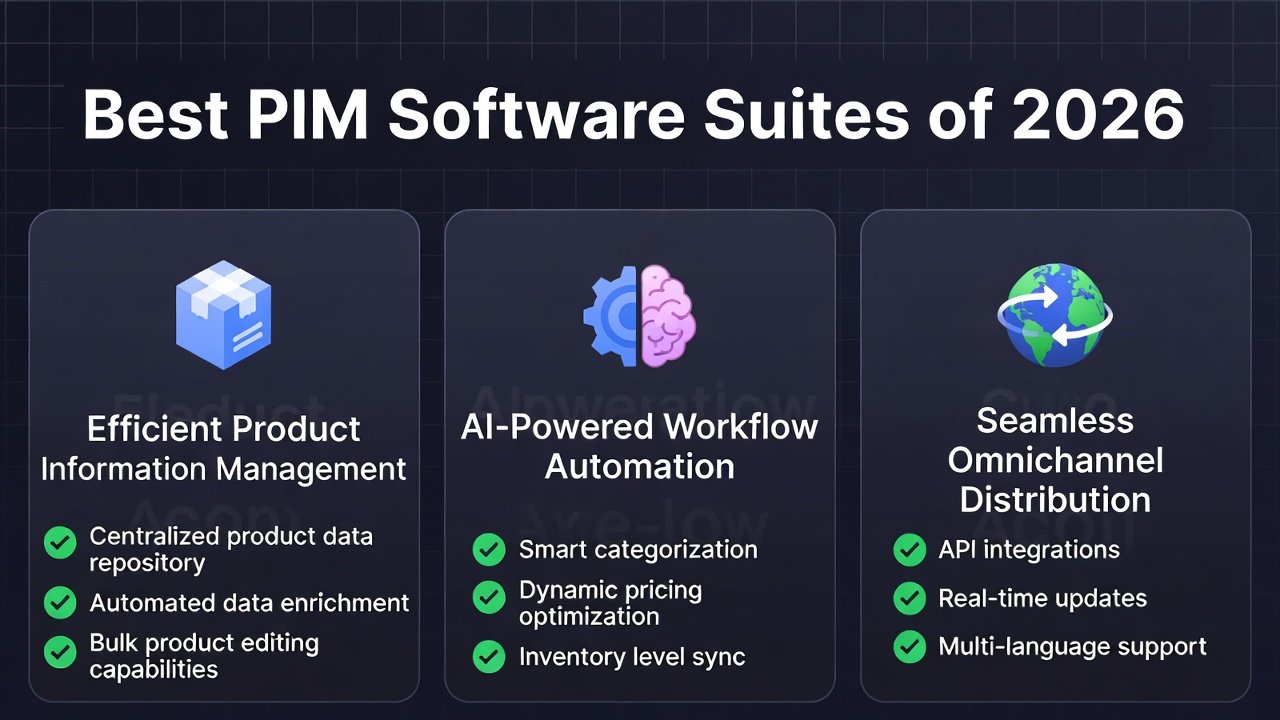
Product Information Management (PIM) software serves as a centralized hub for all product-related data, enabling teams to streamline processes, maintain accuracy, and ensure consistent product information across multiple channels. When combined with AI workflow automation, PIM systems become even more powerful. AI-driven automation can handle repetitive tasks like catalog updates, data enrichment, digital asset tagging, and price adjustments, freeing teams to focus on strategic initiatives and innovation.
For small businesses, AI-powered PIM workflows offer a chance to scale efficiently without increasing headcount. A startup can manage hundreds or thousands of SKUs across online stores, marketplaces, and social media platforms with minimal manual intervention. For large enterprises, these tools ensure that complex product catalogs remain consistent across multiple departments, regions, and sales channels, reducing errors and improving time-to-market.
By integrating product management tools with AI capabilities, businesses can create fully automated product workflows that save time, reduce costs, and enhance customer experiences. Whether you’re managing a modest catalog or an extensive multi-channel inventory, modern PIM software suites with AI-powered workflow automation are transforming how companies handle product data.
Table of Contents
Why PIM + AI Workflow Automation Matters?
Managing product data can be a complex and time-consuming challenge for businesses of all sizes. From keeping track of thousands of SKUs to updating descriptions, specifications, and digital assets, errors are almost inevitable when teams rely on spreadsheets or disconnected systems. These pain points can lead to inaccurate product listings, delayed launches, inconsistent pricing, and a poor customer experience — all of which directly affect revenue and brand reputation.
This is where PIM software suites integrated with AI workflow automation make a tangible difference. By centralizing product information in a single hub, PIM systems eliminate data silos, ensuring that every department—from marketing to sales—has access to the most up-to-date product information. AI-driven automation takes it a step further by handling repetitive tasks that traditionally consume hours of human effort. For instance, catalog updates can be automated whenever new products are added, pricing adjustments can be applied across multiple channels in real time, and digital asset management tasks such as tagging and resizing images can be streamlined automatically.
The benefits of combining PIM with AI-powered workflows are significant:
- Accuracy: Centralized, automated updates reduce errors and maintain consistent product information across platforms.
- Faster go-to-market: Automated workflows accelerate product launches, ensuring new items reach customers quickly.
- Multi-channel consistency: From e-commerce stores to marketplaces, AI ensures that product information is uniform across every sales channel.
For small businesses, these efficiencies allow teams to scale operations without increasing headcount. For larger enterprises, AI-powered PIM workflows reduce operational complexity and improve collaboration across global teams.
Businesses interested in adopting these technologies can learn practical implementation strategies. Check our guide on AI workflow automation tools for small businesses to understand how to integrate automation with your product management systems. For a broader industry perspective, the Gartner PIM Market Guide offers authoritative insights into leading software options and trends.
Top PIM Software Suites of 2026 (Comparison Chart + Analysis)
When selecting a PIM solution in 2026, businesses need more than basic product data storage. Modern teams want AI‑driven automation, seamless workflow integration, and the flexibility to scale across channels and regions. Below is a comparison of five top PIM software suites used by both small teams and large enterprises.
Comparison Table: Leading PIM Suites of 2026
| Software | Best For | AI Features | Pricing | Multi‑channel Support | Integrations | Ease of Use |
| Akeneo PIM | Mid‑size to Enterprise | AI‑assisted data enrichment, automated categorization | Starts $$ | Excellent | ERP, eComm, DAM | High |
| Salsify | Global eCommerce & Retail | AI‑content suggestions, predictive quality checks | $$$ | Premium | Marketplaces, CRM, Analytics | Moderate |
| inRiver PIM | Enterprise catalogs | AI‑model product relationships, smart workflows | $$$ | Excellent | ERP, OMS, eComm | Moderate |
| Pimcore | Flexible Open‑Source | AI tagging, automated asset handling | Free base + $$ services | Good | API‑first ecosystem | Variable |
| Sales Layer | SMB & Mid‑Market | AI field completion, automated syndication | $ | Very Good | eComm, Marketplaces | Very High |
Pricing Key:
- $ = Budget friendly
- $$$ = Premium / Enterprise
1. Akeneo PIM
Best For: Mid‑size companies and enterprises looking for a scalable, AI‑enhanced PIM solution.
AI Features: Akeneo has invested heavily in machine learning for automated product categorization, AI‑assisted enrichment suggestions, and quality scoring. These features reduce manual tagging and help maintain consistent data across thousands of SKUs.
Standout Features:
- User‑friendly interface with drag‑and‑drop workflows
- Strong support for multi‑channel publishing
- Workflow automation that triggers validations and approvals
Workflow Automation Integration: Akeneo’s built‑in automation allows teams to define rules (e.g., “When a new product is added, run quality checks, classify automatically, then send for review”). This improves accuracy and reduces time to list products on marketplaces.
Pros:
- Great balance of power and usability
- Robust integrator ecosystem
- Strong AI data enrichment
Cons:
- Premium pricing for full AI modules
- Mid‑level technical expertise needed for deep customization
2. Salsify
Best For: Large eCommerce, retail brands, and global marketplaces.
AI Features: Salsify leverages AI to generate content suggestions, predictive quality insights, and automated channel formatting. The AI engine learns from successful listings to recommend improvements.
Standout Features:
- Marketplace syndication with built‑in templates
- Predictive analytics for product content performance
- Collaboration tools for global teams
Workflow Automation Integration: Salsify has advanced workflow rules that automate data validation and publishing. For instance, if a product lacks required images, Salsify can flag it automatically and assign it to a user.
Pros:
- Very strong multi‑channel support
- Excellent for large catalogs
- Rich analytics and reporting
Cons:
- More expensive than most alternatives
- Can be complex for small teams to configure
3. inRiver PIM
Best For: Enterprise companies managing complex product relationships and configurations.
AI Features: inRiver uses AI to build smart relationships between products, outcomes, and recommended bundles. It also automates category suggestion workflows based on historical patterns.
Standout Features:
- Deep support for product complexity and variations
- Excellent for B2B environments
- Rule‑based workflow automation
Workflow Automation Integration: inRiver’s engine can trigger tasks such as automatic field population, validation steps, and cross‑department notifications — ideal for products with complex dependencies.
Pros:
- Extremely powerful for large enterprise deployments
- Strong automation rules and logic builder
Cons:
- Steeper learning curve
- Premium pricing tier
4. Pimcore
Best For: Businesses that want full flexibility and control — including in‑house developers.
AI Features: Pimcore’s open‑source foundation allows teams to plug in AI tagging engines, automated digital asset management, and custom model workflows. While core features are free, advanced AI often requires third‑party services.
Standout Features:
- Full API‑first architecture
- Complete flexibility for custom workflows
- Centralized DAM and content hub
Workflow Automation Integration: You can build custom automation pipelines within Pimcore, like syncing product changes with headless front ends or triggering asset conversions. These pipelines rely on rules you define.
Pros:
- Free base system
- Maximum flexibility for technical teams
- Strong DAM included
Cons:
- Requires developer resources to unlock full potential
- Standard UI not as polished as some competitors
5. Sales Layer
Best For: Small‑to‑mid‑sized businesses that want powerful features without complexity.
AI Features: Sales Layer offers AI‑assisted data completion, automatic product syndication, and basic smart suggestions. These features help businesses automate repetitive tasks without technical overhead.
Standout Features:
- Very short learning curve
- Affordable pricing with scalable plans
- Strong marketplace and online store connectivity
Workflow Automation Integration: Sales Layer includes automation for common tasks — like syncing product info to Shopify or Amazon when updates occur, and auto‑assigning missing data tasks.
Pros:
- Affordable and easy to adopt
- Strong integration with SMB platforms
- Very user‑friendly
Cons:
- Less advanced AI compared to enterprise players
- Not as configurable for complex catalogs
How These Tools Stack Up in Workflow Automation
Across all five PIM suites, workflow automation is a core differentiator in 2026:
- Akeneo and Salsify lead in built‑in AI workflows that reduce manual steps.
- inRiver excels in complex dependencies and enterprise logic automation.
- Pimcore offers the richest customization potential if you have development resources.
- Sales Layer gives small businesses automatic updates and syncing without steep learning curves.
Each platform also connects with external systems like ERP, CRM, or marketplace platforms — meaning that automated workflows don’t stop at product data. They can trigger pricing updates, inventory syncs, and even customer notifications.
For businesses planning PIM adoption alongside other internal automations, check our guide on AI workflow automation tools for small businesses to build workflows that connect PIM with the rest of your tech stack.

Visual & UX Recommendations for This Section
To help readers absorb the differences visually, include screenshots of each PIM application showing the AI‑driven automation workflows. Suggested image placements with caption examples:
- Right after Akeneo section:
Alt text: “Akeneo PIM AI product workflow dashboard”
Caption: “Akeneo’s dashboard showing AI‑assisted product enrichment and validation rules.” - After Salsify analysis:
Alt text: “Salsify AI suggestions and marketplace rules interface”
Caption: “Salsify’s AI content suggestions and multi‑channel workflow setup.” - After inRiver:
Alt text: “inRiver enterprise product relationships automation interface”
Caption: “inRiver automating complex product relationships and approval steps.” - After Pimcore section:
Alt text: “Pimcore custom automation workflow builder”
Caption: “Pimcore’s flexible automation setup for custom business needs.” - After Sales Layer:
Alt text: “Sales Layer simple AI product data sync dashboard”
Caption: “Sales Layer interfaces aimed at SMBs with AI‑enhanced syndication.”
How to Choose the Right PIM Software for Your Business
Selecting the right PIM software suite can make or break your product management strategy. Businesses must evaluate solutions based on specific criteria to ensure they maximize efficiency, support growth, and align with workflow automation goals.
Team Size and Structure
Smaller teams may benefit from simpler, cloud-based PIMs like Sales Layer, which offer AI-assisted automation without steep learning curves. Enterprises with large catalogs and multiple departments may need platforms like Akeneo or inRiver, which handle complex workflows, approval chains, and multi-department collaboration.
Budget
Budget considerations are crucial. Open-source solutions like Pimcore allow flexibility but may require developer support. Premium tools like Salsify provide enterprise-grade features and AI automation but come at a higher cost. Understanding total cost of ownership, including implementation and support, helps avoid unexpected expenses.
AI Capabilities and Automation Options
Evaluate how each PIM integrates AI-powered workflow automation. Does it automatically enrich product data? Can it trigger approval steps or push updates across multiple channels? The right AI features reduce manual labor and accelerate time-to-market.
Integration with eCommerce Platforms or ERP
Ensure your PIM can connect with your existing systems. Seamless integration with ERP, eCommerce, marketplaces, and CRM ensures data consistency and prevents manual reconciliation.
Support and Community
Strong vendor support, tutorials, and a thriving user community can ease onboarding and troubleshooting. Look for platforms with active forums, documentation, and customer success teams.
Learn more about building automated workflows with PIM tools in our workflow automation strategy guides and templates. Download our PIM evaluation checklist to make a confident decision and select software that fits your team’s needs.
Tips for Implementing AI-Powered PIM Workflows
Implementing an AI-powered PIM workflow requires planning and a stepwise approach to ensure adoption and maximize ROI.
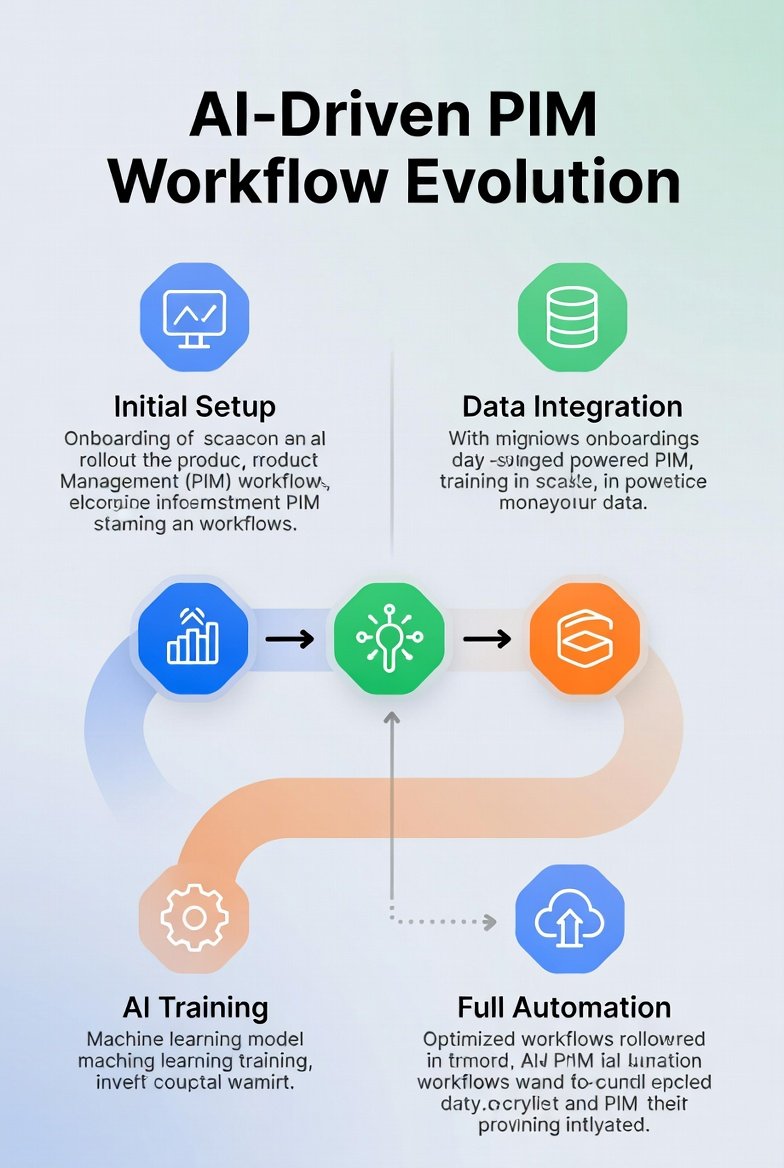
- Step 1: Start Small: Focus on a single product category or data type to pilot AI automation. For example, automate catalog updates or digital asset tagging for a subset of SKUs. This helps identify bottlenecks and tweak workflows before full-scale deployment.
- Step 2: Scale Automation Gradually: Once initial workflows are stable, expand automation to additional categories, channels, and processes. Layer AI features like predictive content suggestions or price adjustments incrementally to avoid overwhelming your team.
- Step 3: Train Teams Thoroughly: Successful adoption depends on user confidence. Offer hands-on training sessions, create workflow documentation, and provide access to AI tool tutorials. Encourage feedback to refine workflows.
- Step 4: Optimize and Monitor: Continuously track KPIs such as error rates, time saved, and product launch speed. Adjust automation rules based on insights to maintain high efficiency and accuracy.
Best Practices:
- Define clear ownership for each workflow step
- Document automated rules and escalation paths
- Monitor AI recommendations for quality before full implementation
6. Future Trends in PIM and Workflow Automation
The landscape of PIM software and workflow automation continues to evolve. Businesses should anticipate emerging trends to stay ahead.
- AI Trends: Predictive analytics and automated content enrichment are becoming standard. AI can now suggest new product categorizations, forecast demand, and even recommend pricing adjustments.
- Integration Trends: Seamless integration across ERP systems, eCommerce platforms, marketplaces, and CRM solutions is critical. Companies increasingly prefer API-first PIMs that allow workflow automation to extend beyond product management to inventory, marketing, and fulfillment.
- Future-Proofing Your Strategy: Choosing a PIM that supports AI expansion, multi-channel integration, and workflow customization ensures your product data strategy remains competitive as technology evolves.
Explore industry forecasts from Gartner, Forrester, or HubSpot to understand upcoming trends in PIM and workflow automation.
Conclusion & Key Takeaways
Modern businesses face the dual challenge of managing complex product data while ensuring consistent, accurate information across multiple channels. PIM software suites combined with AI-powered workflow automation solve this challenge by centralizing data, automating repetitive tasks, and enabling teams to focus on strategic initiatives.
When choosing a PIM, consider your team size, budget, AI capabilities, integration needs, and vendor support. Implementation should start small, scale gradually, and include thorough training to maximize adoption. Looking ahead, AI enhancements, predictive analytics, and deeper system integrations will continue to transform how businesses manage product workflows.
Ready to streamline your product management and automate workflows? Check out our AI workflow automation templates and resources to get started today.
FAQs About PIM Software and AI-Powered Workflow Automation
What is PIM software, and why is it important for businesses?
PIM (Product Information Management) software centralizes product data, including descriptions, images, pricing, and specifications. It ensures consistent and accurate information across multiple sales channels. Businesses use PIM to reduce errors, speed up product launches, and improve customer experience, especially in e-commerce and multi-channel operations.
How does AI enhance PIM workflows?
AI integration in PIM software automates repetitive tasks such as catalog updates, content enrichment, image tagging, and pricing adjustments. It can also predict data quality issues, suggest product categorizations, and optimize workflows. This reduces manual errors, improves efficiency, and allows teams to focus on strategy and innovation.
Can small businesses benefit from AI-powered PIM solutions?
Yes! Modern PIM solutions are scalable for small businesses. Even with limited budgets or small teams, AI-powered PIMs like Sales Layer or entry-level Akeneo allow automated product updates, multi-channel syndication, and workflow optimization without requiring large IT resources.
What are the key features to look for in a PIM system?
When evaluating PIM software, consider:
- AI-powered automation and workflow rules
- Multi-channel publishing support
- Integration with eCommerce platforms, ERP, and CRM
- User-friendly interface and collaboration tools
- Scalability to grow with your product catalog and team size
How does PIM software improve multi-channel consistency?
PIM systems ensure that every sales channel — online stores, marketplaces, and mobile apps — receives accurate, up-to-date product information. AI workflow automation can automatically push updates across channels, preventing mismatched product descriptions, pricing errors, or missing assets.
What is the ROI of implementing AI-powered PIM software?
The ROI comes from:
- Reduced manual workload and human errors
- Faster product launch cycles
- Improved product data quality and customer experience
- Greater scalability without proportionally increasing headcount
Businesses often see measurable efficiency gains within months of implementation.
Are there industry-specific PIM solutions?
Yes. Certain PIM suites are tailored for retail, manufacturing, or B2B industries. For example:
- Salsify is strong for retail and global eCommerce brands
- inRiver is ideal for enterprises managing complex product configurations
- Akeneo works well across B2B and B2C use cases
Choosing an industry-aligned solution ensures the software meets workflow complexity and automation needs.
How do I integrate PIM software with my existing systems?
Most modern PIMs support APIs and pre-built integrations with ERP, CRM, eCommerce platforms, and marketplaces. AI-powered workflow rules can automatically sync updates across these systems, eliminating manual reconciliation and ensuring accurate, real-time product data.