Best AI Workflow Automation Tools for Businesses (Tested for Real ROI)


Small businesses are no longer experimenting with AI workflows. They are depending on them. What used to be optional automation is now part of daily operations — lead routing, client onboarding, reporting, scheduling, and internal documentation.
The problem is not access. The problem is overload. There are now dozens of AI workflow platforms claiming to “automate everything,” but many are either too complex, too limited, or too expensive for small teams.
This guide breaks down the best AI workflow automation tools for small businesses in 2026. Each tool is evaluated for usability, integration depth, AI decision capability, and real business usefulness — not marketing hype.
“This is a discovery and comparison guide. If you want a pre-built ROI-tested tool stack, see our separate implementation article (5 Stress-Tested Tools That Deliver ROI).”
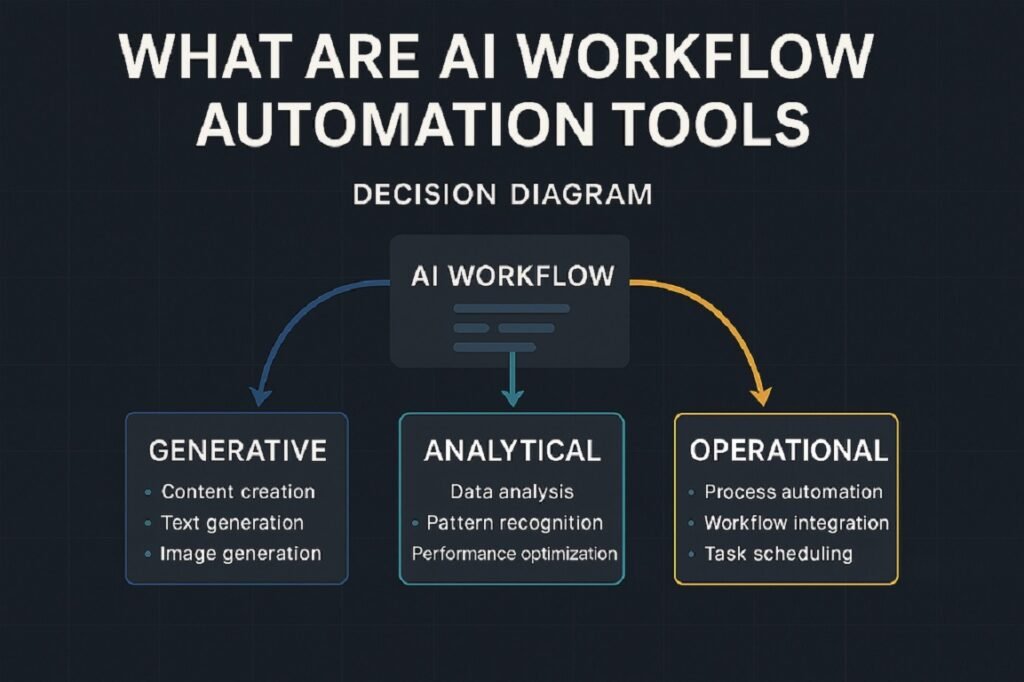
What Are AI Workflow Automation Tools?
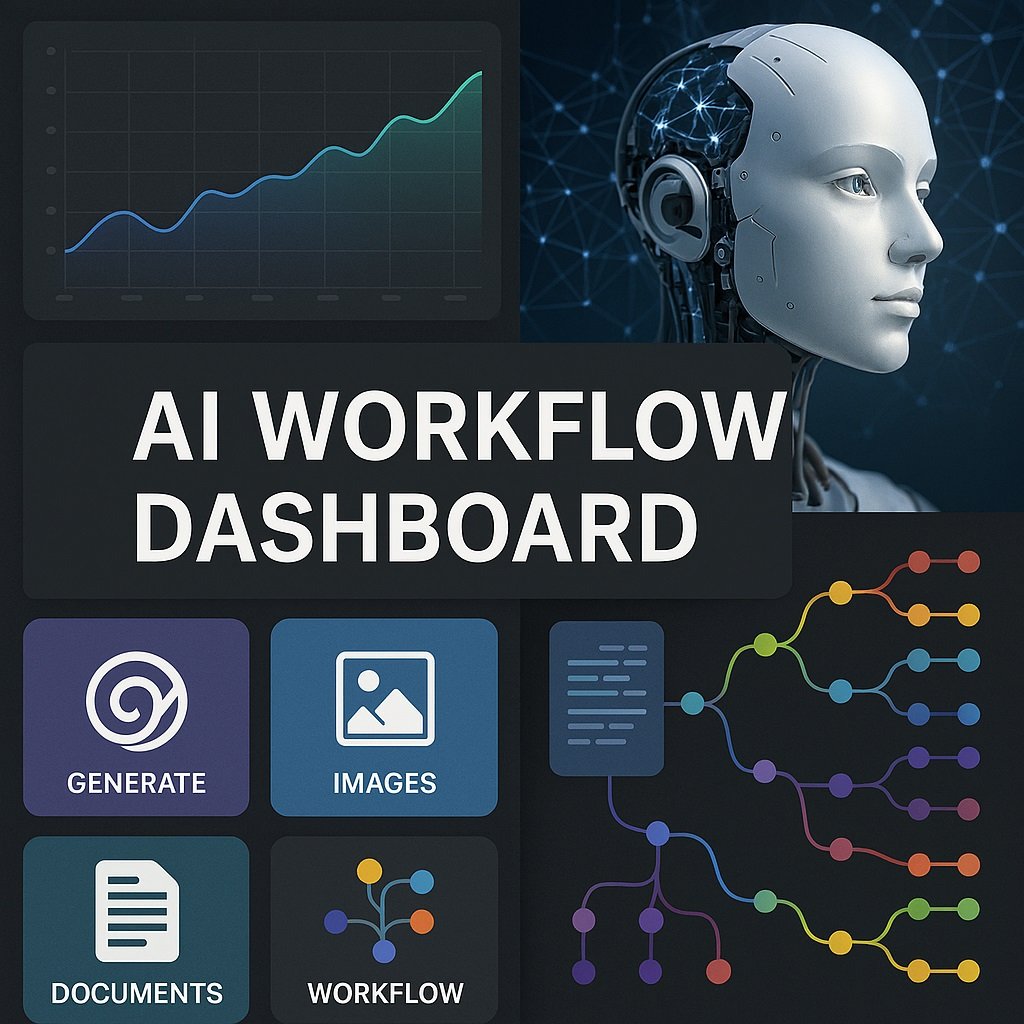
AI workflow automation tools go beyond simple rule triggers. Traditional automation follows fixed logic — if X happens, do Y. AI workflow systems can interpret inputs, classify intent, summarize data, and make conditional decisions inside the workflow.
Examples include:
- Routing leads based on message meaning
- Drafting responses using CRM context
- Extracting action items from meetings
- Categorizing support tickets automatically
- Generating task plans from raw notes
Organizations in highly regulated industries can benefit from specialized solutions. For example, these AI workflow tools for law firms demonstrate how automation can streamline case management, document workflows, client intake, and compliance processes. For small businesses, this reduces manual review time and removes repetitive decision steps.
How We Evaluated These AI Workflow Tools
To identify the best AI workflow automation tools for businesses, we evaluated each platform using a standardized framework focused on real-world business needs. Our goal was to recommend solutions that help organizations automate repetitive tasks, improve productivity, and generate measurable ROI.
We assessed each tool based on the following criteria:
Ease of Use
We examined how easy each platform is to set up, learn, and use on a daily basis. Tools with intuitive interfaces, simple workflow builders, and minimal onboarding requirements received higher scores.
Integrations
Modern businesses rely on multiple software platforms. We evaluated the breadth and quality of integrations available, including connections with CRM systems, email marketing tools, project management platforms, communication apps, and other business software.
Automation Capabilities
We analyzed each tool’s ability to automate complex workflows, support multi-step processes, trigger actions automatically, and streamline repetitive business operations. Platforms offering flexible workflow customization and advanced automation features ranked higher.
AI Capabilities
Not all workflow tools use artificial intelligence in the same way. We reviewed how effectively each platform leverages AI for tasks such as content generation, intelligent decision-making, predictive insights, data processing, and workflow optimization.
Pricing and Overall Value
Pricing was evaluated based on affordability, scalability, available features, and overall value for businesses of different sizes. We considered both free and paid plans to determine whether each platform provides a strong return on investment.
ROI Potential
Businesses invest in automation to save time and improve efficiency. We assessed the potential ROI of each tool by considering productivity gains, operational efficiency, cost savings, and the ability to reduce manual workloads.
Customer Support and Reliability
Reliable support is essential for business-critical workflows. We evaluated documentation quality, onboarding resources, support channels, user communities, and overall platform reliability to ensure businesses can confidently deploy and scale their automations.
Our final recommendations are based on this evaluation framework, combined with market reputation, feature depth, and suitability for different business use cases.
AI Workflow Automation Tools for Small Businesses vs Enterprises
Although AI workflow automation can benefit organizations of all sizes, the ideal solution often depends on your company’s size, complexity, and operational requirements.
AI Workflow Automation for Small Businesses
Small businesses typically prioritize affordability, ease of use, and rapid deployment. Most SMBs need automation tools that can streamline repetitive tasks without requiring extensive technical expertise or dedicated IT teams.
Key considerations for small businesses include:
- Affordability: Budget-friendly pricing plans with scalable options are essential for growing businesses.
- Simplicity: Intuitive interfaces and no-code workflow builders allow teams to create automations without technical skills.
- Quick Implementation: SMBs often need solutions that can be deployed in hours or days rather than months.
- Pre-Built Templates: Ready-made workflows help businesses automate common processes such as lead management, email marketing, customer support, and invoicing.
- Essential Integrations: Seamless connections with popular tools like Google Workspace, Slack, HubSpot, QuickBooks, and CRM platforms are particularly valuable.
Popular choices for small businesses often include tools such as Zapier, Make, and WorkflowAISuite due to their ease of use and fast time-to-value.
AI Workflow Automation for Enterprises
Enterprises typically require more advanced capabilities to support large teams, complex workflows, and strict regulatory requirements. Enterprise automation platforms must provide greater control, flexibility, and security.
Key considerations for enterprises include:
- Security: Enterprise-grade security features such as role-based access control, single sign-on (SSO), encryption, and audit logs are critical.
- Compliance: Organizations operating in regulated industries may require compliance with standards such as GDPR, HIPAA, SOC 2, or ISO 27001.
- Scalability: Enterprise platforms should be capable of supporting thousands of users, large data volumes, and highly complex workflows across multiple departments.
- Governance: Centralized administration, approval workflows, permission management, and monitoring capabilities help ensure automation is deployed safely and consistently across the organization.
- Custom Integrations: Enterprises often require advanced API capabilities and integrations with ERP systems, legacy software, and proprietary business applications.
For larger organizations, platforms such as UiPath, Microsoft Power Automate, and enterprise automation suites often provide the advanced governance and scalability features required for enterprise-wide automation initiatives.
Ultimately, the best AI workflow automation tool depends on your business size, technical requirements, budget, and long-term growth objectives.
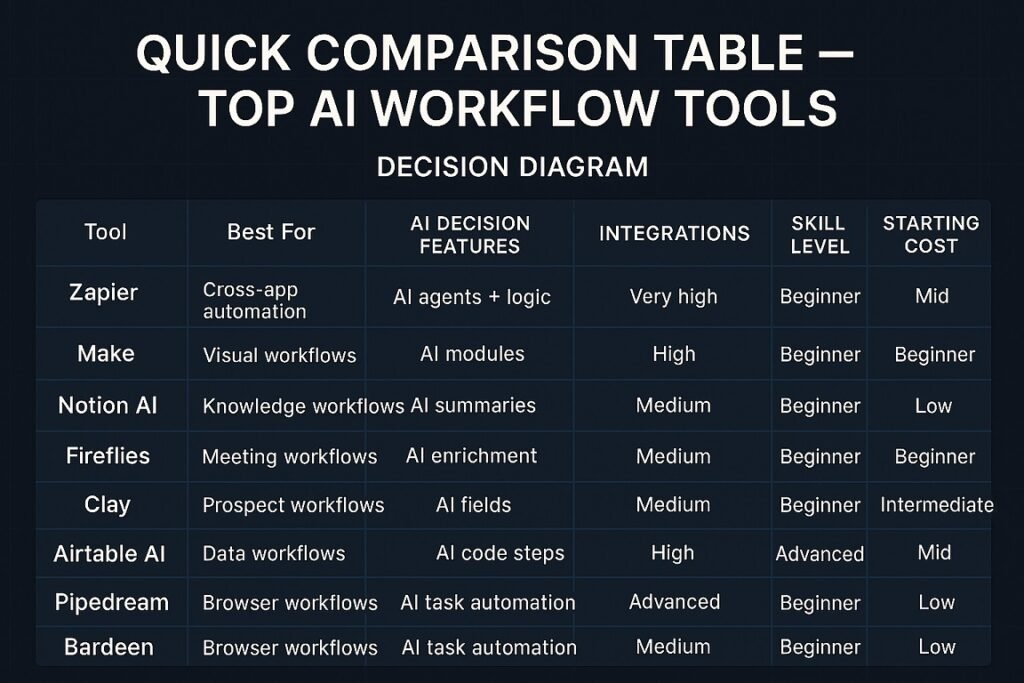
Quick Comparison Table — Top AI Workflow Tools
| Tool | Best For | AI Decision Features | Integrations | Skill Level | Starting Cost |
| Zapier | Cross-app automation | AI agents + logic | Very high | Beginner | Mid |
| Make | Visual workflows | AI modules | High | Intermediate | Low |
| Notion AI | Business workflows | AI content + tasks | Medium | Beginner | Low |
| Workflow AI | Knowledge workflows | Pre-built AI workflows | Low | Beginner | Medium |
| Fireflies | Meeting workflows | AI summaries | Medium | Beginner | Low |
| Clay | Prospect workflows | AI enrichment | Medium | Intermediate | High |
| Airtable AI | Data workflows | AI fields | Medium | Beginner | Mid |
| Pipedream | Dev workflows | AI code steps | High | Advanced | Low |
| Bardeen | Browser workflows | AI task automation | Medium | Beginner | Low |
If you’re deciding between leading automation platforms, see our detailed comparison of Zapier vs Make vs n8n, including pricing, flexibility, and real-world workflow performance.
Best AI Workflow Automation Tools — Detailed Reviews
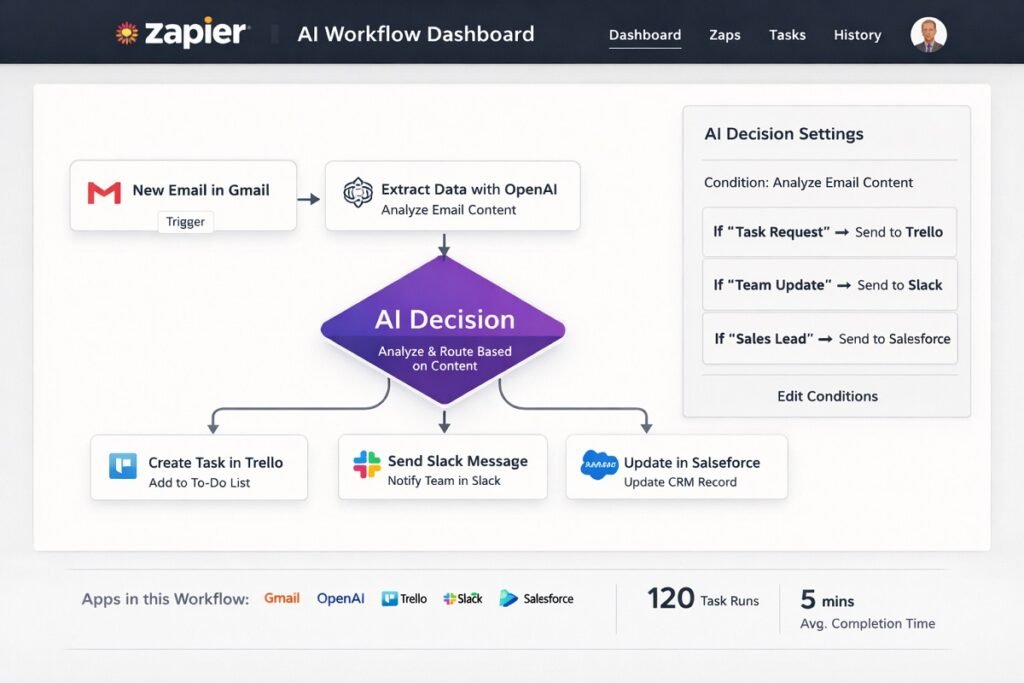
Zapier — Best All-Around AI Workflow Platform
Zapier remains the most widely adopted automation platform for small businesses. Its AI upgrades now allow workflows to classify, summarize, and respond rather than just pass data between apps.
We tested workflows using Zapier + ChatGPT to automate lead qualification for a small agency. New leads submitted through forms were automatically enriched, scored, and routed to the appropriate sales pipeline, significantly reducing manual processing time.
It works well for teams that need reliability and broad app support. Setup is straightforward and templates reduce build time.
Key AI Workflow Features
- AI decision steps
- Text classification
- AI response drafting
- Multi-app branching logic
Best Use Cases
- Lead routing
- CRM updates
- Email automation
- Client onboarding flows
Pros
- Massive integration library
- Easy setup
- Stable execution
- Strong templates
Cons
- Can get expensive at scale
- Complex flows cost more tasks
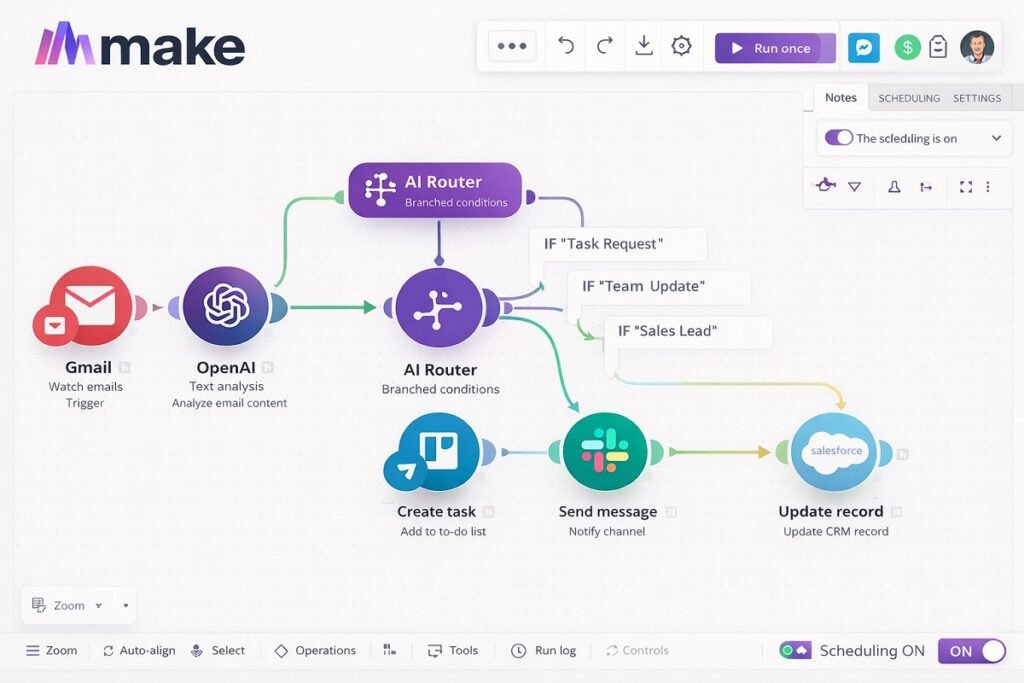
Make — Best Visual Workflow Builder
Make uses a visual canvas builder that gives more control over workflow structure. It suits users who want deeper logic without coding. It supports conditional routing and AI modules inside flows.
We evaluated Make by building multi-step automations that connected CRM platforms, email marketing tools, and AI content generation systems. The visual workflow builder made it easy to automate complex business processes without coding.
Key AI Workflow Features
- Visual logic branching
- AI text tools
- Data transformation steps
Best Use Cases
- Multi-step business processes
- Data transformation flows
- Advanced routing
Pros
- Visual clarity
- Deep logic control
- Cost efficient at volume
Cons
- Learning curve higher than Zapier
- UI feels technical
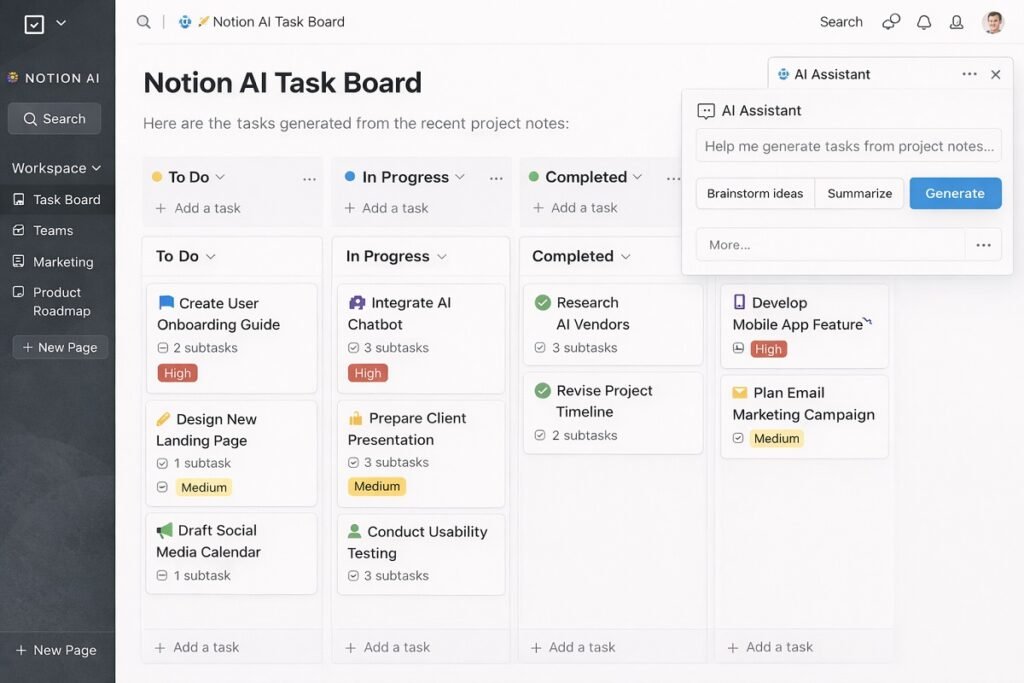
Notion AI — Best Internal Workflow Knowledge Tool
Notion AI turns internal documentation into a working knowledge assistant. It converts notes into structured plans and tasks.
It is strong for internal operations workflows.
Key AI Workflow Features
- SOP generation
- Task extraction
- Brainstorm summarization
- Database task creation
Best Use Cases
- SOP building
- Project planning
- Internal documentation
Pros
- Simple to adopt
- Strong for teams
- Combines docs and workflows
Cons
- Limited external integrations
- Not cross-app automation focused
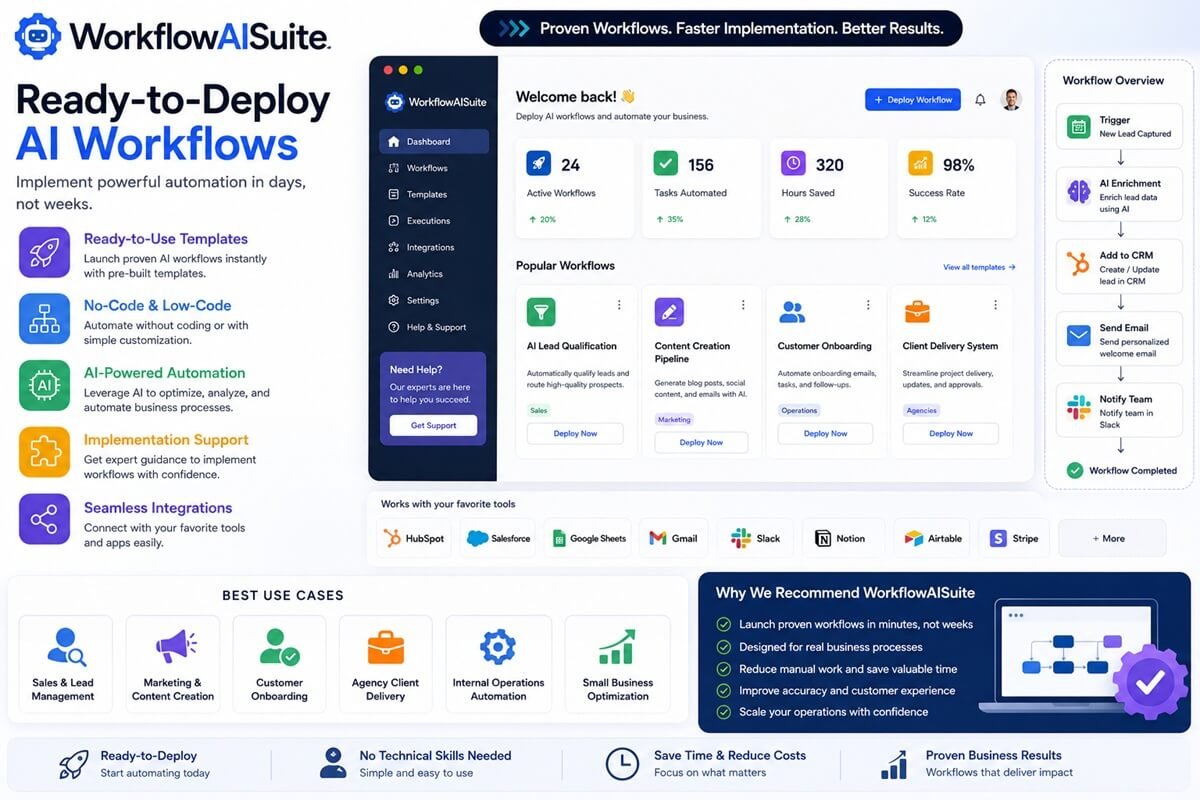
WorkflowAISuite — Best for Ready-to-Deploy AI Workflows
WorkflowAISuite is designed for businesses that want to implement AI automation quickly without spending weeks building workflows from scratch. Unlike traditional automation platforms that require extensive setup and customization, WorkflowAISuite provides ready-to-deploy AI workflows, automation templates, and implementation resources that help businesses streamline operations faster.
The platform is particularly valuable for small businesses, agencies, consultants, and growing teams looking to automate repetitive processes across sales, marketing, customer support, and operations.
We reviewed WorkflowAISuite to assess how quickly businesses could deploy ready-made automation systems. The pre-built workflow frameworks significantly reduced implementation time compared to building automations from scratch.
Key AI Workflow Features
Ready-to-use AI workflow templates
Pre-built business automation systems
No-code and low-code automation solutions
AI-powered business process optimization
Custom workflow implementation support
Integration guidance for popular business tools
Best Use Cases
Sales and lead management automation
Content creation and marketing workflows
Customer onboarding automation
Client delivery systems for agencies
Internal business operations automation
Small business workflow optimization
Pros
Fast implementation with ready-made workflows
Minimal technical expertise required
Ideal for small businesses and agencies
Helps reduce setup and deployment time
Includes practical business automation frameworks
Cons
Advanced enterprises may require additional customization
Some workflows may need adaptation for unique business processes
Smaller integration ecosystem than enterprise automation platforms
Pricing
WorkflowAISuite offers a variety of workflow templates, automation systems, and implementation resources. Pricing varies depending on the specific solution, template package, or service selected.
Why We Recommend It
Many workflow automation platforms provide powerful tools but leave businesses to design, test, and optimize workflows on their own. WorkflowAISuite takes a different approach by focusing on ready-to-deploy automation systems that help businesses achieve results faster while reducing implementation complexity.
Ideal For
Small businesses, agencies, consultants, and teams that want proven AI workflows they can deploy quickly without extensive technical knowledge.
If your goal is to implement AI automation rapidly and start seeing productivity gains sooner, WorkflowAISuite is one of the best options available for ready-to-use business workflow automation.
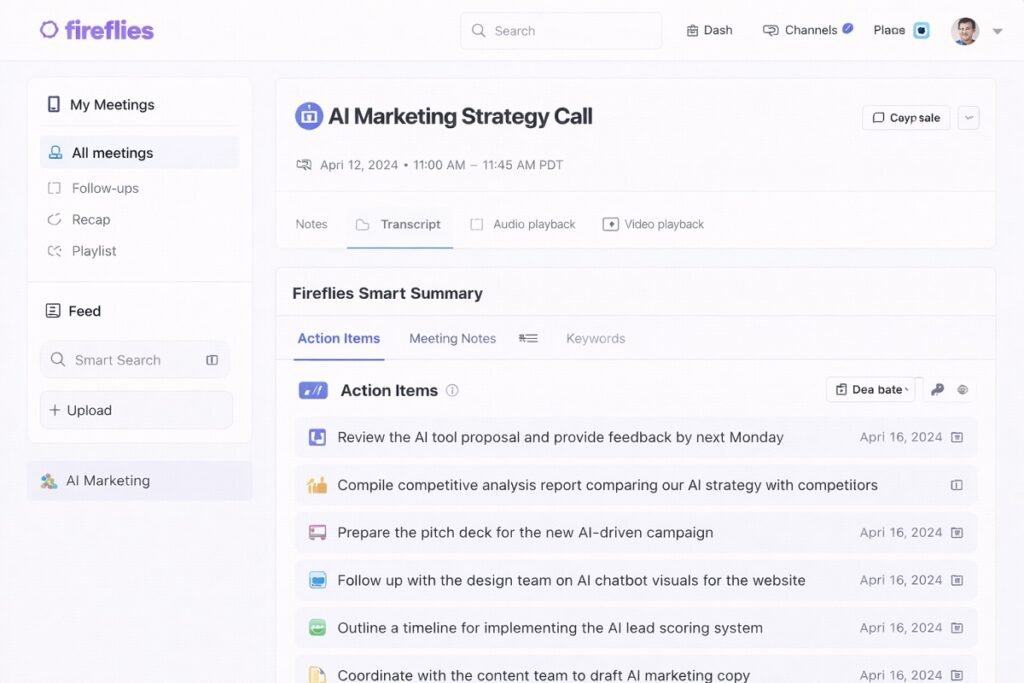
Fireflies — Best Meeting Workflow Automation
Fireflies captures meetings and converts them into searchable knowledge. Workflows can trigger follow-ups and task creation from calls.
Key AI Workflow Features
- Call transcription
- Action item detection
- Topic tracking
Best Use Cases
- Sales calls
- Client discovery
- Team meetings
Pros
- Saves admin time
- Searchable meeting memory
- Easy deployment
Cons
- Meeting focused only
- Needs call volume to justify
Clay — Best AI Prospect Workflow Tool
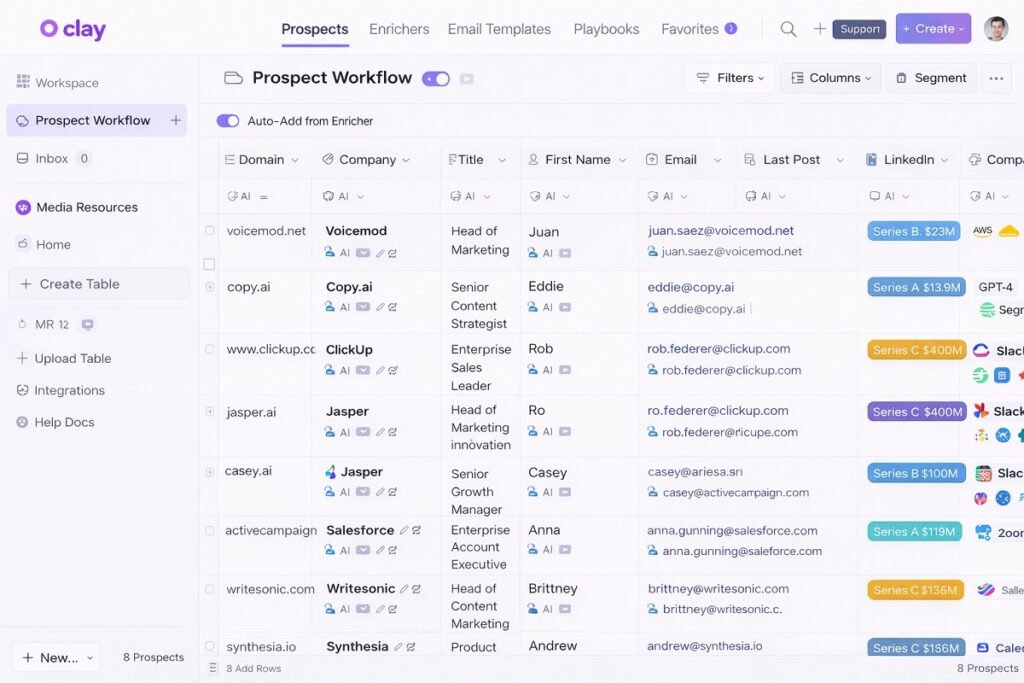
Clay focuses on lead enrichment workflows. It uses AI to analyze prospects and personalize outreach inputs. Businesses focused on outbound sales and lead generation also want to explore our Clay review and case studies, which showcase advanced AI-powered prospect research, lead enrichment, and sales automation workflows.
Key AI Workflow Features
- Profile enrichment
- AI prospect summaries
- Outreach context generation
Best Use Cases
- B2B outreach
- Lead qualification
- Account research
Pros
- Powerful enrichment
- Personalization depth
- Sales workflow focused
Cons
- Higher cost tier
- Requires data sources
Airtable AI — Best Data-Driven Workflow Base
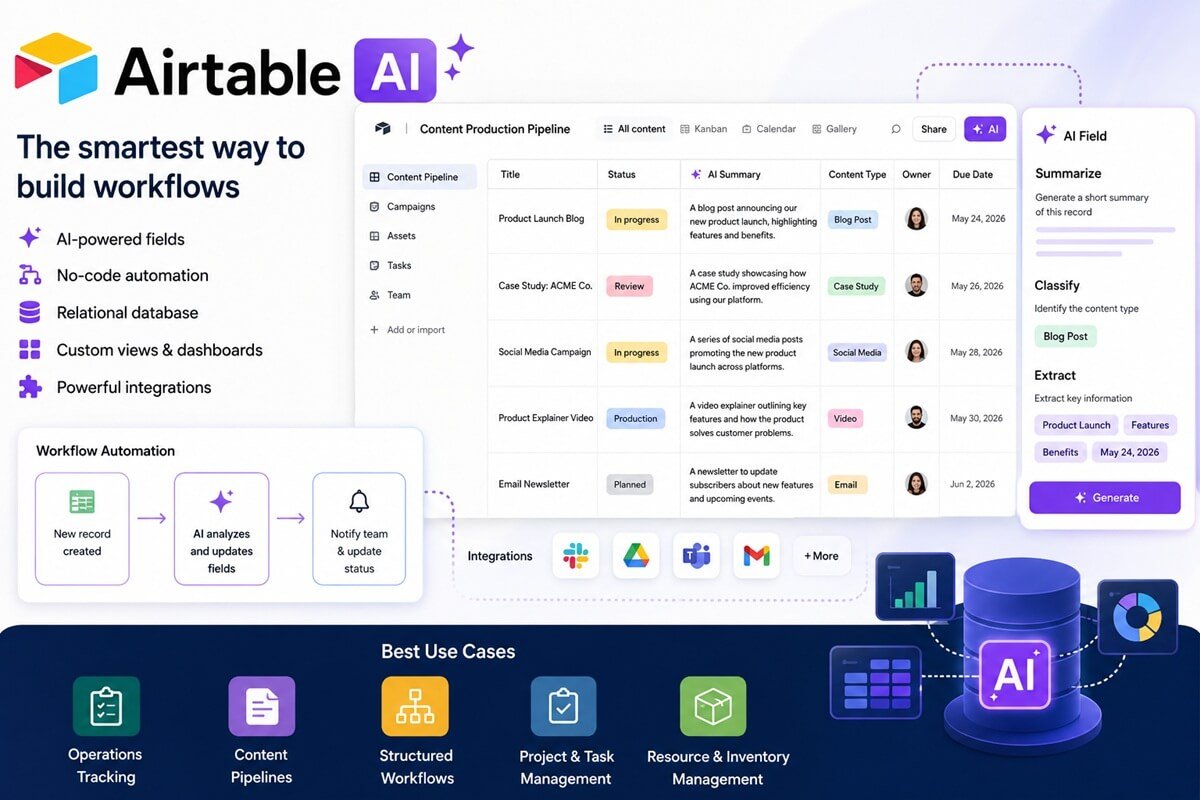
Airtable AI combines the flexibility of a relational database with powerful AI capabilities, allowing businesses to automate data-heavy workflows, generate insights, and streamline collaboration from a single platform. Teams can use AI fields to summarize records, classify information, extract key data, and generate content automatically.
Airtable is particularly well-suited for businesses that manage large amounts of structured data across operations, marketing, project management, and resource tracking.
Key AI Workflow Features
- AI-powered fields for summarization and classification
- No-code workflow automation
- Relational database capabilities
- Custom views, dashboards, and reporting
- Extensive integrations with business applications
Best Use Cases
- Operations tracking
- Content production pipelines
- Structured business workflows
- Project and task management
- Resource and inventory management
Pros
- Highly flexible and customizable
- Excellent for data-driven workflows
- Powerful collaboration features
- Strong reporting and dashboard capabilities
- Easy to scale as teams grow
Cons
- Advanced configurations can require a learning curve
- Pricing can increase for larger teams
- Some automation features require higher-tier plans
If your workflows involve tracking equipment, inventory, digital assets, or operational resources, you may also need specialized solutions. Explore our guide to the best asset management workflow software for more structured asset and resource management workflows.
Airtable AI is an excellent choice for organizations that need to combine structured data management with AI-powered workflow automation in a collaborative environment.
Bardeen — Best Browser Workflow Automation
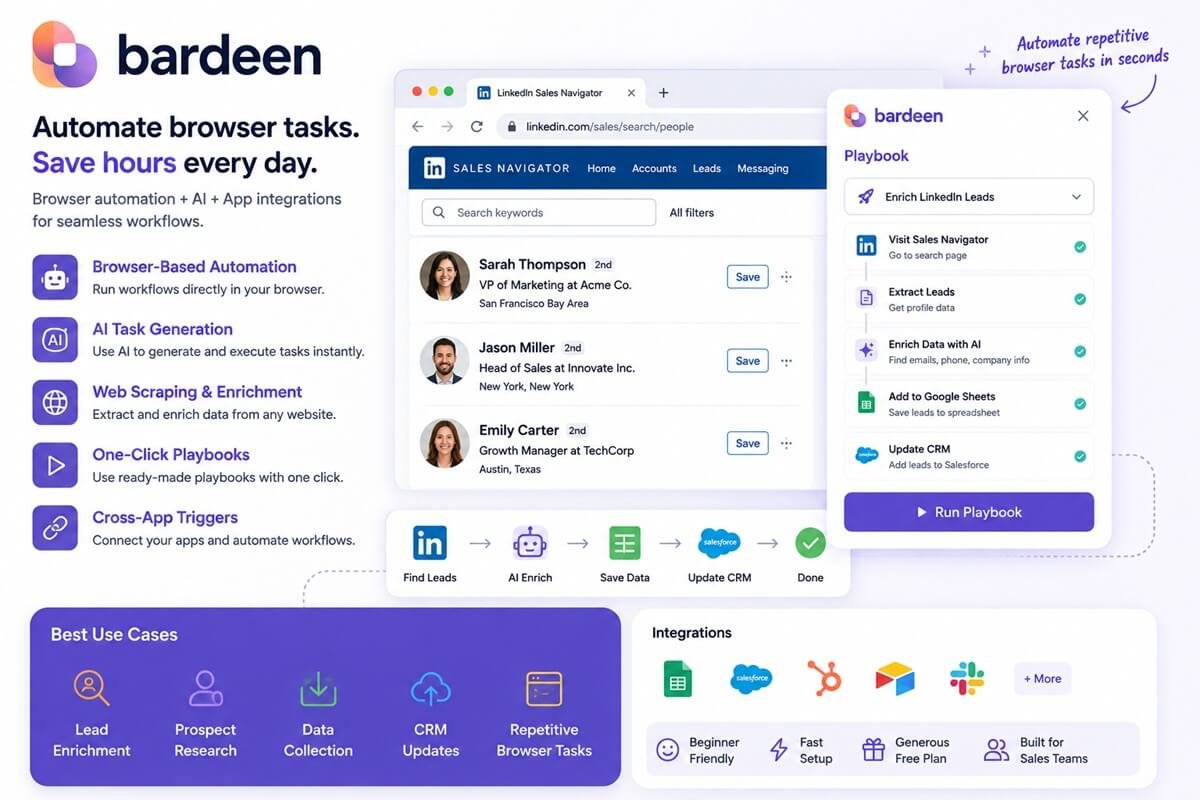
Bardeen is designed for users who want lightweight workflow automation directly inside their browser. It combines browser automation, AI actions, and app integrations to eliminate repetitive tasks without requiring complex setup.
Bardeen is particularly useful for sales teams, recruiters, marketers, and founders who spend significant time moving data between web apps.
Key AI Workflow Features
- Browser-based workflow automation
- AI task generation and execution
- Web scraping and enrichment
- One-click workflow playbooks
- Cross-app automation triggers
Best Use Cases
- Lead enrichment
- Prospect research
- Data collection
- CRM updates
- Repetitive browser tasks
Pros
- Very beginner friendly
- Fast setup process
- Strong browser automation capabilities
- Generous free plan
- Excellent for sales workflows
Cons
- Less suitable for complex business processes
- Limited advanced workflow logic
- Browser dependency may not fit every use case
Bardeen is ideal for small businesses looking to automate repetitive browser-based work without investing in a full-scale automation platform.
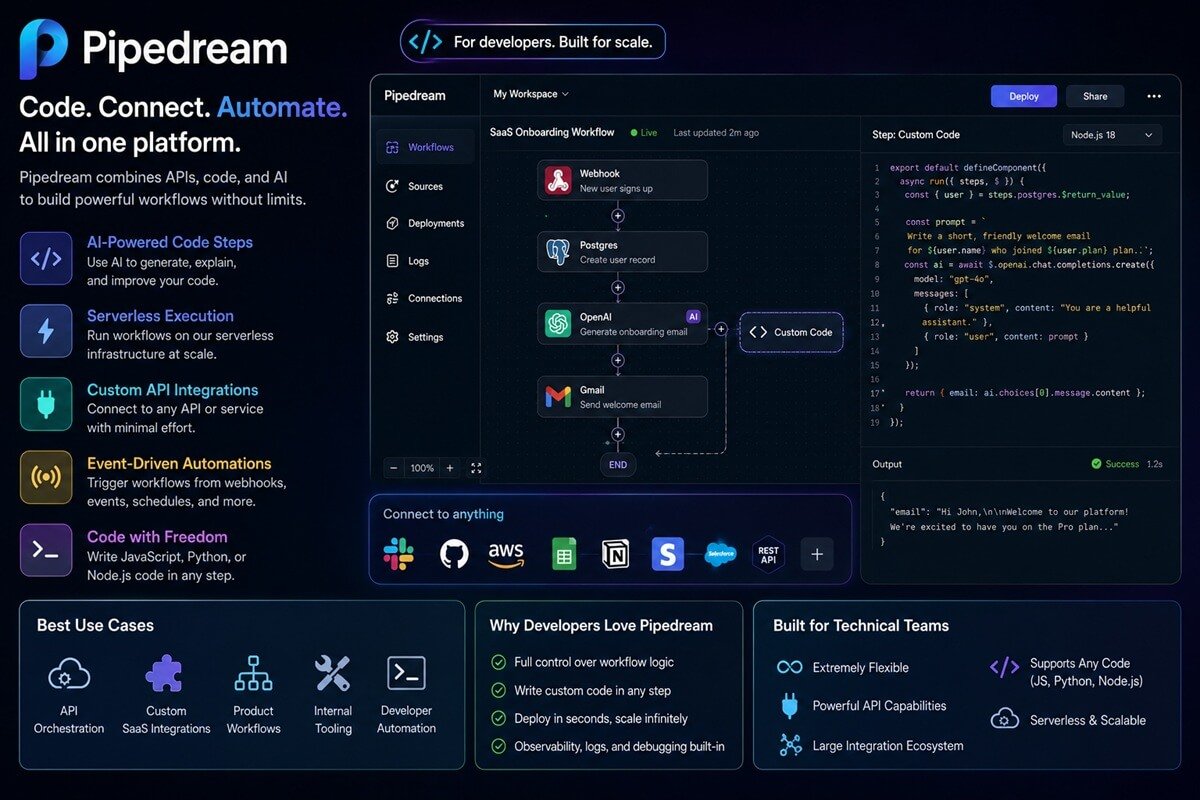
Pipedream — Best Developer Workflow Automation
Pipedream is a developer-focused workflow automation platform that combines APIs, code, and AI into a single environment. Unlike traditional no-code tools, Pipedream gives technical teams full control over workflow logic while still simplifying automation deployment.
It is best suited for engineering teams, SaaS businesses, and organizations that require custom integrations and advanced workflow orchestration.
Key AI Workflow Features
- AI-powered code steps
- Serverless workflow execution
- Custom API integrations
- Event-driven automations
- JavaScript, Python, and Node.js support
Best Use Cases
- API orchestration
- Custom SaaS integrations
- Product workflows
- Internal tooling
- Developer automation
Pros
- Extremely flexible
- Powerful API capabilities
- Supports custom code execution
- Large integration ecosystem
- Excellent for technical teams
Cons
- Steeper learning curve
- Not ideal for non-technical users
- Requires developer knowledge for advanced workflows
Pipedream is the strongest choice for businesses that need highly customized AI workflow automation and have technical resources available.
Category Winners
Best for Beginners — Zapier
Best Visual Builder — Make
Best Internal Knowledge — Notion AI
Best Meetings — Fireflies
Best Prospecting — Clay
Best Budget — Bardeen
Best Technical — Pipedream
If you’re still evaluating platforms, review our complete guide to the AI workflow tools we recommend to compare leading automation solutions based on business size, technical requirements, and implementation speed.
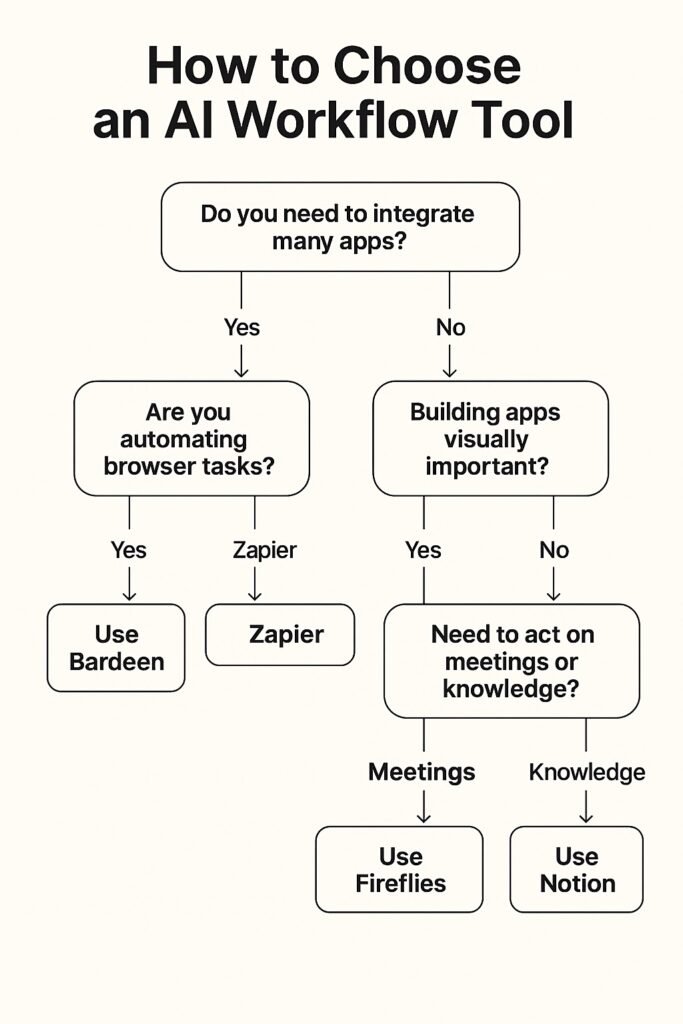
How to Choose the Right AI Workflow Tool
Choose based on:
Team size
Technical skill
Integration needs
Workflow complexity
Budget ceiling
Data sensitivity
Start with one workflow. Expand later.
Common Mistakes Small Businesses Make (And How to Avoid Them)
Many small businesses don’t fail at automation because of bad tools — they fail because of poor workflow design and strategy.
Here are the most common (and costly) mistakes to watch out for:
1. Buying Too Many Tools (Tool Overload)
Small businesses often stack multiple AI tools hoping to “cover everything.” The result? Fragmented workflows, duplicate data, and rising costs.
👉 Why it happens: Chasing trends instead of solving a specific problem
👉 Impact: Data silos, confusion, and wasted subscriptions
👉 Fix: Start with 1–2 core tools that integrate well and expand only when needed
2. Automating Broken Processes
Automation doesn’t fix inefficiency — it amplifies it. If your workflow is messy, automation just makes mistakes faster.
👉 Why it happens: Skipping process mapping
👉 Impact: Scaled chaos, more errors, harder debugging
👉 Fix: Simplify and document your workflow before automating
3. Ignoring Integration Limits
Many tools don’t “talk” to each other properly. Businesses underestimate how hard integrations can be.
👉 Why it happens: Assuming all tools connect seamlessly
👉 Impact: Broken workflows, manual workarounds
👉 Fix: Check native integrations, APIs, and compatibility before choosing tools
4. No Test Workflows (Going Live Too Fast)
Jumping straight into live automation without testing is a major risk.
👉 Why it happens: Rushing for quick results
👉 Impact: Wrong emails sent, data errors, customer trust damage
👉 Fix: Always run sandbox tests and edge-case scenarios before deployment
5. No Permission Controls (Security Risk)
Giving AI tools full access without restrictions can lead to serious issues.
👉 Why it happens: Lack of governance planning
👉 Impact: Data leaks, system errors, costly downtime
👉 Fix: Use role-based access and limit automation permissions
6. Over-Engineering Workflows
Many small businesses build overly complex automations they don’t actually need.
👉 Why it happens: Trying to replicate enterprise systems
👉 Impact: Hard-to-maintain systems, frequent breakdowns
👉 Fix: Keep workflows simple — automate one clear outcome at a time
7. No Clear Goal or KPI
Automation without a goal is just expensive experimentation.
👉 Why it happens: “AI hype” adoption
👉 Impact: No measurable ROI
👉 Fix: Define a clear objective (save time, reduce errors, increase leads)
8. Poor Data Quality (“Garbage In, Garbage Out”)
AI relies entirely on the data you feed it. Messy data = bad results.
👉 Why it happens: Unstructured or outdated data
👉 Impact: Incorrect outputs, broken automations
👉 Fix: Clean and standardize your data before automation
9. No Human Oversight
Fully trusting automation without review is risky.
👉 Why it happens: Overconfidence in AI
👉 Impact: Wrong outputs sent to customers, brand damage
👉 Fix: Keep human checkpoints for critical workflows
10. Automating Everything at Once
Trying to automate your entire business in one go is a common failure pattern.
👉 Why it happens: Lack of prioritization
👉 Impact: Confusion, poor results, hard-to-track issues
👉 Fix: Start with one workflow, optimize it, then scale gradually
Pro Tips:
The most successful small businesses don’t automate everything — they automate repeatable, high-impact tasks first, then expand step by step.
Recommended Starter Path
Start with one cross-app automation tool. Add knowledge AI next. Then layer meeting or prospect AI based on your business type.
For a ready-made ROI tested stack → see our full AI stack implementation guide.
FAQs — AI Workflow Tools
What is an AI workflow automation tool?
An AI workflow automation tool is software that automates multi-step business processes by using artificial intelligence instead of rigid, rule-based logic. Unlike traditional automation, these tools can analyze data, make decisions, and adapt over time.
They are commonly used to automate tasks like lead management, customer support, content workflows, data syncing, reporting, and internal operations. By connecting apps and applying AI decision logic, businesses can reduce manual work and improve accuracy at scale.
What business processes can be automated with AI workflows?
Businesses can automate a wide range of processes, including lead management, customer support, email marketing, data entry, invoice processing, content creation, project management, employee onboarding, and reporting. The right platform can help automate workflows across sales, marketing, operations, finance, and customer service teams.
For teams building content production workflows, our comparison of Notion AI vs Jasper can help determine which AI writing platform is better suited for marketing automation, content operations, and team collaboration.
Are AI workflow automation tools safe for small businesses?
Most reputable AI workflow platforms are built with enterprise-grade security features, even for small businesses. These typically include data encryption, access controls, activity logs, and role-based permissions.
However, safety depends on how the tool is configured. Small businesses should always review data storage policies, third-party integrations, and compliance standards before adopting a platform. Choosing well-known providers with transparent security documentation significantly reduces risk.
Is AI workflow automation secure for businesses?
Most reputable AI workflow automation platforms provide enterprise-grade security features, including encryption, role-based access controls, audit logs, and compliance certifications such as SOC 2 and GDPR. Businesses handling sensitive data should always review a provider’s security and compliance policies before implementation.
Do I need coding skills to use AI workflow tools?
No, most AI workflow automation tools are designed for non-technical users. They use visual builders, drag-and-drop interfaces, and prebuilt templates to create workflows without writing code. Some platforms also offer low-code options for advanced customization, but coding is optional. This makes AI automation accessible to marketers, founders, virtual assistants, and small teams without developer support.
What is the cheapest AI workflow automation option?
The most affordable AI workflow tools usually offer free plans or low-cost entry tiers for beginners and small businesses. Platforms like Make and Bardeen are known for budget-friendly pricing while still providing powerful automation features.
The best low-cost option depends on usage limits, integrations, and automation complexity. Businesses should compare task limits, execution frequency, and AI features rather than price alone to get real value.
Can AI workflows replace employees?
AI workflows are designed to replace repetitive, time-consuming tasks, not human employees. They handle processes like data entry, follow-ups, scheduling, and routine analysis so teams can focus on strategy and creative work.
Instead of eliminating jobs, AI automation often helps businesses scale faster with smaller teams, reduce burnout, and improve productivity. Human judgment, creativity, and relationship-building remain irreplaceable.
🔍 Real-World AI Workflow Use Cases for Small Businesses
AI workflow automation is not just for tech companies. Small teams across different industries are using it daily to remove repetitive work and reduce response time.
Here are practical workflow examples that show how these tools are actually used.
Lead Handling and Qualification Workflows
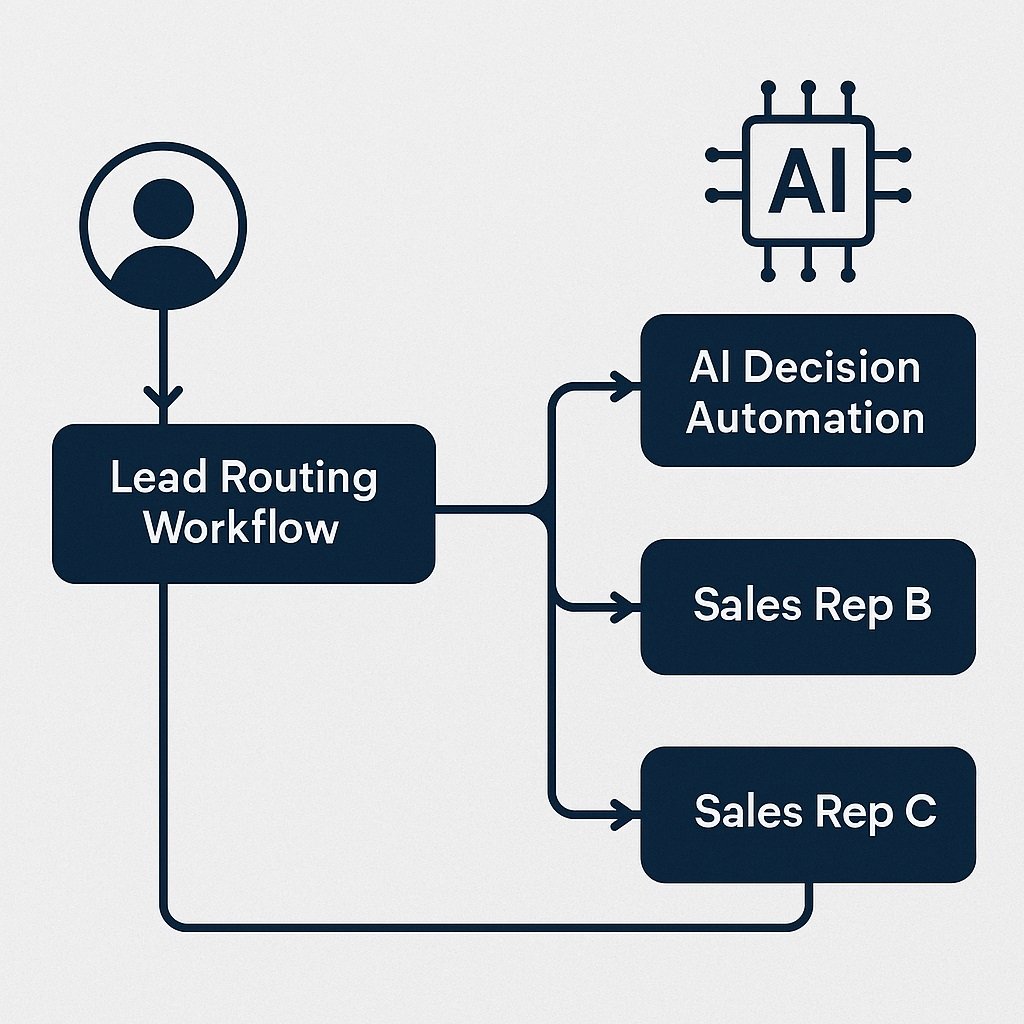
Many small businesses lose leads because responses are delayed. AI workflow tools can monitor inboxes, forms, and chat tools, then classify urgency and intent automatically.
For industry-specific examples, real estate businesses are already using these workflows for lead qualification, follow-ups, and client tracking. See how it works in our guide on AI automation for real estate.
A typical flow:
Form submission → AI intent check → CRM lookup → lead score → auto-reply draft → task creation → sales alert This reduces response time from hours to minutes and keeps hot leads from going cold.
Client Onboarding Automation
Onboarding often includes repeated steps — sending documents, collecting details, assigning tasks, and creating project folders.
AI workflows can:
- Read intake forms
- Extract key requirements
- Create project records
- Assign onboarding checklists
- Draft welcome messages
This removes manual setup steps and keeps onboarding consistent.
AI Workflow for Marketing Operations
Marketing teams use AI workflows to handle content and campaign operations.
Examples include:
- Turning briefs into task lists
- Generating first draft outlines
- Scheduling cross-channel posts
- Tagging and categorizing content
- Extracting SEO entities from drafts
This improves output speed without increasing headcount.
🧪 Beginner vs Advanced AI Workflow Tools
Not every small business should start with complex automation platforms. Choosing the wrong complexity level causes abandonment.
Beginner Friendly Tools
Best for:
- Solo founders
- Small teams
- Non-technical users
Traits:
- Template based
- Minimal logic setup
- Visual builders
- Guided setup
Examples: Zapier, Notion AI, Bardeen
Intermediate Tools
Best for:
- Growing agencies
- Ops managers
- Technical marketers
Traits:
- Branching logic
- Data mapping
- Conditional routing
Examples: Make, Airtable AI, Clay
Advanced Tools
Best for:
- Technical teams
- Product workflows
- API heavy environments
Traits:
- Code steps
- Custom endpoints
- Event triggers
Examples: Pipedream
💰 Cost vs Value — What Small Businesses Should Expect
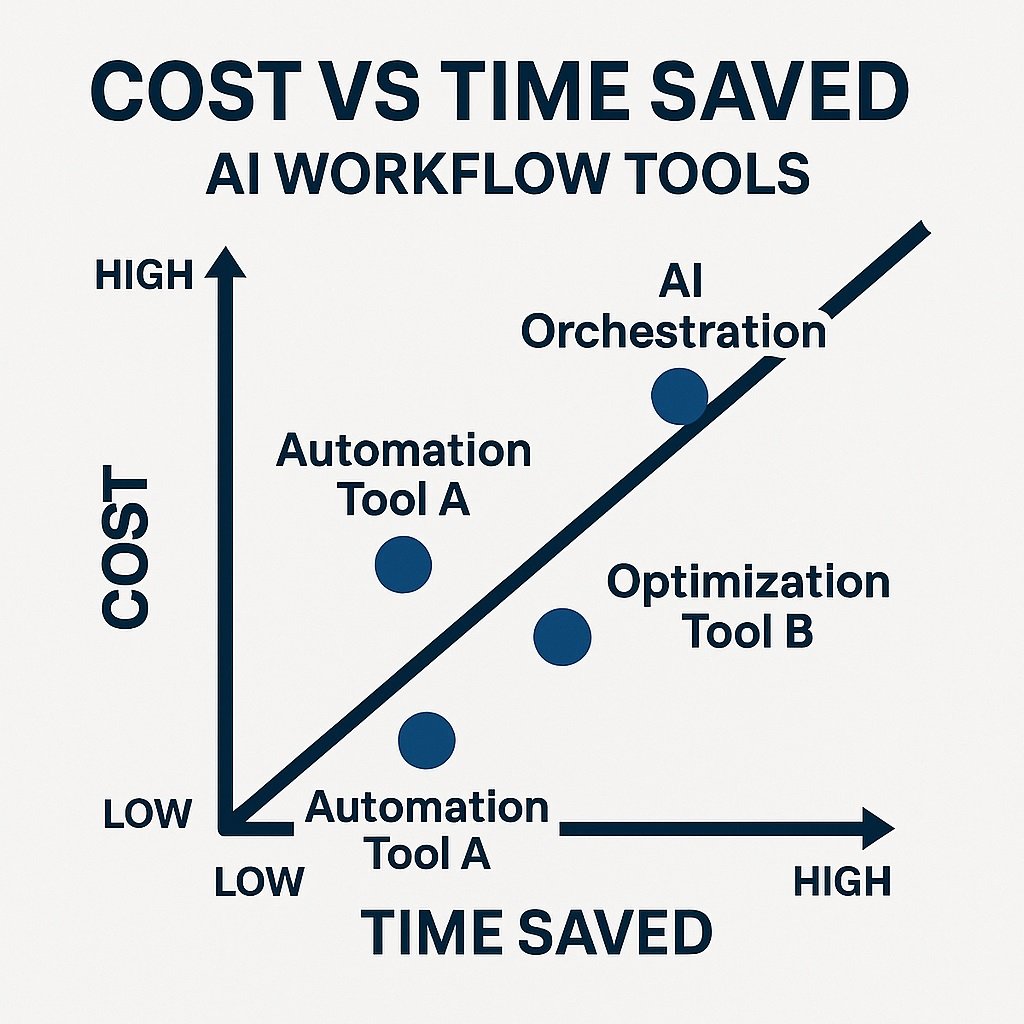
One mistake small businesses make is comparing tool cost without measuring time saved. A $50/month workflow tool that saves 10 staff hours per week is cheaper than manual labor.
Evaluate value using:
- Hours saved weekly
- Error reduction
- Response speed
- Client experience
- Workflow consistency
Think in time recovered, not subscription price.
🔐 Security and Data Handling Considerations
AI workflow tools often connect multiple systems. That means data flows across platforms.
Small businesses should check:
- Permission controls
- Workspace roles
- Encryption basics
- Data retention settings
- Integration access limits
- Activity logs
Never give full access tokens when scoped permissions are available.
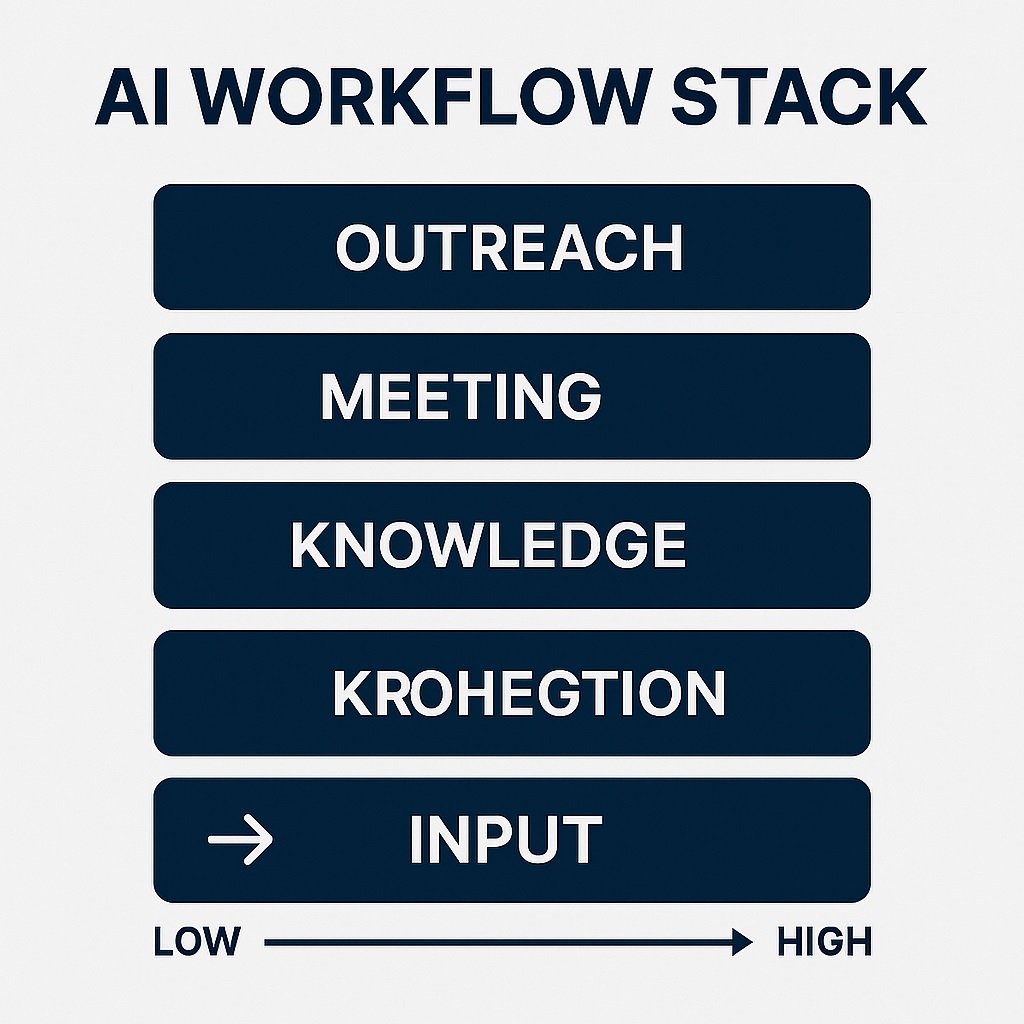
🧩 How AI Workflow Tools Fit Into a Full Automation Stack
AI workflow tools are one layer — not the entire stack.
Typical small business stack layers:
Input layer — forms, inbox, chat
Workflow layer — Zapier / Make
Knowledge layer — Notion AI
Meeting layer — Fireflies
Data layer — Airtable
Outreach layer — Clay
This layered view helps planning.
📈 Implementation Roadmap for Small Teams
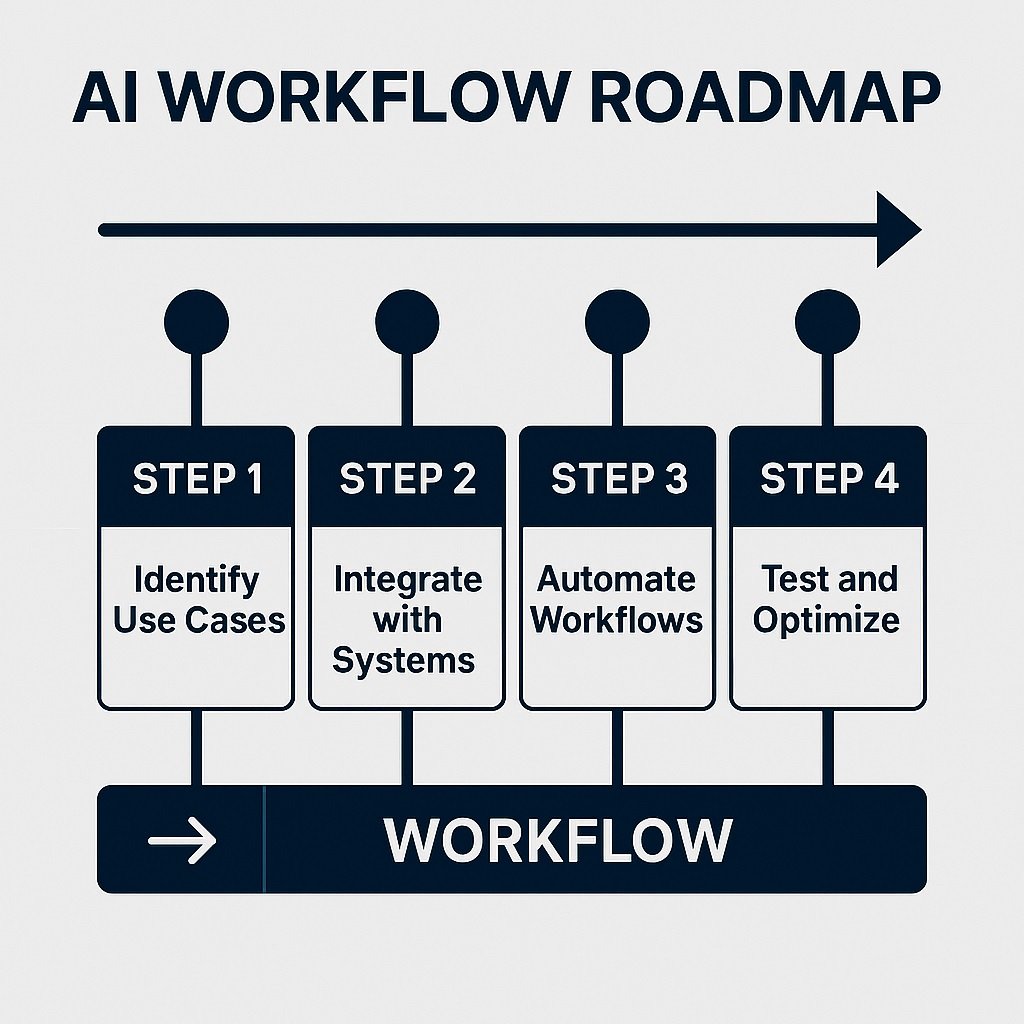
Most automation failures happen from trying to automate everything at once.
Better roadmap:
Step 1 — Map one workflow
Step 2 — Identify manual steps
Step 3 — Automate one decision point
Step 4 — Test with low volume
Step 5 — Monitor results
Step 6 — Expand gradually
Small wins build adoption.
⚖️ AI Workflow Tools vs Traditional Automation Tools
Traditional automation:
- Fixed rules
- Binary triggers
- No interpretation
AI workflow automation:
- Context interpretation
- Text understanding
- Classification
- Summarization
- Smart routing
AI adds decision capability, not just speed.
Conclusion
AI workflow automation is no longer optional for small businesses that want operational efficiency. The right platform depends on your workflow type, team skill level, and integration needs. Start with one process. Automate it fully. Measure results. Then expand your workflow layer by layer.



4 Comments