Clay Review (2026): Automate Hyper-Personalized Lead Gen at Scale

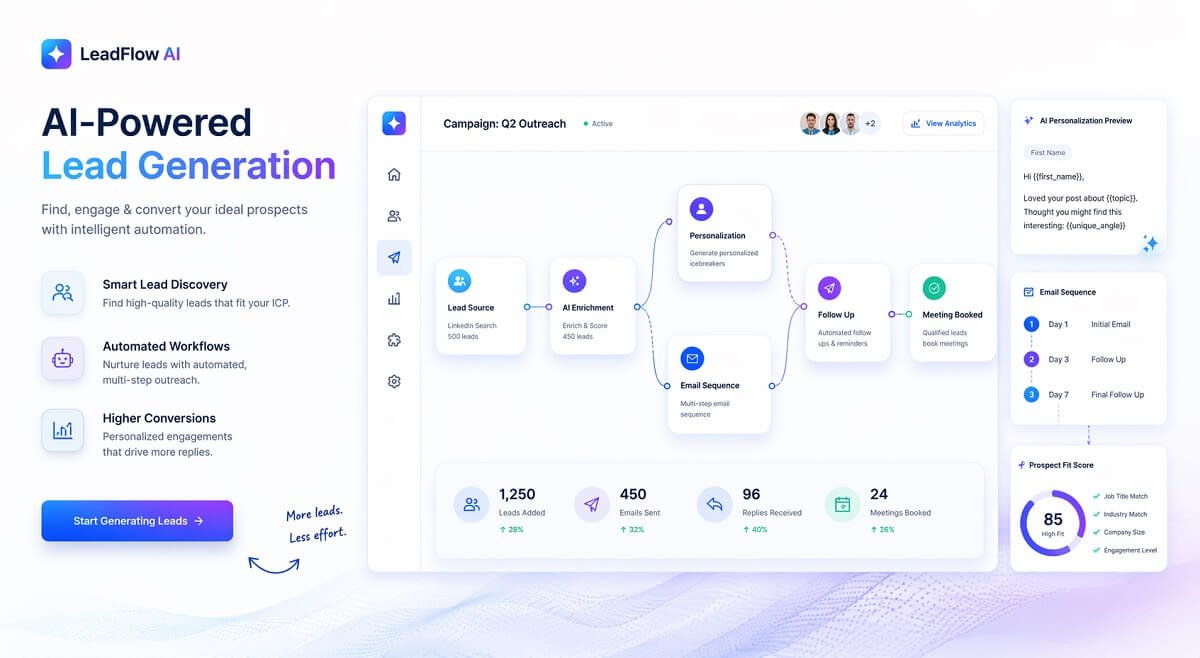
Struggling to scale your outreach without sounding like a robot? Most lead generation tools either automate at scale or allow personalization—but rarely both. That’s where Clay is changing the game.
In this Clay review (Fastest Growing AI Tools), you’ll discover how this powerful tool helps you build automated, hyper-personalized lead generation workflows—without burning hours on manual research.
Whether you’re an agency, SaaS founder, or growth marketer, this guide will show you if Clay is actually worth your investment in 2026.
⭐ Our Verdict
Overall Rating: 4.7/5
Best for:
✓ B2B sales teams
✓ Agencies
✓ Growth marketers
✓ SaaS companies
Not ideal for:
✗ Small businesses with occasional outreach
✗ Users looking for a simple email marketing platform
Bottom line: Clay excels at data enrichment and AI-powered personalization, making it one of the strongest tools for scalable outbound prospecting.
Table of Contents
What is Clay AI?
Clay is a data enrichment + workflow automation platform designed to supercharge lead generation.
Instead of just giving you a list of contacts, Clay lets you:
- Pull data from 100+ sources
- Enrich leads automatically
- Use AI to personalize outreach
- Build fully automated workflows
👉 Think of it as a mix of:
- CRM + scraping tool + AI writer + automation engine
To understand how tools like Clay fit into a bigger ecosystem, check out this breakdown of AI Workflows Explained: The Complete Strategic Guide for Businesses and Teams (2026)
How We Evaluated Clay
Our evaluation focused on:
- Ease of workflow creation
- Data enrichment capabilities
- AI personalization quality
- Integration ecosystem
- Pricing flexibility
- Suitability for different business sizes
We also compared Clay with competing platforms based on publicly available documentation, user feedback, and feature comparisons.
Clay Review: Key Features of Clay
1. Data Enrichment at Scale
Clay pulls data from multiple sources like:
- Company databases
- APIs
This means you get deep, actionable insights on every lead.
2. AI-Powered Personalization
Unlike traditional tools, Clay uses AI to:
- Write custom icebreakers
- Personalize emails at scale
- Analyze lead data for relevance
👉 This is where most tools fail—and Clay stands out.
3. Workflow Automation
You can build workflows like:
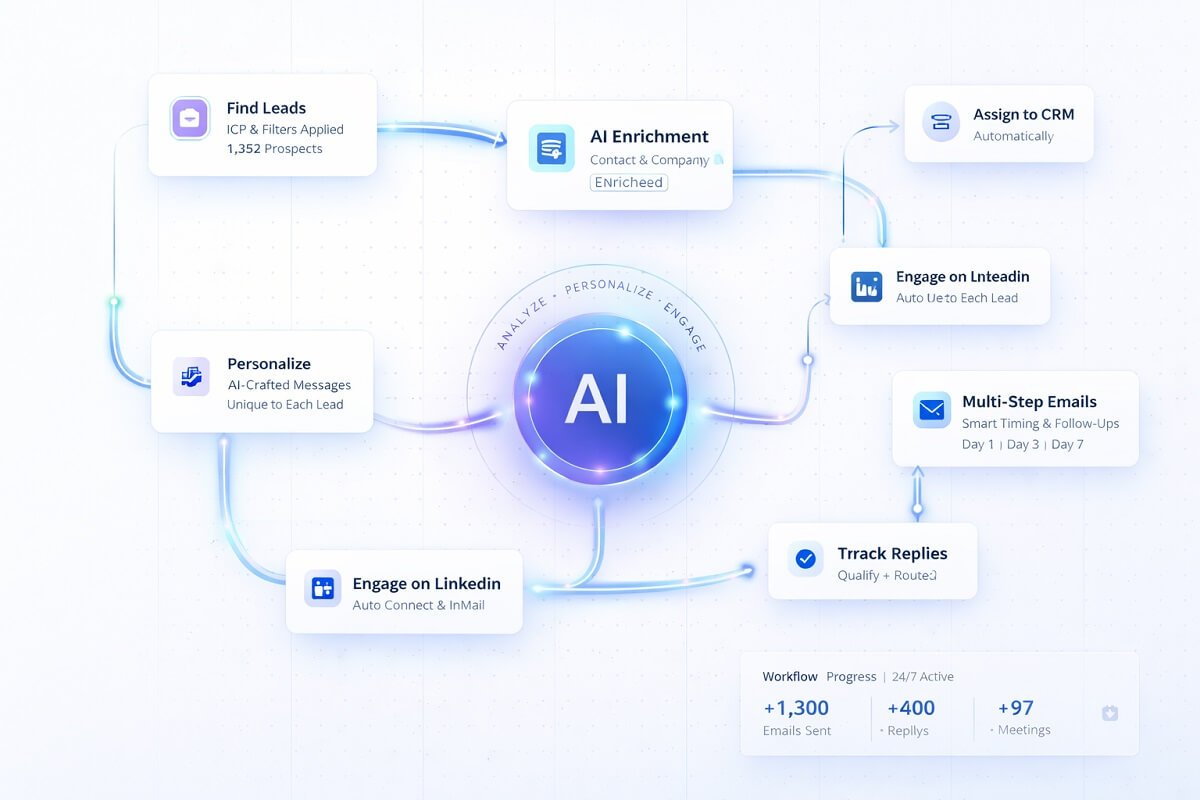
- Lead scraping → Data enrichment → AI personalization → Export
All automated.
“If you want to go deeper into building automation systems, this AI Agent Workflow Guide: Build Powerful Automation Systems breaks it down step-by-step.”
4. Powerful Integrations
Clay connects with:
- CRMs
- Email tools
- Zapier
- Webhooks
👉 Making it perfect for workflow automation setups
“Clay workflows follow the same logic used in advanced systems like those shown in n8n AI Automation Workflows: Step-by-Step Tutorial (2026 Guide).”
How Clay Works (Step-by-Step)
- Import or find leads
- Enrich data automatically
- Apply AI personalization
- Build workflows
- Export to your outreach tool
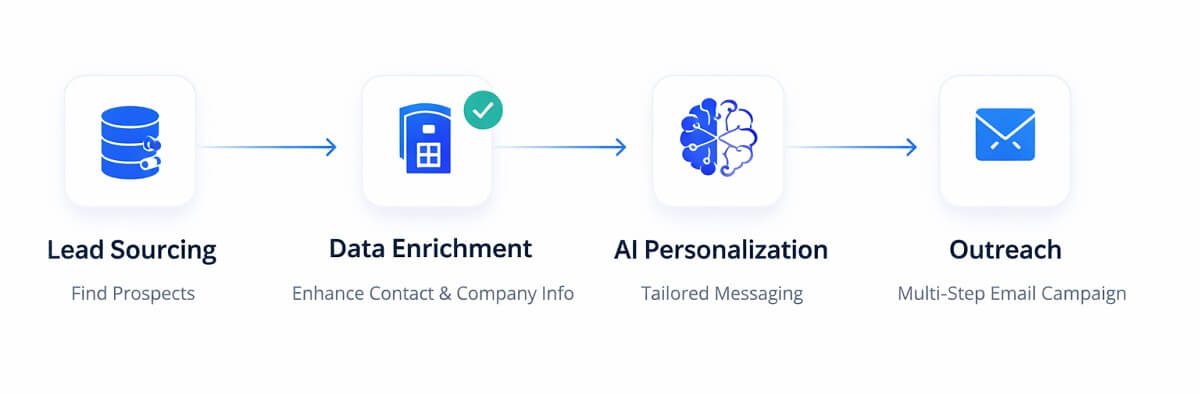
👉 This process removes 80–90% of manual work
Best Clay Workflow Templates
Lead enrichment workflow
LinkedIn → Enrichment → Email verification
Personalized cold email workflow
Prospect → AI first line → Export to Instantly
CRM enrichment workflow
HubSpot → Clay → Missing data → Update CRM
Looking for more ready-to-use automations? Explore our collection of AI workflow templates to accelerate lead generation, sales, and marketing processes.
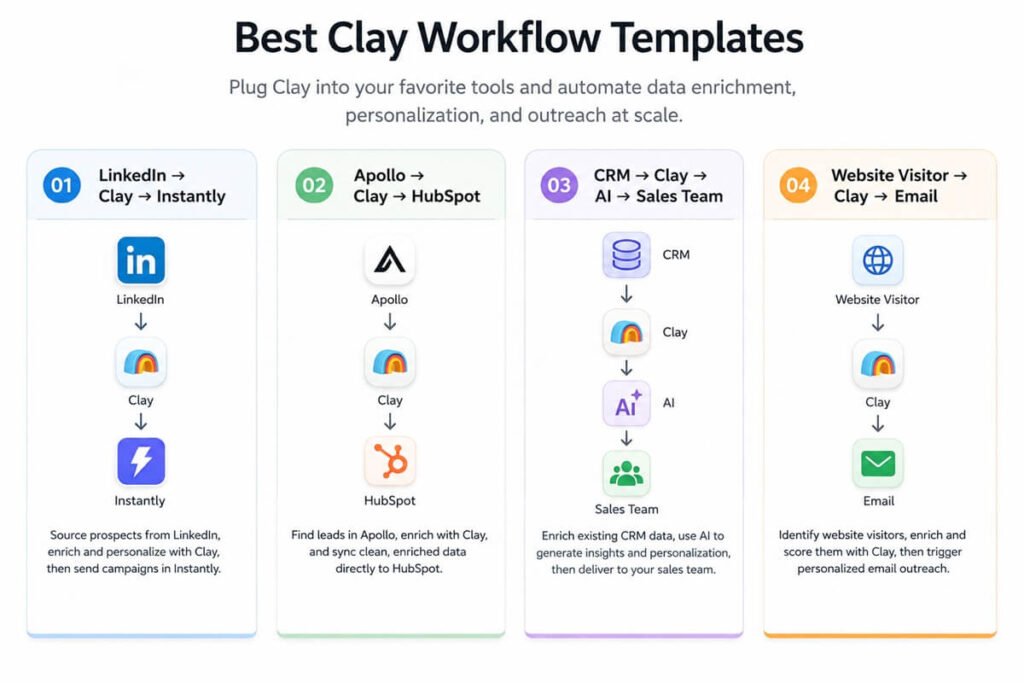
These examples don’t repeat your “How Clay Works” section—they provide practical templates.
Real-World Clay Use Cases and Customer Success Stories
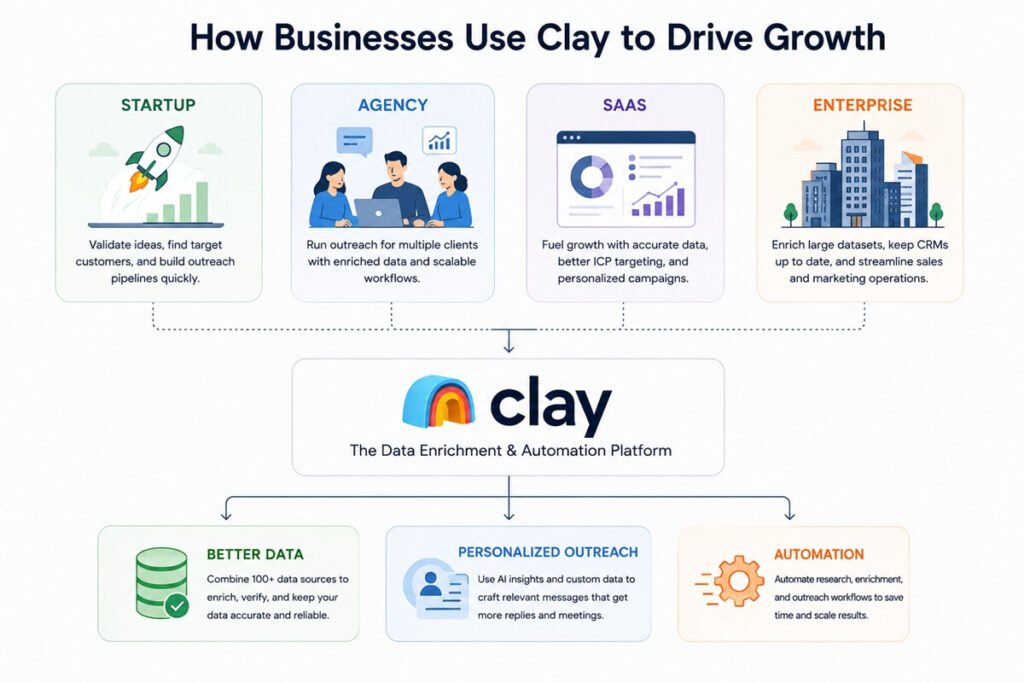
One of the biggest reasons Clay has become a popular go-to-market (GTM) platform is its ability to solve different sales and marketing challenges across companies of all sizes. From AI startups to enterprise software providers, organizations use Clay to automate data enrichment, personalize outreach, and build scalable outbound workflows.
1. OpenAI: Scaling Enterprise Go-to-Market Operations
When OpenAI launched ChatGPT Enterprise, its sales team needed a faster way to qualify inbound demand and manage large volumes of prospects. According to Clay, OpenAI uses the platform to centralize customer data, automate enrichment, and support its GTM workflows more efficiently. This allows sales teams to spend less time gathering information and more time engaging qualified prospects.
Key takeaway: Clay can help fast-growing companies organize prospect data and automate repetitive GTM tasks without constantly switching between multiple tools.
2. Anthropic: Improving Data Enrichment Coverage
AI company Anthropic adopted Clay to improve the completeness of its prospect data. Clay reports that Anthropic significantly increased its enrichment coverage by combining multiple data providers through a single workflow instead of relying on one source.
Key takeaway: Businesses that depend on accurate contact and company information can benefit from Clay’s multi-provider enrichment approach.
3. First Round Capital: Keeping CRM Data Up to Date
Venture capital firm First Round Capital used Clay to automatically enrich and update more than 220,000 CRM contacts, reducing the need for manual database maintenance and improving data quality over time.
Key takeaway: Clay isn’t just for finding new prospects—it can also help maintain cleaner, more reliable CRM records.
4. ServiceBell: Faster Prospect Research
ServiceBell used Clay to automate prospect research and outreach preparation. According to Clay’s published case study, the company booked 30 meetings with about one hour of work after implementing automated lead qualification and enrichment workflows.
Key takeaway: Automating research and personalization can dramatically reduce the time required to launch outbound campaigns.
5. Rippling: Personalized Outreach at Scale
Rippling uses Clay to enrich account data and create more personalized outbound campaigns. By combining enriched customer information with tailored messaging, the company improved the relevance of its sales outreach while reducing manual research.
Key takeaway: Clay is especially valuable for teams that prioritize account-based marketing (ABM) and personalized sales engagement.
What These Customer Stories Tell Us
Although every business has different goals, these examples highlight several consistent advantages of using Clay:
- Automates repetitive lead research and data enrichment.
- Combines data from hundreds of providers into a single workflow.
- Helps sales teams personalize outreach using AI-generated insights.
- Keeps CRM records more accurate and up to date.
- Supports scalable outbound campaigns without dramatically increasing manual work.
For agencies, SaaS companies, and revenue teams managing high-volume prospecting, these customer stories demonstrate how Clay can become the central data and automation layer in a modern go-to-market stack.
Use Cases (Who Should Use Clay?)
Agencies
- Scale client outreach
- Deliver better personalization
“This is exactly how agencies scale without hiring, as shown in How a 3-Person Agency Scaled to 100 Clients Using AI Automation.”
SaaS Founders
- Find targeted leads
- Improve cold email performance
“For a broader strategy, see how this fits into a complete system in The 2026 AI-Driven B2B Marketing System: From Disconnected Tools to Unified Success.”
Cold Email Marketers
- Create unique messages for each prospect
LinkedIn Lead Gen
- Combine scraping + personalization

Who Should NOT Buy Clay”
Clay may not be the right choice if you:
- Send fewer than 100 outreach emails per month.
- Only need basic contact lists.
- Want an all-in-one CRM and email platform.
- Have a limited software budget.
Clay Workflows: The Real Game-Changer
Clay isn’t just a tool—it’s a workflow engine.
Example workflow:
- Scrape LinkedIn leads
- Enrich with company + personal data
- Generate AI icebreaker
- Send to email tool
👉 This is why it’s perfect for the workflow AI niche
Pricing Breakdown
Clay uses a credit-based pricing model, meaning:
- You pay based on data usage + actions
- Scales with your needs
👉 Best suited for:
- Agencies
- Growth teams
- High-volume outreach
Clay vs Competitors
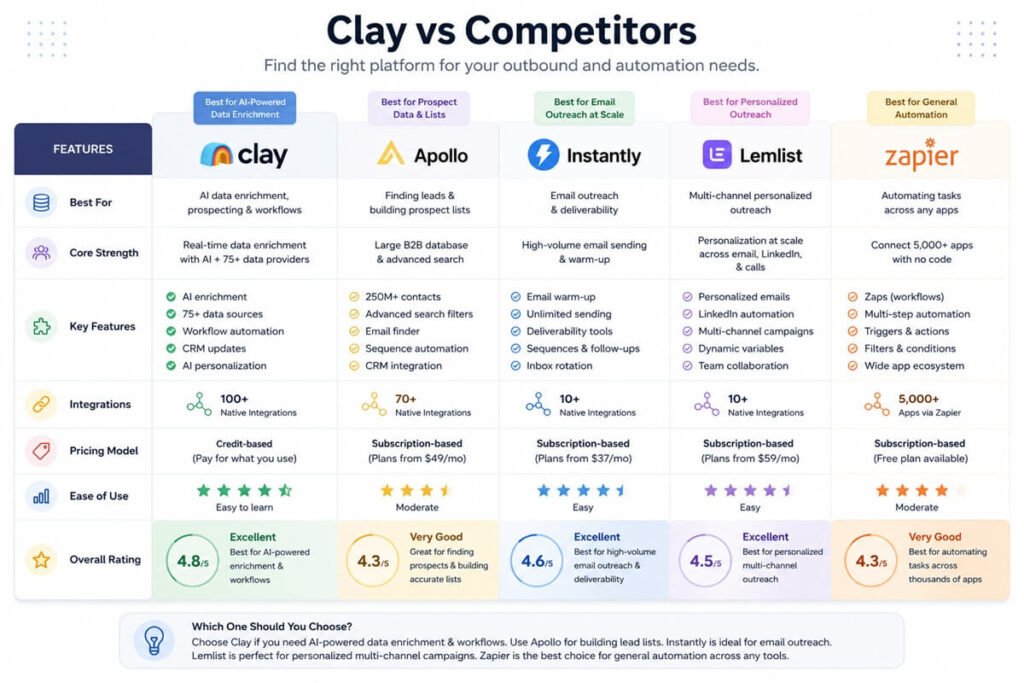
Here’s a quick comparison of Clay vs other popular tools:
🔍 Quick Comparison (Skip if you’re in a hurry)
| Tool | Best For |
|---|---|
| Clay | AI enrichment |
| Apollo | Prospect database |
| Instantly | Email sending |
| Lemlist | Personalized outreach |
| ZoomInfo | Enterprise data |
| Make | Workflow automation |
| n8n | Open-source automation |
Frequently Compared Alternatives to Clay
Although Clay is a powerful platform for data enrichment and AI-powered lead generation, it’s not the perfect fit for every business. Depending on your goals, one of these alternatives may better match your workflow and budget.
Apollo
Apollo is one of the most popular alternatives if your primary goal is building prospect lists quickly. It combines a large B2B contact database with built-in email sequencing and sales engagement features, making it a strong choice for sales teams that want an all-in-one outbound platform.
Best for: Sales teams focused on finding verified contacts and launching outreach campaigns without complex automation.
Lemlist
Lemlist specializes in personalized cold email outreach. While it doesn’t offer Clay’s advanced data enrichment capabilities, it excels at creating customized email campaigns, dynamic personalization, and automated follow-up sequences.
Best for: Businesses that already have prospect data and want to improve email engagement with personalized outreach.
Instantly
Instantly is designed for high-volume cold email campaigns. It focuses on email deliverability, inbox management, and campaign scaling rather than lead enrichment. Many teams use Clay and Instantly together—Clay prepares enriched, personalized lead data, while Instantly handles email delivery.
Best for: Agencies and marketers sending large-scale cold email campaigns.
ZoomInfo
ZoomInfo provides one of the largest enterprise-grade B2B databases available. It offers extensive company intelligence, buying signals, and sales insights, but typically comes at a significantly higher price than Clay.
Best for: Enterprise sales organizations that require comprehensive company and contact data.
Zapier
Zapier is a general-purpose automation platform that connects thousands of business applications. Unlike Clay, it doesn’t enrich prospect data or generate AI-powered personalization, but it’s excellent for automating repetitive business processes across marketing, sales, customer support, and operations.
Best for: Businesses looking to automate workflows beyond lead generation.
Make
Make (formerly Integromat) provides advanced visual workflow automation with greater flexibility than many no-code platforms. It supports complex branching logic, API integrations, and custom automation scenarios, making it a popular choice for technical users.
Best for: Teams that need advanced workflow automation across multiple business systems.
n8n
n8n is an open-source workflow automation platform that gives users complete control over their automations. It supports self-hosting, extensive API integrations, and AI-powered workflows, making it ideal for organizations with technical expertise.
Best for: Developers and businesses that want customizable, self-hosted automation without recurring SaaS limitations.
“Clay integrates well with tools compared in this guide: Zapier vs Make vs n8n (2026): Which AI Tool Is Best for You?.”
Which Alternative Should You Choose?
The right platform depends on your primary objective:
| If you want to… | Recommended Tool |
|---|---|
| Find and enrich high-quality prospect data | Clay |
| Access a large B2B contact database | Apollo |
| Run personalized cold email campaigns | Lemlist |
| Scale outbound email delivery | Instantly |
| Access enterprise-level sales intelligence | ZoomInfo |
| Automate general business workflows | Zapier |
| Build advanced no-code automations | Make |
| Create customizable self-hosted workflows | n8n |
Recommendation: If your goal is AI-powered lead enrichment and personalized outbound prospecting, Clay remains one of the strongest choices. However, many businesses achieve the best results by combining Clay with complementary tools like Instantly for email delivery or HubSpot for CRM management, creating a complete sales automation stack.
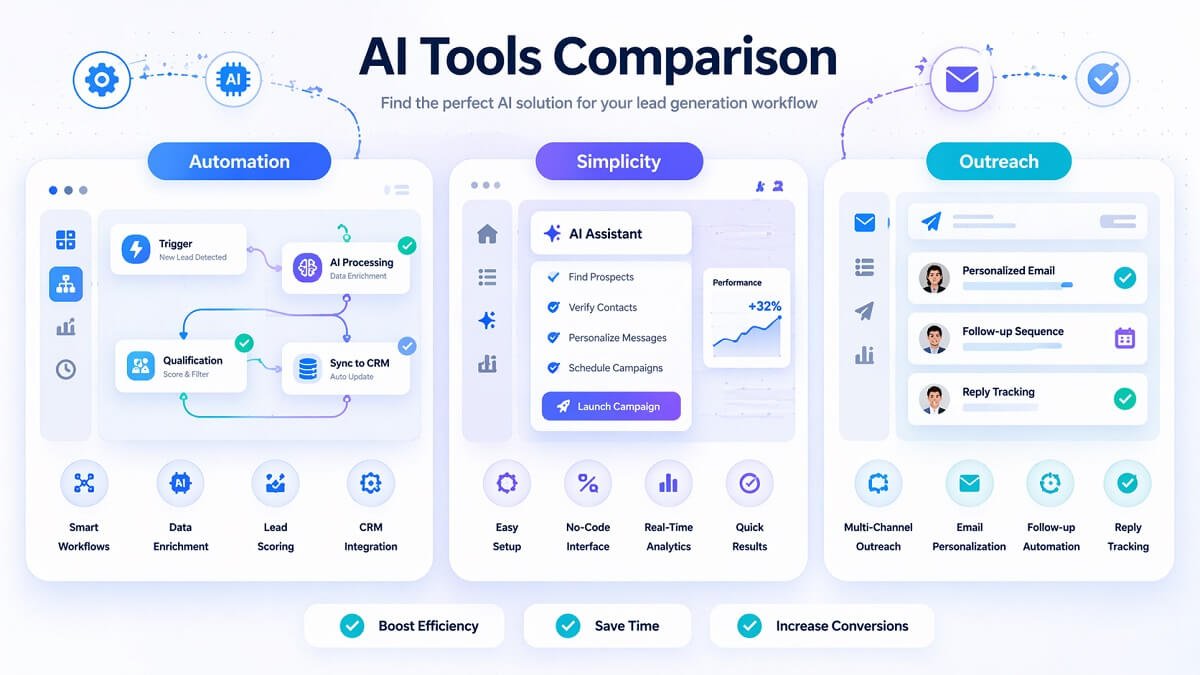
Common Challenges When Using Clay
- Understanding credits
- Selecting data providers
- Managing API costs
- Designing efficient workflows
- Learning advanced automation logic
Pros and Cons
✅ Pros
- Powerful automation workflows
- Deep data enrichment
- AI personalization at scale
- Flexible integrations
❌ Cons
- Learning curve for beginners
- Credit-based pricing can get expensive
- Not an all-in-one sending tool
Tips for Getting the Most from Clay”
- Start with a small dataset before scaling.
- Monitor credit usage regularly.
- Combine multiple enrichment providers.
- Build reusable workflow templates.
- Connect Clay with your CRM for continuous updates.
Is Clay Worth It in 2026?
👉 Yes—if you care about quality + scale
Clay is ideal if you:
- Run an agency
- Do cold outreach at scale
- Want better reply rates
But if you just need:
- Basic email sending
- Simple lead lists
👉 Then simpler tools might be enough.
Best Alternatives to Clay
If Clay feels too complex or expensive, consider:
- Apollo (simple lead database)
- Instantly (email outreach)
- Lemlist (personalized emails)
- Zapier (general automation)
Final Verdict
Clay is one of the most powerful lead generation tools in 2026.
It combines:
- Data
- AI
- Automation
Into a single workflow system.
👉 If you want to build scalable, hyper-personalized outreach, Clay is absolutely worth testing. “however, for evaluating ROI, this breakdown of The 2026 Small Business AI Stack: 5 Stress-Tested Tools That Deliver ROI can help you compare investment vs returns.”

FAQs
Can you use Clay for LinkedIn lead generation?
Yes, Clay is highly effective for LinkedIn lead generation. You can import LinkedIn profiles, enrich them with additional data (emails, company info, social signals), and then build automated workflows for outreach.
👉 This makes it ideal for turning basic LinkedIn lists into fully enriched prospect pipelines.
Does Clay provide verified email addresses?
Clay itself doesn’t own a database of emails. Instead, it integrates with multiple data providers to find and verify email addresses.
The accuracy depends on:
- The data source you connect
- Your enrichment setup
👉 In most cases, combining multiple providers improves reliability significantly.
How long does it take to set up a Clay workflow?
A simple workflow can be set up in 15–30 minutes, while more advanced workflows (with multiple enrichment steps and AI personalization) can take a few hours.
👉 Once built, these workflows run automatically—saving time long-term.
Can Clay be used without coding skills?
Yes, Clay is designed for non-technical users. Most workflows are built using a no-code interface with drag-and-drop style logic.
However, having basic knowledge of:
- APIs
- Data fields
- Automation logic
👉 will help you unlock its full potential faster.
What types of data can Clay enrich?
Clay can enrich a wide range of data points, including:
- Email addresses
- Job titles and roles
- Company size and industry
- Social profiles
- Tech stack and firmographics
👉 This depth allows for highly targeted and personalized outreach.
Is Clay suitable for small businesses or only agencies?
Clay works for both, but the value depends on your usage.
- Small businesses → Great for targeted outreach campaigns
- Agencies → Ideal for scaling multiple client campaigns
👉 If you’re not doing regular outreach, Clay may feel overpowered.
Can Clay automate the entire lead generation process?
Clay can automate most of the lead generation workflow, including:
- Lead sourcing
- Data enrichment
- Personalization
However, it typically integrates with other tools for:
- Email sending
- CRM management
👉 So it’s best seen as the central automation layer, not a full end-to-end system.