Best AI Tools for Video Agencies: 12 Tools to Streamline Production, Editing, and Client Workflows


Running a video agency involves much more than creating impressive videos. Teams have to manage client meetings, organize creative briefs, produce content, edit footage, generate voiceovers, handle revisions, and deliver projects on schedule. As the number of clients grows, keeping all these activities organized becomes increasingly difficult.
That is where AI-powered software can make a meaningful difference. The right tools can reduce repetitive production work, speed up editing, turn long recordings into short-form content, and make communication between clients and creative teams more manageable. However, not every AI video tool solves the same problem. Some specialize in generating footage, while others focus on editing, automation, collaboration, or project management.
In this guide, we’ll explore 12 AI tools that can help video production agencies build a more efficient operation. We’ll also look at how three complementary platforms—n8n, InVideo AI, and Fireflies.ai—can work together as a broader agency technology stack.
Table of Contents
Quick Picks: Best AI Tools for Video Agencies
| Tool | Best For |
|---|---|
| n8n | Workflow automation and agency operations |
| InVideo AI | AI-powered video creation and collaboration |
| Fireflies.ai | Client meetings and meeting intelligence |
| Runway | Generative video and creative experimentation |
| HeyGen | AI avatar videos and localized content |
| Descript | Transcript-based video editing |
| Adobe Premiere Pro | Professional video post-production |
| OpusClip | Turning long videos into short clips |
| ElevenLabs | AI voiceovers and multilingual audio |
| Frame.io | Client review and video approvals |
| ClickUp | Project management and team coordination |
| Canva | Thumbnails, social graphics, and branded assets |
1. n8n — Best for Workflow Automation and Agency Operations
Best for: Agencies that want to connect their software, automate repetitive tasks, and build customized client workflows.
Video agencies rarely struggle with creativity alone. The administrative work surrounding production can consume just as much time. A new client submits a brief, someone creates a project, another person assigns tasks, and the team sends updates throughout production. Repeat that process across 15 or 20 clients, and small administrative tasks become a serious operational burden.
n8n approaches this problem from a different direction.
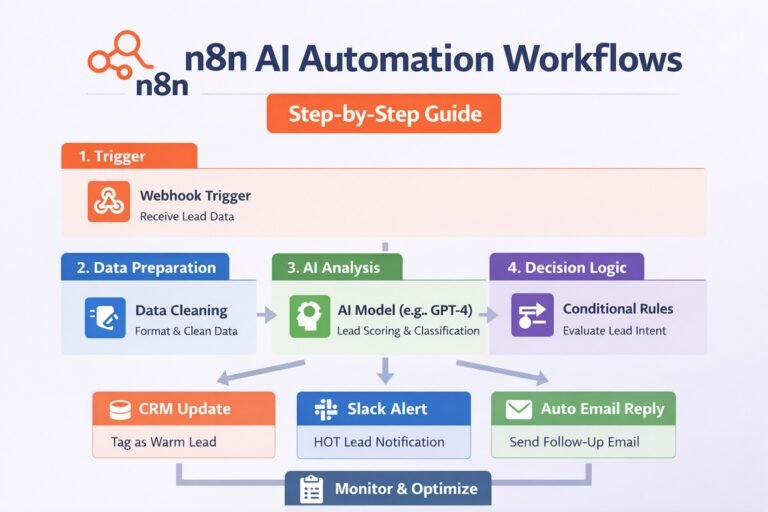
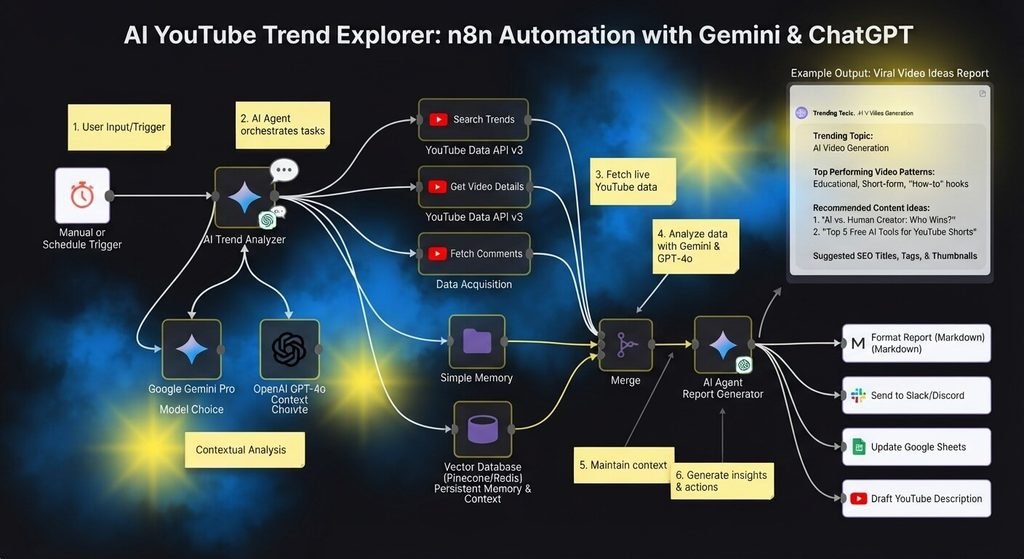
Rather than acting as another video editor, it works as an automation layer that connects the applications an agency already uses. Its visual workflow builder allows teams to create automated processes using triggers, conditions, webhooks, APIs, and integrations.
For example, an agency could build a client onboarding workflow that starts when someone submits a project form. n8n can validate the information, create a project record, notify the production team, and send a confirmation email. Another workflow could collect feedback from a client form and route revision requests to the appropriate editor.
The interesting part is that agencies aren’t limited to predefined automation templates. They can build workflows around their actual production processes.
Where it fits into a video agency:
- Automating client onboarding and intake forms.
- Routing new projects to the right team members.
- Connecting CRM, email, spreadsheets, and project management tools.
- Sending production updates and delivery notifications.
- Organizing revision requests and follow-up reminders.
Why consider n8n Cloud Pro?
The Pro plan is worth considering when an agency needs more advanced workflow management. Its shared projects, execution history, administrative controls, and higher execution capacity can help teams organize production automations.
One important distinction: shared projects are not the same as fully isolated client environments. Agencies handling sensitive client data should plan their access controls, credentials, and infrastructure accordingly.
The trade-off: n8n is powerful, but it requires setup and workflow-building knowledge. It won’t automatically organize an agency’s business without someone designing and maintaining the automations.
Verdict: If an agency wants to reduce operational busywork rather than simply produce videos faster, n8n deserves serious consideration.
For agencies that need to connect lead forms, CRMs, project management tools, notifications, and other business systems, n8n can act as the automation layer behind the production workflow. See our guide to AI workflow automation tools for businesses for a broader comparison of automation platforms.
2. InVideo AI — Best for AI-Powered Video Creation and Collaboration
Best for: Video agencies producing marketing videos, promotional content, social media videos, and other client-facing assets.
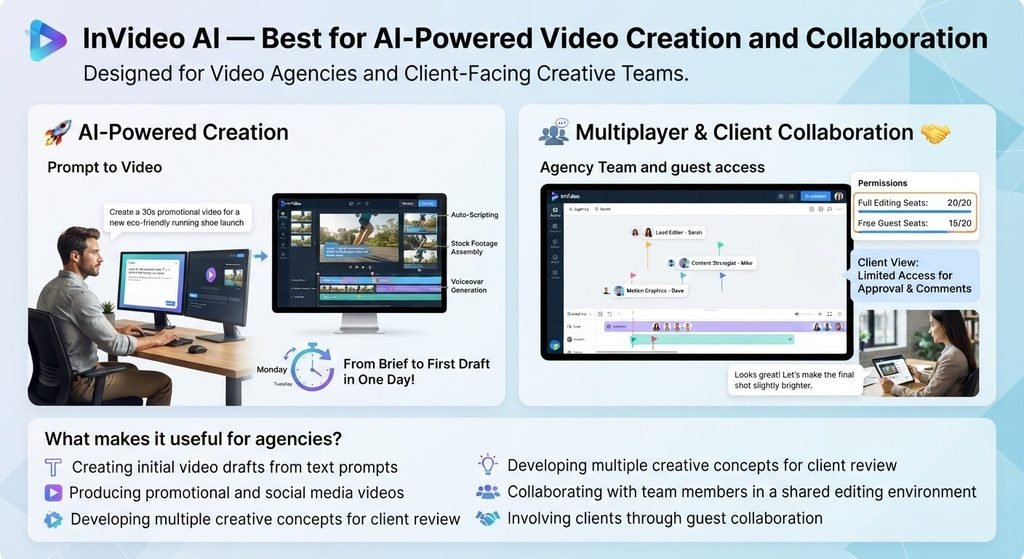
Imagine receiving a brief for a promotional video on Monday and needing a first draft by Tuesday. Traditional production may involve scripting, finding footage, recording voiceovers, assembling scenes, and coordinating edits. InVideo AI aims to shorten that process.
The platform turns written prompts and scripts into video projects, helping creators assemble footage, visuals, voiceovers, and other production elements. It is particularly useful when an agency needs to develop content quickly without starting every project from an empty timeline.
For agencies, however, the collaboration features may be just as important as the AI generation capabilities. InVideo’s editor supports multiplayer collaboration, allowing multiple team members to participate in a shared production environment. Its Max plan currently advertises up to 20 multiplayer editing seats and 20 free guest seats, making it worth evaluating for larger creative teams and client-facing workflows.
That guest-seat allowance is particularly interesting for agencies that want clients to participate in selected collaboration stages without purchasing a full editing seat for everyone.
What makes it useful for agencies?
- Creating initial video drafts from text prompts.
- Producing promotional and social media videos.
- Developing multiple creative concepts for client review.
- Collaborating with team members in a shared editing environment.
- Involving clients through guest collaboration.
The trade-off: AI-generated footage and automated editing still need human review. Agencies should check brand consistency, licensing, factual accuracy, visual continuity, and the quality of the final export before delivering client work. Also, credits and model access depend on the selected plan.
Verdict: InVideo AI is a strong option for agencies that need to increase video production capacity while giving their teams a collaborative creation environment.
3. Fireflies.ai — Best for Client Meetings and Meeting Intelligence
Best for: Agencies managing frequent discovery calls, creative briefings, client feedback sessions, and production meetings.
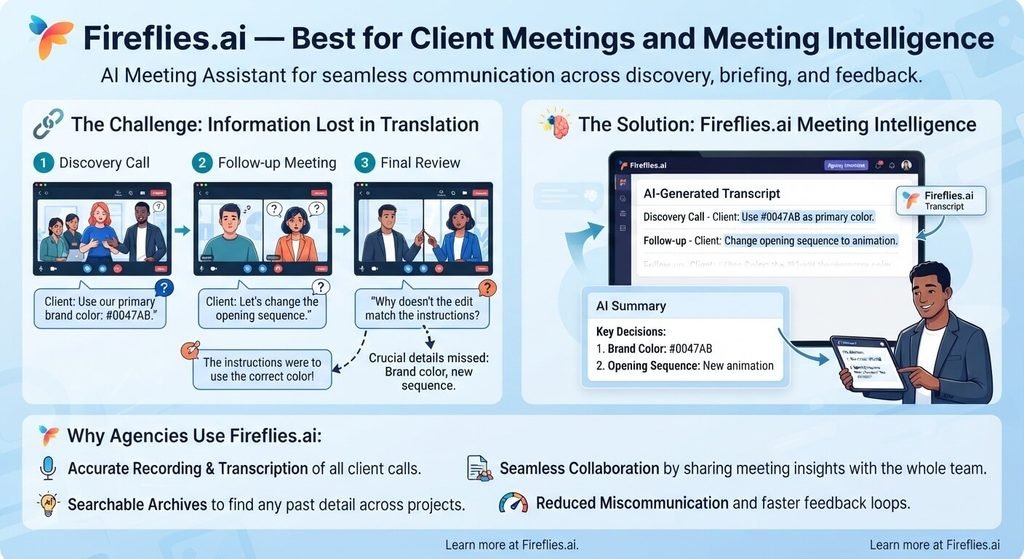
A video project can go wrong long before anyone opens an editing timeline. A client mentions a particular brand color during a discovery call. They request a different opening sequence during a follow-up meeting. Later, someone asks why the final edit doesn’t match the original instructions.
The problem isn’t necessarily poor editing. Sometimes important information simply gets lost between conversations. Fireflies.ai helps address this communication gap.
It is an AI meeting assistant designed to record, transcribe, summarize, and organize conversations. Instead of relying entirely on handwritten notes, an agency can use meeting transcripts and AI-generated summaries to revisit what was discussed.
For a video production team, this can be particularly useful when clients provide detailed creative instructions or multiple rounds of feedback.
Consider this practical example:
A client requests three promotional videos during a project kickoff call. They specify the target audience, preferred tone, product features, and delivery dates. Fireflies can help turn that discussion into a searchable record, making it easier for the team to revisit the requirements.
With appropriate integrations and automation, meeting information can also feed into an agency’s wider workflow.
Useful agency applications:
- Recording and transcribing discovery meetings.
- Summarizing client requirements.
- Finding specific decisions from earlier conversations.
- Identifying action items and follow-up tasks.
- Helping project managers prepare production briefs.
The trade-off: A transcript is not a substitute for an approved creative brief. AI summaries can miss context or misunderstand names and technical terminology. Agencies should obtain appropriate recording consent and review sensitive meeting information before sharing it.
Verdict: Fireflies is particularly valuable for agencies that manage multiple clients and want fewer misunderstandings between discovery calls, production, and final delivery.
If meeting intelligence is an important part of your client workflow, you can also compare Fireflies vs. Otter AI for privacy, transcription, and meeting-management capabilities.
4. Runway — Best for Generative Video and Creative Experimentation
Best for: Creative studios that need AI-generated footage, visual concepts, and effects that would otherwise require more production resources.
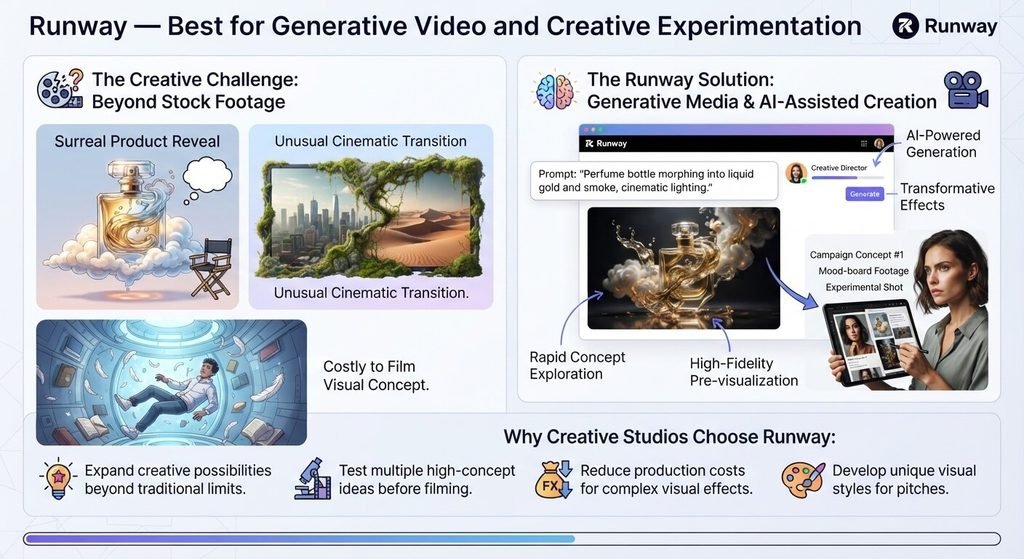
Some video projects need more than stock footage and conventional editing. A client may request a surreal product reveal, an unusual cinematic transition, or a visual concept that would be expensive to film. This is where Runway becomes interesting.
Runway focuses on generative media and AI-assisted video creation. Its tools allow creative professionals to experiment with generated visuals, transform footage, and explore different visual directions.
For an agency, the biggest advantage isn’t necessarily replacing traditional filming. It is expanding the range of ideas the creative team can test before committing to a full production. A creative director could use generated visuals to explore a campaign concept, develop mood-board-style footage, or create experimental shots for a presentation.
Where Runway can help:
- Generating visual concepts for campaign pitches.
- Creating experimental B-roll and background footage.
- Exploring alternative visual treatments.
- Producing creative assets for social campaigns.
- Adding AI-generated elements to existing projects.
The trade-off: Generative video requires creative supervision. Character consistency, object movement, scene continuity, and prompt accuracy can vary. Agencies should also review the platform’s current commercial-use terms before using generated material in paid client campaigns.
Verdict: Runway is a creative expansion tool for agencies that want to experiment beyond conventional video production.
5. HeyGen — Best for AI Avatar Videos and Localized Content
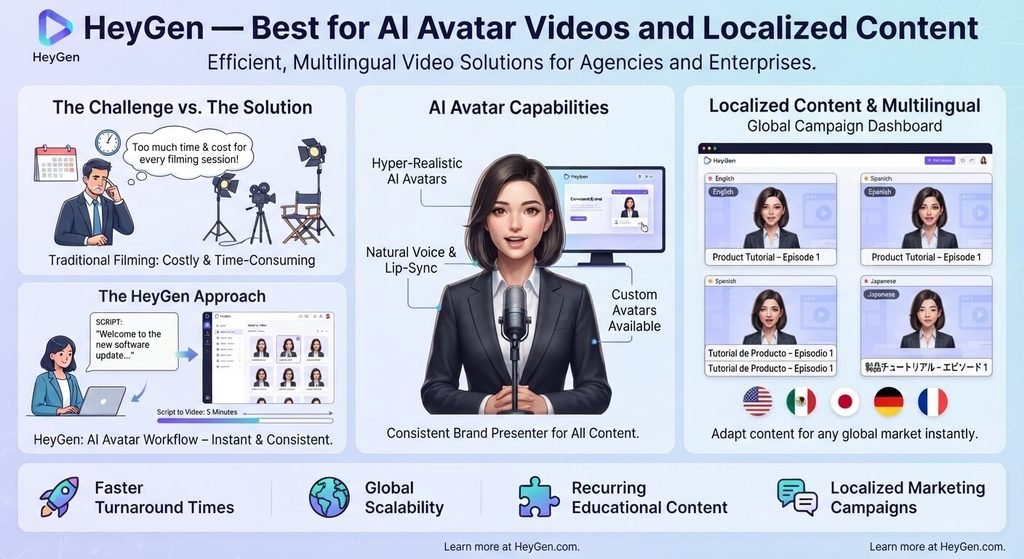
Best for: Agencies producing training videos, product explainers, marketing presentations, and multilingual video campaigns.
Not every client wants to arrange a filming session whenever they need a new video. Some need regular product updates, internal training content, or localized marketing videos across several markets. HeyGen offers another approach: AI-generated presenter videos.
The platform allows users to create videos featuring AI avatars, generated presenters, and voice capabilities. Instead of organizing a traditional recording session for every update, an agency can prepare a script and use an appropriate avatar-based workflow. This can be particularly useful for businesses that publish recurring educational or informational content.
For example, an agency managing marketing content for a software company could develop a series of product tutorials featuring a consistent AI presenter. The same material could then be adapted for different languages and audiences.
What agencies can use it for:
- Software product demonstrations.
- Employee training and onboarding.
- Educational and explainer videos.
- Multilingual marketing content.
- Presenter-led social media campaigns.
The trade-off: AI avatars aren’t the right fit for every brand. High-end commercials, emotionally sensitive storytelling, and personality-driven campaigns may still benefit from real presenters. Agencies should also obtain permission before using a client’s likeness or voice.
Verdict: HeyGen is worth considering when an agency needs repeatable presenter-led videos without organizing a new filming session for every project.
6. Descript — Best for Transcript-Based Video Editing
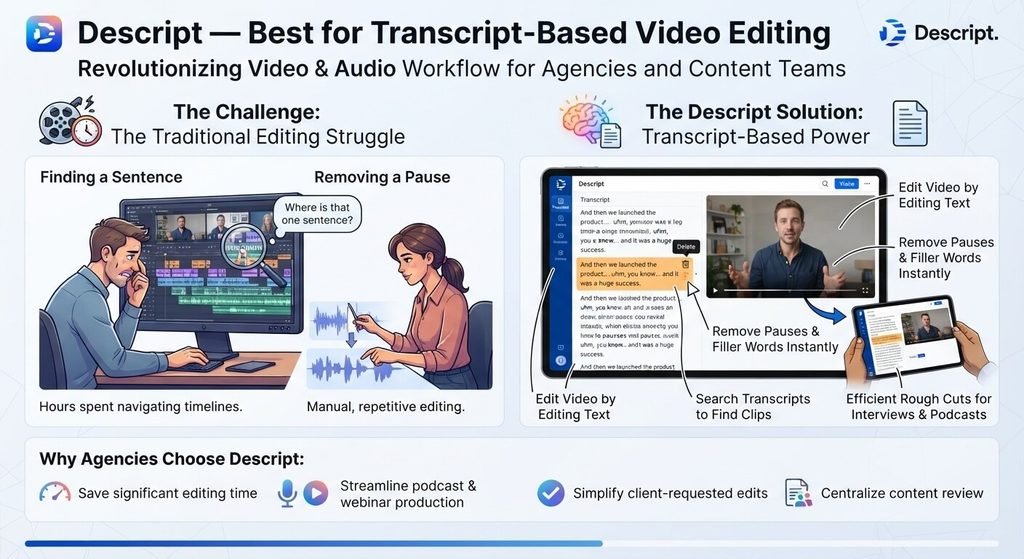
Best for: Agencies working with podcasts, interviews, webinars, talking-head videos, and educational content.
Traditional video editing often means spending considerable time navigating a timeline to find a particular sentence or remove an awkward pause. Descript changes the editing experience by making the transcript central to the process.
When a recording is transcribed, editors can work with the text and make corresponding changes to the video or audio. Removing a section of dialogue can be as straightforward as editing the associated words in the transcript.
For teams producing interviews or podcast content, this approach can save considerable time during the rough-cut stage. It also helps when a client requests a shorter version of an existing recording. Rather than manually reviewing every second of footage, the editor can work through the transcript to identify useful sections.
Where Descript stands out:
- Editing talking-head recordings.
- Removing unwanted sections of dialogue.
- Cleaning up spoken content.
- Preparing interview and podcast videos.
- Creating shorter versions of long recordings.
The trade-off: Transcript-based editing is not a replacement for a full professional editing environment. Complex motion graphics, detailed color grading, and sophisticated multi-layer compositions may require a dedicated editor.
Verdict: Descript is a practical addition to agencies that produce large amounts of spoken-word content.
7. Adobe Premiere Pro — Best for Professional Video Post-Production
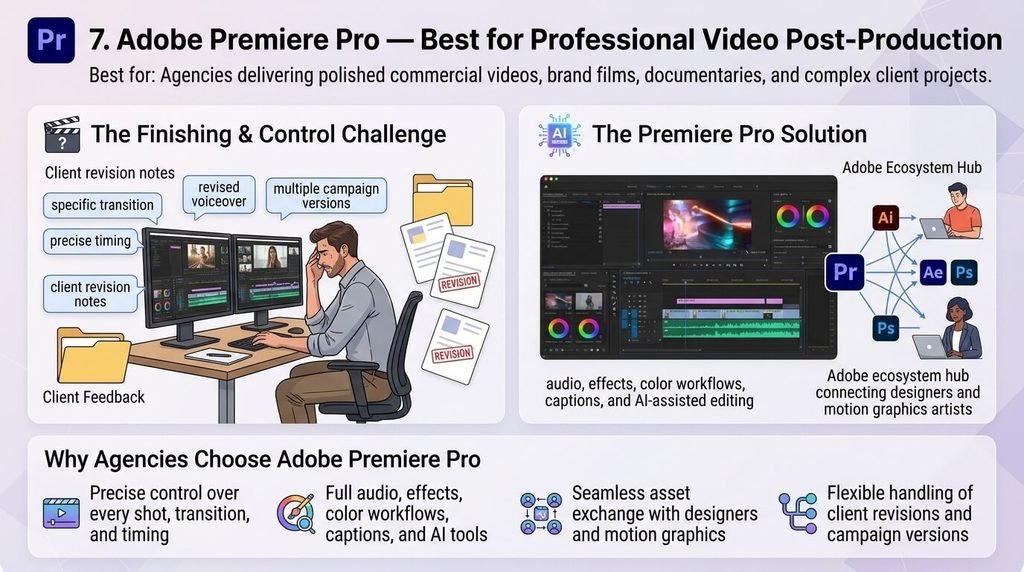
Best for: Agencies delivering polished commercial videos, brand films, documentaries, and complex client projects.
There is a reason professional video editors continue to rely on dedicated editing software. AI can generate footage, remove repetitive work, and accelerate certain editing tasks, but clients still expect precise control over the final result. Adobe Premiere Pro remains a major option for that finishing stage.
It offers a professional timeline-based editing environment with tools for audio, effects, color workflows, captions, and AI-assisted editing features. Editors can work with complex sequences and maintain detailed control over how every shot fits into the final production.
For an agency, that flexibility matters when a client requests a specific transition, precise timing, a revised voiceover, or multiple versions of the same campaign. Premiere Pro also works within Adobe’s broader creative ecosystem, which can be useful when teams exchange assets with designers and motion graphics professionals.
Agency use cases:
- Editing commercial and promotional videos.
- Producing polished brand films.
- Managing complex multi-track projects.
- Preparing platform-specific video versions.
- Finishing AI-generated footage for professional delivery.
The trade-off: Premiere Pro has a learning curve, and professional editing still requires skilled operators. It is also a subscription-based product, so agencies should account for licensing across their editing team.
Verdict: For agencies where final production quality and detailed editing control matter, Premiere Pro remains an important part of the toolkit.
8. OpusClip — Best for Turning Long Videos Into Short Clips
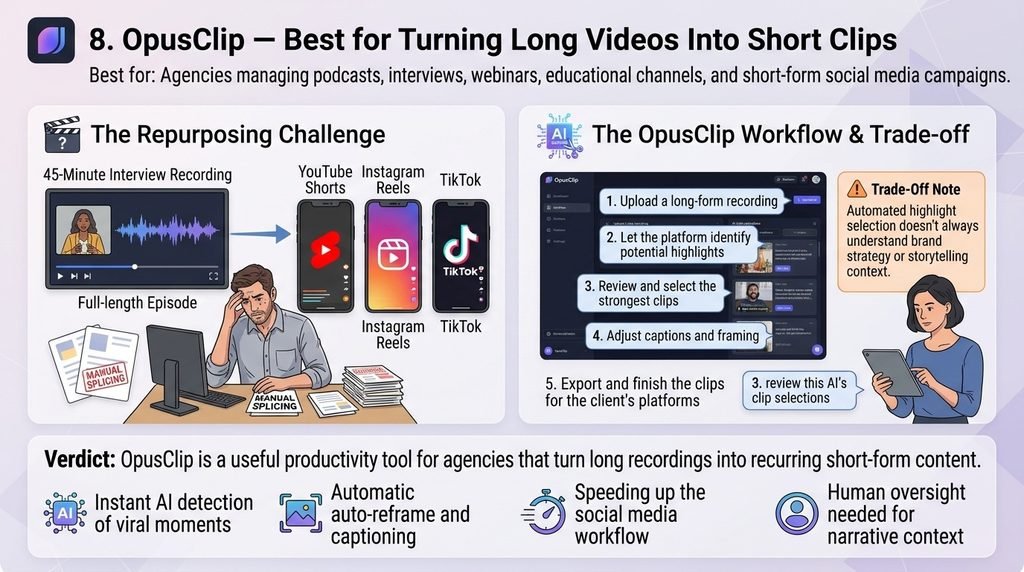
Best for: Agencies managing podcasts, interviews, webinars, educational channels, and short-form social media campaigns.
A client records a 45-minute interview. The original video is valuable, but it may not perform equally well across YouTube Shorts, Instagram Reels, and TikTok. Instead of manually reviewing the entire recording to find short segments, an agency can use OpusClip to accelerate the repurposing process.
The platform is designed to identify potential highlights from longer videos and turn them into shorter clips. It can help with automatic reframing, captions, and preparing content for vertical formats. This makes it especially relevant for agencies that sell recurring content packages.
One recorded interview can become several social media assets, giving the client more mileage from the original production.
A useful workflow:
- Upload a long-form recording.
- Let the platform identify potential highlights.
- Review and select the strongest clips.
- Adjust captions and framing.
- Export and finish the clips for the client’s platforms.
The trade-off: Automated highlight selection doesn’t always understand brand strategy or storytelling context. An editor should review every clip to ensure it starts naturally, communicates a complete idea, and doesn’t remove important context.
Verdict: OpusClip is a useful productivity tool for agencies that turn long recordings into recurring short-form content.
ClickUp is particularly useful when video projects involve multiple editors, producers, clients, and approval stages. If you’re comparing project-management platforms, see our Monday.com vs ClickUp vs Asana comparison.
9. ElevenLabs — Best for AI Voiceovers and Multilingual Audio
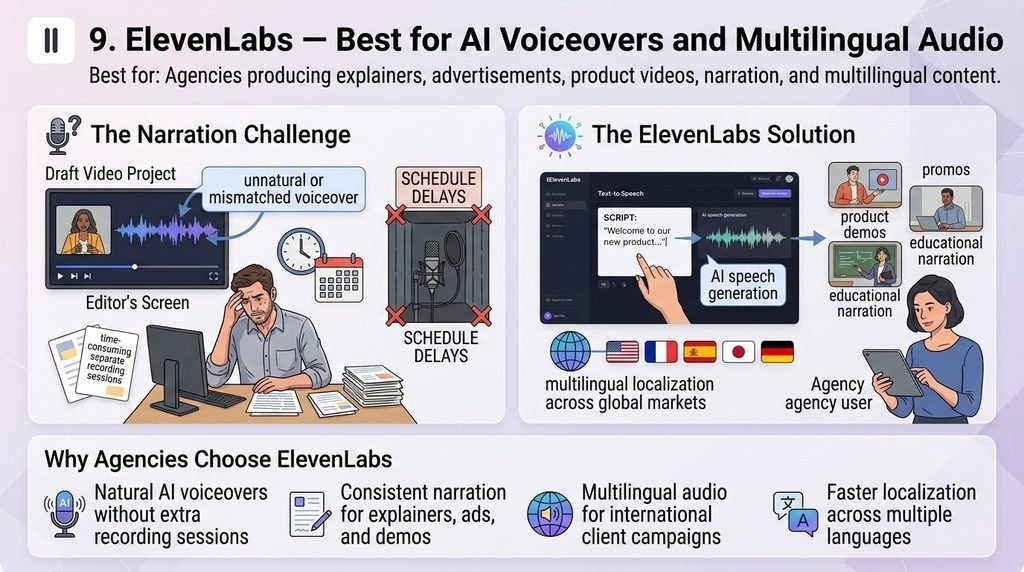
Best for: Agencies producing explainers, advertisements, product videos, narration, and multilingual content.
A good video can lose impact when the narration sounds unnatural or doesn’t match the visuals. ElevenLabs focuses on AI-generated speech and audio tools, giving agencies another way to produce voiceovers without arranging a separate recording session for every script.
Its voice generation capabilities can help teams create narration for product demonstrations, promotional videos, educational content, and other projects that depend on spoken explanations.
Multilingual capabilities also make it useful for agencies working with international clients. A campaign can require several language versions, and AI voice technology can help reduce the amount of manual recording involved.
Where it fits into production:
- Creating narration for explainer videos.
- Producing voiceovers for advertisements.
- Generating audio for educational content.
- Developing multilingual versions of campaigns.
- Testing different voice styles during creative development.
The trade-off: Voice quality, pronunciation, emotional delivery, and language support should be checked before client delivery. Voice cloning should only be used with clear authorization from the person whose voice is being replicated.
Verdict: ElevenLabs is a strong specialist tool when voice production is a recurring part of an agency’s service offering.
10. Frame.io — Best for Client Review and Video Approvals
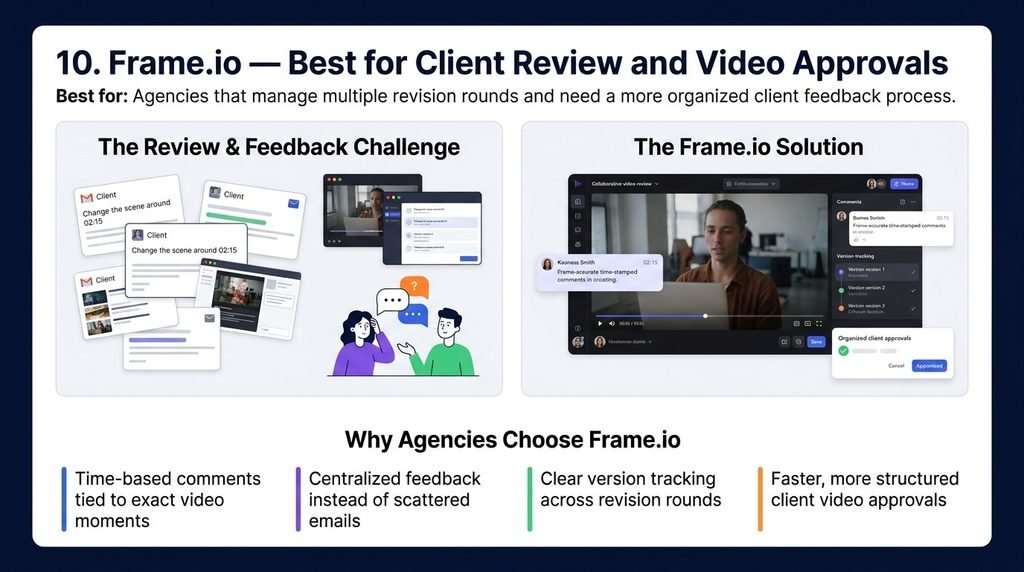
Best for: Agencies that manage multiple revision rounds and need a more organized client feedback process.
If you’ve ever received a client email saying, “Change the scene around 02:15,” you know how frustrating video feedback can become.
The client might send another message with a screenshot, then a separate email with additional comments. Meanwhile, the editor is trying to work out which version the client is reviewing. Frame.io is designed to make that process more structured.
It provides a collaborative review environment where clients and team members can share videos, leave comments, and provide feedback tied to specific moments in a project. That time-based feedback is especially useful because it gives editors a clearer understanding of exactly which section needs attention.
Why agencies may find it useful:
- Sharing video drafts with clients.
- Collecting timestamped comments.
- Organizing review and approval rounds.
- Keeping feedback connected to the relevant video.
- Reducing scattered email conversations.
The trade-off: Frame.io improves the review process, but it doesn’t replace the need for a clear revision policy. Agencies should still define how many revision rounds are included and establish a formal approval process.
Verdict: If client feedback regularly creates confusion, Frame.io can bring much-needed structure to the production process.
11. ClickUp — Best for Project Management and Team Coordination
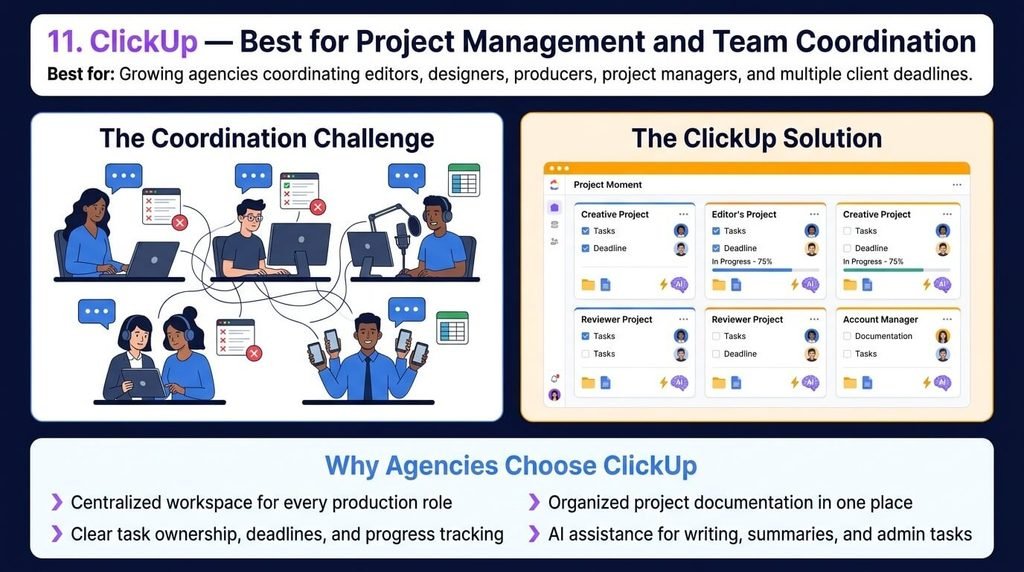
Best for: Growing agencies coordinating editors, designers, producers, project managers, and multiple client deadlines.
Video production involves many moving pieces. A project might have a scriptwriter, editor, voiceover artist, reviewer, and account manager. If everyone relies on separate messages and spreadsheets, important tasks can easily fall through the cracks.
ClickUp provides a centralized workspace for managing those responsibilities. Agencies can organize projects into tasks, assign owners, set deadlines, track progress, and maintain project documentation. Its AI capabilities can also assist with certain writing, summarization, and administrative tasks, depending on the plan.
The benefit is not that ClickUp creates better videos. It helps the people responsible for creating them understand what needs to happen next.
Practical agency applications:
- Creating repeatable production task lists.
- Assigning editing and review responsibilities.
- Tracking deadlines and project status.
- Organizing client requirements.
- Managing recurring content delivery schedules.
The trade-off: ClickUp can become complicated if an agency creates too many spaces, statuses, custom fields, and dashboards. A simple project structure is often more useful than an elaborate system nobody maintains.
Verdict: ClickUp makes sense for agencies that need better visibility across multiple projects and production teams.
12. Canva — Best for Thumbnails, Social Graphics, and Branded Assets
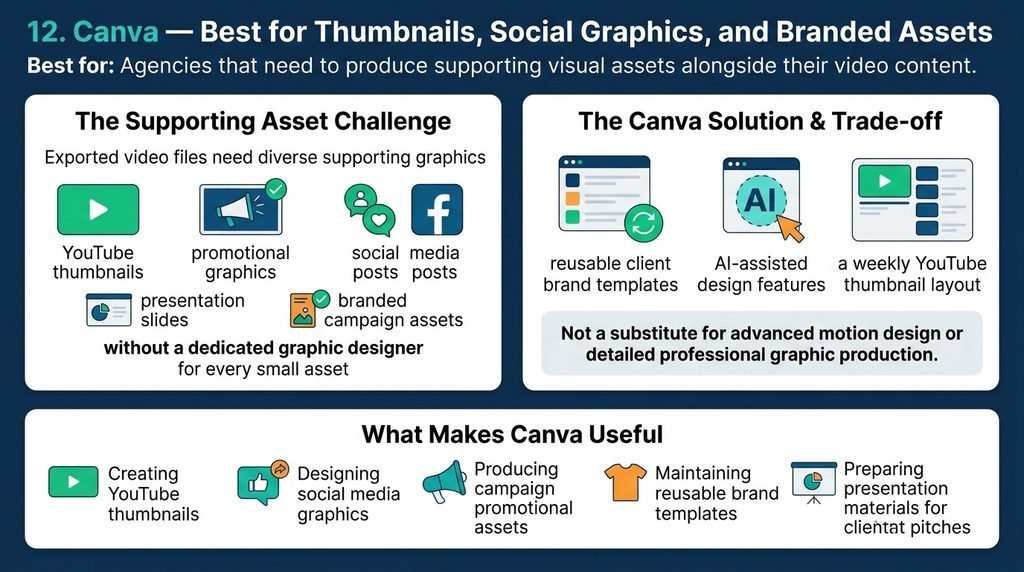
Best for: Agencies that need to produce supporting visual assets alongside their video content.
A video campaign rarely ends with the exported video file. Clients may also need YouTube thumbnails, promotional graphics, social media posts, presentation slides, and branded campaign assets. Canva helps agencies handle much of that supporting design work without requiring a dedicated graphic designer for every small asset.
Its templates and AI-assisted design features make it easier to create visual materials that accompany video campaigns. Teams can also maintain brand assets and reusable designs, helping keep content consistent across different client accounts.
For example, an agency producing weekly YouTube videos could create a reusable thumbnail layout for each client. The team can then adapt the design for every new upload rather than starting from scratch.
What makes Canva useful:
- Creating YouTube thumbnails.
- Designing social media graphics.
- Producing campaign promotional assets.
- Maintaining reusable brand templates.
- Preparing presentation materials for client pitches.
The trade-off: Canva isn’t a substitute for advanced motion design or detailed professional graphic production. Complex visual identities may still require specialist design software.
Verdict: Canva is a convenient supporting tool for agencies that want to produce video-related marketing assets without adding unnecessary design overhead.
How to Build a Complete AI Automation Stack for a Video Agency
Choosing individual tools is only half the job. The bigger opportunity comes from connecting them into a workflow that reduces unnecessary manual work. For an agency that wants to improve client communication, production collaboration, and operational efficiency, three platforms deserve particular attention: n8n, InVideo AI, and Fireflies.ai.
Rather than treating them as competing products, consider what each one contributes.
The recommended three-tool combination
1. Fireflies.ai — Capture client requirements
Use Fireflies to record and summarize discovery calls, project discussions, and client meetings. Its transcripts and summaries can help the team preserve important requirements and decisions.
2. n8n Cloud Pro — Connect the agency workflow
Use n8n to connect the tools involved in client intake, project creation, notifications, and follow-ups. For example, an approved meeting summary could trigger a review step before the project information is added to the agency’s project management system.
3. InVideo AI Max — Support collaborative production
Once the project brief is approved, the production team can use InVideo AI to develop video concepts, create initial drafts, and collaborate on editing.
Example agency workflow
A practical implementation could look like this:
| Stage | Platform | What happens |
|---|---|---|
| Client discovery | Fireflies.ai | Meeting transcript and summary |
| Brief preparation | n8n | Organizes approved requirements |
| Project setup | n8n + ClickUp | Creates tasks and assigns responsibilities |
| Video production | InVideo AI | Develops and edits video content |
| Review | Frame.io | Collects timestamped feedback |
| Final delivery | n8n | Sends notifications and follow-ups |
This workflow is a suggested integration design, not a claim that every connection works automatically out of the box. Some steps may require APIs, webhooks, integration configuration, or human approval.
Why the combination makes commercial sense
The three tools address different agency problems:
- Fireflies.ai: Less information gets lost between client meetings.
- n8n: Fewer repetitive administrative tasks need manual attention.
- InVideo AI: Teams get a collaborative environment for AI-assisted video creation.
For agencies managing several clients, this combination offers a practical starting point for building a more connected production operation. It is not necessarily the cheapest stack, nor does it replace professional editing software. Its value comes from bringing communication, automation, and collaborative creation into one broader operating approach.
How to Choose the Right AI Tools for Your Video Agency
Buying every tool on this list isn’t a sensible strategy. A small agency producing five videos per month has different requirements from a production company delivering hundreds of short-form assets. Before subscribing, consider these factors:
- Production volume: If your team creates large amounts of short-form content, prioritize tools such as OpusClip and InVideo AI.
- Editing complexity: Agencies producing polished commercial videos should maintain a professional editing environment such as Premiere Pro.
- Client communication: If discovery calls and feedback sessions are becoming difficult to manage, Fireflies and Frame.io address different parts of that problem.
- Operational workload: When employees spend too much time transferring information between applications, workflow automation through n8n can make a meaningful difference.
- Team size: Collaboration features, user permissions, guest access, and subscription costs become increasingly important as the agency grows.
- Commercial usage: Review licensing, privacy, consent, data handling, and commercial-use terms before incorporating AI-generated footage, voices, or client recordings into paid projects.
Final Verdict: Which AI Tools Should Video Agencies Choose?
There isn’t one AI platform that handles every part of a video agency’s operation. The most effective setup usually combines specialized software for production, editing, communication, and workflow management. For agencies looking to build a more connected operation, my recommended starting combination is n8n Cloud Pro + InVideo AI Max + Fireflies.ai.
For agencies looking to move beyond individual AI tools and build revenue-generating systems, explore our AI automation agency services. Fireflies helps capture client conversations, n8n connects operational workflows, and InVideo AI supports collaborative video creation. Together, they provide a foundation for improving how an agency manages work from the initial client discussion through production.
For more demanding creative projects, Premiere Pro and Runway can expand editing and visual production capabilities. Descript, OpusClip, and ElevenLabs are useful additions for agencies working heavily with spoken content, short-form videos, and voiceovers.
The smartest approach is to start with the bottleneck that costs your agency the most time. Add the software that solves that problem, connect it to your existing workflow where practical, and expand your stack only when the business actually needs it.