AI Workflow Security Best Practices: How to Audit and Stress-Test for Data Leaks


Artificial intelligence is rapidly becoming the backbone of modern automation—from chatbots and content generation tools to data pipelines and decision-making systems. But as organizations rush to integrate AI into workflows, one critical issue is often overlooked: security.
AI workflows process vast amounts of data, including sensitive user inputs, proprietary business logic, and confidential outputs. Without proper safeguards, these systems can unintentionally expose or leak data—sometimes in ways that are difficult to detect.
This guide explores AI workflow security best practices, along with a practical framework to audit and stress-test your automation systems for data leaks.
How We Evaluate AI Workflow Security
We evaluate AI workflows from the point where data enters the system to the point where an AI-generated response triggers an action. Our review focuses on five areas: input handling, model instructions and context, data movement, third-party integrations, and output controls.
Instead of treating an AI workflow as a single application, we examine the entire chain of connected services. This includes checking what information is passed between tools, where credentials are stored, what gets written to logs, which users can trigger actions, and whether sensitive information can reach an unintended model or integration.
We also use controlled test data when evaluating potential leakage scenarios. This lets us test whether prompts, API responses, credentials, customer information, or internal instructions can appear in outputs or logs without exposing real confidential information.
What Is AI Workflow Security?
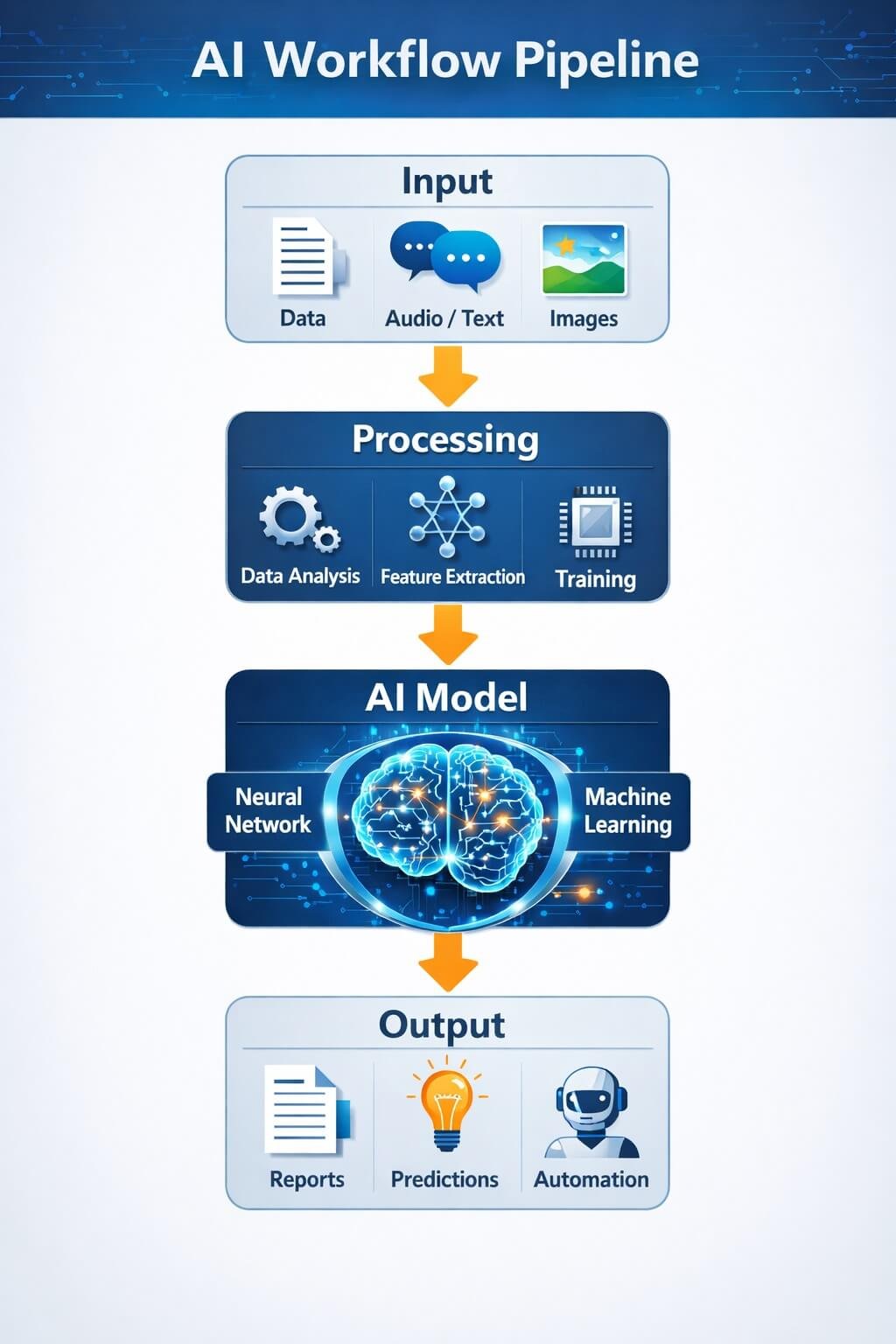
AI workflow security refers to the processes, controls, and technologies used to protect data and logic within AI-powered systems. These workflows typically include:
- Input sources (user prompts, APIs, databases)
- AI models (LLMs, ML models)
- Processing layers (automation tools, integrations)
- Outputs (responses, reports, actions)
Unlike traditional software systems, AI workflows are dynamic and probabilistic, meaning they can behave unpredictably. This makes them more vulnerable to new types of attacks and data leakage scenarios.
Top AI Security Risks That Lead to Data Leaks
Understanding risks is the first step toward prevention. Below are the most common vulnerabilities in AI workflows:
| Security Risk | Impact Level | Example Scenario | Prevention Method |
|---|---|---|---|
| Prompt Injection Attacks | High | User tricks AI into revealing system prompts or hidden data | Input filtering, strict system prompts, context isolation |
| Sensitive Data Exposure | High | AI accidentally outputs private user or company data | Output filtering, data masking, response moderation |
| API Key Leaks | Critical | Exposed tokens through logs or insecure APIs | Secure vault storage, key rotation, environment variables |
| Third-Party Tool Risks | Medium–High | Workflow tools share or log sensitive data | Vendor audits, least-privilege access, integration control |
| Logging & Data Retention Issues | Medium | Raw prompts stored in logs exposing sensitive history | Log minimization, encryption, retention policies |
| Training Data Leakage | High | Model regurgitates confidential training data | Data sanitization, training governance, filtering datasets |
1. Prompt Injection Attacks
Attackers manipulate inputs to override system instructions.
Example: A user tricks a chatbot into revealing hidden system prompts or confidential data.
2. Sensitive Data Exposure in Outputs
AI models may unintentionally reproduce:
- Private user inputs
- Internal company data
- API responses
3. API Key and Token Leaks
Improperly secured APIs can expose:
- Authentication tokens
- Database credentials
- Third-party integrations
4. Third-Party Tool Vulnerabilities
Automation platforms (like workflow tools) may:
- Store logs insecurely
- Share data across integrations
- Lack strict access control
5. Data Retention and Logging Issues
Storing raw prompts or outputs can:
- Violate compliance rules
- Increase breach impact
- Expose sensitive history
6. Training Data Leakage
AI models trained on sensitive data may:
- Regurgitate confidential information
- Leak proprietary knowledge
AI Workflow Security Best Practices (Complete Guide)
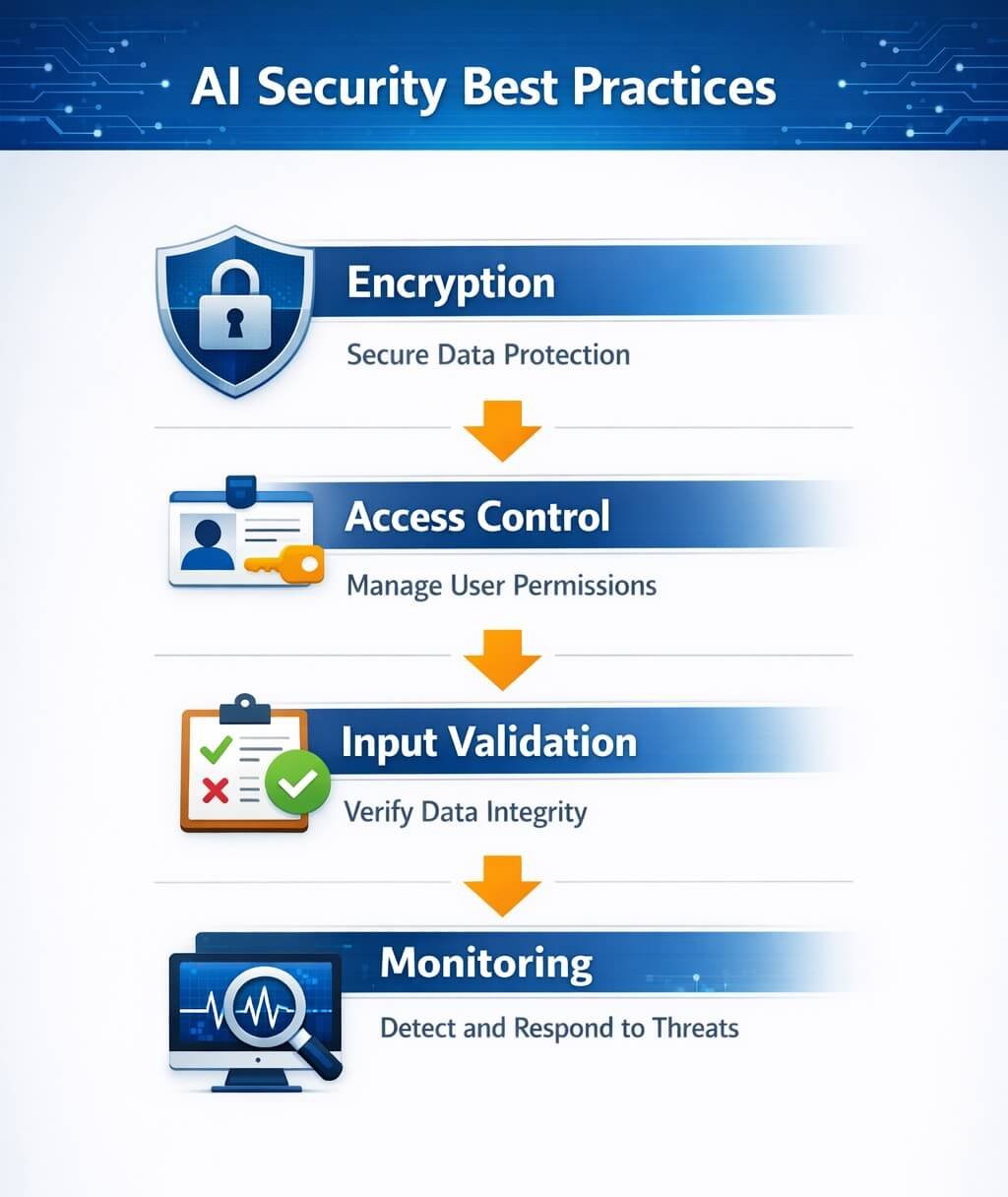
This is the core of your defense strategy. Implement these best practices across every layer of your workflow.
1. Input Security
Validate and Sanitize Inputs
- Block malicious or unexpected input patterns
- Filter sensitive data before processing
Limit User Input Scope
- Restrict what users can ask
- Prevent system-level instruction overrides
2. Model-Level Security
Use Strong System Prompts
- Clearly define allowed behavior
- Prevent data exposure instructions
Limit Context Memory
- Avoid passing unnecessary historical data
- Reduce risk of accidental leaks
Context handling becomes even more important when workflows include AI agent workflows, where the system may access multiple tools, retrieve information, or perform actions on behalf of users. Limiting the context and permissions available to each agent can reduce unnecessary data exposure and restrict the potential impact of an unintended action.
Context handling also depends on the AI tools used in content and workflow generation. For example, comparing Notion AI vs Jasper helps understand how different platforms manage memory, content generation, and data exposure risks.
3. Data Protection
Encrypt Data
- Use HTTPS for all transmissions
- Encrypt stored data
Mask Sensitive Information
- Replace personal data with placeholders
- Avoid exposing raw inputs
4. Access Control
Implement Role-Based Access (RBAC)
- Limit who can access AI systems
For high-impact workflows, integrating AI into human workflows with appropriate review points can reduce the risk of unauthorized automated actions.
Secure API Keys
- Store keys in secure vaults
- Rotate keys regularly
For teams managing CRM-level access control and automation permissions, platform choice also matters. Tools like GoHighLevel vs HubSpot offer different levels of security, role-based access, and workflow governance.
5. Output Monitoring
Filter AI Responses
- Detect sensitive content before output
- Apply moderation layers
Log Safely
- Store minimal data
- Avoid logging confidential content
6. Third-Party Risk Management
Third-party integrations can introduce additional security and data-sharing risks. Before approving an integration, review the security model, permissions, data handling, and logging practices of the AI workflow automation tools involved.
- Audit all integrations
- Review data-sharing and retention policies
- Limit permissions for external tools
- Confirm that only necessary data is transferred
- Review how credentials, logs, and API responses are handled
How We Audit AI Workflows for Security Vulnerabilities
A useful security audit should produce more than a list of potential vulnerabilities. The goal is to determine which weaknesses actually matter, how they could affect the workflow, and what should be fixed first.
Our audit approach uses a consistent review process to turn technical findings into practical security improvements. Instead of repeating the individual security controls discussed earlier in this guide, we focus on how an AI workflow should be reviewed, assessed, documented, and prioritized.
1. Define the Workflow’s Security Scope
Before reviewing individual components, establish what the audit covers.
Define:
- The AI workflow being assessed
- Its intended business purpose
- The systems it connects to
- The types of information it processes
- The users who can trigger it
- The actions it is allowed to perform
- The environments included in the review
This prevents the audit from becoming too broad and makes it easier to determine whether each security control is appropriate for the workflow’s actual purpose. For example, a workflow that generates an internal content summary doesn’t require the same level of scrutiny as an AI agent that can modify customer records or trigger external transactions.
2. Establish the Expected Behavior
Before looking for vulnerabilities, document what the workflow should do under normal conditions.
Define:
- Expected inputs
- Expected outputs
- Permitted AI actions
- Permitted tools
- Authorized users
- Expected data sources
- Expected downstream actions
This creates a baseline for the security review. A potential issue becomes much easier to identify when there is a clear definition of what the workflow is supposed to be allowed to access or perform.
3. Identify Security Boundaries
Next, mark the points where the workflow crosses from one system, permission level, or trust boundary into another. Creating AI workflow diagrams can make these boundaries easier to identify before testing begins.
Examples include:
User → AI
AI → Database
Automation Platform → External API
AI → Business Application
Internal System → Third-Party Service
These boundaries deserve particular attention because data or instructions may change context as they move between systems.
For each boundary, ask:
- Is the receiving system authorized to receive this information?
- Is the information necessary?
- Are permissions appropriately restricted?
- Can untrusted content cross the boundary?
- Can the receiving system trigger additional actions?
This helps identify weaknesses that may not be visible when individual tools are reviewed separately.
4. Record Evidence Instead of Making Assumptions
A strong audit should distinguish between a possible risk and a verified finding. For each issue, document evidence such as:
- Workflow configuration
- Permission settings
- API configuration
- Data-flow observations
- Log behavior
- Test results
- Integration settings
- Reproduction steps
For example, instead of writing:
“The workflow may expose sensitive information.”
Record:
“Test data containing a simulated customer identifier appeared in the downstream output after the workflow processed the request.” This makes the finding more useful because another person can understand what was observed and why it matters.
5. Classify Each Finding
After collecting evidence, classify each finding according to its security impact. A practical classification can include:
- Critical — Could result in significant unauthorized access, sensitive-data exposure, or high-impact automated actions.
- High — Could expose important information or allow unauthorized workflow behavior.
- Medium — Represents a meaningful weakness but requires additional conditions to cause significant impact.
- Low — Limited impact or primarily a defense-in-depth issue.
- Informational — Worth documenting but does not represent a significant security vulnerability by itself.
The exact classification should depend on the workflow rather than using the same score for every AI system.
6. Assess Likelihood and Impact Separately
A vulnerability’s severity depends on more than the vulnerability itself. For each finding, consider:
Likelihood
- How easily could the weakness be triggered?
- Does exploitation require authentication?
- Does it require special knowledge?
- Can an external user trigger it?
Impact
- What information could be exposed?
- What systems could be affected?
- Could the AI perform an unauthorized action?
- Could the issue affect multiple users?
- Could the problem create financial, operational, or reputational consequences?
This prevents minor technical issues from receiving the same priority as vulnerabilities that could expose sensitive business information.
7. Prioritize Remediation
Once findings have been classified, determine what should be fixed first. A useful remediation order is:
- Prevent unauthorized access
- Protect sensitive information
- Restrict high-impact AI actions
- Remove excessive permissions
- Strengthen monitoring and logging
- Address lower-impact configuration issues
Where possible, fix the underlying control rather than simply treating the symptom. A workflow optimization framework can also help teams prioritize security improvements while avoiding unnecessary complexity or changes that could introduce new risks.
For example, if an AI workflow can access more customer information than necessary, reducing its permissions is generally more effective than relying only on output filtering to prevent that information from appearing in responses.
8. Re-Test After Remediation
An audit should not end when a vulnerability is documented. After a security control is changed, repeat the relevant test to determine whether the problem has actually been resolved.
The process should be:
Finding → Remediation → Re-Test → Verification
For example:
- Finding: Workflow exposes simulated sensitive information in an output.
- Remediation: Restrict the data passed into the AI step.
- Re-Test: Repeat the same controlled scenario.
- Verification: Confirm that the sensitive information is no longer exposed.
This creates a measurable record of whether the security improvement worked.
9. Maintain an Audit Record
For ongoing AI workflows, security should be treated as a continuing process rather than a one-time review. Maintain a record containing:
Audit Item | What to Record |
Workflow | Name and purpose |
Review Date | Date of assessment |
Scope | Systems and integrations reviewed |
Finding | Identified security issue |
Evidence | What was observed |
Severity | Critical, High, Medium, Low |
Recommendation | Proposed fix |
Owner | Person/team responsible |
Status | Open, In Progress, Resolved |
Re-Test | Verification result |
This creates an audit trail that can be reviewed whenever the workflow changes.
10. Reassess When the Workflow Changes
An AI workflow should be reviewed again when its security profile changes. Triggers for a new review can include:
- Adding a new AI model
- Connecting a new third-party service
- Giving the AI additional permissions
- Adding a new data source
- Changing the workflow’s purpose
- Introducing AI agents or new tools
- Changing how information is stored
- Adding automated external actions
- Significant changes to prompts or workflow logic
A workflow that was considered acceptable six months ago requires another review after a major architecture or permission change.
Our Audit Outcome
The final objective is not simply to say that an AI workflow is “secure” or “insecure.” Instead, the audit should produce a clear picture of:
- What was reviewed
- What was tested
- What was discovered
- How serious each finding is
- What needs to be fixed
- Who is responsible for remediation
- Whether the fix was verified
This makes the security review actionable and gives teams a repeatable process they can use as their AI workflows evolve.
How to Stress-Test AI Systems for Data Leaks
Auditing is not enough—you need to test your system actively.
1. Simulate Prompt Injection Attacks
Try:
- Overriding instructions
- Extracting hidden prompts
2. Test Sensitive Data Exposure
Input fake confidential data and check:
- Does it appear in outputs?
- Is it stored anywhere?
3. Perform Red Team Testing
Act like an attacker:
- Try to break safeguards
- Identify weak points
4. API Abuse Testing
Test:
- Unauthorized access
- Token misuse
- Rate limits
5. Output Manipulation Testing
Check if:
- AI can be tricked into revealing restricted info
6. Logging and Storage Tests
Verify:
- Logs don’t contain sensitive data
- Storage is secure
AI Security Testing Tools and Techniques
You can use a mix of tools and strategies:
1. Automated Security Scanners
- Scan APIs and endpoints
- Detect vulnerabilities
Even scheduling and productivity automation tools can introduce workflow dependencies. Comparing tools like Reclaim AI vs Motion shows how AI-driven automation decisions can impact system stability and data flow.
2. Data Loss Prevention (DLP) Tools
- Monitor sensitive data movement
- Block unauthorized sharing
3. AI Red-Teaming Tools
- Simulate attacks
- Test model robustness
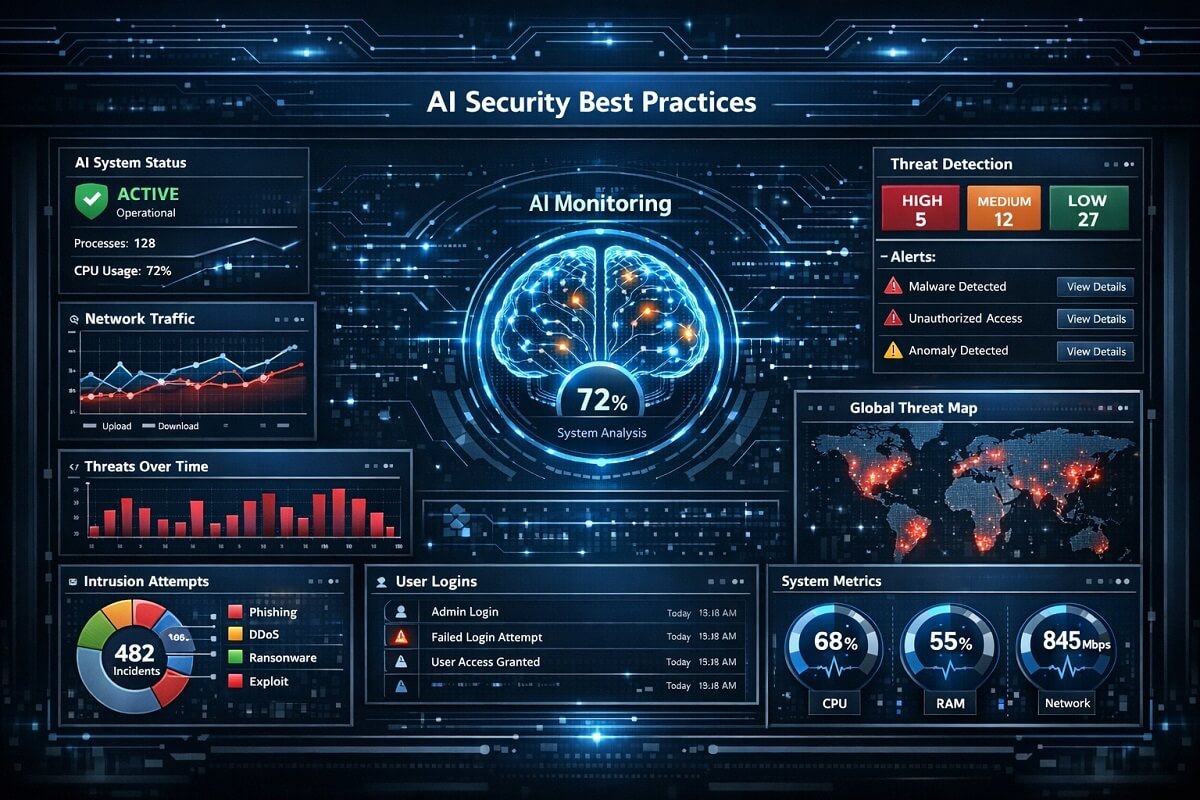
4. Monitoring and Alert Systems
- Track unusual activity
- Detect anomalies in real-time
📊 Risk Severity Score (1–5 scale)
- Prompt Injection Attacks → █████ 5/5
- API Key Leaks → █████ 5/5
- Sensitive Data Exposure → █████ 5/5
- Third-Party Tool Risks → ████ 4/5
- Training Data Leakage → ████ 4/5
- Logging Issues → ███ 3/5
AI workflows often rely on multiple connected systems and tools, which increases both flexibility and risk. Choosing the right stack from our AI workflow tools we recommend can significantly reduce misconfiguration and security gaps.
AI Workflow Security Checklist
Use this quick checklist to evaluate your system:
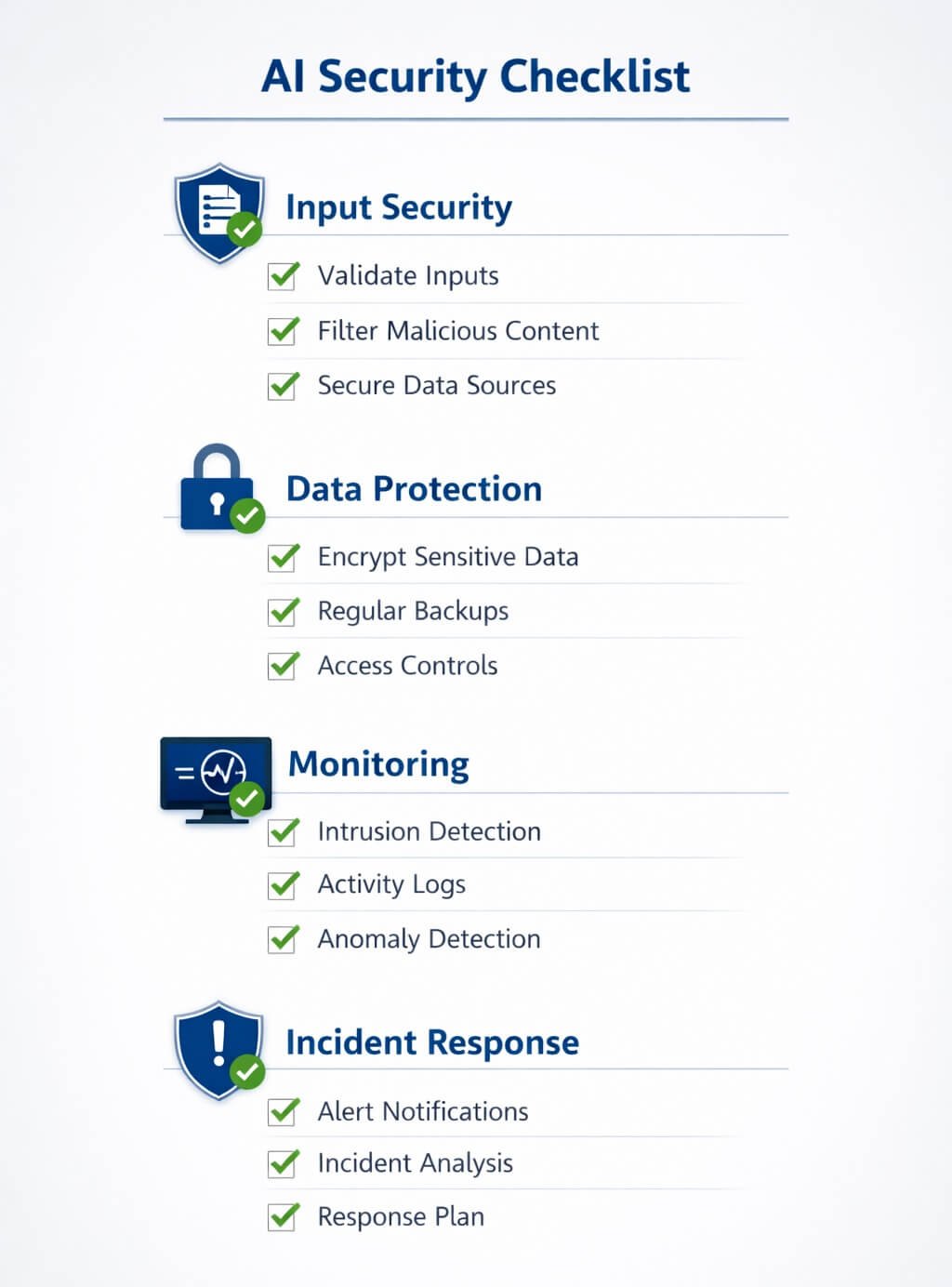
✅ Input Security
- Inputs validated and sanitized
- Sensitive data filtered
✅ Data Protection
- Data encrypted
- Sensitive info masked
✅ Access Control
- RBAC implemented
- API keys secured
✅ Monitoring
- Outputs filtered
- Logs minimized
✅ Testing
- Regular stress tests
- Prompt injection simulations
Real-World Example of AI Data Leakage
Consider a chatbot integrated with internal databases. Without proper safeguards:
- A user could ask cleverly crafted questions
- The AI might reveal internal data
- Logs may store sensitive interactions
This scenario highlights why proactive testing and auditing are essential.
FAQs: AI Workflow Security Best Practices
What are AI workflow security best practices?
AI workflow security best practices include input validation, data encryption, access control, output monitoring, and regular security audits. These measures help prevent unauthorized access and reduce the risk of sensitive data leaks in AI-powered systems.
How do AI workflows leak sensitive data?
AI workflows can leak data through prompt injection attacks, insecure APIs, improper logging, or by unintentionally including sensitive information in outputs. Weak access controls and third-party integrations also increase the risk of data exposure.
What is a prompt injection attack in AI?
A prompt injection attack occurs when a user manipulates input prompts to override system instructions and extract hidden or sensitive information. It is one of the most common vulnerabilities in AI systems using language models.
How can I prevent data leaks in AI systems?
To prevent data leaks, validate inputs, encrypt data, restrict access, avoid storing sensitive prompts, and monitor outputs. Regular audits and stress-testing AI workflows also help identify and fix vulnerabilities before they become critical issues.
How do you audit an AI workflow for security risks?
Auditing involves mapping the workflow, identifying data entry points, tracing data flow, reviewing storage and logs, checking access controls, and evaluating third-party integrations. This process helps uncover hidden vulnerabilities in AI systems.
What tools can be used to test AI security?
AI security testing tools include automated vulnerability scanners, data loss prevention (DLP) systems, API monitoring tools, and AI red-teaming platforms. These tools help identify weaknesses and simulate potential attacks.
Are AI automation tools safe for handling sensitive data?
AI automation tools can be safe if properly configured with strong security controls such as encryption, access management, and monitoring. However, misconfigured systems can expose sensitive data, making regular audits essential.
Conclusion
AI workflows offer powerful automation capabilities, but they also introduce new security challenges. Without proper safeguards, these systems can become a major source of data leaks and vulnerabilities. If you implement strong AI workflow security best practices, conduct regular audits, and actively stress-testing your systems, you can significantly reduce risks and build more secure AI-driven automation.
The key is to stay proactive—because in AI security, prevention is always better than damage control.





One Comment