
Inbound Marketing Pipeline & SDR Workflow (2026 Case Study)

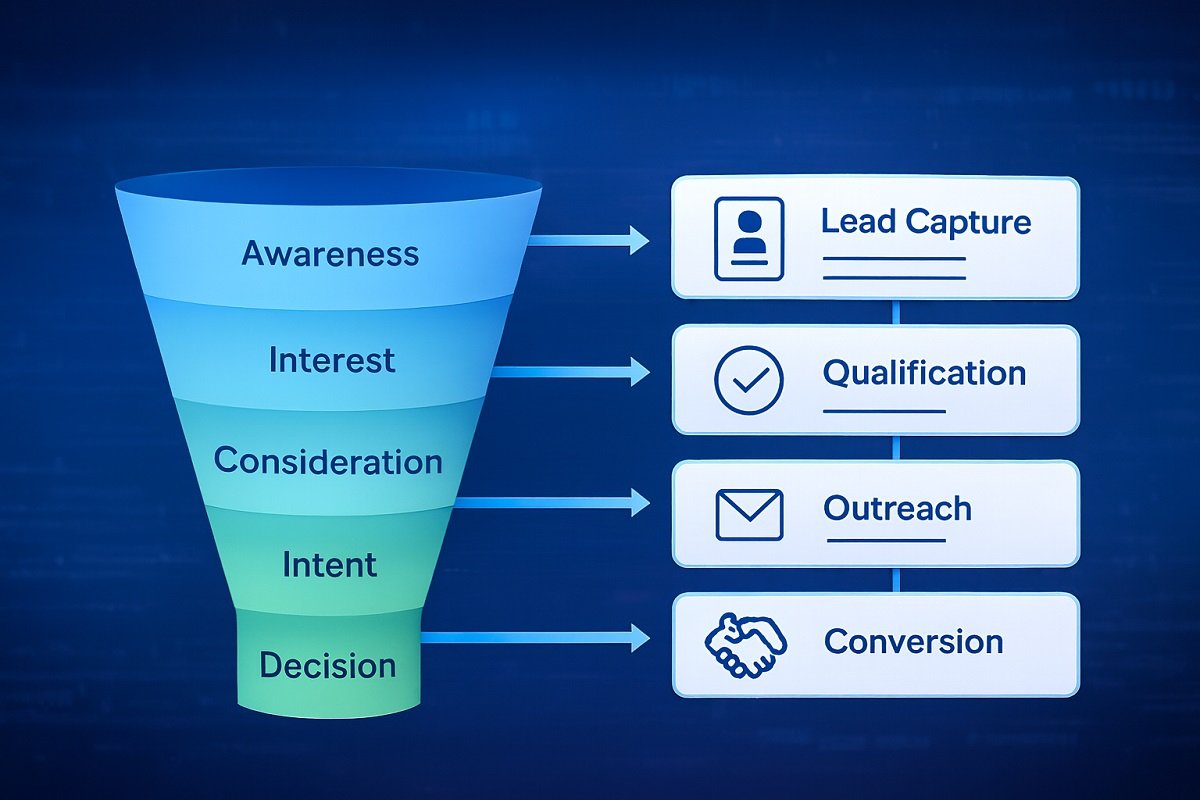
Inbound leads don’t fail because of poor traffic. They fail because the pipeline behind them is weak. Many teams invest heavily in content and campaigns, yet struggle to convert those leads into proper opportunities. The gap often sits between marketing and sales—right where the SDR workflow should take over.
This guide breaks down how an inbound marketing pipeline actually works, how SDRs handle incoming leads, and how a structured workflow improves conversion. You’ll also see a practical case study approach based on Follett Software to understand how these pieces connect in a real scenario.
Table of Contents:
What Is an Inbound Marketing Pipeline?
An inbound marketing pipeline is a structured system that moves leads from first interaction to becoming paying customers. It starts when a prospect engages with content and continues through qualification, nurturing, and sales conversion.
Unlike outbound strategies, inbound pipelines rely on intent. Leads come in already interested. The job is not to chase them but to guide them through the right steps.
A strong pipeline ensures:
- Clear movement between stages
- No lead leakage
- Timely follow-ups
- Alignment between marketing and SDR teams
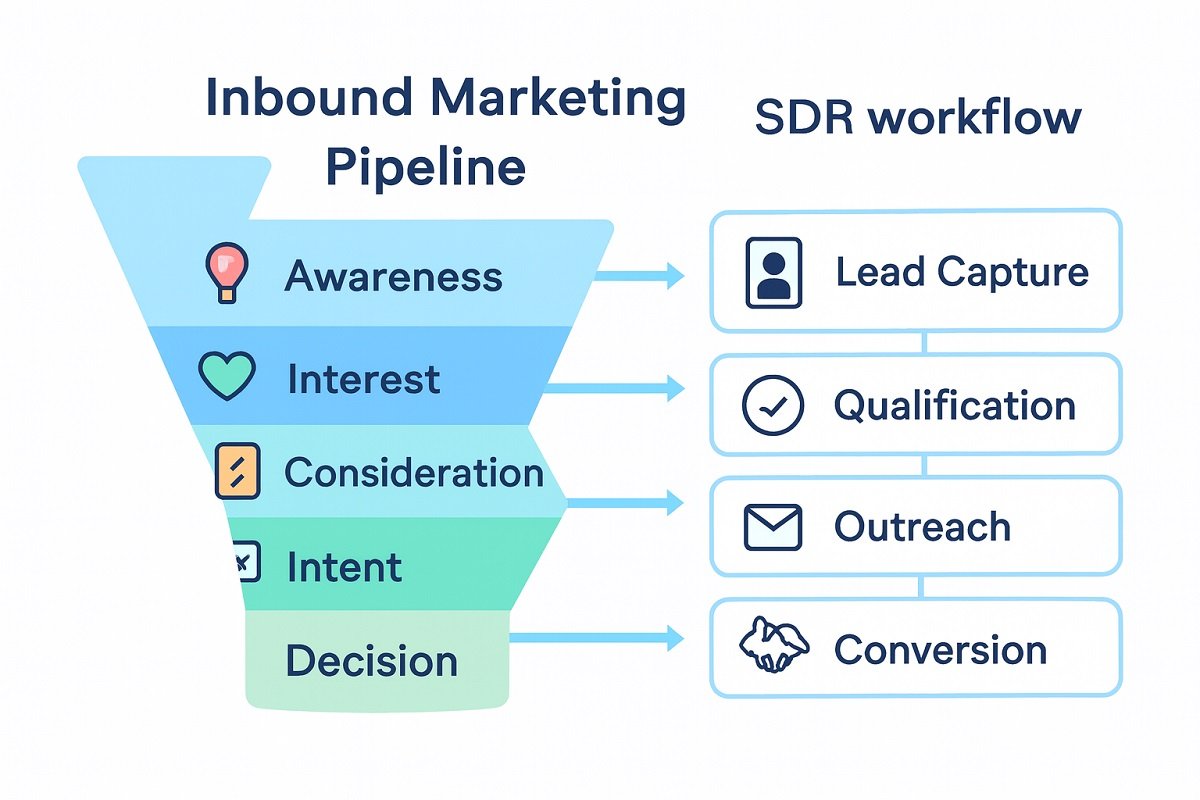
Inbound Marketing Pipeline Stages Explained
Every high-performing pipeline follows a simple, clear, and logical structure. Without defined stages, leads get stuck or lost. For businesses handling large product catalogs, systems like modern PIM software play a key role in maintaining accurate data across the pipeline.
Typical stages include:
- Awareness: The lead interacts with content such as blogs or ads.
- Interest: They sign up, download a resource, or request more information.
- Consideration: The lead evaluates solutions and compares options.
- Intent: Signals like demo requests or pricing page visits appear.
- Decision: Sales engagement begins, and the deal moves toward closing.
Each stage requires different messaging. Treating all leads the same is one of the biggest reasons pipelines underperform.
What Is an SDR Workflow?
An SDR (Sales Development Representative) workflow defines how inbound leads are handled once they enter the system.
It includes:
- Lead qualification
- First contact timing
- Follow-up cadence
- CRM updates
- Handoff to sales
The goal is simple. Convert inbound interest into qualified opportunities without delay. A weak SDR workflow creates bottlenecks. A strong one builds momentum.
Inbound Sales Pipeline vs SDR Workflow: Where They Connect
The inbound sales pipeline and SDR workflow are most valuable when they are viewed as connected operational systems rather than separate processes.
Your existing pipeline sections explain where leads move, and your SDR workflow section explains how SDRs engage those leads. This section adds a different perspective: how the two systems connect at the handoff points that most often affect conversion rates.
How the two systems connect
Pipeline stage | SDR workflow connection |
Lead enters the CRM | The SDR receives assignment and reviews available lead data. |
Lead reaches MQL status | The SDR validates interest, fit, and readiness for outreach. |
Lead shows buying intent | The SDR prioritizes outreach based on urgency and qualification signals. |
Lead becomes sales-ready | The SDR documents context and hands the lead to the sales team. |
Lead progresses to opportunity | Sales teams use SDR notes and qualification details to continue the conversation. |
Why this connection matters
A healthy inbound sales pipeline can still underperform if the SDR workflow is inconsistent at the points where leads change ownership or status.
Common operational gaps include:
- Leads waiting too long before an SDR follows up.
- Incomplete qualification details before the SQL handoff.
- Marketing and sales teams using different criteria for lead readiness.
- CRM records not being updated after SDR interactions.
These gaps do not usually appear as a problem with traffic generation. They appear as stalled leads, lower MQL-to-SQL conversion rates, and missed opportunities inside the sales pipeline workflow.
The operational handoff point
The most important connection between the pipeline and SDR workflow occurs when a lead moves from marketing-qualified to sales-qualified status.
At this stage, the SDR workflow should provide:
- Confirmation that the lead matches the target customer profile.
- Evidence of interest, urgency, or buying intent.
- Notes from outreach or discovery conversations.
- Recommended next steps for the sales team.
When this information is captured consistently, the sales development workflow supports smoother handoffs and reduces the need for sales representatives to repeat qualification work.
Key takeaway
The inbound sales pipeline shows the progression of leads through the customer journey, while the SDR workflow ensures that each lead receives the right action at the right stage. Optimizing the connection between these two systems improves lead management, response speed, and overall pipeline conversion.
SDR Workflow for Inbound Leads (Step-by-Step)
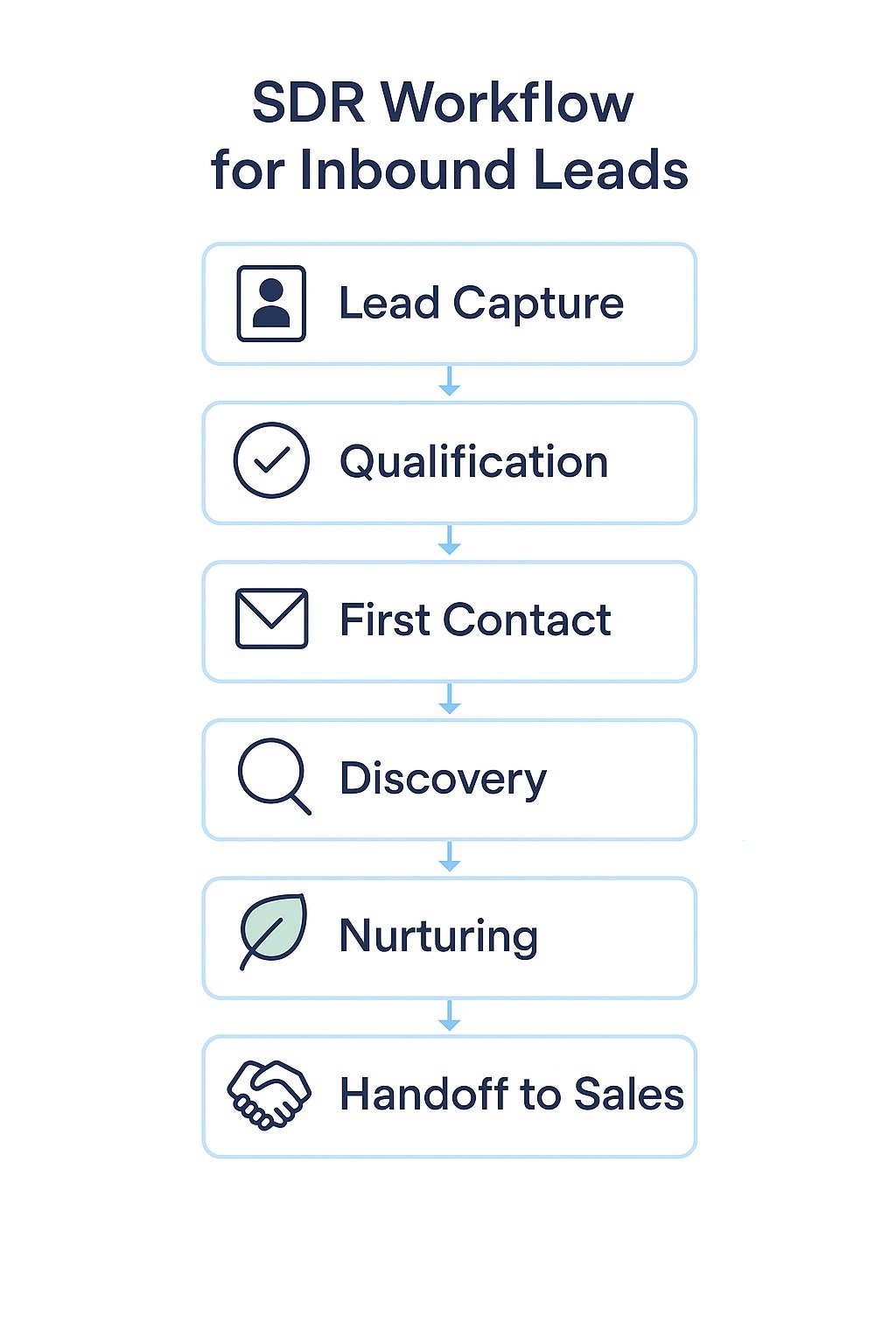
A structured inbound SDR workflow does more than organize tasks. It improves response speed, increases conversion rates, and ensures no high-intent lead slips through the cracks. Below is a practical, field-tested SDR process used by high-performing sales teams.
Step 1: Lead Capture & Intelligent Routing
Inbound leads typically enter your system through website forms, live chat, landing pages, or inbound calls.
Instead of manual assignment, high-performing teams use automated lead routing rules based on:
Geography or territory
Industry or company size
Lead source (high vs low intent)
Product interest
This ensures the right SDR handles the right lead instantly.
- Why this matters: Faster routing reduces response time and increases your chances of connecting while the lead is still engaged.
Step 2: Lead Qualification (MQL → SQL Filtering)
Not every inbound lead is worth immediate sales attention. SDRs must quickly qualify leads using proven frameworks like:
BANT (Budget, Authority, Need, Timeline)
CHAMP (Challenges, Authority, Money, Prioritization)
Key checks include:
Does the lead have a real problem?
Are they a decision-maker or influencer?
Is there buying intent or urgency?
Pro tip: Use a scoring system in your CRM to prioritize high-intent leads first.
Step 3: First Contact (Speed-to-Lead Strategy)
Speed is critical. Studies consistently show that contacting a lead within 5–15 minutes dramatically improves conversion rates.
Effective first-touch channels:
Phone call (highest conversion)
Personalized email
SMS or WhatsApp (if appropriate)
Best practice: Avoid generic outreach. Reference the lead’s action (e.g., “I saw you requested a demo…”).
Step 4: Discovery & Engagement
Once contact is established, the SDR shifts from outreach to understanding.
Focus on:
Pain points and challenges
Current solutions and gaps
Timeline for solving the problem
Budget expectations
Use open-ended questions like:
“What prompted you to reach out today?”
“What happens if this problem isn’t solved?”
Goal: Identify whether this is a real opportunity or just early-stage interest.
Step 5: Lead Nurturing (Multi-Touch Follow-Up System)
Most inbound leads are not ready to buy immediately. That’s normal.
A strong SDR workflow includes a structured nurturing sequence:
Follow-up emails (educational + value-driven)
Case studies and social proof
Retargeting ads (if available)
Scheduled check-ins
Example cadence:
Day 1: Initial follow-up
Day 3: Value email
Day 7: Case study
Day 14: Re-engagement message
Consistency builds trust and keeps your brand top-of-mind.
Step 6: Handoff to Sales (SQL Conversion)
When a lead meets qualification criteria, they become a Sales Qualified Lead (SQL).
Before handing off, the SDR should document:
Key pain points
Budget and timeline
Decision-makers involved
Notes from conversations
This ensures a smooth transition to the Account Executive and avoids repetitive questioning.
“Consistency across these steps is what separates average teams from high-converting ones.”
Common SDR Workflow Mistakes (That Kill Conversions)
To strengthen authority and trust, address what not to do:
- Delayed response times (hours instead of minutes)
- Treating all leads the same (no segmentation)
- Over-qualifying and missing opportunities
- Weak follow-up systems
- Poor handoff communication
Final Takeaway
An effective inbound SDR workflow is not just a checklist. It’s a conversion system built on speed, personalization, and structured follow-up. Teams that refine this process consistently outperform competitors in both lead conversion and revenue growth.
MQL vs SQL: Lead Qualification Process
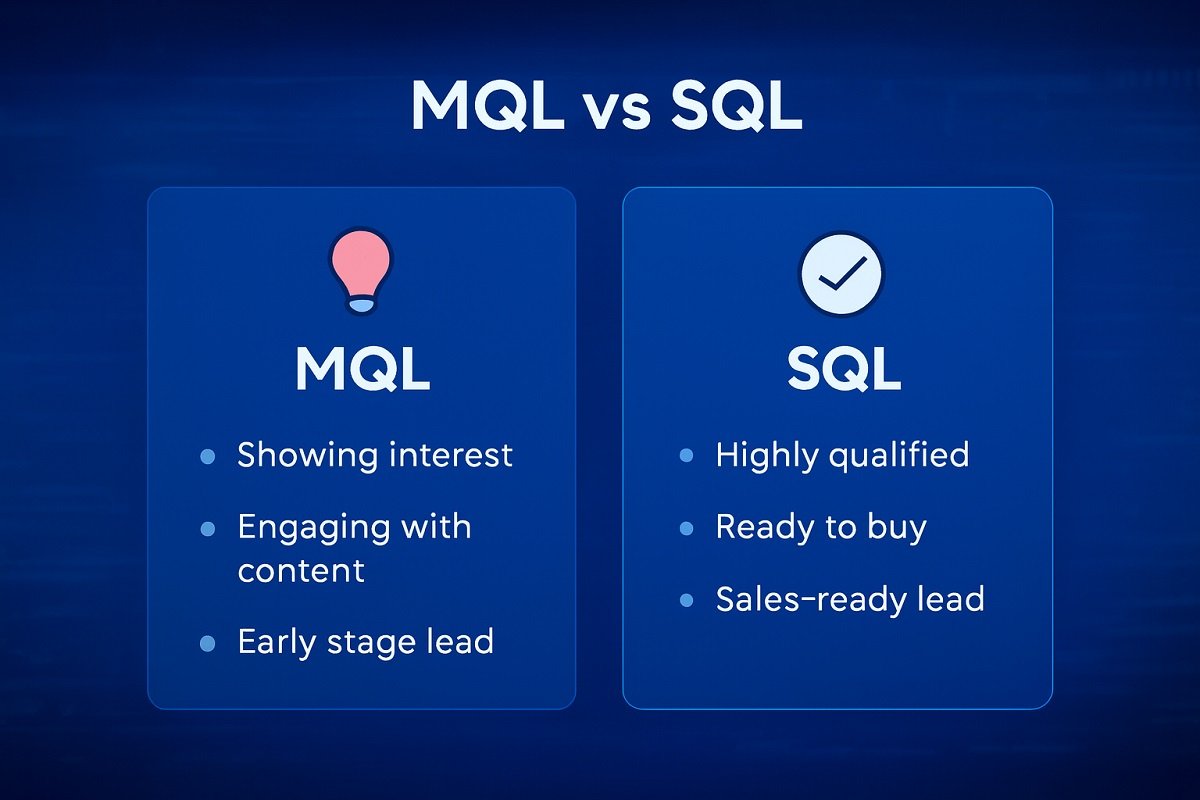
Understanding MQL and SQL is critical for pipeline efficiency.
- MQL (Marketing Qualified Lead): A lead that shows interest but is not fully ready for sales.
- SQL (Sales Qualified Lead): A lead vetted by SDRs and ready for direct sales engagement.
The transition from MQL to SQL is where most pipelines break.
Common issues include:
- Poor lead scoring
- Lack of clear criteria
- Delayed SDR response
Fixing this stage alone can significantly improve conversion rates.
Lead Nurturing & Follow-Up Workflow
Not every inbound lead converts immediately. That’s where nurturing comes in.
A strong nurturing workflow includes:
- Email sequences
- Retargeting campaigns
- Educational content
- Scheduled follow-ups
Consistency is key. Many teams stop after one or two attempts. High-performing SDR teams follow a structured cadence across multiple touchpoints.
Workflow Automation Example: From Lead Capture to Sales Handoff
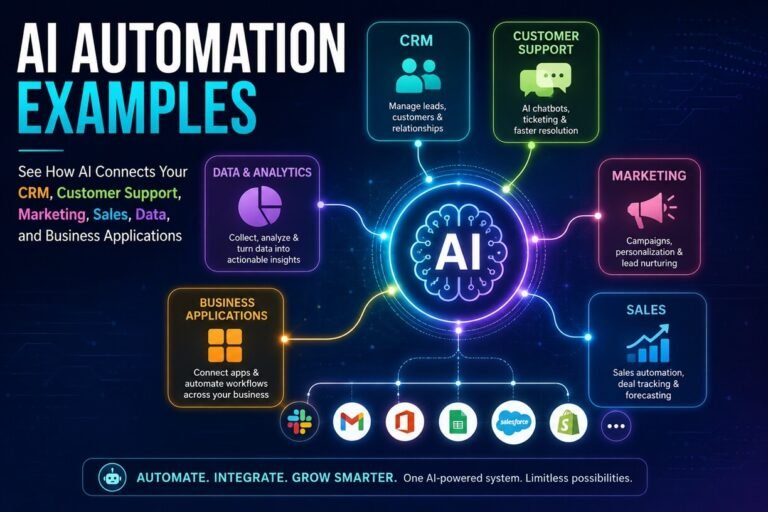
As inbound lead volume grows, manually assigning leads, sending follow-up emails, and updating CRM records becomes increasingly difficult. Workflow automation helps SDR teams complete these repetitive tasks faster while maintaining a consistent experience for every prospect. Many organizations build these systems using modern AI workflow tools that connect CRMs, communication platforms, and automation engines into a single process.
Rather than replacing SDRs, automation handles routine administrative work so representatives can spend more time having meaningful conversations with qualified leads.
Example: AI-Powered Inbound Lead Automation Workflow
Workflow Stage | AI & Automation Action | Business Benefit |
Lead Capture | A visitor submits a website form, chatbot inquiry, or demo request. The CRM automatically creates a new lead profile. | Eliminates manual data entry and captures leads instantly. |
AI Lead Enrichment | The system enriches the lead with company details, industry, job title, location, and firmographic data from integrated data sources. | Gives SDRs richer context before making first contact. |
AI Lead Scoring & Prioritization | AI analyzes buying signals such as page visits, content downloads, email engagement, and company fit to assign a lead score. | High-intent prospects are contacted first, improving conversion opportunities. |
Intelligent Lead Routing | Workflow rules automatically assign leads to the appropriate SDR based on territory, product interest, language, industry, or account ownership. | Reduces assignment delays and balances workloads across the team. |
Instant SDR Notification | Slack, Microsoft Teams, email, or CRM alerts notify the assigned SDR immediately after qualification. | Enables rapid response while buyer interest is highest. |
AI-Personalized First Outreach | AI generates a personalized email draft using the lead’s industry, company, and recent interactions. The SDR reviews and sends it. | Saves time while maintaining relevant, personalized communication. |
Meeting Scheduling | Once a prospect responds, scheduling software automatically finds available meeting times, sends calendar invitations, and issues reminders. | Reduces scheduling friction and minimizes no-shows. |
CRM Updates & Activity Logging | Emails, calls, meeting notes, lead scores, and task completion are automatically recorded in the CRM. | Keeps customer records accurate without manual updates. |
Sales Handoff | When qualification criteria are met, the workflow transfers the SQL to an Account Executive along with conversation history, lead score, and recommended next steps. | Creates a seamless handoff and prevents duplicated qualification efforts. |
Automated Lead Nurturing | If the lead isn’t sales-ready, AI triggers personalized email sequences, remarketing campaigns, and follow-up reminders until new buying signals appear. | Keeps prospects engaged without requiring constant manual follow-up. |
Benefits of Workflow Automation
Automating repetitive tasks creates a more consistent lead management workflow while reducing delays that often occur during busy periods. Teams typically experience benefits such as:
- Faster lead assignment
- More consistent response times
- Fewer manual CRM updates
- Improved data accuracy
- Better collaboration between marketing, SDRs, and Account Executives
- Increased capacity to manage larger inbound lead volumes
These improvements help keep the sales pipeline workflow moving smoothly without requiring SDRs to spend valuable time on repetitive administrative tasks.
When Should You Automate?
Not every step of the SDR process needs automation. Activities that rely on relationship building—such as discovery calls, handling objections, and understanding customer needs—still benefit from human judgment.
Automation is most effective for rule-based tasks that occur repeatedly, including:
- Lead assignment
- Notification workflows
- Follow-up reminders
- CRM synchronization
- Meeting scheduling
- Status updates
- Lead routing between teams
By combining automation with human expertise, organizations can create an efficient sales development workflow that scales as inbound lead volume grows while maintaining a personalized buyer experience.
Best Practice: Start by automating repetitive, low-value tasks before expanding into more advanced workflows. This approach allows SDR teams to improve efficiency without sacrificing the quality of customer interactions.
“Organizations handling high inbound lead volumes may also supplement internal sales teams with AI SDR services to automate outreach, qualification, and follow-up while allowing human representatives to focus on high-value conversations.”
Follett Software Case Study (Workflow Approach)
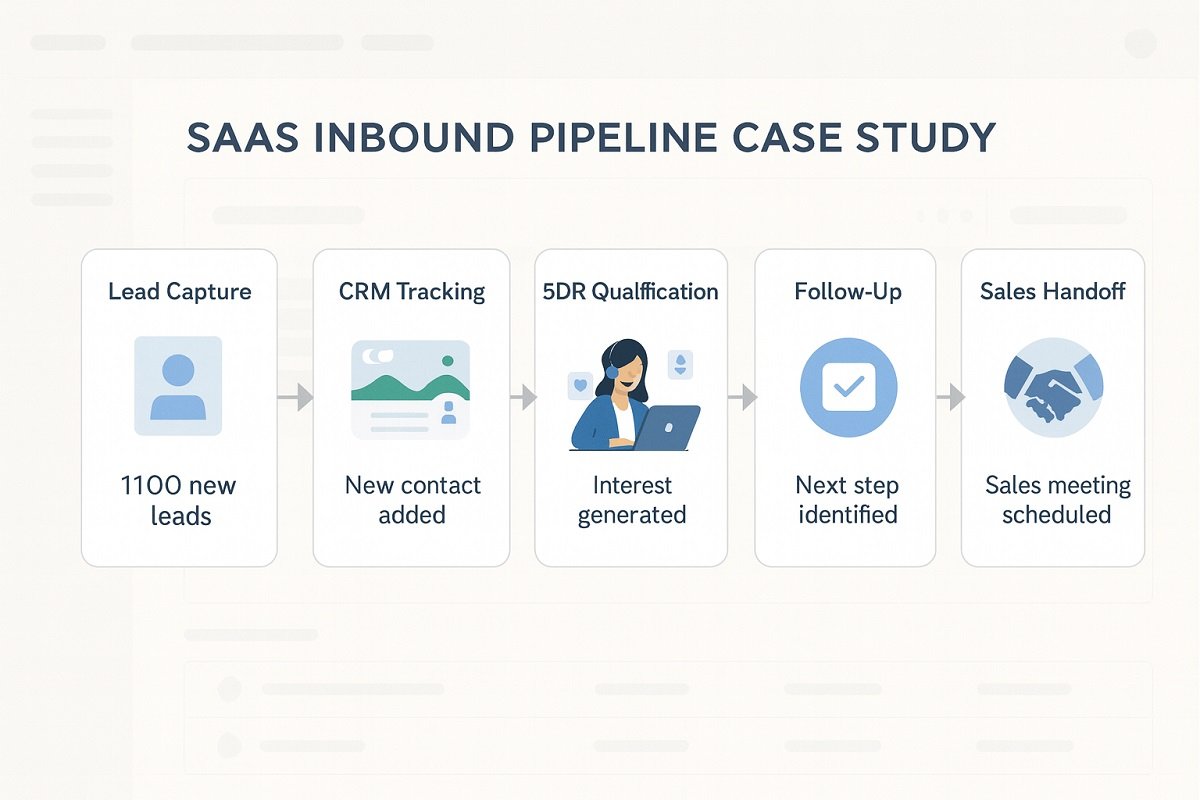
In specialized industries like legal services, AI workflow tools are already helping teams streamline client intake and qualification. In a structured inbound setup like Follett Software, the focus is on alignment and timing.
Key workflow elements include:
- Centralized CRM system to track all interactions
- Clear MQL to SQL transition rules
- Fast response times for inbound leads
- Defined SDR scripts for initial outreach
- Regular pipeline reviews
The result is a smoother flow of leads and fewer missed opportunities. The biggest takeaway is not the tools. It is the discipline in execution.
Common Inbound Pipeline Mistakes
Many pipelines fail because of avoidable issues:
- Slow response to inbound leads
- No clear qualification criteria
- Poor communication between teams
- Lack of follow-up structure
- Overcomplicated CRM processes
Fixing these problems often leads to quick performance gains.
How to Improve Inbound Conversion Rate
Improvement comes from small, consistent changes.
Focus on:
- Faster lead response time
- Better lead scoring models
- Clear SDR scripts
- Personalization in outreach
- Continuous testing and optimization
Many small teams improve performance by adopting a focused AI stack designed for ROI-driven workflow automation. Even a small increase in conversion rate can significantly impact revenue.
Key Metrics & KPIs to Track
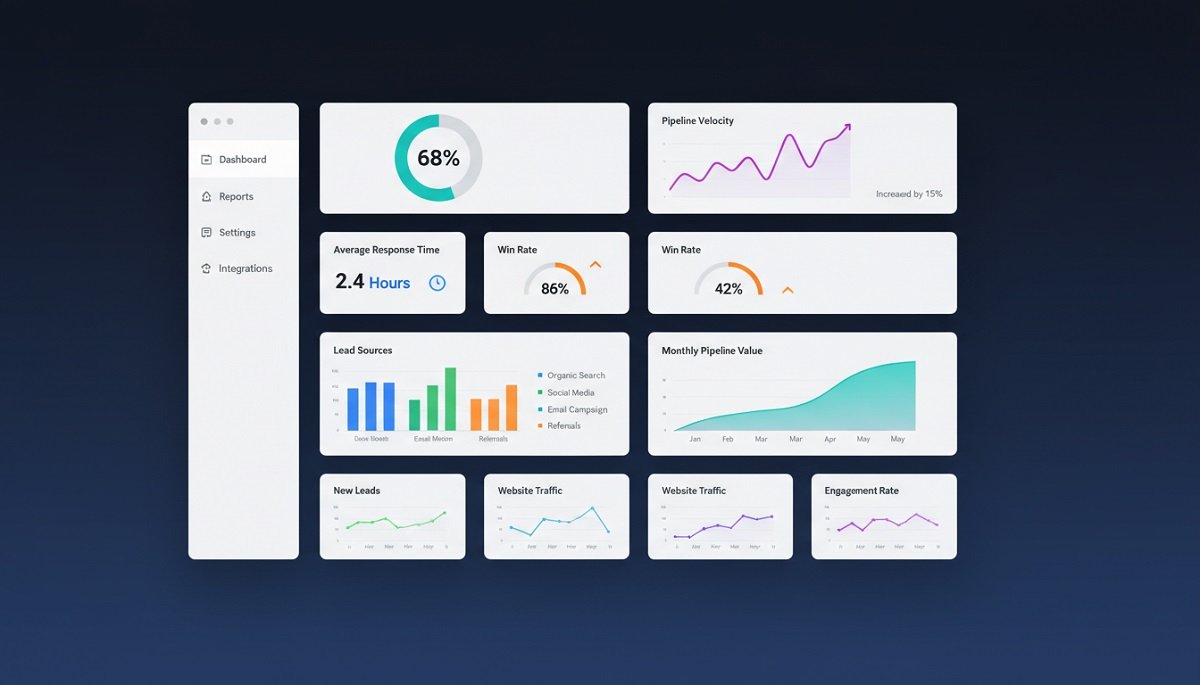
Tracking the right metrics keeps your pipeline healthy.
Important KPIs include:
- Lead-to-MQL conversion rate
- MQL-to-SQL conversion rate
- Response time
- Pipeline velocity
- Win rate
These metrics highlight where improvements are needed.
How to Interpret SDR and Pipeline KPIs
Tracking numbers is only useful when they guide decisions. Instead of reviewing metrics in isolation, look for patterns that reveal where your inbound sales process is slowing down.
KPI | What It Indicates | If the Metric Is Low |
Speed-to-lead | How quickly SDRs respond to new inquiries | Improve lead routing and notifications |
Lead-to-MQL rate | Marketing lead quality | Review targeting, forms, and content offers |
MQL-to-SQL conversion | SDR qualification effectiveness | Refine qualification criteria and discovery questions |
Meeting booking rate | Outreach effectiveness | Improve messaging and personalization |
Pipeline velocity | Overall movement through the sales pipeline | Identify bottlenecks between stages |
Win rate | Sales effectiveness after handoff | Review qualification accuracy and sales readiness |
Rather than chasing a single metric, high-performing teams monitor how these KPIs influence one another. For example, reducing response time often increases meeting bookings, which can improve MQL-to-SQL conversion and accelerate overall pipeline velocity. Looking at the complete picture helps identify whether a problem originates in marketing, SDR execution, or the sales process.
A practical approach is to review SDR and pipeline metrics weekly while tracking longer-term trends each month. This makes it easier to spot operational issues early and continuously improve your inbound sales workflow instead of reacting only after conversion rates decline.
Tools & CRM Setup for SDR Teams
A strong workflow depends on the right tools. However, no single platform manages every part of an inbound SDR workflow. High-performing teams often combine a no-code CRM with automation, prospecting, and enrichment tools to create a connected lead management system. Here are recommended CRM and workflow automation tools:
Tool | Primary Role in the SDR Workflow |
HubSpot | Popular all-in-one CRM for capturing inbound leads, automating follow-up emails, managing pipelines, and tracking customer interactions. Teams comparing platforms often evaluate the differences between HubSpot and GoHighLevel based on their workflow requirements. |
Salesforce | Enterprise CRM designed for organizations with complex sales processes, advanced reporting, custom workflows, and large SDR teams. |
Pipedrive | Sales-focused CRM that emphasizes visual pipeline management, activity tracking, and deal progression for small and mid-sized businesses. |
Zoho CRM | Flexible CRM offering lead management, workflow automation, email integration, and reporting at an affordable price point. |
Apollo | Prospecting and sales engagement platform that helps SDRs find contacts, enrich lead data, automate outreach, and monitor engagement. |
Clay | AI-powered data enrichment platform that combines information from multiple sources to build richer prospect profiles and automate research tasks. |
n8n | Open-source workflow automation platform that connects CRMs, marketing tools, AI models, and databases to automate repetitive SDR processes without vendor lock-in. Organizations wanting more advanced automations often build n8n AI automation workflows for lead routing, enrichment, and CRM synchronization. |
Zapier | No-code automation platform that links thousands of business applications, making it easy to automate lead routing, notifications, CRM updates, and follow-up workflows. |
How These Tools Work Together
Rather than replacing one another, these platforms often operate as parts of the same workflow.
A typical inbound automation stack might look like this:
- HubSpot or Salesforce captures a new inbound lead.
- Apollo or Clay enriches the lead with additional company and contact data.
- n8n or Zapier automates lead routing, notifications, and CRM updates.
- The assigned SDR receives an alert and begins personalized outreach.
- All emails, meetings, and qualification notes are automatically synchronized back to the CRM.
This connected approach reduces manual work, improves data accuracy, and helps sales teams respond to qualified leads more quickly while maintaining a complete record of every customer interaction. However, teams evaluating automation platforms should understand the differences between Zapier, Make, and n8n.
Final Workflow Checklist
Before finalizing your pipeline, check:
- Clear pipeline stages are defined
- SDR workflow is documented
- Lead scoring is accurate
- Follow-up cadence is consistent
- CRM is updated in real time
- Metrics are tracked regularly
This checklist ensures nothing slips through the cracks.
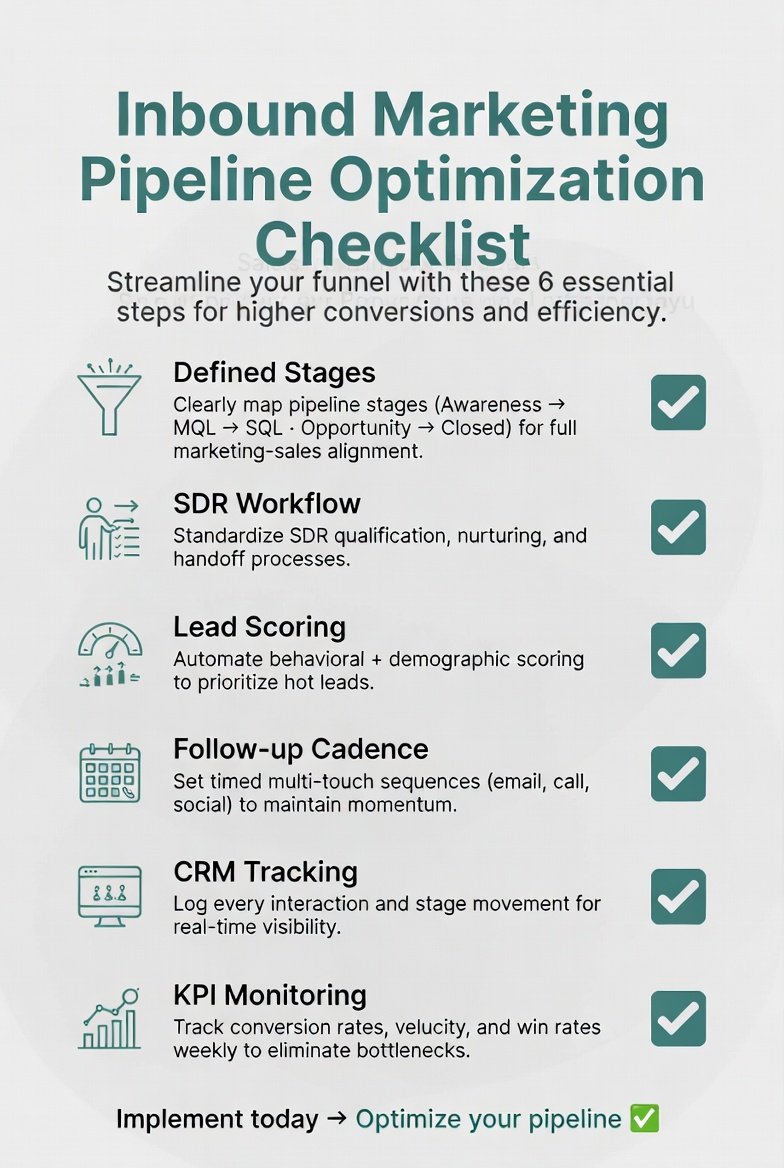
If you’re creating this process from scratch, pre-built workflow templates can significantly reduce implementation time and help standardize lead management across your sales team.
Conclusion
A high-performing inbound marketing pipeline is not built on traffic alone. It depends on how leads are handled after they enter the system. The SDR workflow plays a central role in turning interest into genuine opportunities.
With a structured process, clear qualifications, and consistent follow-ups, teams can improve conversions and create a predictable pipeline. Use this framework as a base, then refine it with your own experience to build a system that fits your workflow and goals.
Frequently Asked Questions
How long does an inbound marketing pipeline take?
An inbound marketing pipeline typically takes 1 to 12 weeks depending on lead quality, industry, and sales cycle length. Shorter pipelines occur when leads show high intent, while longer pipelines require consistent lead nurturing and multiple follow-ups before conversion.
What is a good SDR response time for inbound leads?
A good SDR response time for inbound leads is within 5 to 15 minutes of submission. Faster response times significantly increase conversion rates because leads are most engaged immediately after showing interest.
Why do inbound leads fail to convert in a sales pipeline?
Inbound leads often fail to convert because of slow response times, poor lead qualification, and weak follow-up workflows. Lack of personalization and unclear SDR processes can also reduce conversion rates across the inbound pipeline.
What tools are best for SDR workflow and inbound pipeline management?
The best tools for SDR workflow and inbound pipeline management include CRM platforms, marketing automation tools, email outreach software, and analytics dashboards. These tools help track leads, automate follow-ups, and improve overall conversion performance.





One Comment