Advanced AI Techniques for Content Creators (2026 Guide)

Creating high-quality content consistently is one of the biggest challenges for modern content creators. From bloggers and social media managers to digital marketers, the pressure to produce engaging articles, videos, and graphics often consumes hours of repetitive work. Advanced AI techniques for content creators are changing the way workflows operate, allowing creators to automate research, streamline writing, and optimize SEO without sacrificing creativity.
By integrating AI automation into your content strategy, you can save time, maintain quality, and focus on producing content that truly resonates with your audience. If you’re building a complete AI-powered system, read our guide on Advanced AI Workflows for Content Optimization to understand how automation improves long-term performance.
Beyond writing assistance, AI-powered tools enhance multimedia creation, social media scheduling, and performance analytics. Leveraging AI in content workflow optimization ensures every step—from idea generation to publishing—is more efficient and data-driven. This guide will walk you through actionable AI techniques, helping you boost productivity, improve engagement, and stay ahead in the competitive digital landscape.
Table of Contents
Advanced AI Techniques Every Content Creator Should Know
Once you understand how AI can assist in content creation, the next step is applying it strategically. These 10 techniques focus on practical ways to streamline workflows, boost productivity, and maintain high-quality output in every stage of content creation.
Understanding AI’s Role in Content Creation
AI is no longer just a novelty—it’s a practical assistant for writers, designers, marketers, and creators across platforms. From automated research to content optimization, AI helps reduce repetitive work, allowing creators to focus on creativity and strategy.
Key areas AI impacts content workflows:
- Content ideation: Generate unique topic ideas using AI trend analysis.
- Writing assistance: Improve grammar, readability, and SEO optimization.
- Multimedia generation: AI can create images, videos, and even social media graphics.
- Data-driven insights: Analyze engagement metrics to inform future content.
You can also explore our detailed guide on AI Workflow Automation Tools Guide for Small Businesses to improve content structure and keyword strategy.
Automating Content Ideation
Generating fresh, relevant ideas consistently is one of the biggest challenges for creators. AI tools can help you discover trending topics, analyze competitors, and suggest content angles.
Techniques to implement:
- Keyword trend analysis: Tools like SEMrush, Ahrefs, and AI assistants can identify long-tail keywords that are gaining traction.
- AI brainstorming assistants: Platforms like ChatGPT, Jasper, or Writesonic can produce multiple content ideas based on your niche.
- Competitor content scanning: AI tools can summarize competitor blogs, videos, and social posts to highlight gaps or opportunities.
Pro tip: Combine AI suggestions with your personal insight to maintain authenticity. AI is a tool, not a replacement for your unique voice.
AI-Powered Research & Fact-Checking
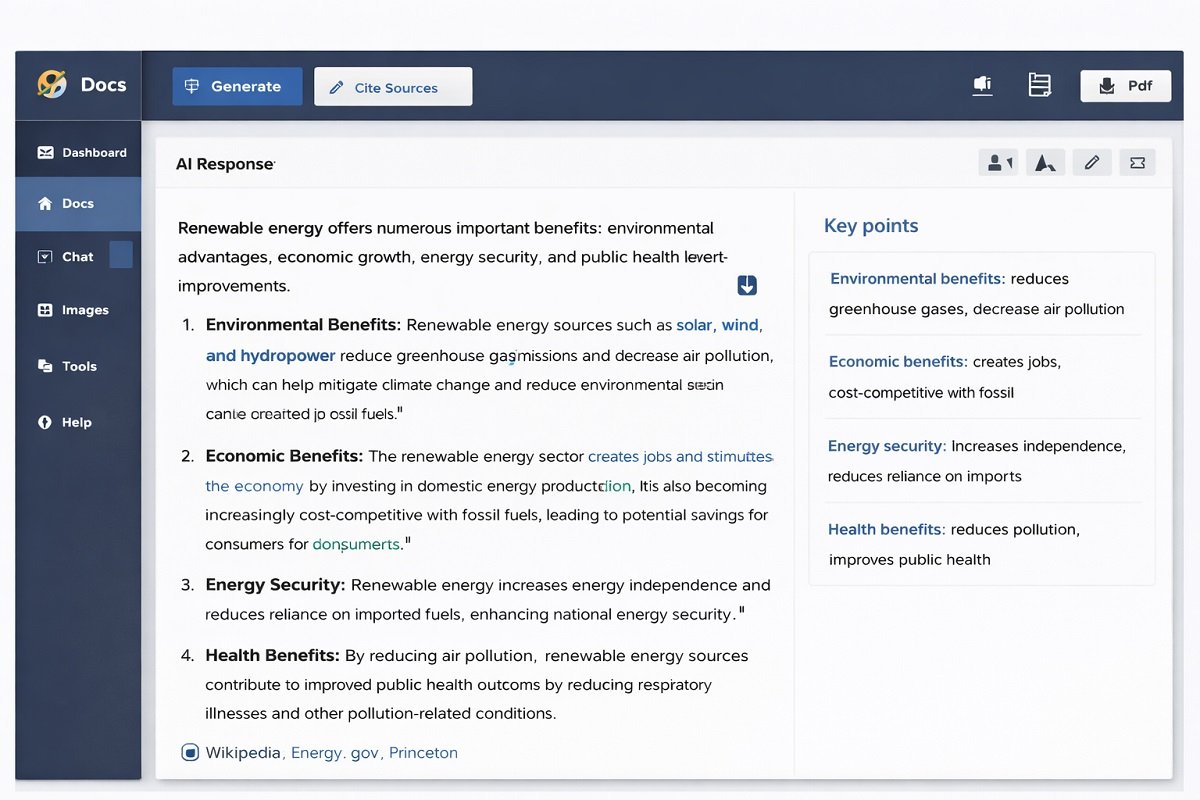
Research is time-consuming. Advanced AI can assist by quickly summarizing articles, finding relevant sources, and even highlighting statistics.
Workflow tips:
- Automated summarization: Tools like Scholarcy or AI-driven summarizers condense long articles into digestible points.
- Fact-checking integration: Use AI to cross-reference data points before publishing.
- Content gap identification: AI can analyze your existing content to suggest new angles or missing topics.
Benefit: Spend less time reading and more time creating actionable insights.
Streamlining Writing with AI
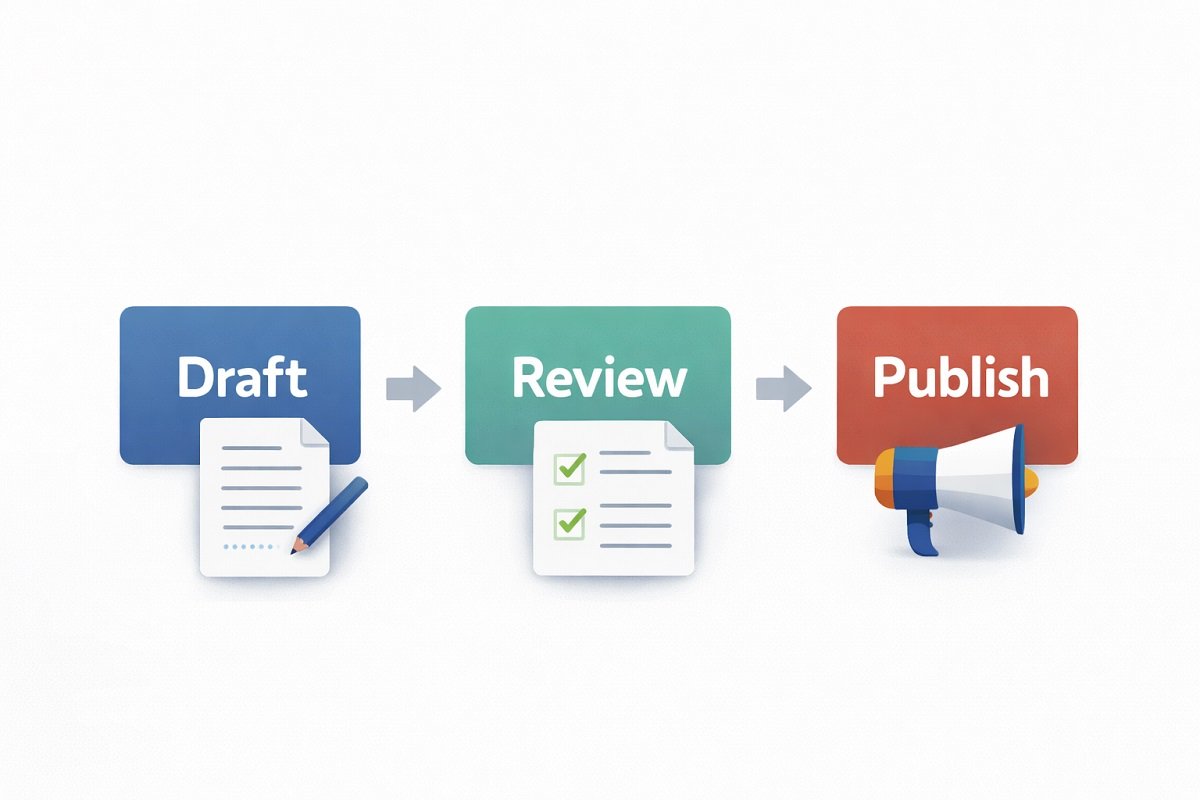
AI can enhance the writing process while maintaining SEO and readability.
Techniques:
- Draft generation: AI can create structured drafts based on your keywords or outline.
- Content expansion: Transform bullet points into full paragraphs using AI.
- Grammar and style correction: Tools like Grammarly, Hemingway, or AI assistants polish your writing in real-time.
- SEO optimization: AI can suggest keyword placement, meta descriptions, and readability improvements.
Pro tip: Always review AI-generated content for tone, factual accuracy, and originality. You can naturally extend your writing workflow by comparing popular AI writing assistants like Notion AI vs Jasper, especially when choosing between a workspace-based AI and a dedicated content generation tool.
Advanced Prompt Engineering Techniques
Prompt engineering is one of the most valuable skills for content creators using AI. Rather than asking a model to “write an article,” advanced prompting provides clear instructions, context, and constraints that produce more accurate, consistent, and brand-aligned content. Well-designed prompts also reduce editing time and improve factual accuracy.
Role Prompting
Assigning AI a specific role helps it respond with the appropriate expertise and tone.
Example
“Act as an experienced SEO strategist specializing in B2B SaaS. Create a blog outline targeting decision-makers while following Google’s E-E-A-T guidelines.”
Role prompting works especially well for:
- Blog writing
- Technical documentation
- Marketing copy
- Product descriptions
- Email campaigns
Best practice: Give AI one clear role instead of multiple conflicting responsibilities.
Context Prompting
AI performs better when it understands the background before generating content.
Instead of writing:
Write an article about AI.
Provide context such as:
- Target audience
- Business niche
- Desired tone
- Search intent
- Primary keyword
- Competitor examples
- Brand guidelines
The more relevant context you provide, the more tailored and useful the output becomes.
Multi-Step Prompting
Rather than generating an entire article in one request, divide the task into logical stages.
Example workflow:
- Generate keyword ideas.
- Create a detailed outline.
- Expand each section.
- Add supporting examples.
- Improve readability.
- Optimize for SEO.
- Fact-check claims.
- Create title and meta description.
Breaking large tasks into smaller prompts generally produces more accurate and coherent content than relying on a single prompt.
Prompt Chaining
Prompt chaining connects several prompts together so each output becomes the input for the next step.
Example:
Keyword Research
↓
Content Brief
↓
Article Outline
↓
First Draft
↓
SEO Optimization
↓
Final Editing
↓
Publishing
This approach creates a repeatable workflow that improves consistency across multiple content projects.
Prompt Templates
Reusable prompt templates help maintain consistent quality while reducing repetitive work.
Include variables such as:
- Target keyword
- Audience
- Word count
- Brand voice
- Content goal
- Call to action
Instead of rewriting instructions every time, update only these variables to generate new content efficiently.
Structured Outputs
For research, outlines, or automation, ask AI to return information in a structured format instead of plain paragraphs.
Useful formats include:
- Tables
- Bullet lists
- Markdown
- JSON
- CSV
- HTML
Structured outputs simplify editing, importing data into other tools, and connecting AI with automated workflows.
XML and JSON Prompting
Advanced workflows often require AI to follow strict formatting rules. For example, a content brief can specify required fields such as:
- Title
- Target keyword
- Search intent
- H2 headings
- Frequently Asked Questions
- Internal link suggestions
Using structured formats makes AI responses more predictable and easier to integrate into content management systems or automation platforms.
Few-Shot Prompting
Instead of explaining your expectations, provide several examples of the writing style you want.
For instance, show AI two or three examples of your existing introductions before asking it to generate a new one. This helps the model imitate your preferred structure, tone, and formatting more accurately.
Few-shot prompting is particularly useful for maintaining a consistent brand voice across large content libraries.
Iterative Refinement
Professional creators rarely accept the first AI response.
Instead, improve the output through multiple review cycles.
A practical refinement process is:
Draft
↓
Improve clarity
↓
Strengthen SEO
↓
Add examples
↓
Verify facts
↓
Human review
↓
Final publication
Each iteration improves quality while keeping your expertise and editorial standards at the center of the workflow.
Key Takeaways
Effective prompt engineering is about designing a repeatable system rather than relying on one perfect prompt. By combining role prompting, contextual instructions, multi-step workflows, structured outputs, and iterative refinement, content creators can produce higher-quality content with greater consistency and significantly less manual editing.
AI in Multimedia Content Creation

Visual content drives engagement. AI can generate images, videos, or infographics without manual design work.
Applications:
- AI image generation: Tools like DALL·E, MidJourney, and Stable Diffusion create custom images from prompts.
- Video editing AI: Platforms like Runway or Pictory can automatically edit video content, add captions, and summarize clips.
- Infographics & charts: AI tools convert raw data into visually appealing charts automatically.
Benefit: Saves hours of manual design while maintaining professional quality.
Automating Social Media & Distribution

Content isn’t complete until it reaches the audience. AI can schedule, optimize, and analyze posts across platforms.
Techniques:
- Automated posting: Tools like Buffer, Later, or Hootsuite use AI to optimize posting times.
- AI caption generation: Create engaging captions or tweets using AI based on your content theme.
- Performance analysis: AI tools identify which types of posts resonate best and suggest improvements.
Pro tip: Combine AI automation with a human touch to respond to comments and engage followers. When scaling distribution and automation, many creators also evaluate full marketing ecosystems such as GoHighLevel vs HubSpot, which compare advanced CRM and automation platforms for managing content pipelines and audience engagement.
“For businesses generating content at scale, integrating an AI-driven B2B marketing system helps connect content distribution, lead nurturing, CRM automation, and performance tracking into one streamlined workflow.”
Advanced AI Workflows for Content Optimization
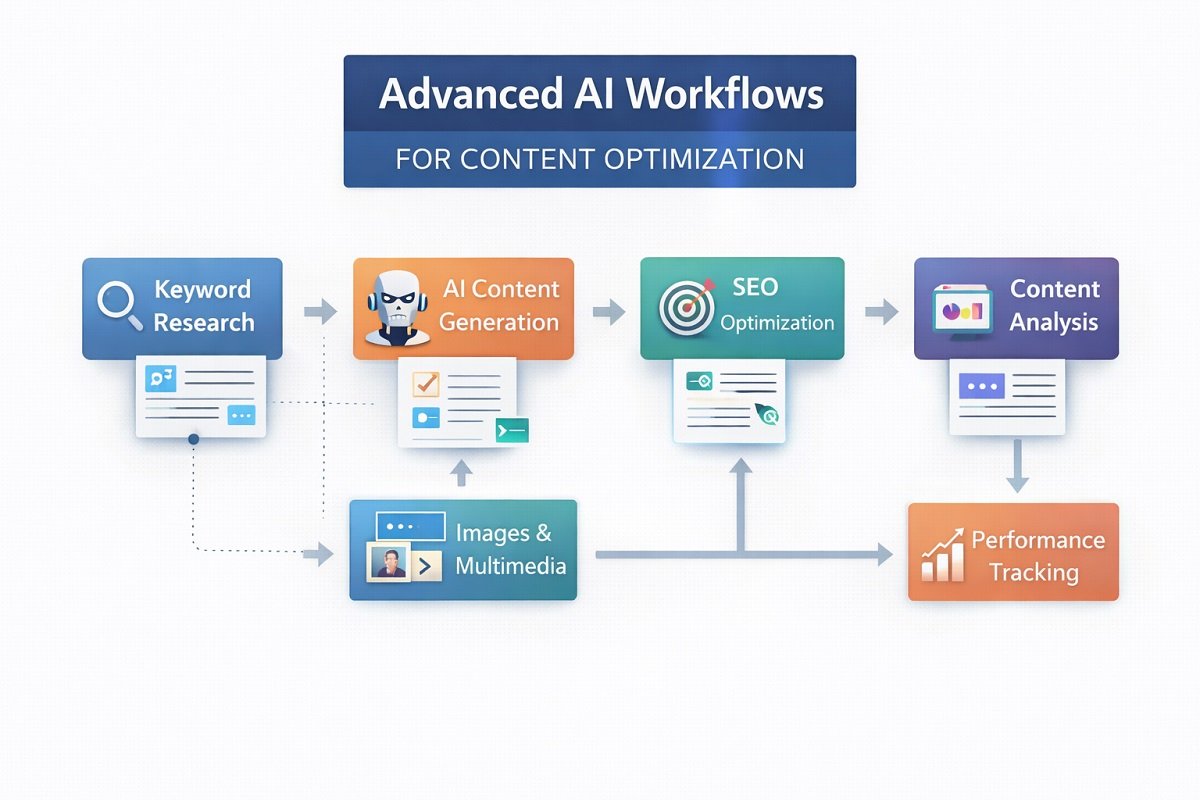
Beyond individual tasks, AI can orchestrate entire workflows, improving efficiency from ideation to publishing. Teams looking to standardize these repeatable processes can start with AI workflow templates, which provide proven frameworks for research, writing, editing, publishing, and content repurposing.
Examples of advanced workflows:
- Content pipeline automation:
- AI generates topic → outlines → drafts → images → SEO → social posts → performance analysis.
- Dynamic A/B testing: AI can test different headlines, images, and CTAs, automatically choosing the highest-performing variant.
- AI-assisted repurposing: Convert blog posts into videos, social posts, or newsletters automatically.
Benefit: Focus on strategy while AI handles repetitive optimization tasks. For creators handling large volumes of media, assets, and content libraries, choosing the right system is critical. Tools like asset management workflow software help organize, store, and automate creative assets efficiently.
Multi-Agent AI Content Systems
Traditional AI workflows often rely on a single assistant handling every task, from brainstorming to editing. While effective for simple projects, this approach becomes less efficient as content production scales. Multi-agent AI systems solve this challenge by assigning specialized AI agents to different stages of the content creation process.
Instead of asking one model to complete everything, each agent focuses on a specific responsibility, creating a faster, more consistent, and easier-to-manage workflow.
How a Multi-Agent Content Workflow Works
A typical AI-powered content pipeline might look like this:
Research Agent
↓
SEO Agent
↓
Writer Agent
↓
Editor Agent
↓
Fact-Checking Agent
↓
Image Generation Agent
↓
Publishing Agent
↓
Analytics Agent
Each agent performs a dedicated task before passing the output to the next stage, reducing repetitive work while improving overall content quality.
Responsibilities of Each AI Agent
Research Agent
The research agent gathers background information, identifies reliable sources, summarizes key findings, and uncovers content gaps. Instead of spending hours reviewing multiple resources manually, creators begin with a structured research brief that serves as the foundation for the article.
SEO Agent
The SEO agent analyzes search intent, identifies relevant primary and secondary keywords, recommends heading structures, suggests internal linking opportunities, and highlights optimization improvements before writing begins.
This ensures every article is built around a strong SEO foundation rather than being optimized after completion.
Writer Agent
Using the research brief and SEO recommendations, the writer agent produces the first draft while following the desired tone, audience, and content structure. Because earlier agents have already completed research and planning, the writing process becomes more focused and consistent.
Editor Agent
Rather than rewriting the article, the editor agent improves clarity, readability, sentence flow, formatting, and consistency. It also identifies repetitive sections, weak transitions, and opportunities to strengthen explanations.
Fact-Checking Agent
Before publication, a dedicated fact-checking agent reviews statistics, dates, product specifications, quotations, and references to reduce factual errors and unsupported claims. This additional validation step helps improve trustworthiness and content accuracy.
Image Generation Agent
Visual content plays an important role in engagement. An image generation agent creates supporting graphics, infographics, feature images, social media visuals, or illustration prompts that align with the article while maintaining consistent branding.
Publishing Agent
Once the content is approved, the publishing agent prepares metadata, formats headings, optimizes images, generates meta descriptions, and organizes the article for publication within a content management system.
Many publishing workflows also connect with a no-code CRM to capture leads, trigger email campaigns, and keep audience interactions synchronized automatically.
Analytics Agent
After publication, the analytics agent monitors performance metrics such as organic traffic, keyword rankings, click-through rate, engagement, and user behavior. These insights help identify opportunities for updating existing content and improving future workflows.
Benefits of Multi-Agent AI Systems
Compared with a single AI assistant, multi-agent workflows offer several advantages:
- Improve consistency across large content libraries.
- Reduce manual context switching between tasks.
- Scale content production more efficiently.
- Simplify collaboration between AI and human editors.
- Create repeatable workflows that can be refined over time.
Instead of relying on one model to perform every task equally well, specialized agents contribute their strengths at each stage of the content lifecycle.
Best Practice: Keep Humans in Control
Although multi-agent systems can automate much of the production process, editorial oversight remains essential. Human reviewers should validate important claims, ensure brand consistency, confirm factual accuracy, and make strategic decisions before publishing.
The most effective content workflows combine specialized AI agents with human expertise, allowing automation to improve efficiency without sacrificing originality, quality, or trust.
Combining AI With Human Creativity
AI is powerful, but it works best when paired with human insight.
Key strategies:
- Use AI for research and drafts, but ensure your voice and expertise shine.
- Apply AI-generated suggestions critically—do not blindly follow them.
- Treat AI as a productivity enhancer, not a replacement for originality.
Example: Use AI to summarize interviews or notes, then write a narrative with personal insights and stories.
Tools to Include in Your AI Workflow
Here’s a list of recommended AI tools for content creators:
| Workflow Stage | Tool Examples |
|---|---|
| Idea Generation | ChatGPT, Jasper, Writesonic |
| Research & Summarization | Scholarcy, Elicit, ChatGPT |
| Writing & SEO | Grammarly, Surfer SEO, Rank Math AI |
| Images & Graphics | DALL·E, MidJourney, Canva AI |
| Video Editing | Runway, Pictory |
| Social Media Automation | Buffer, Later, Hootsuite |
| Analytics & Optimization | Clearscope, HubSpot AI, Google Analytics AI |
Integrating several of these tools creates a fully AI-powered content workflow. For teams managing product-heavy content workflows, Product Information Management (PIM) tools are essential. Explore the best options in PIM software for AI workflow automation, especially useful for scaling structured content across platforms.
Tips for Implementing AI Without Losing Control
- Start small: Automate one workflow at a time.
- Keep your brand voice consistent: Review AI output for tone.
- Monitor results: Track metrics like engagement, click-through rate, and time-on-page.
- Avoid over-reliance: Use AI to save time, not replace your creativity.
- Stay updated: AI evolves quickly; new tools can drastically improve efficiency.
As your workflows become more connected across AI tools, cloud platforms, and content management systems, following AI workflow security best practices helps protect sensitive data while ensuring reliable automation.
AI Quality Assurance Checklist
Producing content with AI is only half the process. Before publishing, every piece of content should go through a structured quality assurance (QA) review to ensure it is accurate, trustworthy, and aligned with your brand standards. A consistent review process helps reduce errors, improves user experience, and supports long-term search performance.
Use the following checklist before publishing AI-assisted content.
Check for Originality
Even when AI generates unique text, it’s important to verify originality and eliminate unintentional duplication.
Review for:
- Duplicate or repetitive paragraphs
- Overused phrases
- Content that closely resembles existing sources
- Unique insights and original examples
Original, experience-based content provides more value than generic AI-generated text.
Verify Facts and Claims
Large language models can occasionally generate incorrect or outdated information. Every statistic, quotation, product specification, and technical claim should be independently verified before publication.
Confirm:
- Dates
- Numbers and statistics
- Product information
- Industry terminology
- References to studies or reports
Fact-checking is especially important for technical, financial, healthcare, and legal topics.
Review Tone and Brand Voice
AI can adapt to different writing styles, but every article should maintain a consistent voice that reflects your audience and brand.
Check whether the content is:
- Appropriate for the intended readers
- Consistent throughout the article
- Clear and engaging
- Free from robotic or repetitive wording
A quick editorial review often makes AI-generated content feel far more natural.
Optimize for SEO
Before publishing, ensure the content follows fundamental on-page SEO best practices.
Review items such as:
- Primary keyword placement
- Descriptive headings
- Internal linking opportunities
- Image alt text
- Meta title and description
- Readable paragraph structure
SEO should improve readability rather than disrupt the natural flow of the content.
Evaluate E-E-A-T Signals
High-quality content demonstrates experience, expertise, authoritativeness, and trustworthiness.
Ask yourself:
- Does the article include practical insights or real-world examples?
- Are important claims supported by credible sources?
- Is the information current and accurate?
- Does the content answer the user’s search intent completely?
Strengthening these signals improves both user confidence and long-term content quality.
Review Citations and Sources
Whenever you reference statistics, research, or industry guidance, include reliable and up-to-date sources.
Prioritize:
- Government organizations
- Academic publications
- Official documentation
- Established industry reports
Well-supported content is generally more trustworthy than unsupported opinions.
Perform a Final Editorial Review
Before publishing, complete one final read-through to identify issues that automated tools may miss.
Look for:
- Grammar and spelling mistakes
- Awkward transitions
- Formatting inconsistencies
- Broken links
- Missing images or captions
- Inconsistent terminology
A brief manual review can significantly improve readability and professionalism.
Quick Pre-Publish Checklist
Quality Check | Status |
Original and non-duplicative content | ☐ |
Facts and statistics verified | ☐ |
Brand voice is consistent | ☐ |
SEO elements optimized | ☐ |
E-E-A-T signals strengthened | ☐ |
Credible citations included | ☐ |
Grammar and readability reviewed | ☐ |
Final manual review completed | ☐ |
Why these matters
High-performing AI content is not created by automation alone. A structured quality assurance process helps ensure every article is accurate, valuable, and aligned with both user expectations and search engine quality standards. By combining AI efficiency with consistent editorial review, content creators can publish with greater confidence while building long-term authority in their niche.
Case Study: AI in Action for a Solo Content Creator

Scenario:
Madalin Cristea, a solo travel and adventure blogger, uses AI to optimize his workflow:
- AI generates blog post outlines based on trending travel keywords.
- AI summarizes research and creates draft paragraphs, saving 2–3 hours per post.
- Images for posts and social media are generated via MidJourney.
- AI schedules posts across Instagram and Twitter at optimal times.
- Engagement metrics are analyzed automatically, suggesting improvements for the next post.
Result:
- 50% faster content production
- Higher engagement due to optimized headlines and visuals
- More time to focus on outdoor adventures and storytelling
Pitfalls to Avoid
While AI is powerful, some mistakes can hurt your workflow:
- Blindly trusting AI output: Always fact-check.
- Over-automation: Don’t let AI handle personal engagement with followers.
- Ignoring SEO updates: AI recommendations may not always match the latest algorithm changes.
- Generic content: AI-generated drafts need human editing for authenticity.
Future of AI in Content Creation
AI will continue to evolve, bringing:
- Real-time personalization: AI suggests content tweaks for individual readers.
- Voice & video AI: Automated storytelling with your voice or avatar.
- Predictive analytics: AI forecasts trending topics before they go viral.
Creators who embrace AI early will have a competitive edge, producing more content faster while maintaining quality.
Actionable Workflow Example
Here’s an AI-powered workflow for a solo content creator:
- Topic Ideation: ChatGPT generates 10 long-tail keywords for the next blog post.
- Research: AI summarizes 5 top-ranking articles.
- Drafting: AI produces a 1,500-word draft.
- SEO Optimization: Rank Math AI checks keyword density and meta descriptions.
- Visual Content: MidJourney generates 3 featured images.
- Publishing: LiteSpeed Cache ensures fast loading on Hostinger, AI schedules social posts via Buffer.
- Analytics: Clearscope analyzes post performance and suggests improvements for the next post.
Outcome: Efficient, high-quality content production with minimal manual effort.
Conclusion
Advanced AI techniques empower content creators to streamline their workflow, optimize quality, and free up time for creativity. From idea generation to publishing and analytics, AI can handle repetitive tasks while you focus on storytelling, strategy, and audience engagement.
By combining the right tools, maintaining your voice, and monitoring results, you can create a fully optimized, AI-assisted content workflow that scales with your ambitions. Ready to build your own AI-powered workflow? Explore our pricing plans to compare features and choose the solution that best fits your content creation needs.
Organizations looking to scale beyond basic automation can also benefit from professional AI automation agency services that design, implement, and optimize custom AI workflows for long-term growth. Embrace AI not as a replacement, but as a powerful partner in your content creation journey.
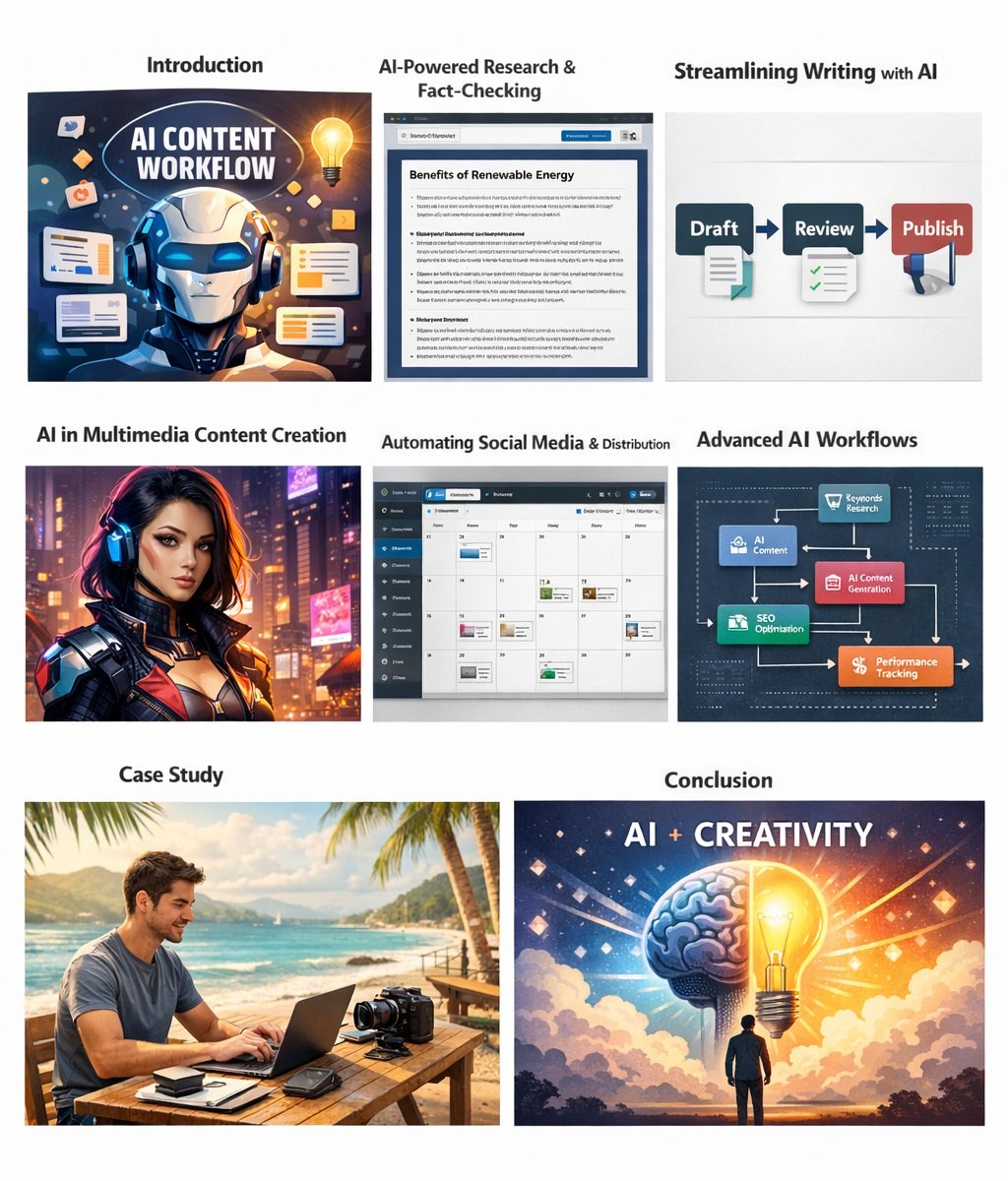
FAQs: Advanced AI Techniques for Content Creators
What is AI workflow optimization for content creators?
AI workflow optimization uses tools to automate repetitive tasks like research, writing, image generation, SEO, and publishing to save time and improve content quality.
Which AI tools are best for content creation?
Some of the most effective AI tools include ChatGPT or Jasper for drafting, Grammarly for editing, DALL·E or MidJourney for images, Runway or Pictory for video editing, and Rank Math AI for SEO optimization.
Can AI replace a content creator completely?
No, AI helps automate and optimize workflows, but human creativity, storytelling, and personal insights remain essential for high-quality, authentic content.
How do I measure the effectiveness of an AI-optimized workflow?
Track metrics like engagement, page views, social shares, time on page, and content production speed. Use analytics tools to identify areas for further optimization.
Is AI content SEO-friendly?
Yes, if you use AI responsibly, optimize with SEO tools, and ensure originality and relevance. AI can suggest keywords, meta descriptions, and headings to improve search rankings.