
AI Workflow Templates: Ready-to-Use Automation Systems for Business Growth


Artificial intelligence is no longer just a futuristic concept reserved for large enterprises. Today, businesses of all sizes are using AI-powered workflow templates to automate repetitive tasks, increase productivity, reduce operational costs, and scale faster.
Whether you’re running a startup, agency, eCommerce store, or enterprise organization, ready-to-use AI workflow templates can transform how your team works. If you’re new to automation, our guide on AI workflows explained for businesses and teams provides a deeper overview of how AI-powered processes work before implementing templates.
In this guide, you’ll discover what AI workflow templates are, how they work, their benefits, and the best ready-made automation systems you can implement immediately to accelerate business growth.
What Are AI Workflow Templates?
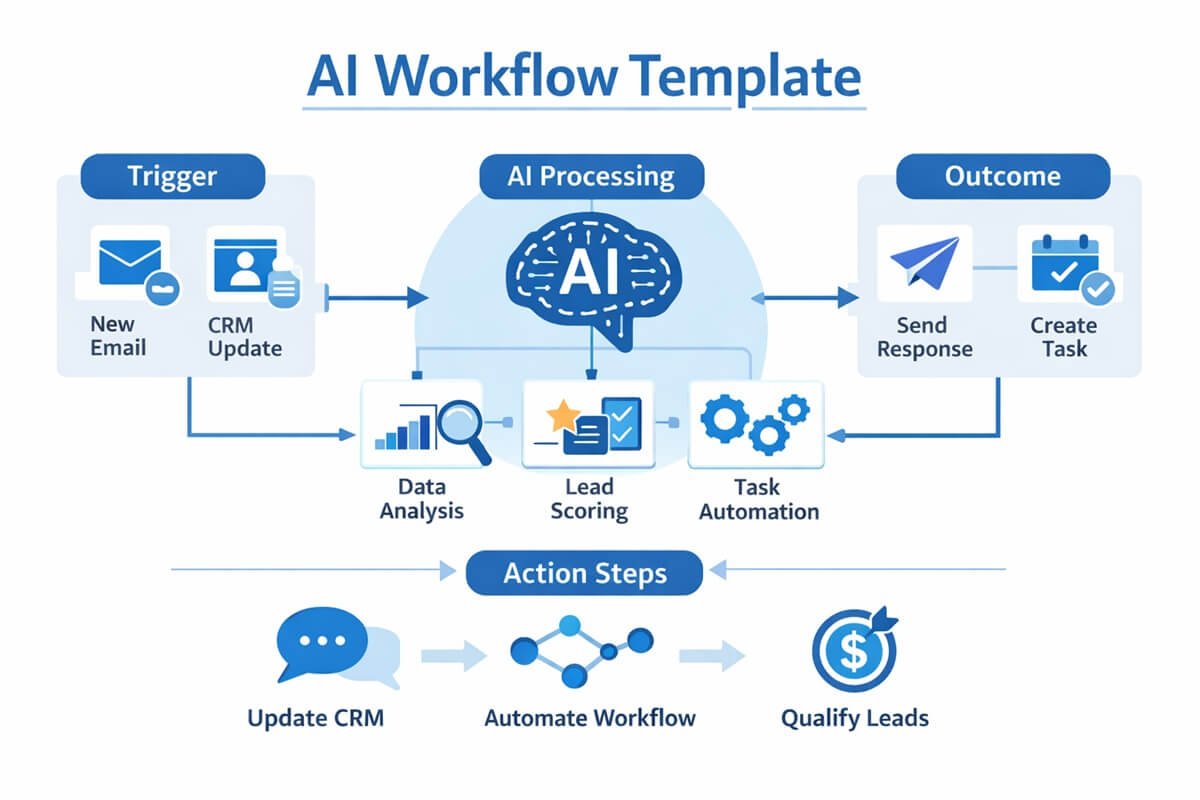
AI workflow templates are pre-built automation systems designed to perform business processes automatically using artificial intelligence.
Instead of manually creating workflows from scratch, businesses can deploy ready-made templates that automate tasks such as:
- Lead qualification
- Content creation
- Customer support
- Employee onboarding
- Email marketing
- Data processing
- Project management
A typical AI workflow template consists of:
- Trigger: An event that starts the workflow.
- AI Processing: Artificial intelligence analyzes or generates content.
- Action: The system performs one or more tasks automatically.
- Outcome: The final result delivered to users or teams.
For example:
Trigger: New lead submits a website form.
AI Processing: AI analyzes the lead and assigns a quality score.
Action: High-value leads are automatically sent to sales representatives.
Outcome: Faster response times and improved conversion rates.
Why Businesses Are Adopting AI Automation
Organizations face increasing pressure to do more with fewer resources. AI workflow automation enables companies to:
- Reduce repetitive manual work.
- Improve employee productivity.
- Deliver faster customer experiences.
- Eliminate human errors.
- Scale operations without increasing headcount.
According to industry research, employees spend a significant portion of their workweek performing repetitive administrative tasks. AI automation allows teams to redirect time toward strategic activities such as innovation, customer relationships, and revenue generation.
Many companies are now leveraging AI automation without hiring additional staff, allowing them to grow efficiently while keeping operating costs under control.
Benefits of AI Workflow Templates
1. Save Time
Automating repetitive activities dramatically reduces manual workload.
Examples include:
- Automatically generating reports.
- Responding to customer inquiries.
- Scheduling meetings.
- Processing invoices.
2. Reduce Costs
Businesses can lower operational expenses by automating labor-intensive processes.
Benefits include:
- Reduced staffing requirements.
- Lower error-related costs.
- Faster process completion.
3. Increase Productivity
Employees spend more time on high-value activities rather than administrative work.
Teams become more efficient because routine tasks occur automatically.
4. Improve Consistency
Humans make mistakes.
Automated workflows follow predefined rules every time, ensuring consistent results.
5. Scale Faster
AI workflows make growth easier by handling increasing workloads without requiring proportional increases in staff.
How AI Workflow Templates Work
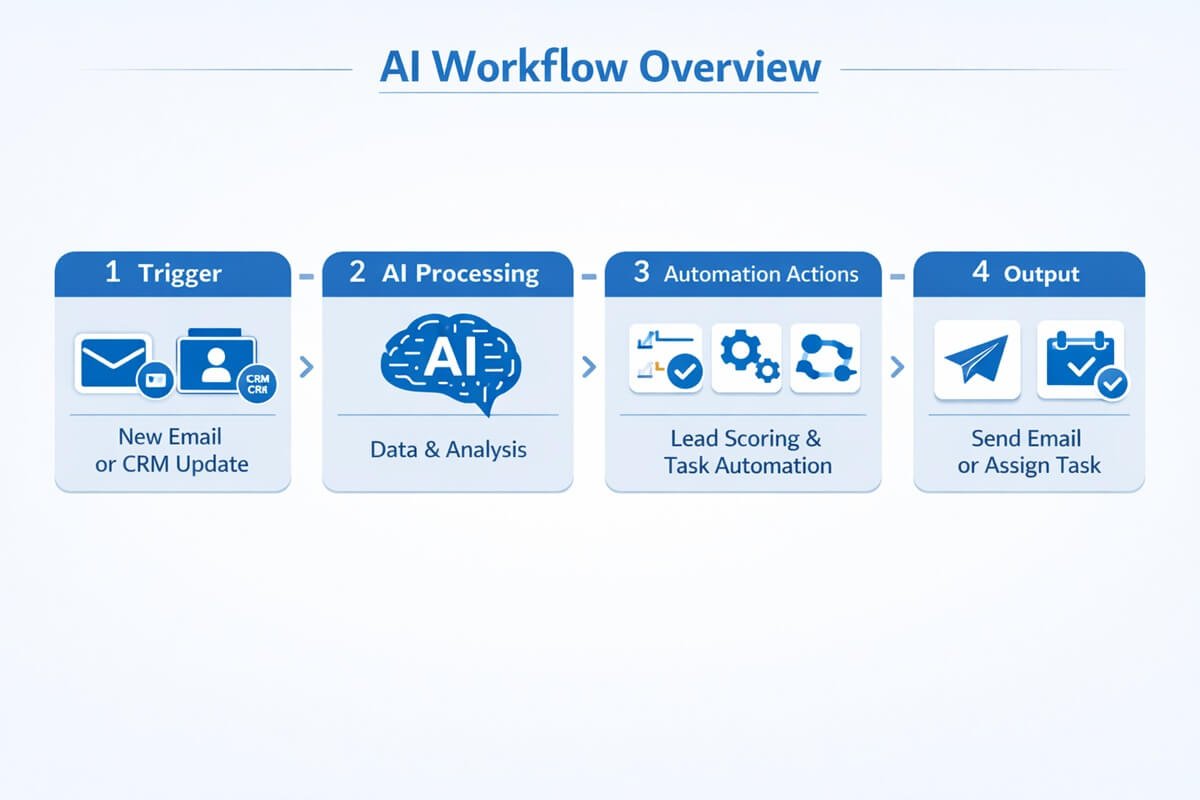
Most automation systems follow a simple framework:
Step 1: Trigger
A trigger initiates the workflow.
Examples:
- New email received.
- Form submitted.
- Customer makes a purchase.
- File uploaded.
- Meeting scheduled.
Step 2: AI Processing
Artificial intelligence analyzes, classifies, summarizes, predicts, or generates content.
Examples:
- Sentiment analysis.
- Content generation.
- Lead scoring.
- Data extraction.
- Document summarization.
Step 3: Automated Actions
The workflow automatically performs actions.
Examples:
- Send emails.
- Update CRM records.
- Create tasks.
- Notify team members.
- Generate reports.
Step 4: Human Review (Optional)
Some workflows include human approval steps before final execution.
This is especially important for:
- Financial approvals.
- Legal documents.
- Customer communications.
- Compliance-sensitive processes.
Types of AI Workflow Templates
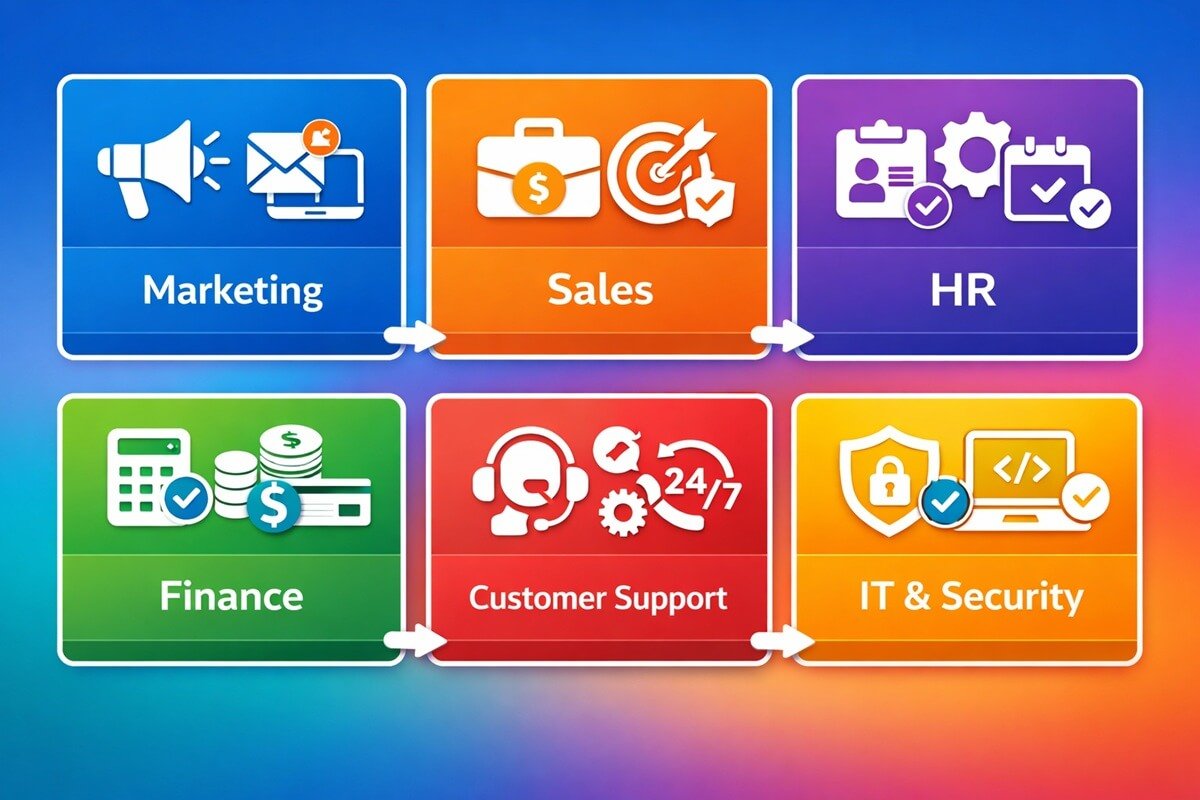
Marketing Workflows
Examples:
- Content creation automation.
- Social media scheduling.
- Email campaigns.
- SEO content generation.
Sales Workflows
Examples:
- Lead qualification.
- Proposal generation.
- CRM updates.
- Follow-up sequences.
Customer Support Workflows
Examples:
- AI chatbots.
- Ticket routing.
- Knowledge base generation.
Human Resources Workflows
Examples:
- Employee onboarding.
- Resume screening.
- Interview scheduling.
Operations Workflows
Examples:
- Process documentation.
- SOP generation.
- Reporting automation.
Finance Workflows
Examples:
- Invoice processing.
- Expense categorization.
- Budget reporting.
15 Ready-to-Use AI Workflow Templates for Business Growth
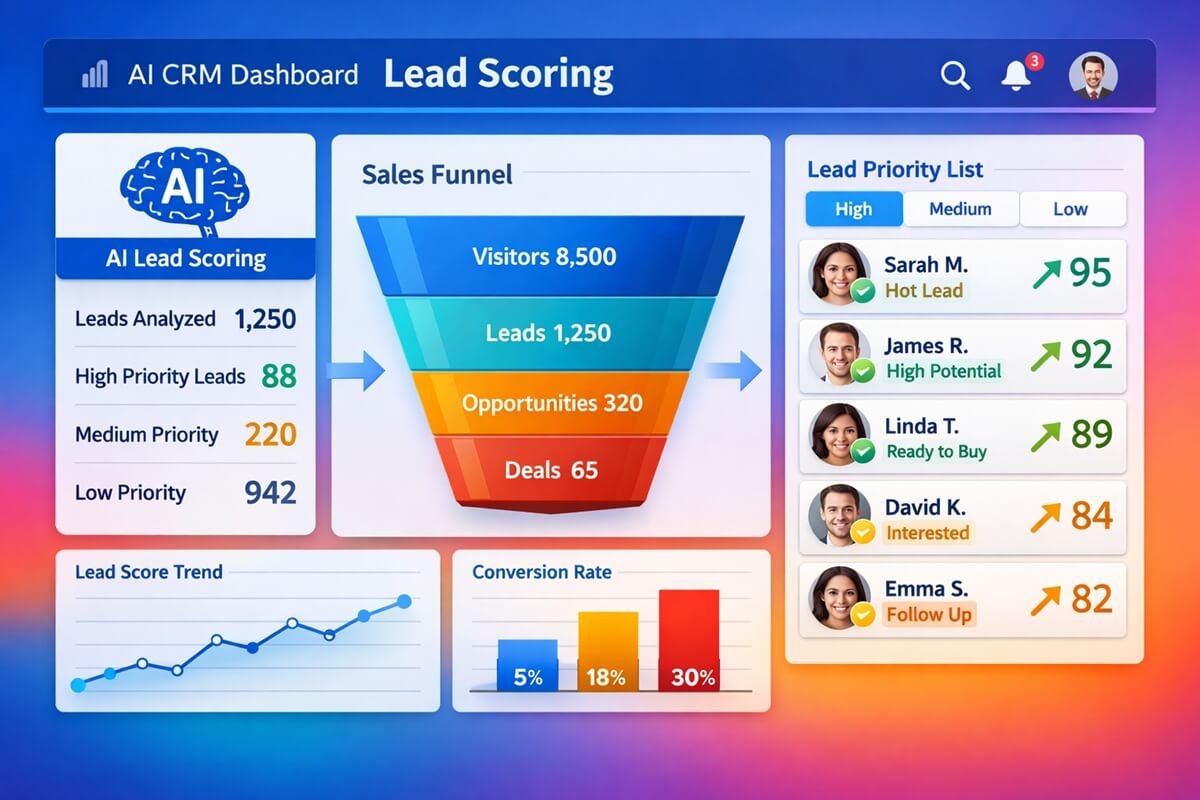
1. AI Lead Qualification Workflow
Best For:
Sales teams.
Workflow:
- Prospect submits form.
- AI analyzes company size, industry, and intent.
- Lead receives a score.
- High-value leads are assigned automatically.
Business Impact:
- Faster sales response.
- Improved conversion rates.
- Better sales prioritization.
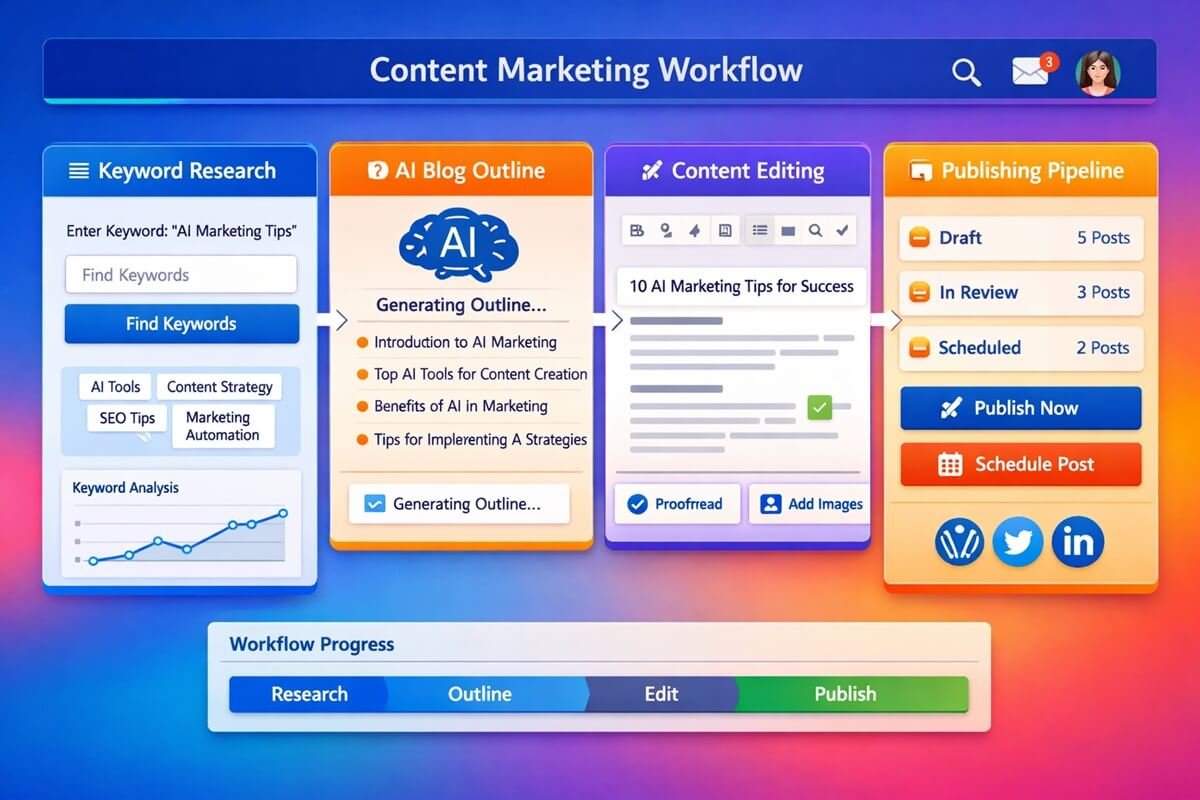
2. AI Content Creation Workflow
Best For:
Content marketers.
Workflow:
- Keyword entered.
- AI generates outlines.
- Content draft is created.
- SEO optimization occurs automatically.
- Content moves to editor review.
Businesses often compare tools like Notion AI vs Jasper when building content generation workflows because each platform offers unique strengths for drafting, editing, and marketing content.
Business Impact:
- Accelerated publishing.
- Lower content costs.
- Increased content output.
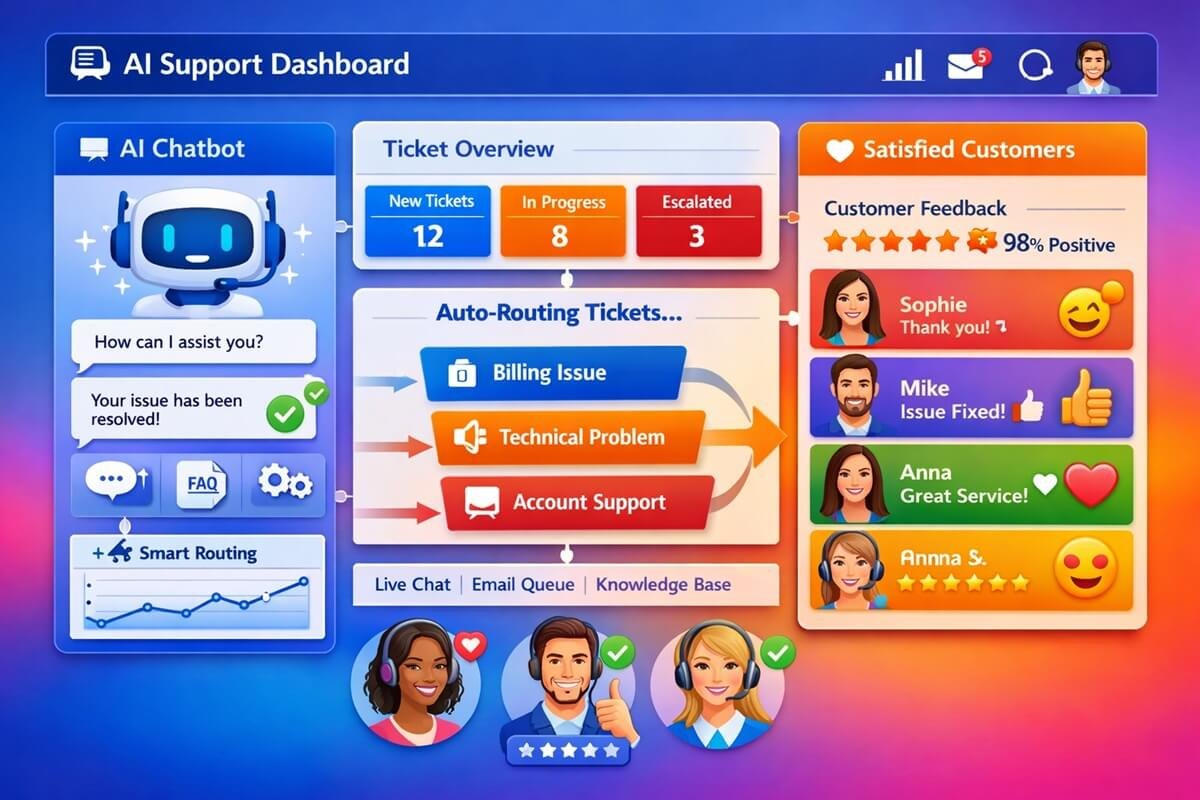
3. AI Customer Support Workflow
Best For:
Support teams.
Workflow:
- Customer submits ticket.
- AI identifies issue category.
- Frequently asked questions receive automated responses.
- Complex issues route to humans.
Many support teams rely on large language models, making comparisons such as ChatGPT vs Claude important when selecting the best AI engine for customer service automation.
Business Impact:
- Reduced support workload.
- Faster response times.
- Higher customer satisfaction.
4. AI Employee Onboarding Workflow
Workflow:
- HR adds new employee.
- Accounts are created automatically.
- Training materials are assigned.
- Welcome emails are sent.
- Managers receive onboarding tasks.
Business Impact:
- Faster onboarding.
- Better employee experience.
5. AI Meeting Summary Workflow
Workflow:
- Meeting recording uploaded.
- AI transcribes discussion.
- Key points extracted.
- Action items generated automatically.
- Summary distributed to participants.
6. AI Email Response Workflow
Workflow:
- New email arrives.
- AI drafts response.
- Human reviews.
- Email sent automatically.
7. AI Social Media Workflow
Workflow:
- Blog article published.
- AI creates social posts.
- Content scheduled automatically.
- Performance tracked.
8. AI Invoice Processing Workflow
Workflow:
- Invoice uploaded.
- OCR extracts data.
- AI validates information.
- Accounting software updated.
9. AI Recruitment Workflow
Workflow:
- Resume received.
- AI screens candidates.
- Shortlist generated.
- Interview invitations sent.
10. AI Knowledge Base Workflow
Automatically convert support tickets, meeting notes, and documents into searchable knowledge articles.
11. AI Project Management Workflow
Automatically:
- Create tasks.
- Assign owners.
- Prioritize deadlines.
- Generate progress reports.
12. AI Proposal Generation Workflow
Sales representatives enter prospect information and AI automatically creates customized proposals.
13. AI Customer Feedback Analysis Workflow
Analyze reviews, surveys, and customer comments to identify trends and sentiment.
14. AI Reporting Workflow
Generate weekly or monthly reports automatically from multiple data sources.
15. AI SOP Documentation Workflow
AI converts processes, videos, and meeting recordings into standardized operating procedures. This dramatically reduces documentation time while ensuring consistency across teams.
Best AI Workflow Tools for Building Templates
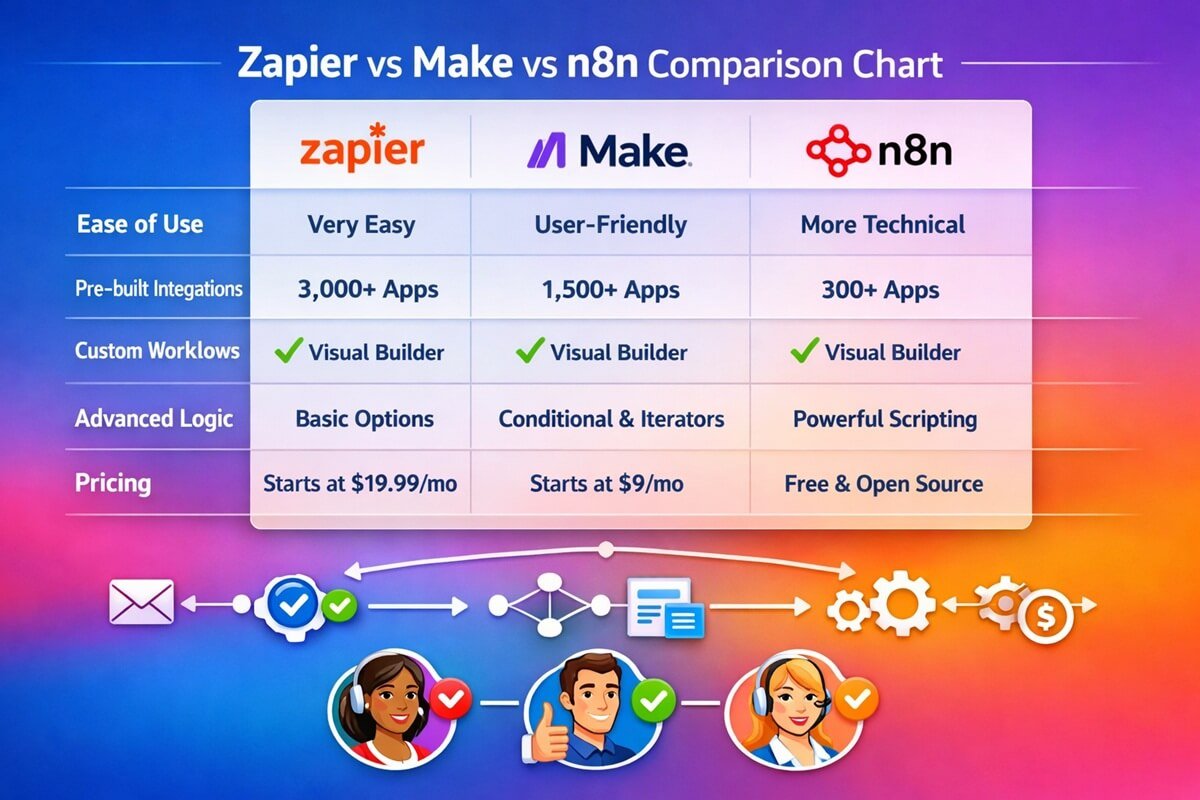
To implement AI workflow templates effectively, you need the right automation and AI ecosystem. Below are the most widely used tools powering modern AI workflows. However, if you’re evaluating platforms, see our complete guide to the AI workflow tools we recommend for different business sizes and automation needs.
1. Zapier
Zapier is one of the most popular no-code automation platforms. It connects thousands of apps and allows you to build workflows using simple triggers and actions. For a detailed breakdown of capabilities, pricing, and scalability, read our comparison of Zapier vs Make vs n8n.
Best for:
- Marketing automation
- CRM workflows
- Email automation
2. Make
Make (formerly Integromat) is a visual workflow builder that supports advanced multi-step automation.
Best for:
- Complex workflows
- Data-heavy automation
- API integrations
3. n8n
n8n is an open-source automation tool that gives full control over workflows and data. Developers interested in building advanced automations can follow our n8n AI automation workflows tutorial to create custom AI-powered systems.
Best for:
- Developers
- Self-hosted automation
- Custom AI pipelines
4. OpenAI
OpenAI provides powerful language models used for content generation, classification, summarization, and decision-making inside workflows.
Best for:
- AI text generation
- Chatbots
- Data analysis automation
5. HubSpot
HubSpot combines CRM, marketing automation, and AI tools into a single platform. Businesses evaluating CRM-driven automation often compare GoHighLevel vs HubSpot to determine which platform better fits their sales and marketing workflows.
Best for:
- Lead management
- Sales automation
- Customer lifecycle workflows
6. Asana
Asana helps teams manage workflows, tasks, and projects with automation features. If you’re choosing a project management platform, our comparison of Monday.com vs ClickUp vs Asana highlights the strengths of each solution for workflow automation.
Best for:
- Project management workflows
- Team coordination
- Task automation
7. Monday.com
Monday.com offers workflow boards and automation systems for business operations.
Best for:
- Visual workflow tracking
- Operations management
- Team productivity systems
How to Choose the Right AI Workflow Template
Not all workflows are suitable for every business. Choose based on your needs:
1. Business Size
- Small business → simple automation (Zapier, AI templates)
- Enterprise → advanced workflows (n8n, Make)
Smaller organizations can also explore our roundup of the best AI tools for small businesses to identify affordable automation solutions.
2. Budget
- Low budget → free or freemium tools
- High budget → enterprise automation platforms
3. Technical Skill
- No-code users → Zapier, Monday.com
- Developers → n8n, API-based workflows
4. Workflow Complexity
- Simple tasks → single-step automation
- Complex systems → multi-stage AI pipelines
Step-by-Step Guide to Implement AI Workflow Templates
Step 1: Identify Bottlenecks
Find repetitive tasks that consume time, such as:
- Manual data entry
- Customer support replies
- Report generation
Step 2: Map Your Current Process
Write down:
- Inputs
- Actions
- Outputs
- Decision points
This helps identify automation opportunities.
Step 3: Choose the Right Tool
Select tools based on complexity and integration needs.
Step 4: Build or Install a Template
You can either:
- Use prebuilt AI workflow templates
- Or design custom workflows
Step 5: Test the Workflow
Run test cases to ensure:
- Accuracy
- Reliability
- Proper routing
Step 6: Deploy and Monitor
Track performance using:
- Completion time
- Error rates
- ROI metrics
Step 7: Optimize Continuously
AI workflows improve over time with:
- Better prompts
- Refined logic
- Updated integrations
Common Mistakes to Avoid
1. Automating Broken Processes
If your workflow is inefficient, automation will only make it faster—not better.
2. Over-Automation
Not everything should be automated. Some tasks require human judgment.
3. Ignoring Data Quality
AI outputs are only as good as the input data.
4. No Human Oversight
Always include approval steps for sensitive operations.
5. Lack of Testing
Skipping testing leads to workflow failures in production.
Real-World Use Cases of AI Workflow Templates
Marketing Agency
- Automated content creation
- Client reporting dashboards
- Social media scheduling
SaaS Company
- Lead scoring automation
- Customer onboarding flows
- Support ticket routing
E-Commerce Business
- Order processing automation
- Inventory updates
- Customer feedback analysis
ROI of AI Workflow Templates
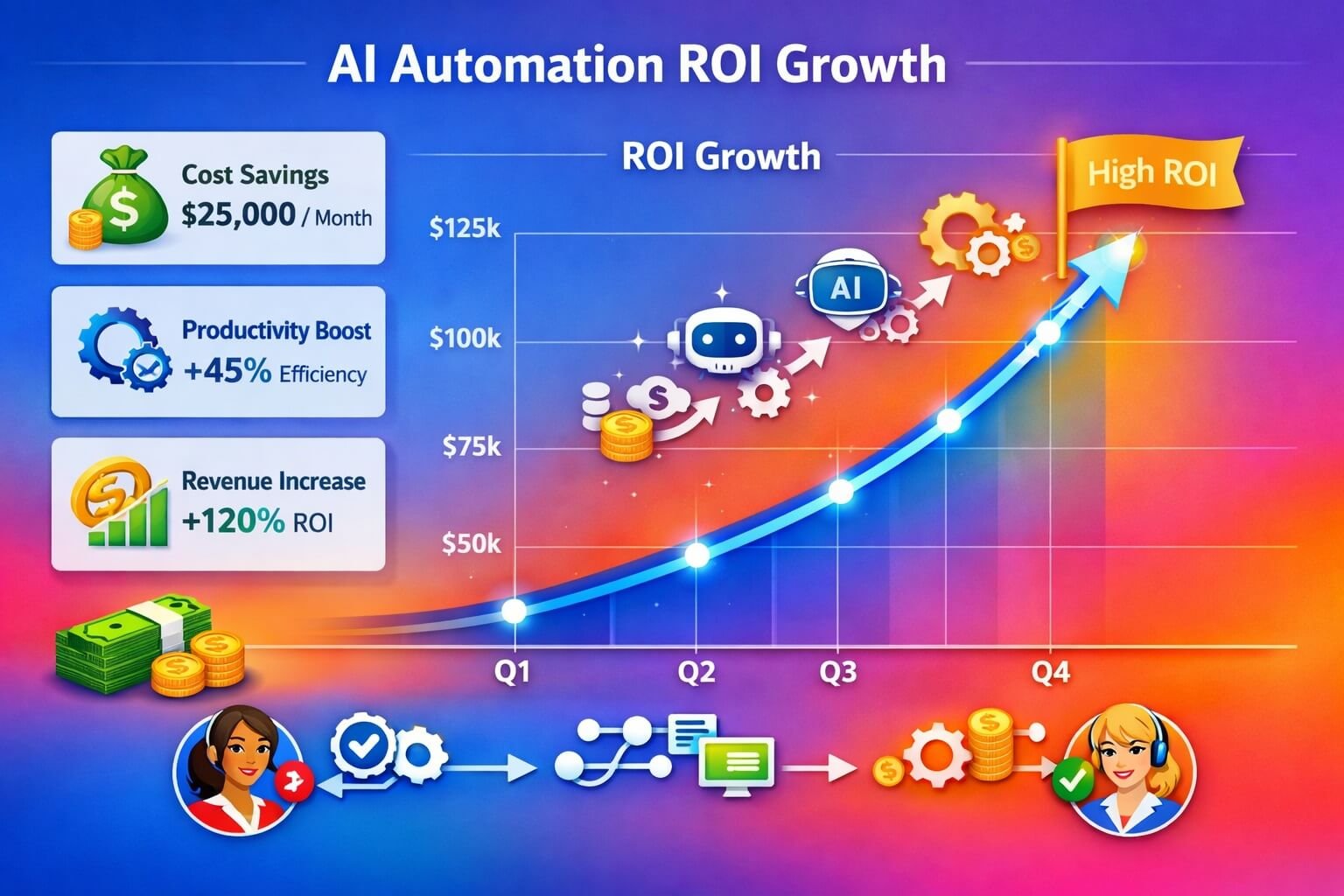
AI automation delivers measurable returns when implemented correctly.
ROI Formula:
ROI = (Time Saved + Cost Reduced – Implementation Cost) ÷ Implementation Cost × 100
Example:
- Monthly savings: $5,000
- Tool cost: $500
- ROI = 900%
Businesses often see ROI within 1–3 months of deployment.
Security and Compliance Considerations
When implementing AI workflows, ensure:
- Data encryption
- Role-based access control
- GDPR compliance
- Audit logs
- Human approval for sensitive tasks
Security becomes critical as workflows scale across departments.
Future Trends in AI Workflow Automation
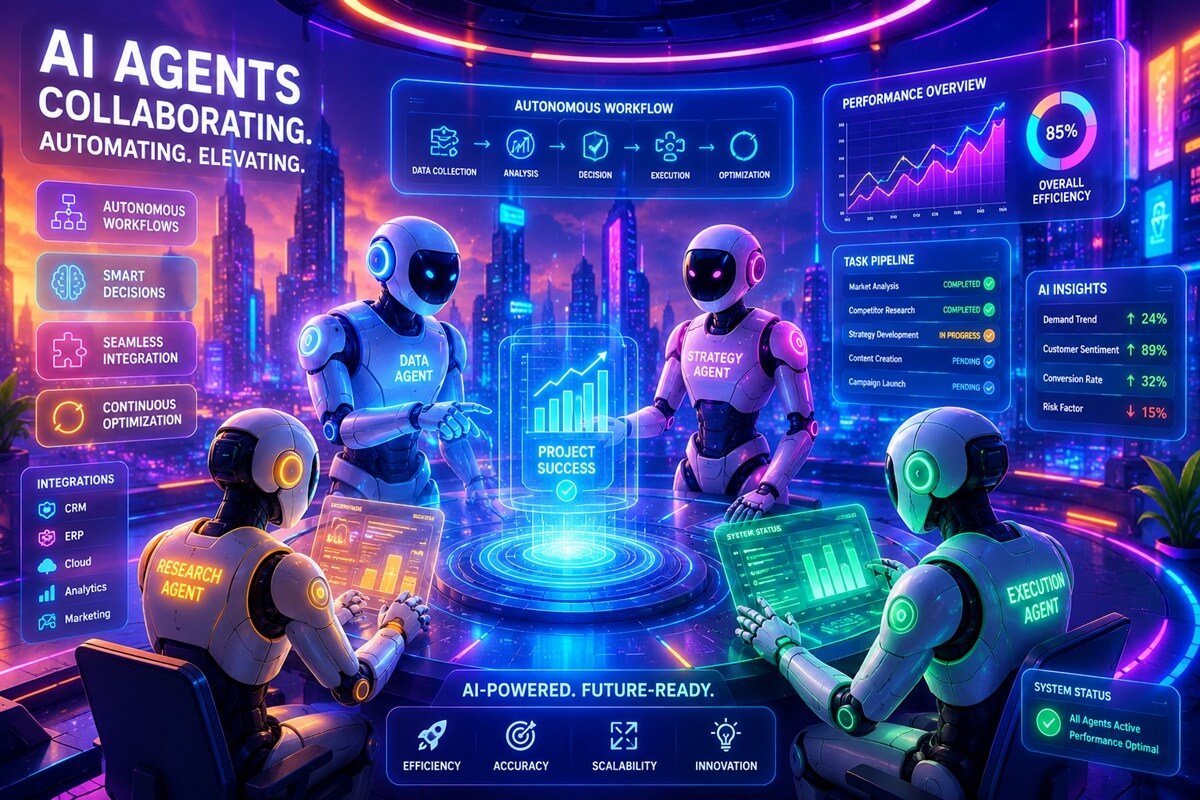
1. Autonomous AI Agents
The next generation of workflow automation will move beyond simple task execution. Autonomous AI agents will be able to analyze data, make decisions, and complete multi-step processes with minimal human intervention. For example, an AI sales agent could identify leads, send personalized outreach emails, schedule meetings, and update CRM records automatically.
2. Multi-Agent Systems
Businesses will increasingly use multiple AI agents working together across different departments. One agent may handle customer inquiries, another may generate marketing content, while a third analyzes sales performance. These collaborative systems can share information in real time, creating highly efficient end-to-end business processes.
3. No-Code AI Expansion
No-code and low-code platforms are making AI automation accessible to non-technical users. Business owners, marketers, and operations teams can build sophisticated workflows using drag-and-drop interfaces without writing code. This trend will accelerate AI adoption among small and medium-sized businesses.
4. Real-Time Decision Automation
Future AI workflows will be capable of making instant decisions based on live data. Industries such as finance, logistics, healthcare, and customer support will benefit from automated systems that react immediately to changing conditions, reducing delays and improving service quality.
5. Deep Business Integration
AI automation will become tightly integrated with business software such as CRM, ERP, HR, accounting, and project management platforms. Instead of functioning as separate tools, AI workflows will operate directly within existing systems, creating seamless automation across the organization.
6. Predictive Workflow Optimization
AI systems will not only automate tasks but also predict future needs and optimize workflows proactively. By analyzing historical data and performance trends, AI can identify bottlenecks, recommend improvements, and automatically adjust processes to maximize efficiency.
7. Industry-Specific AI Workflows
More vendors will develop specialized AI workflow templates tailored to industries such as healthcare, eCommerce, real estate, manufacturing, and legal services. These templates will help businesses deploy automation faster without building systems from scratch.
Frequently Asked Questions (FAQs)
What is an AI workflow template?
An AI workflow template is a pre-built automation framework that combines artificial intelligence and workflow automation tools to execute business processes with minimal manual effort. Templates typically include triggers, actions, AI-powered decision-making, and integrations with other software platforms.
Are AI workflow templates suitable for small businesses?
Yes. Small businesses often benefit the most because automation helps them handle repetitive tasks without expanding their workforce. AI workflows can improve efficiency, reduce operational costs, and allow teams to focus on higher-value activities.
Do I need coding skills to use AI workflow templates?
No. Most modern automation platforms provide visual builders that allow users to create workflows through drag-and-drop interfaces. While coding can unlock advanced customization, it is not required for most common use cases.
What is the best AI workflow automation tool?
The best tool depends on your goals. Zapier is known for ease of use, Make offers powerful visual automation, n8n provides greater flexibility and self-hosting options, and Monday.com excels in project and workflow management.
Can AI workflows replace employees?
AI workflows are designed to automate repetitive and time-consuming tasks rather than replace people entirely. Human oversight remains important for strategy, creativity, relationship management, and complex decision-making.
How long does it take to set up an AI workflow?
Simple workflows can be deployed in minutes using pre-built templates. More advanced automations involving multiple systems, custom integrations, and approval processes may require several days or weeks to implement and test.
Are AI workflows expensive?
Many platforms offer free plans or affordable entry-level pricing. Businesses can start with basic automations and scale gradually as their needs grow, making AI workflow automation accessible even to startups and small organizations.
Which business processes can be automated with AI?
Common examples include lead generation, email marketing, customer support, data entry, appointment scheduling, invoicing, content creation, inventory management, and employee onboarding.
How do AI workflows improve productivity?
AI workflows reduce manual work, eliminate repetitive tasks, minimize errors, and ensure processes run consistently. This allows employees to spend more time on strategic initiatives and customer-facing activities.
Are AI workflow templates secure?
Most reputable automation platforms provide enterprise-grade security features, including encryption, access controls, audit logs, and compliance certifications. Businesses should still review each platform’s security policies before deployment.
Final Thoughts
AI workflow templates are transforming how modern businesses operate. Instead of building processes from scratch, companies can now deploy ready-made automation systems that improve efficiency, reduce costs, and unlock scalable growth.
The future belongs to businesses that combine human creativity with AI-driven automation. Those who adopt early will have a significant competitive advantage in productivity, speed, and innovation.




2 Comments