10 Proven n8n AI Workflow Automation for Small Business

Small businesses don’t necessarily need dozens of separate AI tools. The bigger opportunity is connecting AI with the systems they already use so repetitive tasks can happen automatically. That’s where n8n AI workflow automation for small business can be useful.
Instead of manually copying information between forms, email, CRMs, spreadsheets, support systems, and AI tools, an automated workflow can move information between these systems, process it with AI, apply business rules, and trigger the next action.
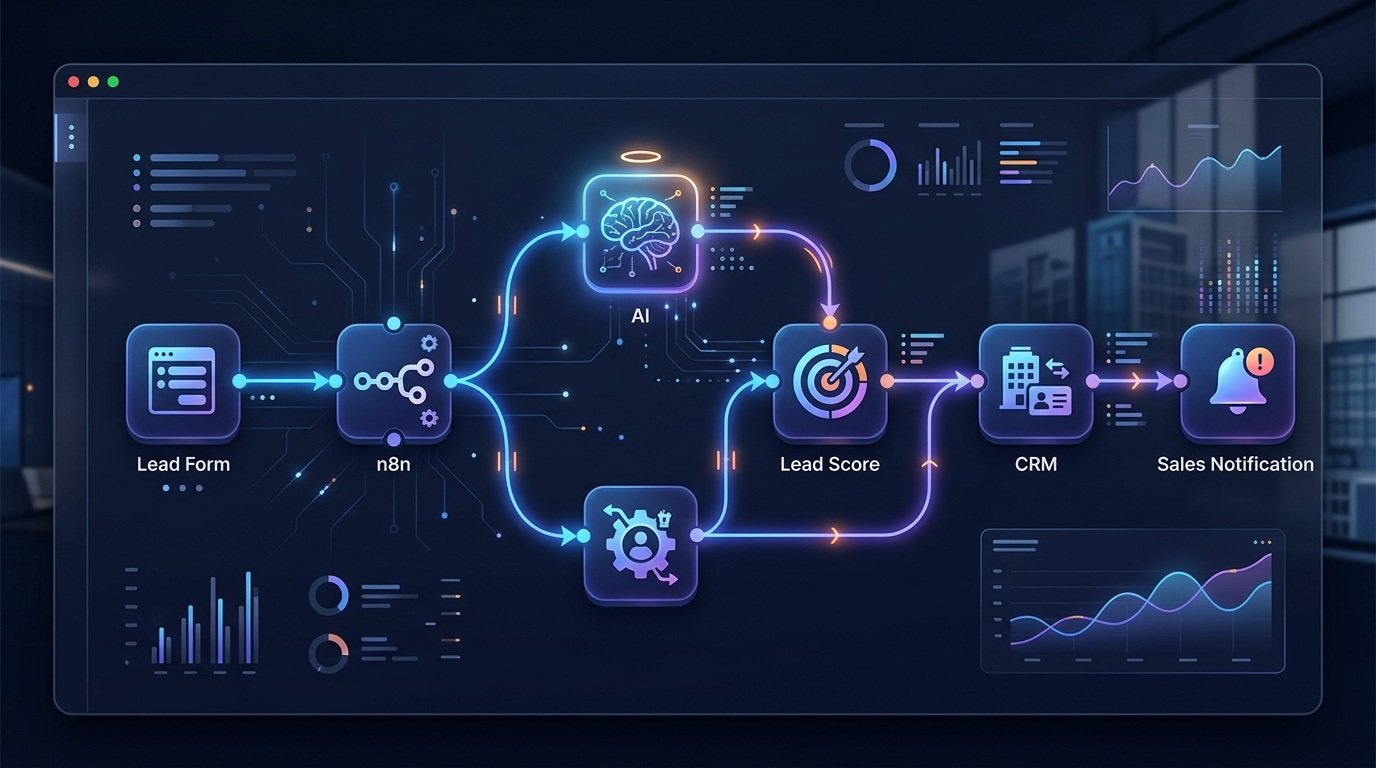
For example, a small business could receive a new lead through a website form, send the information to an AI model for qualification, calculate a lead score, add the lead to a CRM, and notify the appropriate salesperson—all as part of one workflow.
If you want to build these types of automations yourself, you can explore n8n here:
Table of Contents
What Is n8n AI Workflow Automation for Small Business?
n8n AI workflow automation combines traditional workflow automation with AI-powered processing. A typical workflow can look like this:
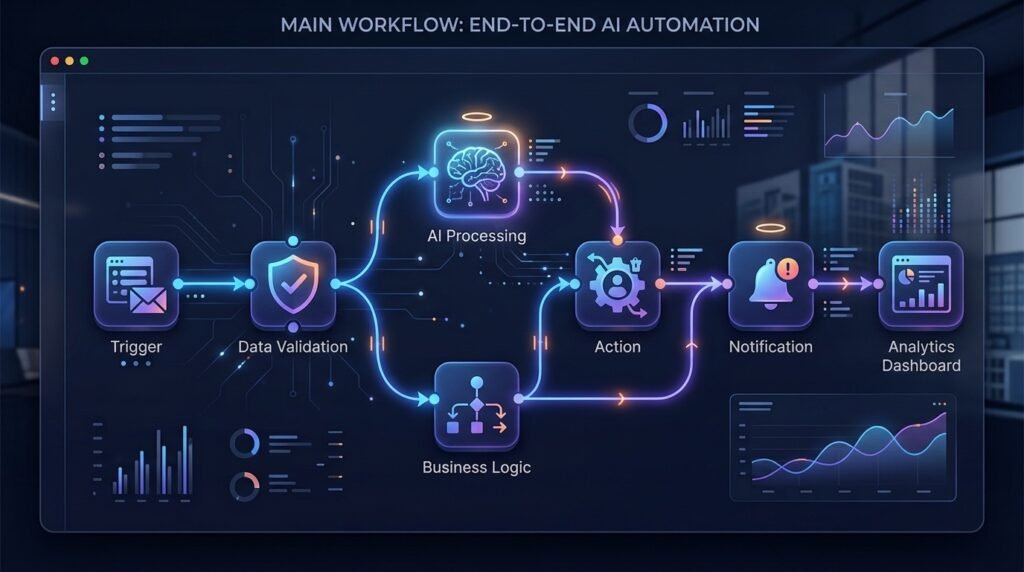
Trigger → Data Validation → AI Processing → Business Logic → Action → Notification → Tracking
The trigger could be a website form submission, new email, CRM event, uploaded document, scheduled task, or another business event. The workflow then processes the information, sends relevant data to an AI model, evaluates the result, and performs one or more actions.
For a small business, that could mean:
- Automatically qualifying new leads
- Classifying customer support requests
- Summarizing documents
- Drafting email responses
- Extracting information from invoices
- Creating follow-up tasks
- Repurposing existing content
- Updating CRM records
- Generating internal reports
- Sending notifications when specific conditions are met
The important difference is that you’re not simply using AI manually. You’re creating a repeatable business process around AI.
Why Small Businesses Are Using n8n AI Workflow Automation
Many small businesses have repetitive processes that are important but consume significant amounts of employee time. For example, an employee might need to:
- Open a new lead notification.
- Review the lead information.
- Research the company.
- Determine whether the lead is qualified.
- Enter information into a CRM.
- Assign the lead to a salesperson.
- Send a notification.
A started package n8n AI workflow can automate much of this process while leaving important decisions or approvals to a human. The same approach can work for customer support, content operations, client onboarding, document processing, sales follow-ups, and reporting.
The goal isn’t to automate everything. This tool focuses on identifying repeatable tasks where automation can reduce manual work without sacrificing accuracy or control.
10 n8n AI Workflows for Small Businesses
Here are 10 practical examples of how a small business can use AI workflow automation.
1. AI Lead Qualification Workflow
Lead qualification is one of the most practical applications for AI workflow automation. A basic workflow could look like:
Website Form → n8n → Data Validation → AI Analysis → Lead Score → CRM → Sales Notification
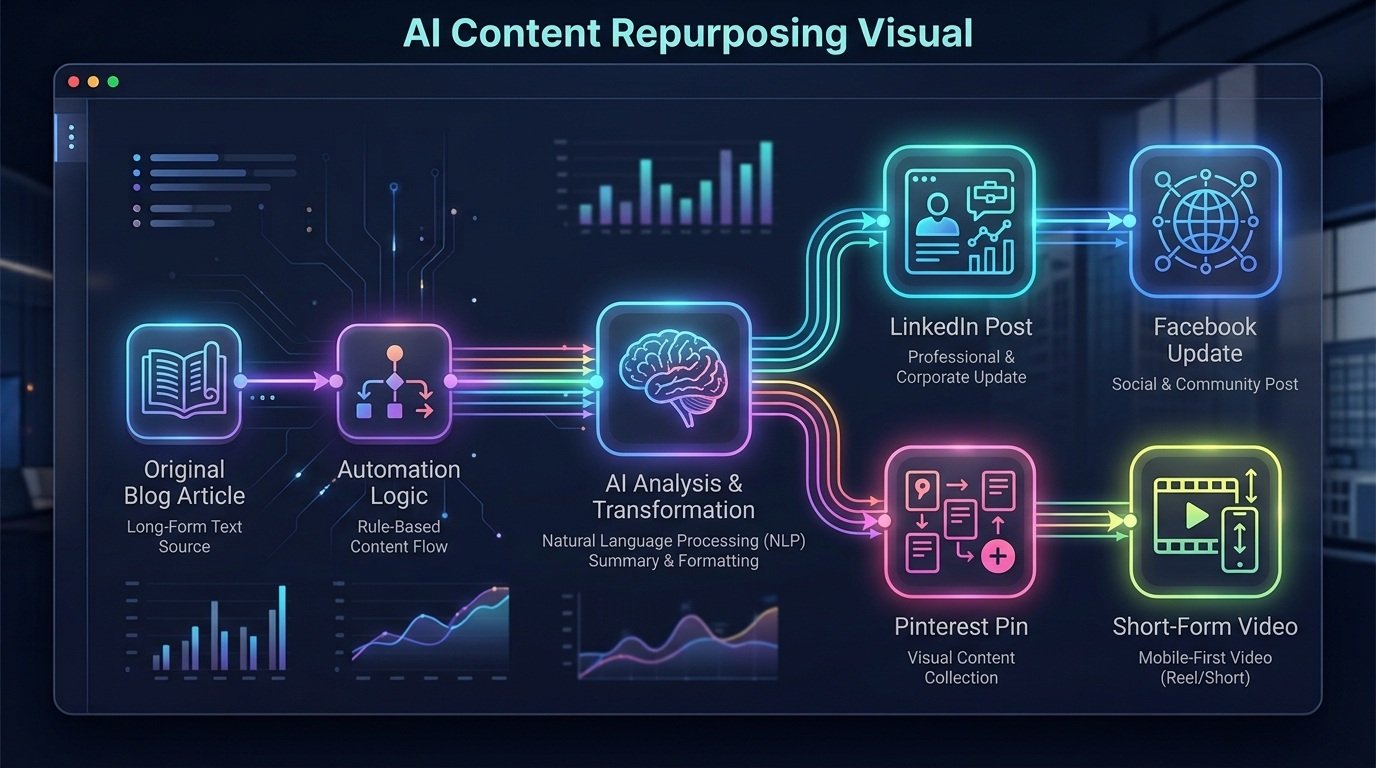
When a prospect submits a form, the workflow can collect the available information and validate the required fields. AI can then analyze information such as:
- Company size
- Industry
- Job role
- Stated requirements
- Budget information
- Buying intent
- Form responses
The workflow can assign a score or classification based on your predefined criteria. The qualified lead can then be sent to your CRM and routed to the appropriate salesperson. For a deeper look at this type of workflow, see our n8n AI Lead Qualification Workflow.
The advantage is that sales teams can spend less time manually reviewing every new submission and more time working with qualified opportunities.
2. AI Customer Support Workflow
Customer support generates large amounts of repetitive information.
An AI workflow can help classify incoming requests before they reach a support representative. A simplified workflow might be:
Customer Message → n8n → AI Classification → Knowledge Lookup → Response or Routing → CRM/Ticket System
AI could categorize a message as:
- Product question
- Billing issue
- Technical problem
- Account request
- Refund request
- Sales inquiry
- General question
Simple requests can potentially be handled automatically, while complex or sensitive requests can be routed to a human.
This approach is particularly useful when a small business receives enough customer inquiries that manually sorting every message becomes time-consuming. For businesses that want a ready-to-use example, see our AI Customer Support Automation workflow.
3. AI Content Repurposing Workflow
Small businesses often create useful content but don’t have enough time to distribute it across multiple channels. An AI content workflow can turn one source article into several pieces of marketing content.
For example:
Blog Article → n8n → AI Processing → LinkedIn Post → Facebook Post → Pinterest Description → Short-Form Content
The AI can transform the original content while following different formatting requirements for each channel. The workflow could also store the generated content in a spreadsheet, database, content management system, or another destination for review.
This can be useful for businesses that already produce blog posts, newsletters, guides, case studies, or other long-form content.
For a ready-to-import example, see the WorkflowAISuite AI Content Repurposing Workflow.
4. AI Email Triage and Response Workflow
Email can become a major source of repetitive work. An AI-powered workflow can analyze incoming messages and determine what type of request has arrived.
For example:
Incoming Email → n8n → AI Classification → Extract Information → Determine Priority → Draft Response or Route
Messages can potentially be classified into categories such as:
- Sales
- Customer support
- Billing
- Partnership
- General inquiry
- Internal request
For low-risk requests, the workflow could prepare a response draft. For important customer or financial communications, the workflow can instead send the draft to a human for approval. This creates a balance between automation and human oversight.
5. AI Document Processing Workflow
Small businesses frequently work with documents such as forms, invoices, applications, contracts, reports, and customer submissions. Instead of manually transferring information from each document into another system, an automated workflow can extract and structure the information.
A simplified process looks like:
Document Upload → n8n → Text/Data Extraction → AI Processing → Validation → Database/CRM
For example, a workflow could extract:
- Customer name
- Company
- Invoice number
- Date
- Amount
- Product information
- Contact details
The structured information can then be sent to another business application. AI can also help classify documents or identify missing information. However, important financial, legal, or compliance-related information should still receive appropriate human review before an automated action is finalized.
6. AI Client Onboarding Workflow
Client onboarding often involves several repetitive steps. A small agency or consulting business might need to:
- Collect client information
- Review an intake form
- Create a CRM record
- Create project tasks
- Send a welcome email
- Notify the appropriate team member
- Summarize the client’s requirements
An automated workflow could connect these steps:
Client Intake Form → n8n → Data Validation → AI Summary → CRM → Project Tasks → Welcome Email → Team Notification
AI can create a concise summary of the client’s requirements so employees don’t have to read through multiple form responses before starting the project. This can make onboarding more consistent while reducing administrative work.
7. AI Sales Follow-Up Workflow
Lead qualification and sales follow-up are related, but they serve different purposes. Lead qualification determines whether a lead meets your criteria. Sales follow-up focuses on what should happen next after an opportunity has already entered the sales process.
A workflow might look like:
CRM Event → n8n → AI Analysis → Follow-Up Recommendation → Email Draft → Approval → CRM Update
The AI could analyze available CRM information and prepare a personalized follow-up draft based on the prospect’s previous interactions. A human can then review the message before it is sent. This is particularly useful for businesses that have many opportunities but limited sales resources.
8. AI Meeting-to-Task Workflow
Meetings often produce useful information that gets lost after the meeting ends. An automation can turn meeting information into structured tasks.
For example:
Meeting Transcript → n8n → AI Summary → Action Items → Task System → CRM
AI can identify:
- Key discussion points
- Decisions
- Action items
- Responsible team members
- Deadlines
- Follow-up requirements
The resulting information can then be sent to the appropriate project management or CRM system. This turns meeting information into actionable work instead of leaving it buried inside a transcript.
9. AI Invoice and Data Extraction Workflow
Invoices and other structured documents can also be processed automatically. A basic workflow could be:
Invoice → n8n → Data Extraction → AI Validation → Structured Record → Accounting/Database System
The workflow could extract information such as:
- Vendor
- Invoice number
- Date
- Line items
- Tax
- Total amount
- Payment information
AI can help identify inconsistencies or missing fields, while business rules can determine whether the invoice should be routed for additional review. For financial information, automated workflows should include validation and appropriate human oversight rather than blindly approving every result.
10. AI Business Reporting Workflow
Small businesses often have information spread across multiple systems. An AI reporting workflow can bring that information together.
For example:
Business Data → n8n → Data Aggregation → AI Analysis → Report → Email/Team Notification
A workflow could combine information from sales, marketing, customer support, or operational systems and generate a summary for management review.
The AI layer can help explain trends or summarize large amounts of information. The final report can then be delivered automatically on a daily, weekly, or monthly schedule. This can reduce the need to manually gather information from several different applications.
How n8n AI Workflows Work
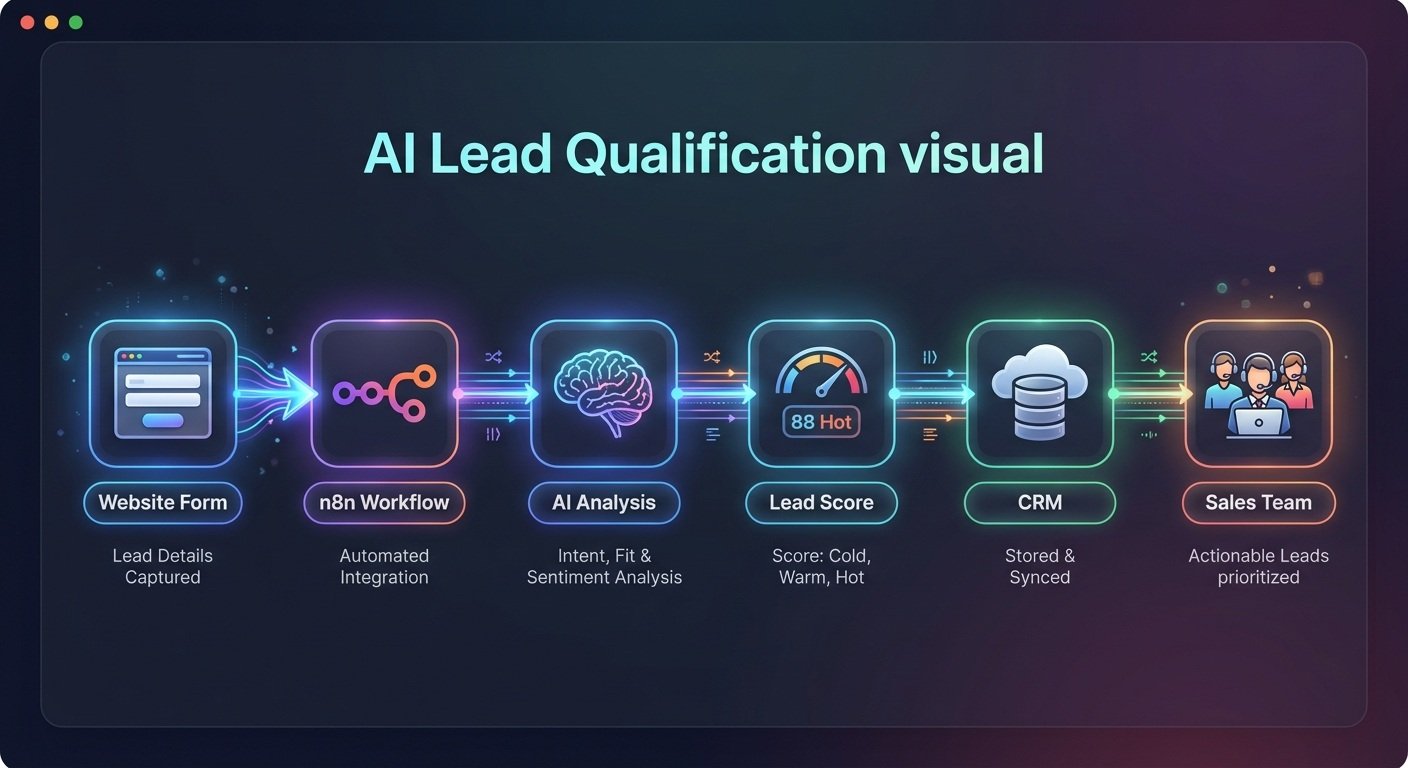
Although individual workflows can be very different, many follow the same basic architecture.
1. Trigger
Something starts the workflow.
Examples include:
- Form submission
- New email
- Scheduled event
- CRM update
- Uploaded file
- Webhook
- New database record
2. Data Validation
The workflow checks whether the information is complete and usable. This step is important because sending incomplete or incorrect data to an AI model can produce unreliable results.
3. AI Processing
Relevant information is sent to an AI model for a specific task. That could include:
- Classification
- Summarization
- Extraction
- Drafting
- Categorization
- Analysis
4. Business Logic
The workflow determines what should happen next.
For example:
If lead score ≥ threshold → sales team
If support request = billing → billing team
If document is missing required information → human review
This is where automation becomes a business process rather than simply an AI prompt.
5. Action
The workflow performs the next task.
It could:
- Create a CRM record
- Send an email
- Update a database
- Create a task
- Send a notification
- Store information
6. Tracking and Error Handling
A reliable workflow should also account for failures.
Consider adding:
- Error notifications
- Logging
- Retry handling
- Validation
- Human approval steps
- Time-saved tracking
These elements become especially important as workflows move from experiments into real business operations.
n8n vs. Traditional AI Tools for Small Businesses
An AI chatbot and an AI workflow are not necessarily the same thing.
| Traditional AI Tool | n8n AI Workflow |
| User generally starts the interaction | Workflow can start from an event |
| Often focused on one task | Can connect multiple business processes |
| Manual copy and paste may be required | Information can move automatically |
| User requests an output | Workflow can process data automatically |
| Limited process orchestration | Can include triggers, logic, integrations, and actions |
| Output may require manual action | Output can trigger another business step |
This doesn’t mean one approach replaces the other. A small business can use AI chat tools for individual tasks while using workflow automation for repetitive processes that involve multiple applications.
How Much Does AI Workflow Automation Cost?
The cost of an AI workflow depends on what you’re automating and which services the workflow uses. Potential costs can include:
- Automation platform costs
- AI model/API usage
- Connected software
- Database or hosting costs
- Initial workflow development
- Ongoing maintenance
- Monitoring and troubleshooting
A simple workflow that processes a small number of tasks may have very different costs from a complex system processing thousands of events. Before building a workflow, estimate:
Monthly tasks × cost per task + platform costs + maintenance
You should also compare those costs with the amount of manual work the workflow can reduce.
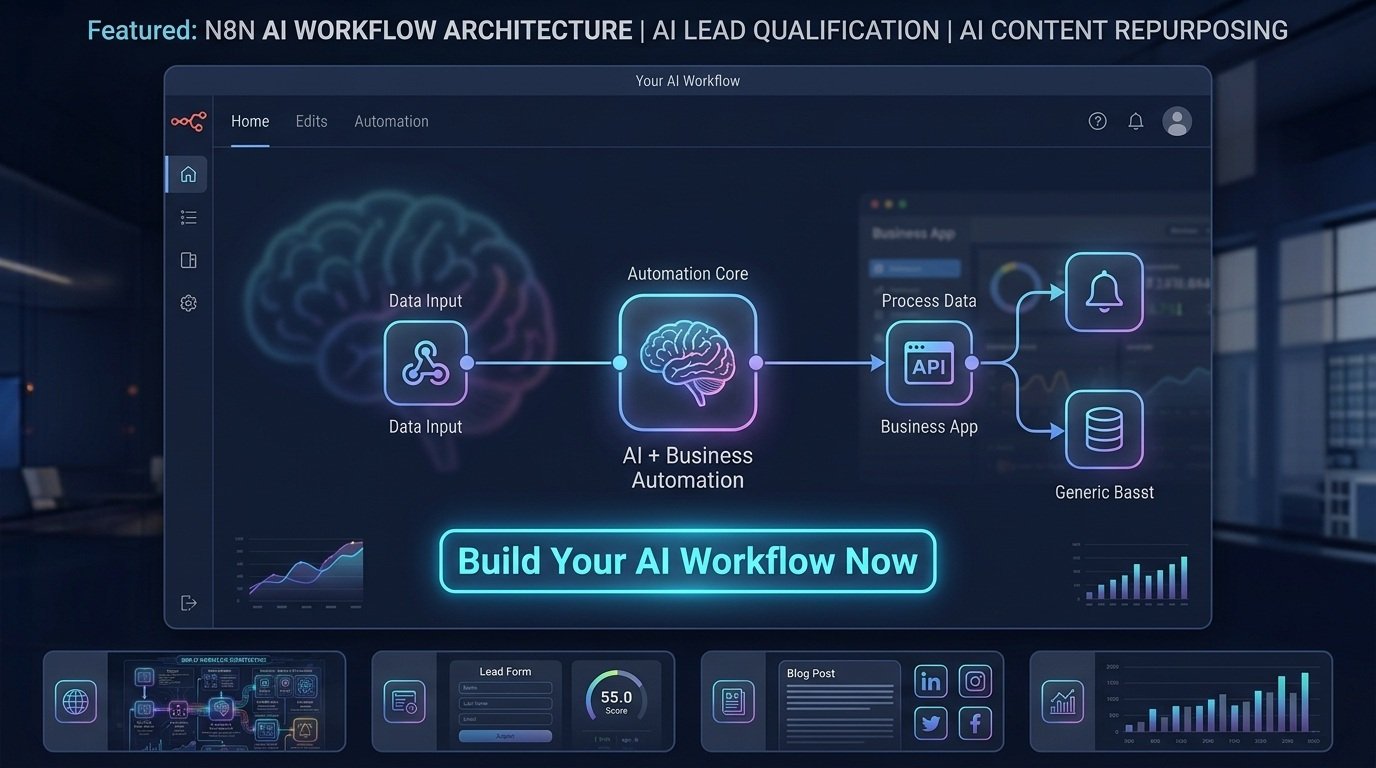
Ready to Build Your Own n8n AI Workflows?
If you’ve identified repetitive tasks in your business, n8n can provide a way to connect AI models with the applications and processes you already use.
Instead of automating your entire business, start with one process. A good first workflow is usually repetitive, predictable, measurable, and relatively low-risk.
How to Choose the Right AI Workflow for Your Business
Not every business process is a good candidate for automation. Look for tasks that:
Happen frequently
If employees perform the same process dozens or hundreds of times, automation may have a greater impact.
Follow predictable steps
Processes with clearly defined inputs, rules, and outputs are generally easier to automate.
Involve structured information
Forms, CRM records, emails, documents, and database records can provide useful workflow inputs.
Consume employee time
If employees repeatedly copy information between systems, that process may be worth examining.
Have measurable outcomes
You should be able to determine whether the automation is actually helping.
Useful measurements include:
- Time saved
- Number of tasks processed
- Error rate
- Response time
- Leads processed
- Customer requests handled
- Manual steps eliminated
Best Small Business Tasks to Automate With n8n
The following tasks can be good candidates for workflow automation:
| Business Task | AI Useful? | Automation Potential |
| Lead qualification | Yes | High |
| Customer support classification | Yes | High |
| Content repurposing | Yes | High |
| Data entry | Sometimes | High |
| Document extraction | Yes | High |
| Email classification | Yes | High |
| Client onboarding | Yes | High |
| Sales follow-up preparation | Yes | Medium–High |
| Meeting summaries | Yes | High |
| Financial decisions | Limited | Requires human review |
The goal isn’t to remove humans from every process. Instead, use automation to handle repetitive work while keeping people involved where judgment, accountability, or verification is important.
How to Build Your First n8n AI Workflow
If you’re new to workflow automation, start with a small process.
Step 1: Identify one repetitive task
Choose something employees already perform regularly.
Step 2: Define the trigger
Determine exactly what starts the process.
Step 3: Identify the required information
List the data the workflow needs before it can make a decision.
Step 4: Define the AI task
Be specific about what AI needs to do.
For example:
Classify this customer request into one of five categories.
is more useful than:
Analyze this customer.
Step 5: Add business rules
Define what happens for each possible result.
Step 6: Connect the destination
Send the result to the CRM, database, email system, task manager, or other application.
Step 7: Test edge cases
Don’t only test the workflow with perfect data.
Test:
- Missing information
- Unexpected responses
- Duplicate records
- API failures
- Incorrect AI classifications
- Empty fields
- Invalid data
This is one of the most important steps when moving an AI workflow from an experiment to a real business process.
Common Mistakes When Automating Small Business Workflows
Automating a Bad Process
Automation doesn’t automatically fix an inefficient process.
First simplify the process, then automate it.
Skipping Data Validation
Bad input can produce bad output.
Validate important information before sending it to the next step.
Having No Error Notifications
A workflow that silently fails can create bigger problems than the manual process it replaced. Add appropriate error handling and notifications.
Automating Sensitive Decisions Without Review
AI-generated results can be useful, but important financial, legal, employment, or customer decisions may require human review.
Ignoring API and Usage Limits
Connected applications and AI services can have their own limits, pricing structures, or technical requirements. Build workflows with those constraints in mind.
Not Measuring Results
If you don’t measure time saved, error rates, or processing volume, it becomes difficult to determine whether the automation is actually useful.
Frequently Asked Questions
What is n8n AI workflow automation?
n8n AI workflow automation uses automated workflows to connect AI processing with business applications and processes. A workflow can receive information, send selected data to an AI model, apply business logic, and trigger actions in connected systems.
Can small businesses use n8n for AI automation?
Yes. Small businesses can use workflow automation for repetitive processes such as lead qualification, customer support, document processing, content operations, client onboarding, and reporting. The best starting point is usually a narrowly defined process with clear inputs and outputs.
What tasks can n8n automate?
n8n can be used to automate workflows involving triggers, data processing, application integrations, conditional logic, notifications, and other actions. AI can be added when tasks require classification, extraction, summarization, drafting, or analysis.
Can n8n connect AI models to a CRM?
Yes. A workflow can be designed to process information with AI and then pass the resulting information into a connected CRM or another business system, depending on the available integration and workflow design.
Is n8n suitable for small businesses?
It can be useful for small businesses that need to connect multiple applications and automate repeatable processes. Whether it is appropriate depends on the business’s technical requirements, workflow complexity, budget, and willingness to maintain automations.
What AI models can n8n connect to?
The available options depend on the integrations and configuration being used. AI workflows can connect automation logic with supported AI services and other applications.
How much does AI workflow automation cost?
There isn’t one fixed cost. Expenses can include the automation platform, AI usage, connected applications, development, and maintenance. The appropriate way to evaluate a workflow is to compare its total cost with the time, errors, and manual work it can reduce.
Do AI workflows require human approval?
Not always. Simple, low-risk processes may be suitable for greater automation. For sensitive or high-impact decisions, a human review step can provide additional control before the workflow takes an irreversible action.
Final Thoughts
AI automation becomes much more useful when it is connected to an actual business process. Instead of asking employees to manually move information between applications, a small business can design workflows that collect information, validate it, use AI where appropriate, apply predefined rules, and trigger the next step automatically.
n8n can serve as the workflow layer connecting these different parts of the process. The best place to start isn’t with the most complicated automation. Start with one repetitive process, define exactly what should happen, build the workflow, test it with real-world edge cases, and measure the results.
Once that workflow is reliable, you can decide whether other repetitive processes are worth automating.
“Affiliate disclosure: This article contains an affiliate link. If you sign up or make a purchase through the link, we may earn a commission at no additional cost to you.“