Zapier vs Make vs n8n (2026): Which AI Tool Is Best for You?

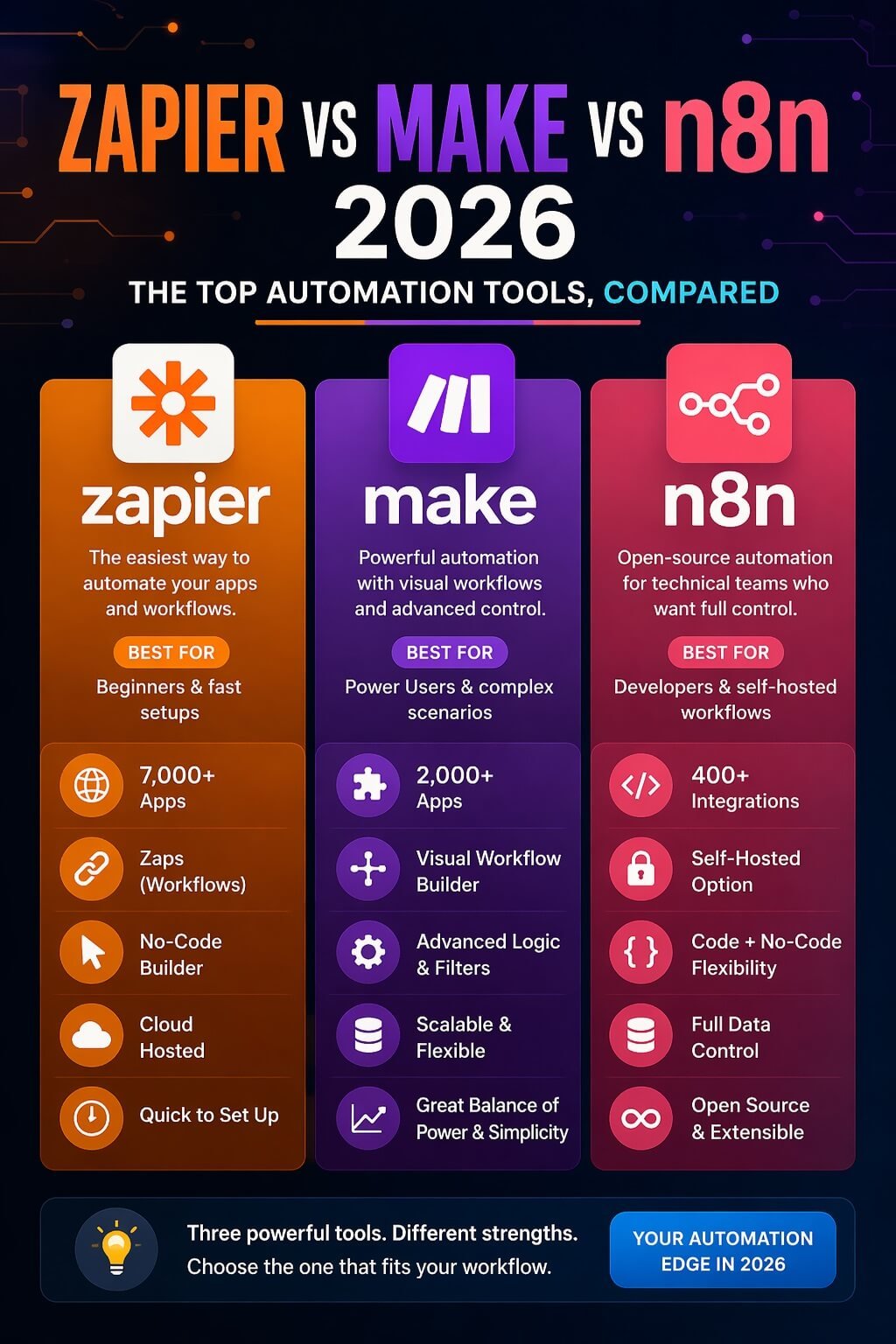
In 2026, choosing the right workflow automation platform is more important than ever for businesses looking to save time, eliminate repetitive tasks, and scale operations efficiently. Zapier, Make, and n8n are three of the leading automation tools, but each excels in different areas—from ease of use and app integrations to advanced workflows, AI automation, and self-hosting. Whether you’re comparing Zapier vs Make, Make vs n8n, or n8n vs Zapier, understanding their strengths and limitations is essential before investing in an automation platform.
In this in-depth Zapier vs Make vs n8n comparison, you’ll discover how these workflow automation tools compare in practical experiment business scenarios, including pricing, integrations, workflow flexibility, AI capabilities, and scalability. We’ll help you determine which platform is best for beginners, small businesses, growing teams, and developers so you can confidently choose the right automation solution for your needs.
This Guide will cover:
⚡ Zapier vs Make vs n8n — Quick Comparison
| Feature | Zapier | Make (Integromat) | n8n |
| Ease of Use | ⭐⭐⭐⭐⭐ (Very easy) | ⭐⭐⭐⭐ (Moderate) | ⭐⭐⭐ (Technical) |
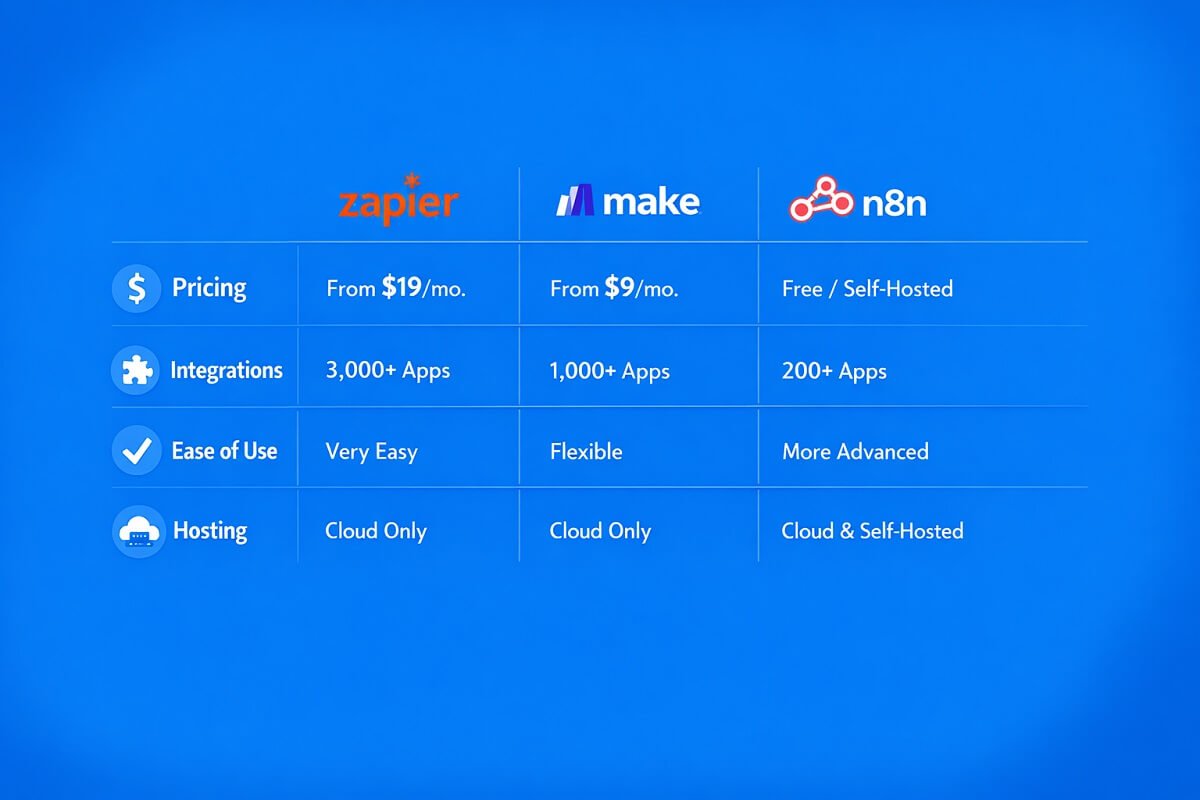
| Pricing | Expensive | Affordable | Free + Hosting cost |
| Integrations | 6000+ apps | 1500+ apps | 1000+ (API-based) |
| Flexibility | Limited | High | Very high |
| Hosting | Cloud | Cloud | Self-hosted + Cloud |
| Best For | Beginners | Advanced users | Developers & control lovers |
If you’re still evaluating different AI workflow automation tools, this comparison will help you understand which platform delivers the best balance of usability, flexibility, pricing, and scalability for your specific business needs.
🔍 What Are Zapier, Make, and n8n?
What is Zapier?
Zapier is a beginner-friendly automation tool. Zapier offers over 6,000 integrations, covering apps like Gmail, Slack, and CRMs. It connects apps like Gmail, Slack, and CRMs using simple “if-this-then-that” workflows. You don’t need coding skills. It’s fast to set up and widely used by marketers and small businesses.
What is Make (formerly Integromat)?
Make is a visual automation platform. It uses a drag-and-drop builder where you can design complex workflows. It gives more control than Zapier and handles multi-step logic better. For advanced multi-step workflows, Make’s visual builder is ideal.
What is n8n?
n8n is an open-source automation tool. You can self-host it or use their cloud version. It’s highly flexible and developer-friendly. If you want full control over your data and workflows, n8n stands out.
🎯 Who Should Choose Which Tool?
If you’re short on time, here’s a quick recommendation based on your goals:
| If you want to… | Best Choice | Why It Wins |
|---|---|---|
| Get started with automation quickly | Zapier | The easiest platform to learn with thousands of ready-made app integrations and a beginner-friendly interface. |
| Build advanced multi-step workflows | Make | Offers powerful visual workflow building, routers, filters, and complex automation logic. |
| Save money on automation | n8n | Free to self-host and highly cost-effective for businesses with technical expertise. |
| Create AI-powered workflows | n8n or Make | Both support advanced AI integrations, APIs, and custom automation with OpenAI, Claude, Gemini, and other AI models. |
| Connect the largest number of apps | Zapier | Provides the broadest integration library for connecting business applications. |
| Automate a growing small business | Make | Balances affordability, flexibility, and scalability for growing teams. |
| Self-host your automation platform | n8n | Offers complete control over your data, infrastructure, and workflow execution. |
| Need enterprise-ready reliability | Zapier | Provides a mature cloud platform with extensive integrations, security, and documentation. |
| Customize workflows with code | n8n | Supports JavaScript, API calls, custom nodes, and advanced developer workflows. |
| Get the best overall value | Make | Combines powerful automation features with competitive pricing, making it the best overall choice for most businesses. |
Quick Recommendation: Choose Zapier if you value simplicity, Make if you want the best balance of power and affordability, and n8n if you need maximum flexibility, AI automation, or self-hosting.
⚔️ Feature Comparison (Deep Dive)
Ease of Use (Make vs Zapier vs n8n)
- Zapier is the easiest. You can build workflows in minutes.
- Make has a learning curve, but becomes powerful once you understand it.
- n8n requires technical knowledge. Not beginner-friendly.
If you’re just starting, Zapier wins.
Integrations & Apps
- Zapier: 6000+ integrations. Best coverage.
- Make: Fewer apps but strong API support.
- n8n: Growing library. Can connect almost anything via API.
If you rely on many tools, Zapier is the safest choice.
Workflow Flexibility
- Zapier: Limited logic. Simple workflows.
- Make: Advanced logic, routers, filters.
- n8n: Unlimited flexibility. Full control.
For complex workflows, Make and n8n dominate.
Pricing Comparison
- Zapier: Expensive. Costs increase quickly with usage.
- Make: More affordable. Better value for heavy users.
- n8n: Free if self-hosted. Only pay for hosting.
Looking for a cheap Zapier alternative? Make and n8n are strong options.
Hosting (Cloud vs Self-Hosted)
- Zapier: Fully cloud-based.
- Make: Cloud-based.
- n8n: Self-hosted or cloud.
If privacy and control matter, n8n is unmatched.
💰 Pricing Breakdown — Which One Is Cheapest?
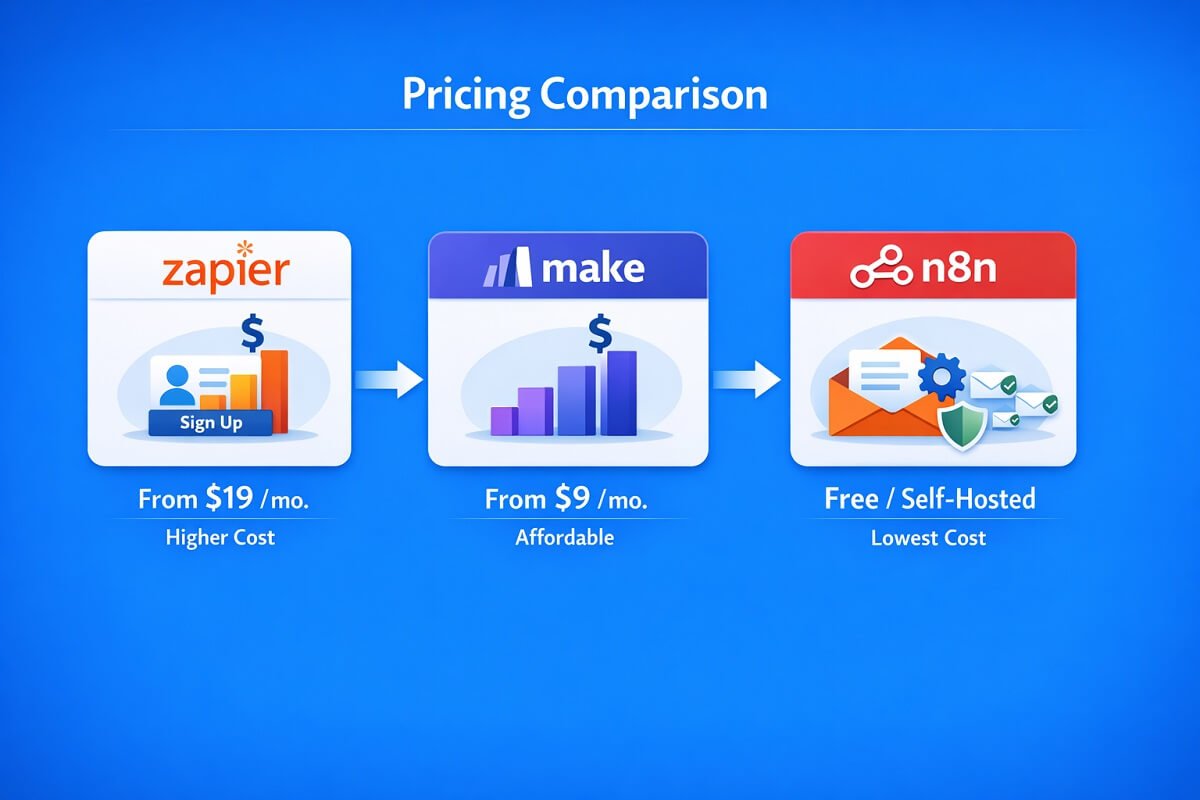
Zapier Pricing
- Free plan with limits
- Paid plans scale quickly
- Best for light users
Make Pricing
- Free plan available
- Paid plans are flexible
- Cheaper for high-volume automation
n8n Pricing
- Free if self-hosted
- Cloud version available
- Hosting cost depends on your setup
👉 Winner: n8n (lowest cost), then Make, then Zapier.
🎯 Use Case Comparison
Best for Beginners – Winner: Zapier
Zapier is perfect for users new to automation. Its simple, intuitive interface allows fast setup without any technical skills. You can connect apps, create workflows, and start automating tasks within minutes. For small teams or individuals looking to save time on repetitive tasks, Zapier provides a low-friction entry point into workflow automation.
Best for Advanced Automation – Winner: Make
Make stands out for advanced users who need complex workflows. Its visual builder allows you to design multi-step processes with conditional logic, data transformations, and integrations. Small businesses benefit from Make’s balance of affordability and features.
“Make is ideal for teams that require automation beyond basic app connections, providing flexibility and power to optimize operations efficiently.”
Best for Developers & Open Source – Winner: n8n
n8n offers full control for developers and technical users. With self-hosting options, custom code execution, and open-source flexibility, n8n is perfect for businesses that need tailored automation solutions. Developers can implement advanced logic, integrate internal systems, and maintain complete control over data flow.
Best for Small Businesses – Winner: Make
Small businesses benefit from Make’s balance of affordability and features. It allows teams to scale workflows without incurring high costs, supports multi-step automations, and integrates with essential business apps. This makes Make a reliable choice for growing companies aiming to improve efficiency while staying within budget.
🧪 Real-World Workflow Examples
Lead Generation Automation
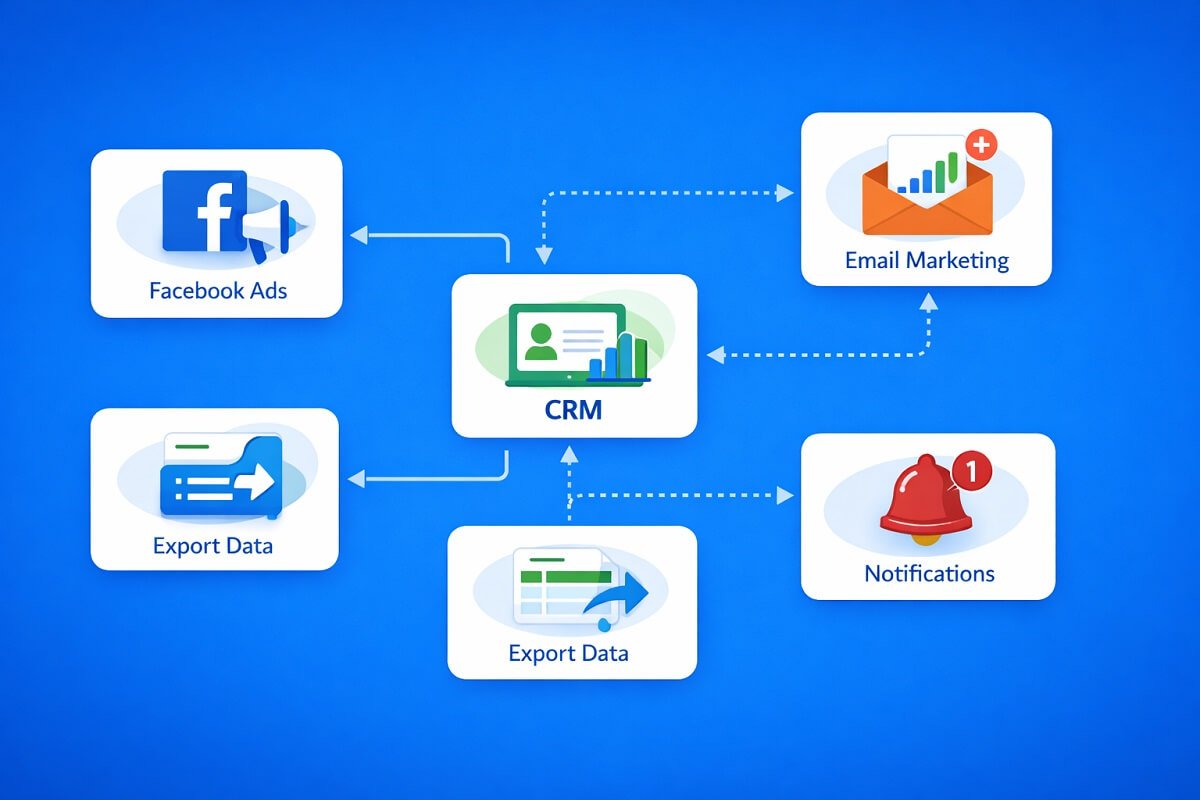
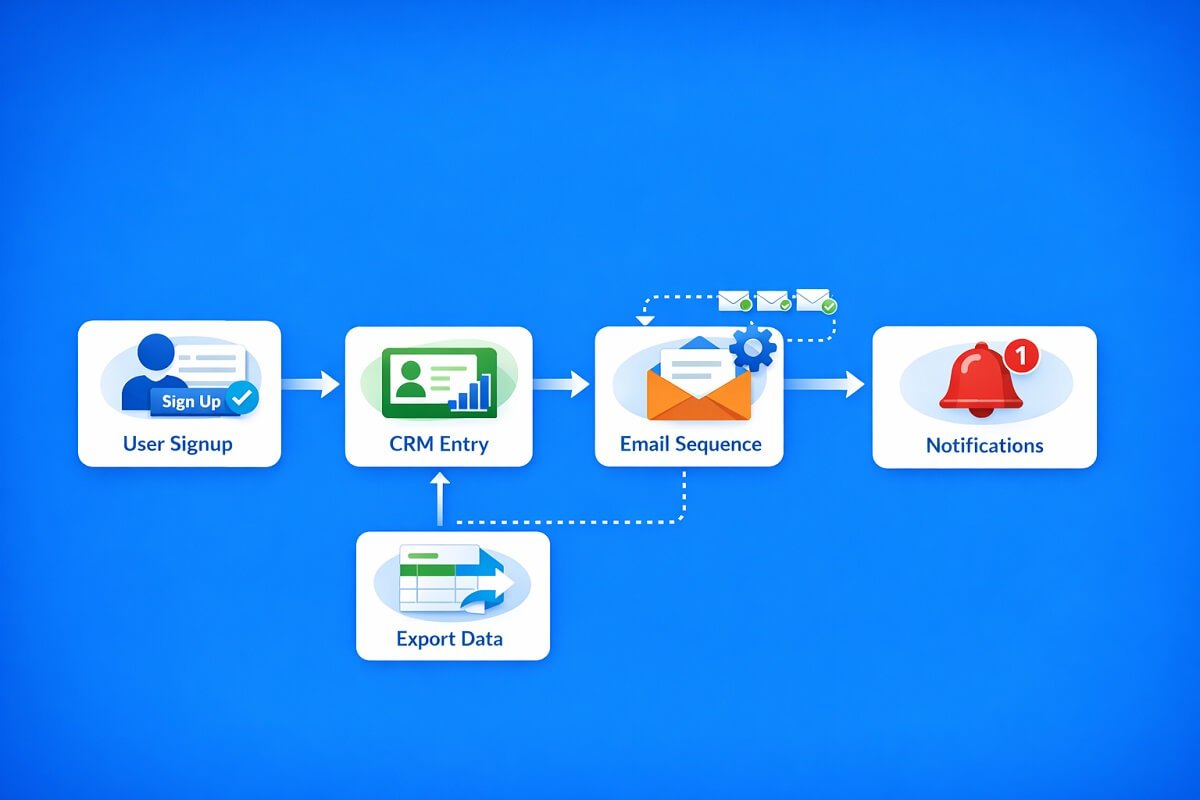
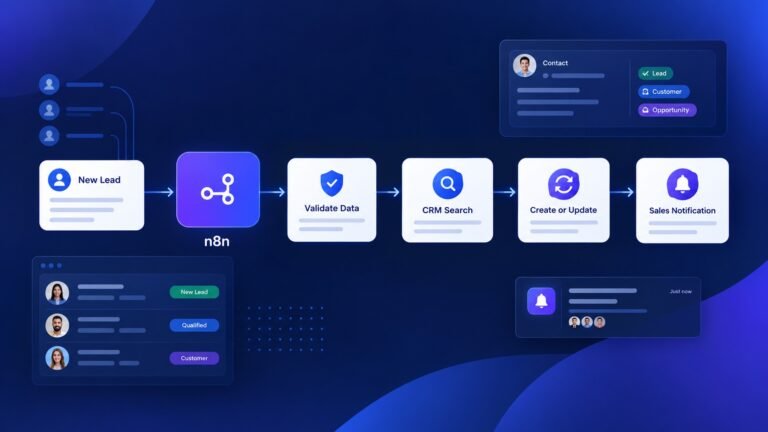
- Capture leads from Facebook Ads or website forms, qualify them automatically using AI SDR services, and send high-quality prospects directly into your CRM.
- Automatically send leads to your CRM
- Trigger follow-up emails or notifications
Performance: Zapier is easiest for quick setups, while Make allows highly customizable lead pipelines. n8n gives full control if you want custom handling of data.
CRM Automation
- Assign leads to team members automatically
- Update deal stages in real-time
- Send notifications and reminders
Performance: Make excels for multi-step workflows with complex logic. Zapier handles simpler processes well, while n8n allows deep customization for technical teams. Businesses can further streamline their sales pipeline by combining automation with proven sales workflow templates that standardize follow-ups, lead routing, and customer handoffs.
Email Marketing Automation
- Add users to mailing lists automatically
- Trigger targeted campaigns based on behavior
- Segment audiences for personalized messaging
Performance: All three platforms work effectively, but n8n provides complete control over campaign logic, making it ideal for businesses with advanced marketing needs.
Here’s a comparison table Real-World Workflow Examples:
| Use Case / Workflow | Best Platform | Key Features | Ease of Use | Customization | Ideal Users |
| Beginners / Simple Automation | Zapier | Drag-and-drop interface, pre-built integrations, quick setup | ⭐⭐⭐⭐⭐ | Limited | Small teams, individuals, non-technical users |
| Advanced Automation / Complex Workflows | Make | Visual builder, conditional logic, multi-step workflows | ⭐⭐⭐⭐ | High | Teams needing scalable, advanced automation |
| Developers / Open Source / Self-Hosting | n8n | Custom code, API access, full data control, self-host option | ⭐⭐⭐ | Very High | Developers, technical teams, businesses requiring full control |
| Small Business Automation | Make | Balanced pricing, multi-app integrations, scalable workflows | ⭐⭐⭐⭐ | High | Growing businesses aiming to automate efficiently |
| Lead Generation Automation | Zapier | Facebook Ads & form integrations, CRM sync, email triggers | ⭐⭐⭐⭐⭐ | Medium | Marketing teams, small businesses needing fast setup |
| CRM Automation | Make | Auto-assignment, deal stage updates, notifications | ⭐⭐⭐⭐ | High | Sales teams handling multi-step processes |
| Email Marketing Automation | n8n | Audience segmentation, custom campaign triggers, full logic control | ⭐⭐⭐ | Very High | Marketing teams with technical capabilities |
If you’re looking for ready-to-use automation ideas, explore these AI workflow templates to accelerate implementation without building every workflow from scratch.
🔮 Future-Proofing Your Automation Stack: AI Agents, MCP & LLM Workflows
Workflow automation is evolving beyond simple app-to-app connections. In 2026, businesses are increasingly building intelligent systems where AI can understand requests, retrieve information, make decisions, and complete tasks with minimal human intervention. Instead of automating a single task, modern workflows combine AI models, business applications, APIs, and knowledge sources into a connected automation ecosystem.
As AI continues to advance, businesses should look beyond today’s features and consider whether their automation strategy can support emerging technologies over the next several years.
| Emerging Technology | Why It Matters |
|---|---|
| AI Agents | Perform multi-step tasks by reasoning, planning, and interacting with multiple business tools. |
| Large Language Models (LLMs) | Power intelligent content generation, summarization, data extraction, and decision support. |
| Model Context Protocol (MCP) | Allows AI assistants to securely access external tools, APIs, documents, and databases. |
| Vector Databases | Enable semantic search and Retrieval-Augmented Generation (RAG) for AI-powered knowledge retrieval. |
| Self-Hosted AI | Provides greater privacy, compliance, customization, and long-term control over AI infrastructure. |
AI Agents Are Transforming Business Automation
Traditional workflow automation follows predefined rules such as triggering an email after a form submission. AI agents extend this approach by understanding requests, selecting the right tools, gathering information, and completing multiple actions automatically. This enables more intelligent workflows for customer support, sales operations, document processing, and internal knowledge management.
MCP Is Connecting AI With Business Systems
Model Context Protocol (MCP) is an emerging standard that helps AI systems communicate securely with business software. Instead of relying only on prompts, AI can retrieve documents, query databases, call APIs, and interact with enterprise applications while maintaining structured communication. As more software adopts MCP, AI automation is expected to become more reliable, scalable, and interoperable.
LLM Workflows Are Expanding Beyond Content Generation
Large Language Models such as OpenAI GPT, Anthropic Claude, and Google Gemini are increasingly becoming part of business workflows. Beyond generating text, they can classify customer requests, summarize meetings, analyze documents, extract structured information, and assist with decision-making.
Many businesses also compare content-focused AI platforms before integrating them into automated workflows. Our detailed Notion AI vs Jasper comparison explains which solution is better for high-volume content production alongside workflow automation. Combining LLMs with workflow automation allows businesses to automate more complex processes while reducing manual effort.
Planning for the Next Generation of Automation
The future of workflow automation will be driven by AI agents, connected business systems, and intelligent decision-making rather than simple task automation. Organizations that build flexible automation strategies today will be better prepared to adopt new AI capabilities as technologies like MCP, advanced LLMs, and autonomous workflows continue to mature.
🏁 Pros and Cons
Zapier Pros:
- Very easy to use
- Massive integration library
- Fast setup
Zapier Cons:
- Expensive
- Limited flexibility
Make Pros:
- Powerful workflow builder
- Affordable pricing
- Visual interface
Make Cons:
- Learning curve
- Fewer integrations than Zapier
n8n Pros:
- Free and open-source
- Unlimited customization
- Self-hosted option
n8n Cons:
- Technical setup required
- Not beginner-friendly
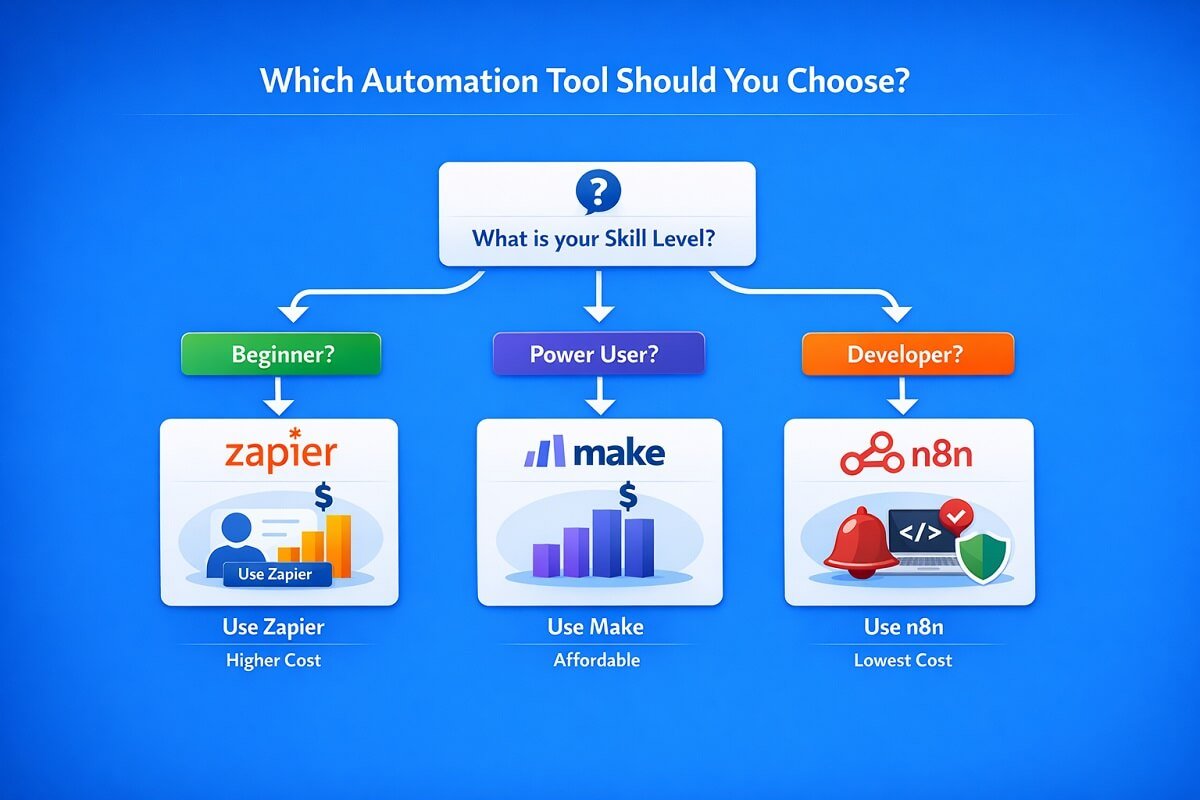
🥇 Final Verdict — Which One Wins?
- Choose Zapier → If you want simplicity and speed
- Choose Make → If you need power and affordability
- Choose n8n → If you want full control and flexibility
👉 Overall Winner for Most Users: Make
It balances cost, features, and usability better than the others.
FAQs – Zapier vs Make vs n8n 2026
Is n8n better than Zapier?
n8n is better than Zapier if your priority is flexibility, full control over workflows, or self-hosting capabilities. It allows custom code, complex integrations, and advanced automation logic. However, if you prefer a simple, ready-to-use automation platform with minimal setup, Zapier is easier and faster to get started with.
What is cheaper than Zapier?
Both Make and n8n offer more affordable options compared to Zapier. Make provides tiered pricing suitable for small businesses and growing teams, while n8n is open-source and can be self-hosted, which eliminates subscription costs entirely. For budget-conscious teams, these platforms provide cost-effective automation without sacrificing functionality.
Is Make better than Zapier?
Make is better than Zapier for advanced or multi-step workflows, thanks to its visual builder, conditional logic, and data transformation capabilities. Zapier, on the other hand, is more beginner-friendly and ideal for simple, single-step automations. Choosing between them depends on your technical skill level and the complexity of your automation needs.
Can n8n replace Zapier?
Yes, n8n can replace Zapier, especially for developers and technical teams. It supports custom integrations, self-hosting, and advanced workflow logic that Zapier cannot provide. However, non-technical users may find n8n less intuitive than Zapier, making it less suitable for quick, beginner-friendly automations.
Which automation tool is best for beginners?
Zapier is the best choice for beginners. Its intuitive drag-and-drop interface, pre-built app integrations, and minimal setup requirements make it easy for anyone to start automating tasks in minutes. If you are new to workflow automation, Zapier provides the smoothest learning curve.
Which tool scales best for businesses?
Make is ideal for growing businesses that need scalable automation without incurring high costs. It supports complex, multi-step workflows and integrates with a wide range of apps, making it suitable for small to mid-sized teams aiming to improve efficiency and productivity.
Which tool is best for technical users and developers?
n8n is perfect for technical users who need full control over their automation. With self-hosting options, API integrations, and the ability to write custom code, n8n allows developers to design highly tailored workflows that align with unique business requirements.
Which automation tool works with AI agents?
n8n is the best automation tool for AI agents because it supports self-hosting, custom code, APIs, and advanced workflow logic, making it ideal for building autonomous AI systems. Make is another strong option, offering a visual workflow builder that integrates with AI models like OpenAI, Claude, and Gemini for sophisticated business automations. Zapier also supports AI-powered workflows through its AI features and integrations but is better suited for simpler, no-code automations.
If you’re building complex AI agents or multi-step LLM workflows, n8n provides the greatest flexibility, on the other hand, Make offers the best balance between power and ease of use.
🧲 Conclusion
Choosing between Zapier, Make, and n8n depends on your goals. Some users want speed. Others want control. Many want a balance. Zapier keeps things simple. Make gives you power without high cost. n8n unlocks full customization. Pick the one that matches your workflow, not just the hype.
However, if your organization needs custom implementation, integrations, or enterprise workflow design, partnering with an experienced AI automation agency can significantly reduce deployment time and ensure your workflows scale effectively.





Useful comparison. One decision point I would add for small teams is governance before the platform choice: who owns each trigger, where human approval is required, how API keys are scoped, and how a failed automation gets rolled back. Disclosure: I maintain AI Flow Harbor, and we keep a small-team decision guide for this exact Zapier vs Make vs n8n question.