
Sales Operations Automation: How to Eliminate Manual Sales Bottlenecks


Sales teams rarely struggle because every sales task is inherently difficult. More often, productivity gets lost in the operational work surrounding selling: updating CRM records, assigning leads, checking pipeline stages, preparing reports, creating follow-up tasks, routing approvals, and keeping sales data accurate.
As sales organizations grow, these small tasks become a significant operational burden. A process that takes five minutes for one opportunity can consume hours when repeated across hundreds of accounts and deals.
Sales operations automation helps solve this problem by connecting sales systems and automating repetitive operational processes while keeping people involved where judgment and decision-making matter. The goal is not to automate salespeople out of the process. It is to give sales teams cleaner data, faster workflows, better visibility, and fewer administrative bottlenecks.
This guide explains what sales operations automation is, which processes are worth automating, how AI fits into modern sales operations, examples of practical workflows, and how to build an automation system without creating new problems.
Table of Contents
What Is Sales Operations Automation?
Sales operations automation is the use of software, workflow automation, integrations, and AI to automate repetitive processes that support a sales organization’s day-to-day operations.
These processes typically sit behind the salesperson rather than replacing the salesperson’s core selling activities. For example, when a new lead enters a CRM, an automated sales operations workflow could:
- Validate the contact information.
- Check for duplicate records.
- Enrich the company data.
- Determine the appropriate territory or segment.
- Assign the lead to the correct salesperson.
- Update the CRM.
- Create a follow-up task.
- Notify the assigned representative.
- Monitor whether the required follow-up occurs.
Without automation, several of these steps may require manual work. With automation, the system handles predictable steps while sales operations teams retain control over exceptions, rules, and important decisions.
“Sales operations teams increasingly support multiple functions, making process design, data quality, and analytics governance critical to operational efficiency. See Gartner’s Sales Operations research for additional industry context.”
Sales Operations Automation vs. Sales Automation
The terms are related, but they are not identical. Sales automation generally focuses on automating activities directly associated with selling, such as outreach, follow-ups, prospecting, or communication. Sales operations automation focuses more heavily on the infrastructure supporting the sales organization.
That includes:
- CRM data management
- Lead and account routing
- Pipeline administration
- Sales reporting
- Forecasting workflows
- Opportunity management
- Approval processes
- Data quality
- Territory assignments
- Sales-to-customer-success handoffs
- Operational alerts
The distinction matters because sales operations automation is less about replacing individual sales activities and more about making the entire sales process easier to manage.
Why Sales Operations Becomes a Bottleneck as Teams Grow
Manual processes that seem manageable with a small sales team can become difficult to maintain as the organization scales. Consider a sales organization with 10 representatives and hundreds of active opportunities. Someone has to make sure:
- new leads are assigned correctly,
- CRM fields are completed,
- opportunities move through the correct stages,
- inactive deals are identified,
- sales managers receive accurate pipeline reports,
- approvals reach the right people,
- closed deals are handed to customer success,
- duplicate records are removed,
- and important changes are communicated to the appropriate team.
When these activities depend heavily on spreadsheets, manual reminders, and individual employees remembering what to do, inconsistencies appear.
Common problems include:
- outdated CRM records,
- missed follow-ups,
- incorrectly assigned leads,
- inconsistent opportunity stages,
- duplicate accounts,
- inaccurate reports,
- delayed approvals,
- poor pipeline visibility,
- and excessive administrative work.
Automation addresses the repeatable parts of these processes.
What Can Sales Operations Automate?

Not every sales operation task should be automated. The best candidates are usually processes that are repetitive, rule-based, measurable, and triggered by predictable events. Here are some of the highest-value areas.
1. CRM Data Management
CRM data is the foundation of sales operations, but keeping it accurate can require substantial manual effort.
Sales operations automation can help with:
- updating records,
- standardizing fields,
- identifying missing information,
- detecting duplicate records,
- enriching company information,
- synchronizing data between systems,
- and triggering alerts when required information is missing.
For example, when an opportunity moves into a new stage, an automation can check whether required fields have been completed before allowing the process to continue.
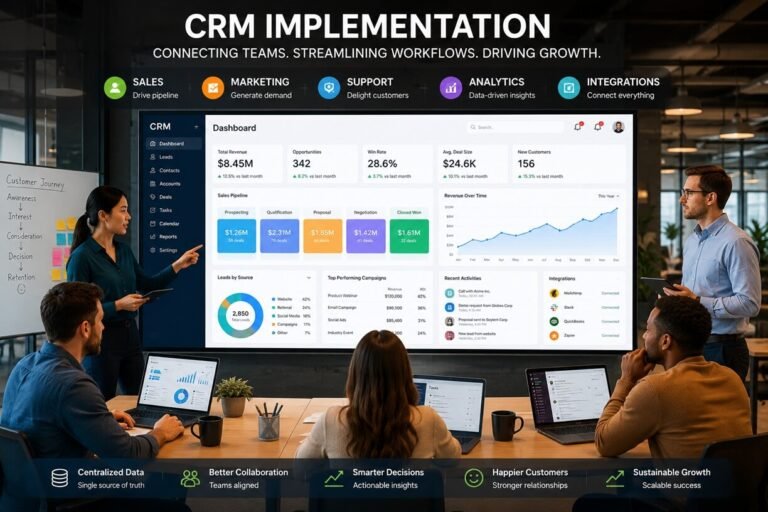
This creates a form of automated data governance without requiring sales representatives to remember every rule. For more examples of reusable CRM processes, your CRM workflow templates resource can serve as a related resource. Our CRM implementation guide covers the broader process of setting up a reliable CRM environment before layering on automation.
2. Lead and Account Routing
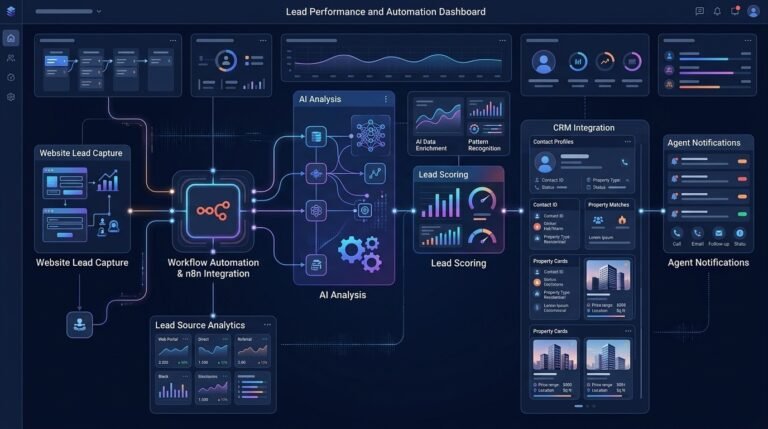
Lead routing is another strong candidate for automation. Instead of manually deciding who should receive every incoming lead, a workflow can evaluate predefined rules such as:
- geographic territory,
- company size,
- industry,
- customer segment,
- product interest,
- account ownership,
- or lead source.
The workflow can then assign the record to the appropriate salesperson and notify them automatically. A basic routing process might look like this:
New lead → Validate data → Identify segment → Determine territory → Assign owner → Notify representative → Create task
The sales operations team still controls the routing rules, but the system executes them consistently. For more practical examples of repeatable sales processes, see our sales workflow templates for common workflows that can be adapted to different sales operations.
3. Opportunity Management
Opportunity records often become outdated when salespeople forget to update stages, close dates, or other fields. Automation can monitor opportunity activity and identify potential problems.
For example:
Opportunity inactive for a defined period → Check stage → Alert owner → Create follow-up task → Escalate if necessary
The exact threshold should depend on the organization’s sales cycle rather than using a universal number. Automation can also help enforce process requirements. For example, moving an opportunity to a later stage could trigger a check for:
- expected close date,
- deal value,
- decision-maker information,
- next-step details,
- required approval,
- or other organization-specific fields.
This improves pipeline consistency without requiring sales operations personnel to manually inspect every record.
4. Sales Activity Capture
Sales teams interact with prospects through calls, meetings, emails, demonstrations, and other activities. Manually recording every interaction can be tedious. Integrations can automatically synchronize relevant activities with the CRM, so sales representatives spend less time maintaining records.
For example:
Meeting completed → Capture activity → Associate with account/contact → Update CRM → Create next-step task
The exact information that should be captured depends on the systems involved and the organization’s data policies. Automation should improve record accuracy without creating unnecessary data or overwhelming salespeople with notifications.
5. Pipeline Monitoring
Sales operations teams need visibility into what is happening across the pipeline. Rather than manually checking every opportunity, automated monitoring can look for predefined conditions.
Examples include:
- opportunities without recent activity,
- deals approaching expected close dates,
- unusually long stage duration,
- missing required fields,
- sudden changes in pipeline value,
- or opportunities requiring approval.
When an exception occurs, the system can notify the appropriate person. This changes the role of sales operations from constantly checking records to managing exceptions.
6. Sales Reporting
Sales reporting is another area where automation can reduce repetitive administrative work. Instead of manually collecting data from multiple systems every reporting period, workflows can gather information and populate standardized dashboards or reports.
Automated reporting can monitor metrics such as:
- pipeline value,
- opportunities by stage,
- conversion rates,
- sales activity,
- average deal size,
- sales-cycle duration,
- win rate,
- forecast categories,
- and pipeline movement.
The important principle is that automation should improve the availability and consistency of information. It does not eliminate the need for managers to interpret what the numbers mean.
7. Forecasting Workflows
Sales forecasting often requires data from multiple opportunity records and activities. Automation can help prepare that information by:
- collecting current opportunity data,
- identifying stale records,
- flagging missing fields,
- grouping opportunities,
- calculating predefined metrics,
- and highlighting changes in pipeline conditions.
AI can take this further by identifying patterns or anomalies in historical and current data. However, automated forecasting should generally be treated as decision support rather than an unquestionable prediction.
Sales leaders still need to understand the assumptions behind a forecast and account for information that may not exist in the CRM.
8. Deal Approval Workflows
Some sales organizations require approval before offering:
- special pricing,
- large discounts,
- unusual contract terms,
- non-standard products,
- or other exceptions.
Without automation, these approvals can become dependent on emails and manual follow-ups. An automated process can route the request according to predefined rules:
Deal requires exception → Identify approval type → Route to authorized approver → Record decision → Notify sales representative → Update deal
This creates a consistent audit trail while reducing unnecessary back-and-forth.
9. Sales-to-Customer-Success Handoffs
The sales process does not end operationally when a deal is marked closed won. Customer success, implementation, finance, or other teams may need information before they can begin their work. An automated handoff can:
- Detect the closed-won event.
- Check that required fields are complete.
- Create the appropriate customer record.
- Transfer relevant information.
- Notify the receiving team.
- Create onboarding or implementation tasks.
- Generate an internal summary when appropriate.
This is one area where sales operations automation connects naturally with broader client onboarding processes.
10. Data Quality Monitoring
Automation should not only move data around. It should also help identify bad data. A data-quality workflow can periodically check for:
- duplicate contacts,
- duplicate companies,
- missing owners,
- incomplete opportunity records,
- inconsistent values,
- inactive records,
- invalid contact information,
- and records that violate defined process rules.
Instead of asking employees to manually inspect thousands of records, the system can surface exceptions for review.
Sales Operations Automation Workflow Examples
The best way to understand sales operations automation is to look at how these processes work in practice.
Example 1: Automated Lead Assignment
A company receives leads from its website. The workflow could be:
New lead
↓
Validate contact information
↓
Check for existing CRM record
↓
Enrich company information
↓
Determine segment and territory
↓
Assign sales owner
↓
Create follow-up task
↓
Notify representative
↓
Monitor response
The important point is that the automation handles the predictable administrative steps. A salesperson still decides how to engage the prospect. If you’re building the process upstream of lead routing, our lead generation workflow templates can help structure repeatable lead-generation and qualification workflows.
Example 2: Stale Opportunity Detection
A sales operations workflow can monitor opportunities for inactivity.
For example:
Opportunity has no qualifying activity
↓
Check opportunity stage and expected close date
↓
Notify opportunity owner
↓
Create follow-up task
↓
Notify manager if the condition remains unresolved
This gives managers a way to focus on exceptions rather than manually reviewing every opportunity.
Example 3: Closed-Won Handoff
A closed deal can trigger a structured handoff:
Deal marked Closed-Won
↓
Validate required information
↓
Create customer record
↓
Transfer relevant deal information
↓
Notify customer-success or implementation team
↓
Create onboarding tasks
↓
Generate internal handoff summary
This reduces the possibility of important information being lost between departments.
Example 4: Deal Approval
A sales representative requests an exception to standard pricing. The automation can determine whether the request requires approval and route it accordingly:
Pricing exception submitted
↓
Check deal value and discount
↓
Determine approval level
↓
Send approval request
↓
Record decision
↓
Notify sales representative
↓
Update CRM
This creates a repeatable process rather than relying on informal communication.
How AI Changes Sales Operations Automation

Traditional automation follows predefined rules.
For example:
If a deal enters Stage 3, create Task A.
AI can support more flexible tasks involving large amounts of unstructured information. For example, an AI-enabled workflow could analyze meeting notes and help identify:
- the prospect’s stated priorities,
- potential objections,
- next steps,
- missing information,
- or changes that may need to be reflected in the CRM.
AI can also assist with:
AI-Powered CRM Data Enrichment
AI systems can help organize and summarize information from approved data sources so sales operations teams can work with more complete records.
AI Opportunity Summaries
Instead of manually reviewing every activity, AI can summarize recent interactions and important deal context for a salesperson or manager.
AI Pipeline Analysis
AI can help identify unusual patterns, such as opportunities that differ significantly from typical pipeline behavior.
AI-Generated Sales Reports
AI can turn structured sales data into readable summaries for managers, provided the underlying data is accurate and the output is reviewed appropriately.
AI Workflow Agents
More advanced systems can perform multiple steps across connected applications.
For example:
CRM event → analyze record → determine workflow → update approved fields → create task → notify responsible person
However, AI should not automatically make high-impact decisions simply because it can. The safest architecture usually combines automation for predictable rules with human oversight for ambiguous or consequential decisions.
Sales Operations Automation vs. Sales Automation vs. RevOps Automation
These concepts overlap, but they serve different purposes.
| Area | Sales Automation | Sales Operations Automation | RevOps Automation |
| Primary focus | Selling activities | Sales infrastructure and processes | Revenue lifecycle |
| Main users | Sales reps and SDRs | Sales Ops and sales leadership | RevOps leadership and cross-functional teams |
| CRM management | Supporting role | Core function | Core function |
| Lead routing | Common | Core | Common |
| Pipeline governance | Limited | Core | Core |
| Forecasting | Sometimes | Core | Core |
| Sales reporting | Supporting role | Core | Core |
| Marketing operations | Limited | Usually outside scope | Core |
| Customer success | Limited | Handoff-focused | Core |
| Revenue-wide processes | No | No | Core |
This distinction is particularly important when building an automation strategy.

Sales operations automation should remain focused on improving the systems and processes surrounding the sales organization.
RevOps automation has a wider organizational scope, connecting functions such as marketing, sales, customer success, finance, and other revenue-related operations. For a broader look at cross-functional automation, see our guide to revenue operations automation.
How to Build a Sales Operations Automation Strategy
Automation works best when it is introduced systematically. Trying to automate every process at once can create unnecessary complexity.
Step 1: Map the Current Sales Operations Processes
Start by documenting how work actually happens.
Look at:
- lead assignment,
- CRM updates,
- opportunity management,
- reporting,
- approvals,
- forecasting,
- handoffs,
- and data maintenance.
Do not automate a process simply because it is manual. First understand the process. For a deeper look at how AI can support B2B forecasting and decision-making, see our guide to AI predictive analytics for B2B.
Step 2: Identify Bottlenecks
Look for tasks that:
- occur frequently,
- consume significant administrative time,
- create errors,
- cause delays,
- require copying information between systems,
- or depend on people remembering repetitive steps.
These are usually stronger automation candidates than occasional tasks requiring significant judgment.
Step 3: Simplify Before Automating
A poorly designed process can become a poorly designed automated process.
Before building the workflow, ask:
- Can any steps be removed?
- Are all required approvals necessary?
- Are CRM fields actually useful?
- Can duplicate systems be eliminated?
- Are responsibilities clearly defined?
- Are the rules understandable?
This follows a simple principle:
Optimize first. Automate second.
Your workflow optimization framework provides a useful framework for applying this approach across business processes.
Step 4: Define the Trigger
Every automated workflow needs a clear starting condition.
Examples include:
- new CRM record,
- opportunity stage change,
- completed meeting,
- form submission,
- closed-won deal,
- approval request,
- scheduled time,
- or data-quality exception.
A clearly defined trigger prevents workflows from running unnecessarily.
Step 5: Define the Business Rules
Next, establish what the automation should do.
For example:
If the account belongs to Segment A and Territory B, assign it to the appropriate owner. Keep business rules as explicit as possible. Ambiguous rules are difficult to automate reliably.
Step 6: Add Human Checkpoints
Not every step should be automated. Human review is especially valuable when the workflow involves:
- unusual deals,
- sensitive information,
- significant financial consequences,
- unclear customer intent,
- exceptions to normal processes,
- or strategic decisions.
Automation should remove repetitive work without removing necessary judgment.
Step 7: Test the Workflow
Test normal and abnormal scenarios.
For example:
- What happens if the CRM record is incomplete?
- What happens if a duplicate exists?
- What happens if no salesperson matches the routing criteria?
- What happens if an approval is rejected?
- What happens if the integration fails?
A workflow that works only in the ideal scenario is not production ready.
Step 8: Monitor and Improve
After launch, monitor the workflow.
Track:
- failure rates,
- processing delays,
- incorrect assignments,
- duplicate records,
- user complaints,
- manual overrides,
- and business outcomes.
Automation is not a one-time project. Processes change as the organization grows.
How to Measure Sales Operations Automation
Automation should be measured by its operational impact rather than the number of workflows created. Useful metrics include:
Administrative Time
How much time do sales representatives spend on repetitive operational tasks?
CRM Data Completeness
Are required records and fields being maintained consistently?
Lead Routing Time
How quickly does a qualified lead reach the appropriate owner?
Pipeline Data Accuracy
How reliable is the information used for pipeline reviews and forecasting?
Workflow Error Rate
How frequently do automated processes fail or produce incorrect results?
Approval Turnaround Time
How long does it take to complete required deal approvals?
Handoff Completion
Are closed deals transferred to the next team with the required information?
Manual Intervention Rate
How often does a human need to correct or override an automated workflow?
These metrics help determine whether automation is actually improving the sales operation.
Common Sales Operations Automation Mistakes
Automation can create new problems when it is implemented without sufficient planning.
- Automating a Broken Process: If the existing workflow is unnecessarily complicated, automating it may simply make the complexity happen faster. Fix the process first.
- Automating Everything: Some decisions require context and judgment. Keep people involved when the cost of an incorrect automated decision is high.
- Creating Too Many Notifications: Notifications are useful only when they require attention. Too many alerts train employees to ignore them.
- Ignoring Data Quality: Automation depends on reliable input. If CRM data is incomplete or inconsistent, downstream workflows can become unreliable.
- Building Isolated Automations: A collection of disconnected workflows can create another layer of complexity. Whenever possible, design automation as part of a broader process architecture.
- Failing to Monitor Exceptions: Every important workflow should have a way to identify failures. A silent failure can be worse than a manual process because employees may assume the task was completed.
- Measuring Activity Instead of Results: Creating 20 automations does not necessarily mean the sales operation improved. Measure outcomes such as time saved, data quality, response time, process consistency, and error reduction.
Tools Used in Sales Operations Automation
The technology stack will vary depending on the organization’s size and existing systems. A general sales operations automation architecture can include:
CRM
The CRM usually acts as the central system for customer, account, contact, and opportunity information.
Workflow Automation Platform
An automation platform connects applications and executes predefined processes.
Data Enrichment
Enrichment systems can provide additional account or contact information where appropriate.
Communication Tools
Email, messaging, and notification systems can communicate workflow events to employees.
Analytics and Reporting
Dashboards and reporting systems provide visibility into pipeline and operational performance.
AI Systems
AI can support classification, summarization, analysis, content generation, and other tasks involving unstructured information. The important question is not which tool has the most features. Once the process is clearly defined, our AI workflow tools we recommend can help you evaluate platforms for building and managing those workflows.
The better question is:
Which technology can reliably execute the specific process your sales organization needs to improve?
For a broader overview of business automation technologies, see our guide to AI workflow automation tools for businesses. If you need more advanced workflow implementation, our HubSpot automation agency guide for beginners to experts explains how automation can be structured around the platform.
When Should a Company Automate Sales Operations?
Sales operations automation can be valuable when manual work begins to create measurable operational problems.
Common signals include:
- sales representatives spending too much time updating systems,
- inconsistent CRM data,
- leads being assigned slowly,
- managers manually preparing reports,
- frequent pipeline-review corrections,
- approval bottlenecks,
- disconnected systems,
- repeated spreadsheet work,
- or increasing administrative workload as the sales team grows.
However, company size alone should not determine whether automation is appropriate. A smaller sales team with highly repetitive processes may benefit from automation earlier than a larger organization with relatively simple operations.
The better indicator is process complexity and repetition.
A Practical Sales Operations Automation Framework
A useful way to prioritize automation is to score each candidate process against five factors:
| Factor | Question |
| Frequency | How often does the process occur? |
| Repetition | Are the steps mostly predictable? |
| Time cost | How much manual time does it consume? |
| Error risk | How often do mistakes occur? |
| Business impact | What happens when the process is delayed or incorrect? |
Processes that score highly across these areas are strong candidates.
For example, automated lead assignment may occur hundreds of times per month, follow clear rules, consume administrative time, and directly affect response speed. That makes it a stronger automation candidate than an occasional strategic sales decision.
The Future of Sales Operations Automation
Sales operations is moving from simple task automation toward increasingly intelligent systems. Traditional automation generally follows:
Trigger → Rule → Action
AI-enabled workflows can support:
Trigger → Analyze → Determine context → Execute approved actions → Monitor outcome
This opens opportunities for more sophisticated sales operations processes.
For example, instead of simply detecting that an opportunity has been inactive, an AI-assisted workflow could analyze recent approved sales activity, summarize the current situation, identify missing information, and prepare a recommended next step for the sales representative.
The human remains responsible for the final decision, while the system reduces the time required to understand the situation. This model is likely to be more useful than trying to make every sales operation completely autonomous.
Final Thouughts
Sales operations automation is ultimately about removing unnecessary operational friction from the sales process. The highest-value opportunities are usually not the most complicated AI projects. They are the repetitive processes that consume time, create errors, delay decisions, or make sales data difficult to trust.
Start with the fundamentals:
- Map the current process.
- Identify repetitive bottlenecks.
- Simplify unnecessary steps.
- Define clear automation rules.
- Automate predictable tasks.
- Keep humans involved in important decisions.
- Monitor exceptions and failures.
- Measure the operational outcome.
- Improve the workflow continuously.
When implemented this way, sales operations automation can give sales teams cleaner data, faster processes, better pipeline visibility, and more time to focus on actual selling. The goal is not simply to create more automation. The goal is to build a sales operation that runs with less friction.
This version deliberately keeps the article Sales Ops-centric rather than turning it into another CRM, SDR, sales-workflow, or RevOps guide. It also gives you natural internal-link opportunities to those existing pages without making the new article dependent on them.





One Comment