
CRM Workflow Templates: 10 Proven Sales CRM Workflows (+ Examples)


Modern sales teams don’t lose deals because they lack leads—they lose them because their CRM workflow is disorganized.
Leads get assigned late, follow-ups are forgotten, duplicate contacts pile up, and sales reps waste hours on repetitive administrative tasks instead of closing deals. Businesses looking to eliminate repetitive work should also explore AI workflow tools that automate CRM tasks across sales, marketing, and customer support.
A well-designed CRM workflow solves these problems by standardizing every stage of the customer journey, from the first website visit to post-sale support. Instead of relying on manual reminders or spreadsheets, your CRM automatically routes leads, triggers follow-up emails, schedules tasks, updates records, and alerts your sales team when action is required.
Whether you’re using HubSpot, GoHighLevel, Salesforce, Zoho CRM, Pipedrive, or another platform, the principles remain the same.
In this guide, you’ll learn:
- What a CRM workflow is
- Why CRM workflows improve sales performance
- The anatomy of a high-performing sales CRM
- 10 ready-to-use CRM workflow templates
- AI automation ideas to eliminate repetitive work
- Common mistakes to avoid
- Best practices for scaling your sales process
By the end, you’ll have a practical framework you can adapt to almost any CRM platform.
What Is a CRM Workflow?
A CRM workflow is a sequence of automated actions and predefined business rules that guide prospects and customers through your sales process. Instead of asking sales representatives to manually update records, send reminders, assign leads, or create follow-up tasks, CRM workflows automate these repetitive activities based on specific triggers.
For example:
A visitor downloads your pricing guide.
↓
The CRM automatically creates a contact.
↓
The lead receives a welcome email.
↓
The lead is scored based on company size.
↓
A sales representative is assigned.
↓
A follow-up task is scheduled.
↓
The opportunity moves into the sales pipeline.
This entire process can happen within seconds—without anyone manually updating the CRM. If you’re new to the concept, our guide explaining AI workflows shows how businesses automate repetitive tasks across sales, marketing, and customer support.
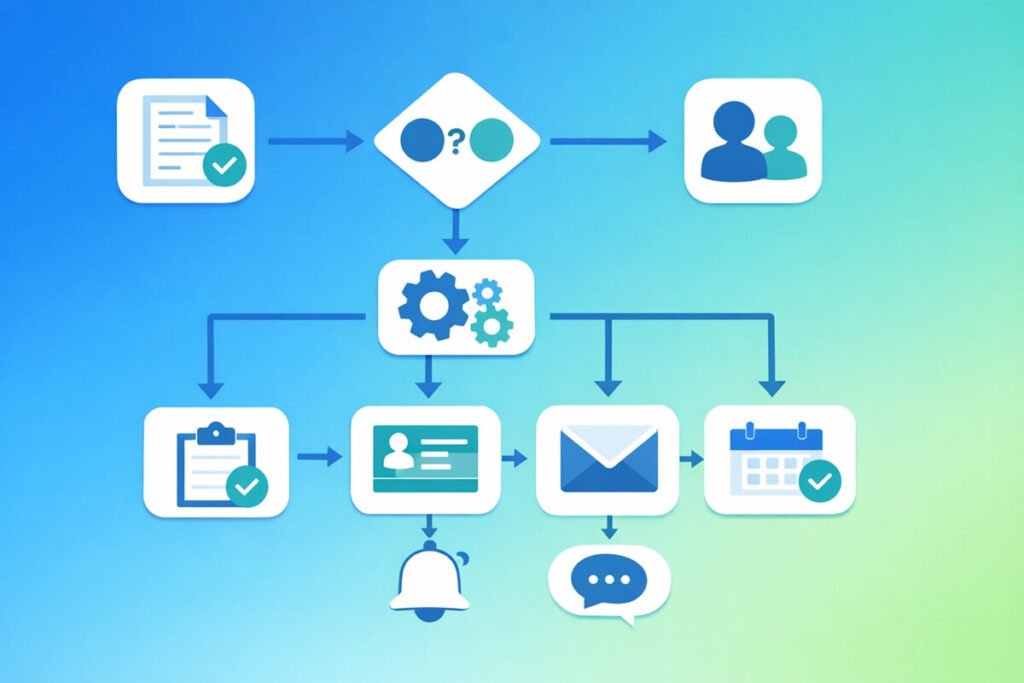
CRM Workflow vs Manual Sales Process
| Manual Process | CRM Workflow |
| Sales reps manually enter leads | Leads are automatically captured |
| Follow-ups depend on memory | Automatic reminders and emails |
| Inconsistent qualification | Standardized qualification rules |
| Manual task creation | Tasks generated automatically |
| Slow lead routing | Instant lead assignment |
| Human errors | Consistent automation |
| Difficult reporting | Real-time dashboards |
Automation doesn’t replace salespeople—it removes repetitive administrative work so they can focus on conversations that generate revenue.
Why CRM Workflows Matter
High-performing sales organizations treat their CRM as the central operating system for revenue generation. Without structured workflows, teams often experience:
- Missed follow-ups
- Duplicate records
- Lost opportunities
- Delayed responses
- Poor customer experiences
- Inaccurate forecasting
- Low productivity
CRM workflows solve these issues by creating consistency. Combining CRM automation with a broader AI workflow automation strategy helps organizations streamline sales, marketing, and operational processes from one centralized system.
Instead of asking every salesperson to remember dozens of individual tasks, the CRM ensures every lead receives the same structured experience.
Benefits include:
Faster Lead Response
Studies consistently show that contacting new leads quickly increases the likelihood of conversion. Automated workflows notify the appropriate salesperson immediately after a lead enters the CRM.
Better Lead Qualification
Not every lead deserves the same level of attention. CRM workflows can automatically score prospects based on:
- Company size
- Industry
- Website activity
- Budget
- Location
- Job title
- Email engagement
- Demo requests
High-value prospects move directly to sales while lower-intent leads continue through automated nurturing campaigns. Since CRM workflows often process customer information and connect multiple SaaS tools, following these AI workflow security best practices can help protect sensitive business data.
Improved Sales Productivity
Sales representatives often spend a surprising portion of their day on administrative work. CRM automation eliminates repetitive tasks such as:
- Creating reminders
- Updating deal stages
- Sending confirmation emails
- Logging activities
- Creating follow-up tasks
- Assigning leads
The result is more time spent selling.
Consistent Customer Experience
Customers expect timely responses regardless of which salesperson they interact with. CRM workflows ensure every customer receives:
- Immediate confirmation emails
- Scheduled follow-ups
- Consistent onboarding
- Regular updates
- Standardized communication
Consistency builds trust.
More Accurate Forecasting
When deal stages update automatically, managers gain a clearer picture of pipeline health. Instead of relying on manual updates, reports reflect real-time activity, making sales forecasting significantly more reliable.
Anatomy of a High-Performance Sales CRM
Every successful CRM follows the same fundamental structure.
Lead Source
↓
Lead Capture
↓
Lead Qualification
↓
Lead Assignment
↓
First Contact
↓
Discovery Meeting
↓
Opportunity Created
↓
Proposal Sent
↓
Negotiation
↓
Closed Won / Lost
↓
Customer Onboarding
↓
Retention & Upsell
Although individual businesses customize the details, these core stages remain remarkably consistent across industries.
Core Components of Every CRM Workflow
1. Lead Capture
Every workflow begins by collecting leads from multiple channels. Common sources include:
- Website forms
- Landing pages
- Facebook Lead Ads
- Google Ads
- LinkedIn Lead Forms
- Live chat
- Calendly bookings
- Webinar registrations
- Trade shows
- Referral programs
Instead of manually importing contacts, modern CRMs automatically create records whenever a lead submits information. Many companies now combine CRM workflows with AI SDR services to automate prospecting, qualify leads, and schedule meetings without manual outreach.
2. Contact Management
Once captured, every lead should contain standardized information such as:
- Name
- Phone
- Company
- Job title
- Industry
- Lead source
- Location
- Lifecycle stage
- Assigned owner
Maintaining clean contact data improves segmentation and reporting. Businesses evaluating CRM platforms may also want to compare the best no-code CRM solutions before building automated workflows.
3. Lead Qualification
Qualification determines whether a prospect is ready for sales engagement.
Many businesses use frameworks like:
- BANT
- CHAMP
- MEDDIC
- GPCT
AI can continuously update lead scores based on buying intent, making an AI sales workflow significantly more accurate than static scoring models. Modern CRMs also calculate lead scores automatically using behavioral and demographic data.
4. Opportunity Management
Qualified leads become opportunities.
Each opportunity should include:
- Estimated revenue
- Expected close date
- Decision maker
- Current stage
- Products discussed
- Probability to close
- Notes
- Next action
This information enables accurate forecasting.
5. Follow-Up Automation
The majority of deals aren’t won after the first conversation. CRM workflows automatically create:
- Reminder tasks
- Follow-up emails
- SMS messages
- Calendar invitations
- Proposal reminders
Consistent follow-up dramatically improves conversion rates. For example, real estate CRM automation helps agents automatically capture leads, schedule follow-ups, and keep prospects engaged throughout the sales process.
6. Reporting
Every CRM workflow should generate measurable insights such as:
- Lead response time
- Conversion rate
- Pipeline value
- Win rate
- Average sales cycle
- Revenue by source
- Activities completed
- Sales velocity
Without reporting, optimization becomes guesswork.
How CRM Workflow Automation Works
Every automation follows the same simple logic:
TRIGGER
↓
CONDITION
↓
ACTION
Example:
Trigger
A visitor books a demo.
↓
Condition
Company size is greater than 20 employees.
↓
Actions
- Create CRM contact
- Assign enterprise sales rep
- Send confirmation email
- Create discovery task
- Notify Slack
- Update sales dashboard
- Schedule reminder for tomorrow
This structure powers nearly every CRM automation regardless of platform. However, if you’re designing more advanced automations, these AI workflow diagrams show how to visualize triggers, conditions, and actions for complex business processes.
CRM Workflow Templates: 10 Proven Sales CRM Workflows
Now that you understand how a CRM workflow is structured, let’s look at practical templates you can implement in almost any CRM platform. These workflows can be customized for SaaS companies, agencies, consultants, B2B service providers, real estate businesses, and eCommerce sales teams.
CRM Workflow Template #1: Lead Capture & Contact Creation
Goal: Ensure every new lead enters your CRM automatically with complete information.
Workflow
Website Form Submitted
│
▼
Create New Contact
│
▼
Check for Duplicate Contact
│
▼
Add Lead Source
│
▼
Assign Lifecycle Stage = New Lead
│
▼
Send Welcome Email
│
▼
Notify Sales Team
Trigger
A visitor submits a website form, landing page, chatbot, webinar registration, or Facebook Lead Ad.
Automation Actions
- Create a CRM contact
- Check for duplicate email addresses
- Apply lead source tags
- Assign the correct lifecycle stage
- Send an automated welcome email
- Notify the assigned sales representative
- Add the lead to the appropriate sales pipeline
Best Practices
- Capture only essential information on your forms.
- Validate email addresses automatically.
- Standardize lead source naming for accurate reporting.
- Prevent duplicate records before creating a new contact.
CRM Workflow Template #2: Lead Qualification & Scoring
Not every lead should receive immediate attention from sales. Qualification helps prioritize high-value opportunities.
Workflow
New Lead
│
▼
Calculate Lead Score
│
├── Score > 80 → Sales Qualified Lead
│
├── Score 50–79 → Marketing Qualified Lead
│
└── Score < 50 → Nurture Campaign
Example Lead Scoring Criteria
| Attribute | Score |
| Company size 100+ employees | +30 |
| Requested a demo | +25 |
| Pricing page visit | +15 |
| Opened three emails | +10 |
| Downloaded buyer guide | +10 |
| Job title includes Manager/Director | +15 |
| Personal email address | -10 |
Automation
When a lead reaches a predefined score:
- Assign a salesperson
- Create a follow-up task
- Send a notification
- Move the contact into the sales pipeline
- Pause marketing emails if sales engagement begins
CRM Workflow Template #3: Automatic Lead Assignment
Fast lead response improves conversion rates. This process becomes even more effective when integrated with a structured inbound marketing pipeline that delivers qualified leads directly into your CRM. Instead of manually distributing leads, automate the process.
Workflow
Qualified Lead
│
▼
Determine Assignment Rule
│
├── Geographic Region
├── Product Interest
├── Company Size
└── Round Robin
│
▼
Assign Sales Representative
│
▼
Create First Follow-up Task
Common Assignment Rules
- Territory-based assignment
- Industry specialization
- Language preference
- Product expertise
- Enterprise vs. SMB
- Round-robin distribution
Automation Actions
- Assign contact owner
- Assign deal owner
- Notify the salesperson
- Schedule first outreach
- Create follow-up reminders
CRM Workflow Template #4: Meeting Booking Workflow
Once a prospect schedules a meeting, the CRM should prepare both the prospect and the sales representative.
Workflow
Meeting Scheduled
│
▼
Send Confirmation Email
│
▼
Create Calendar Event
│
▼
Notify Sales Rep
│
▼
Create Meeting Preparation Task
│
▼
Send Reminder 24 Hours Before Meeting
Automation Checklist
- Calendar invitation
- Zoom or Google Meet link
- Reminder email
- SMS reminder (optional)
- Internal meeting brief
- Contact timeline summary
This reduces no-show rates while ensuring the salesperson has complete context.
CRM Workflow Template #5: Opportunity Management
After discovery, the lead becomes an active sales opportunity.
Workflow
Discovery Call Completed
│
▼
Create Opportunity
│
▼
Update Deal Value
│
▼
Assign Pipeline Stage
│
▼
Schedule Next Action
Opportunity Fields
- Expected revenue
- Estimated close date
- Decision maker
- Budget
- Competitors
- Products discussed
- Probability to close
- Next meeting date
Automation
Whenever the deal stage changes:
- Update dashboards
- Notify managers
- Create follow-up tasks
- Trigger stage-specific email sequences
CRM Workflow Template #6: Proposal & Quote Workflow
Sending proposals manually often causes delays. Automation keeps momentum high.
Workflow
Opportunity Ready
│
▼
Generate Proposal
│
▼
Email Proposal
│
▼
Create Follow-up Reminder
│
▼
Monitor Proposal Views
│
▼
Notify Sales Representative
Suggested Automation
- Auto-populate proposal templates
- Include pricing details
- Add e-signature
- Schedule follow-up after 48 hours
- Send reminder if unopened
- Update proposal status automatically
CRM Workflow Template #7: Follow-Up Automation
Many deals are lost simply because follow-ups stop too early.
Workflow
Proposal Sent
│
▼
Wait 2 Days
│
▼
No Response?
│
├── Yes → Send Follow-up Email
│
├── Wait 3 Days
│
├── Create Phone Call Task
│
├── Wait 5 Days
│
└── Final Follow-up Email
Example Follow-Up Schedule
| Day | Action |
| Day 0 | Proposal sent |
| Day 2 | Friendly reminder |
| Day 5 | Phone call task |
| Day 8 | Share case study |
| Day 12 | Final follow-up |
| Day 20 | Move to nurture campaign |
Consistency often wins more deals than persistence alone.
CRM Workflow Template #8: Closed-Won Customer Onboarding
The customer journey doesn’t end after the sale.
Workflow
Deal Won
│
▼
Create Customer Record
│
▼
Assign Customer Success Manager
│
▼
Send Welcome Package
│
▼
Schedule Kickoff Meeting
│
▼
Create Onboarding Tasks
Automation Checklist
- Welcome email
- Contract storage
- Internal handoff
- Customer portal invitation
- Knowledge base links
- First training session
- Customer satisfaction survey
Smooth onboarding improves retention and reduces early churn.
CRM Workflow Template #9: Customer Retention & Upsell
Existing customers are often your most valuable source of future revenue.
Workflow
Customer Active
│
▼
Monitor Product Usage
│
▼
High Engagement?
│
├── Yes → Recommend Upgrade
│
└── No → Customer Success Follow-up
Automation Examples
- Renewal reminders
- Quarterly business reviews
- Upsell recommendations
- Cross-sell campaigns
- Customer health scoring
- NPS survey requests
- Referral program invitations
CRM Workflow Template #10: Re-Engaging Lost Leads
Not every prospect is ready to buy today.
Workflow
Deal Closed Lost
│
▼
Apply Lost Reason
│
▼
Add to Re-engagement Campaign
│
▼
Wait 90 Days
│
▼
Send Helpful Resource
│
▼
Recalculate Lead Score
Recommended Re-Engagement Content
- Industry reports
- Product updates
- New features
- Case studies
- Customer success stories
- Webinar invitations
- Exclusive offers
Many “lost” leads become future customers when approached with relevant, timely content.

Which CRM Workflow Should You Build First?
If you’re starting from scratch, prioritize workflows that deliver the biggest operational impact.
| Priority | Workflow | Business Impact |
| High | Lead Capture | Prevents missed opportunities |
| High | Lead Assignment | Reduces response time |
| High | Follow-Up Automation | Increases conversion rates |
| Medium | Opportunity Management | Improves forecasting |
| Medium | Proposal Workflow | Shortens sales cycles |
| Medium | Customer Onboarding | Improves retention |
| Lower | Re-engagement | Recovers inactive leads |
| Lower | Upsell Automation | Expands customer lifetime value |
These foundational workflows create a scalable sales process before adding more advanced automations.
AI Automation, Best Practices

How AI Is Transforming CRM Workflows
Traditional CRM automation follows predefined rules. For example, if a lead submits a form, the CRM creates a contact and assigns a sales representative.
Artificial intelligence takes automation much further by analyzing customer behavior, predicting buying intent, personalizing communication, and recommending the next best action.
Instead of simply following rules, AI continuously improves your sales process based on data. You can accelerate implementation using proven AI workflow templates instead of building every automation from scratch.
AI-Powered CRM Capabilities
Modern CRM platforms can use AI to:
- Score leads based on buying intent
- Summarize calls and meetings automatically
- Draft personalized follow-up emails
- Recommend the next best sales action
- Predict deal close probability
- Detect inactive opportunities
- Forecast revenue more accurately
- Identify customers likely to churn
- Suggest upsell opportunities
- Automatically enrich contact data
The result is a sales team that spends less time on administration and more time building relationships.
AI CRM Workflow Example
Lead Visits Pricing Page
│
▼
AI Detects High Buying Intent
│
▼
Increase Lead Score
│
▼
Assign Senior Sales Representative
│
▼
Generate Personalized Email
│
▼
Create Follow-up Task
│
▼
Notify Sales Manager
Unlike traditional workflows, AI continuously updates lead scores and recommendations as new customer interactions occur.
CRM Workflow Examples by Industry
Although every business has unique requirements, most CRM workflows follow similar patterns.
SaaS Companies
Typical workflow:
Website Visitor
↓
Free Trial Signup
↓
Product Onboarding
↓
Usage Tracking
↓
Sales Outreach
↓
Demo
↓
Subscription
↓
Customer Success
↓
Renewal
Automation opportunities include onboarding emails, product usage alerts, upgrade recommendations, and renewal reminders.
Marketing Agencies
Typical workflow:
Lead Form
↓
Discovery Call
↓
Proposal
↓
Contract
↓
Project Kickoff
↓
Monthly Reporting
↓
Upsell Services
Automation can reduce administrative work while improving client communication.
Real Estate
Typical workflow:
Property Inquiry
↓
Lead Qualification
↓
Agent Assignment
↓
Property Tour
↓
Offer
↓
Contract
↓
Closing
↓
Past Client Follow-up
Automated reminders and personalized follow-ups help agents stay responsive throughout long sales cycles.
B2B Service Businesses
Typical workflow:
Lead Generation
↓
Discovery Call
↓
Needs Assessment
↓
Proposal
↓
Negotiation
↓
Contract
↓
Client Onboarding
↓
Quarterly Review
These workflows often include multiple decision-makers and longer buying journeys.
Best CRM Platforms for Workflow Automation
Most modern CRM platforms support workflow automation, but their strengths differ.
| CRM | Best For | Workflow Strength |
| HubSpot | Growing businesses | Excellent visual automation builder |
| GoHighLevel | Agencies | Marketing and sales automation |
| Salesforce | Enterprise organizations | Highly customizable workflows |
| Zoho CRM | Small and mid-sized businesses | Affordable automation features |
| Pipedrive | Sales-focused teams | Simple pipeline automation |
| Monday CRM | Project-driven teams | CRM with work management |
| Freshsales | SMB sales teams | AI-assisted lead management |
When choosing a CRM, prioritize workflow flexibility, integration options, reporting capabilities, and ease of use over the number of available features. If you’re deciding between two of the most popular platforms, see our detailed GoHighLevel vs HubSpot comparison covering automation, CRM features, pricing, and scalability.
Common CRM Workflow Mistakes
Even well-designed CRMs can become inefficient if workflows are overly complex or poorly maintained.
1. Automating Everything
Automation should support your sales process—not replace meaningful human interactions. Focus first on repetitive administrative tasks.
2. Ignoring Data Quality
Automation is only as reliable as the data it uses. Regularly remove duplicate contacts, standardize fields, and verify customer information.
3. Too Many Pipeline Stages
Long pipelines create confusion and inaccurate reporting. Most businesses perform well with six to eight clearly defined stages.
4. No Lead Qualification Rules
Without qualification criteria, sales teams spend valuable time pursuing low-quality opportunities. Implement lead scoring before assigning leads.
5. Missing Follow-Up Automation
Many deals are lost because prospects simply don’t receive timely follow-ups. Create automated reminders and email sequences to maintain consistent communication.
6. Poor Internal Notifications
Sales representatives should immediately know when:
- A new lead is assigned
- A customer books a meeting
- A proposal is viewed
- A deal changes stage
- A task becomes overdue
Timely notifications improve responsiveness and accountability.
CRM Workflow Best Practices
Keep workflows simple
Build straightforward processes before adding advanced automations.
Define clear ownership
Every lead, deal, and customer should have a designated owner to avoid confusion.
Standardize pipeline stages
Ensure every sales representative follows the same process for consistent reporting.
Review workflows regularly
As your business evolves, update workflows to reflect new products, customer segments, or sales strategies.
Measure key performance indicators
Track metrics such as:
- Lead response time
- Conversion rate
- Average deal size
- Win rate
- Sales cycle length
- Customer acquisition cost
- Customer lifetime value
- Pipeline velocity
Use these insights to refine your workflows over time.
Integrate your CRM
Connect your CRM with tools such as:
- Email marketing platforms
- Calendar applications
- Video meeting software
- Accounting systems
- Customer support platforms
- Marketing automation tools
- Team messaging applications
Integrated systems reduce manual work and improve data consistency. As you connect multiple business systems, it’s important to follow AI workflow security best practices to protect customer data and maintain compliance.
Frequently Asked Questions
How Does a CRM Workflow Work in Practice?
Understanding the definition of a CRM workflow is only the first step. The real value comes from seeing how automated triggers, conditions, and actions work together to move prospects through your sales pipeline with minimal manual effort.
Why are CRM workflows important?
They improve consistency, reduce manual work, accelerate follow-ups, increase productivity, and provide better visibility into your sales pipeline.
What is the difference between CRM automation and workflow automation?
Workflow automation refers to the sequence of business processes, while CRM automation uses those workflows specifically within customer relationship management activities.
Which CRM has the best workflow automation?
HubSpot, Salesforce, GoHighLevel, Zoho CRM, and Pipedrive all offer strong workflow automation capabilities. The best choice depends on your business size, budget, and customization requirements.
Can small businesses benefit from CRM workflows?
Absolutely. Even simple workflows—such as automatic lead capture, task creation, and follow-up reminders—can save hours each week and improve customer response times.
How many CRM workflows should I build initially?
Start with three essential workflows:
- Lead capture
- Lead assignment
- Follow-up automation
Expand gradually as your team grows and your sales process matures.
Do CRM workflows require coding?
Most modern CRM platforms provide no-code or low-code workflow builders, allowing non-technical users to create automations using drag-and-drop interfaces.
Final Thoughts
A CRM is much more than a contact database. When supported by well-designed workflows, it becomes the operational engine that drives lead management, sales execution, customer onboarding, and long-term retention.
Begin by automating repetitive tasks such as lead capture, qualification, assignment, and follow-ups. Once those processes are running smoothly, introduce AI-powered capabilities like predictive lead scoring, intelligent recommendations, and automated meeting summaries to further improve efficiency.
The most effective CRM workflows are not necessarily the most complex—they are the ones that consistently help your team respond faster, stay organized, and deliver a better customer experience.
Whether you’re implementing your first CRM or optimizing an existing one, these templates provide a solid foundation for building a scalable sales process. As your automation matures, explore additional AI workflow automation strategies to connect sales, marketing, and operations into one intelligent workflow ecosystem.




2 Comments